
Coding & Diagnostic Tools for BMW 3 F30
Affiliate disclosure. BimmerTalk is a proud partner of the Amazon Associates Program and Turner Motorsport. We may earn a small commission on qualifying purchases through our links, at no extra cost to you. Read the full disclosure.
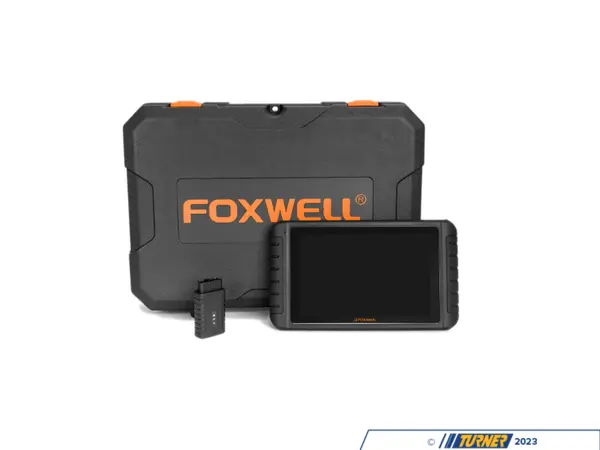
Schwaben i80II - Diagnostic Tablet for BMW OBD2 and 20-Pin
schwaben
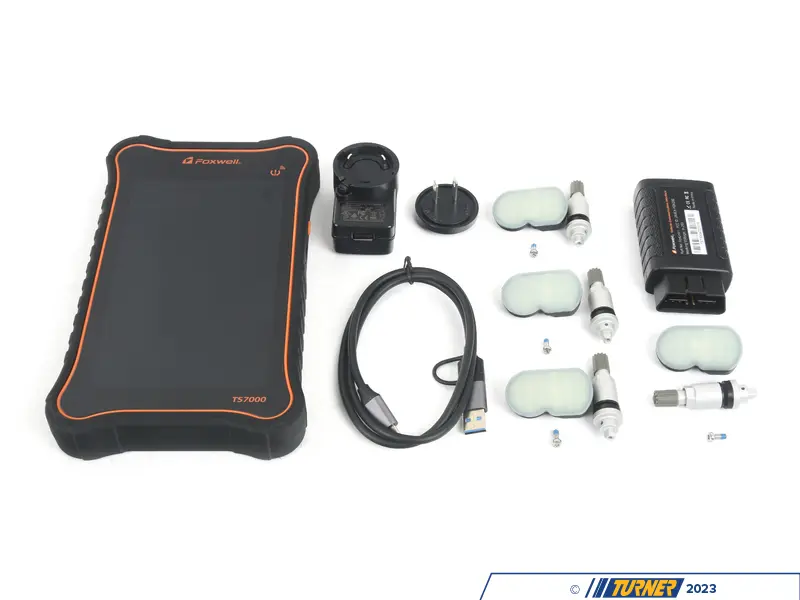
Schwaben TS7000 - Diagnostic and TPMS Tablet for BMW
schwaben
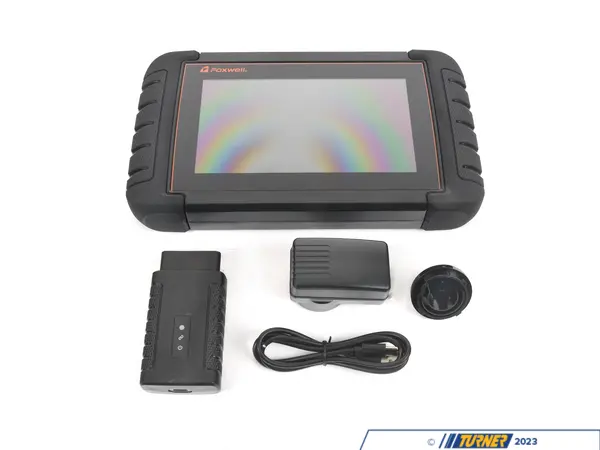
schwaben i70BT - Diagnostic Tablet for BMW OBD Scanning
schwaben
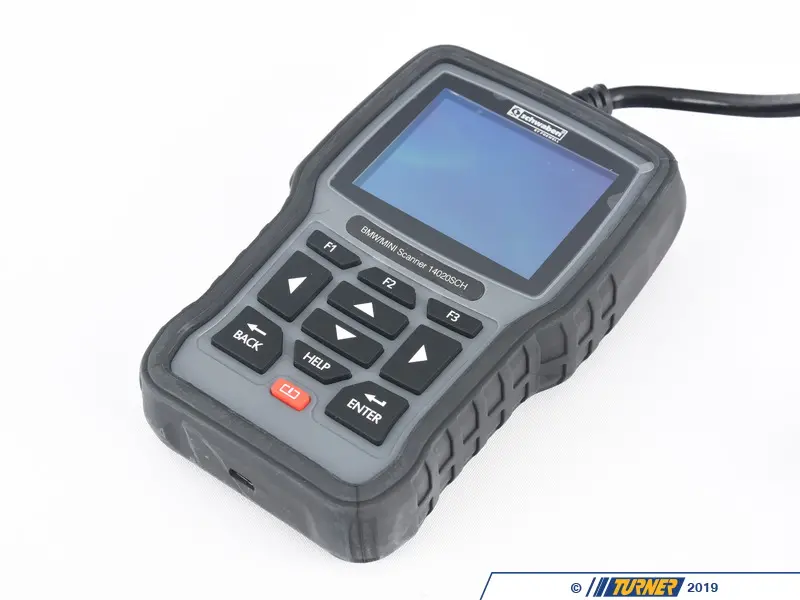
schwaben Elite - Diagnostic Tool for BMW DIY Service
schwaben

TAIZEISHAIGE ICOM Next - Diagnostic Interface for BMW Coding
TAIZEISHAIGE

Autel MK808S - Diagnostic Scan Tool for BMW DIY Repair
Visit the Autel Store

iCarsoft BMM V4.0 - Diagnostic Scanner for BMW Service
Visit the iCarsoft Store

Foxwell NT510 Pro Full-System Diagnostic Scanner & Battery Tester — BMW/Mini/RR
FOXWELL

Launch Creader Elite BMW OBD2 Bi-Directional Diagnostic Scan Tool
LAUNCH

Foxwell NT530 - BMW Diagnostic Scanner and Service Tool
Generic

Foxwell NT510 Elite Full System Diagnostic Scan Tool — BMW/Mini
FOXWELL

OBDLink MX+ OBD2 Bluetooth Scanner
OBDLink

ANCEL BM700 Pro Full System Diagnostic Scanner — BMW/Mini/RR
ANCEL
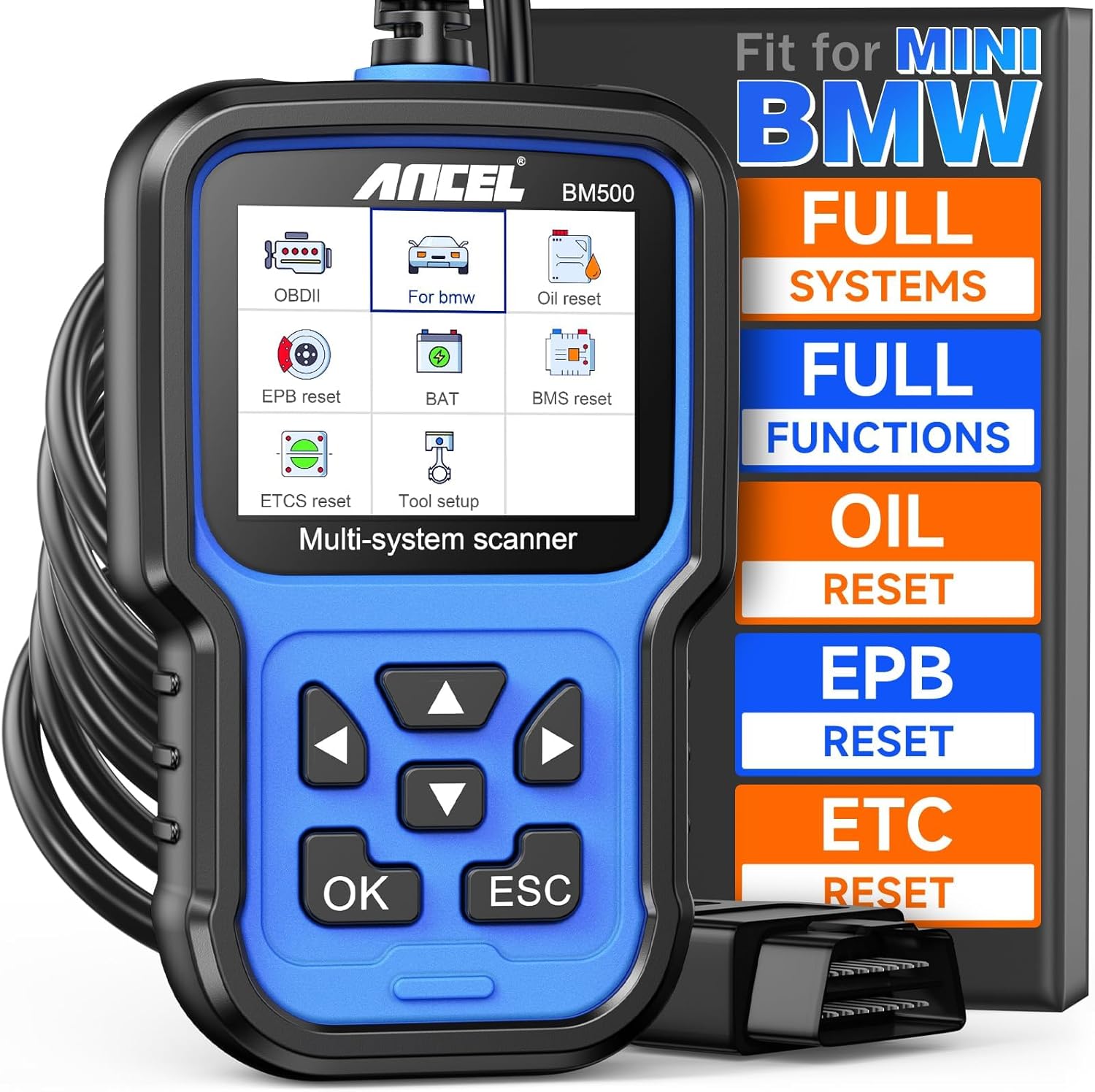
ANCEL BM500 OBD2 Full-System Diagnostic Scanner — BMW & MINI
ANCEL

OBDLink CX Bluetooth 5.1 OBD2 Adapter for BimmerCode
OBDLink

ANCEL BD300 Bluetooth OBD2 Scanner & Diagnostic Tool — BMW/MINI
ANCEL

PARANNIC ENET WiFi OBD2 Adapter — BMW F/G/I-Series
PARANNIC

Vgate vLinker BM+ Bluetooth OBD2 Scanner — BMW & Mini
Vgate

Vgate vLinker BM+ OBD2 Bluetooth Scanner — BMW/Mini BimmerCode
Vgate
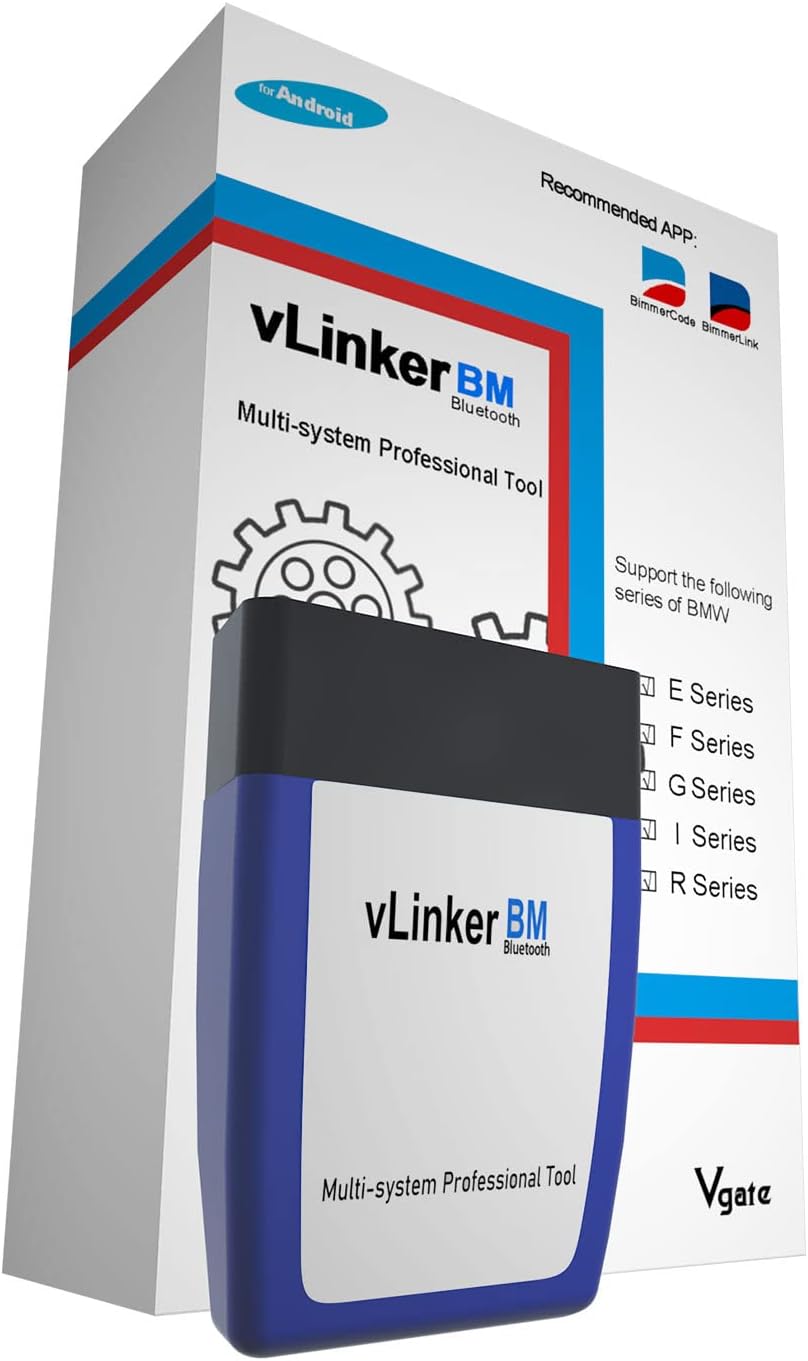
Vgate vLinker BM Bluetooth OBD2 Scanner — BMW/Mini (E/F/G/I/R Series)
Vgate

Veepeak OBDCheck BLE+ Bluetooth OBD2 Scanner — iOS & Android
Veepeak

Carly Universal Adapter - OBD Scanner for BMW Coding
Carly

iCarsoft i910 II - OBD2 Scanner for BMW and MINI
Visit the iCarsoft Store
More tuning and coding gear for the BMW F30
If you own a BMW F30 and you've never plugged anything smarter than an Amazon-special OBD dongle into it, you're leaving a lot on the table. I'm not talking about unlocking hidden features for the sake of a YouTube video. I'm talking about real diagnostic capability - knowing exactly which module threw a fault, registering a new battery so the IBS system doesn't destroy it in six months, resetting service reminders properly, and yes, coding out annoyances that BMW's factory software baked in for regulatory or market reasons. BMW F30 chips software coding diagnostic tools is a category that ranges from a $15 Bluetooth dongle that'll waste your time to professional-grade setups that approach what the dealer tech uses. This page covers all of it - what the tools actually do on the F30 platform, which ones are worth buying, which ones to skip, and how to connect them to your car correctly.
I daily a G20 330i with the B48 turbo four, and I've spent the last five years wrenching on BMWs ranging from E46s to current F and G chassis cars. Before that I spent a year doing marketing for BMW and MINI, which means I've seen the dealer side of diagnostics too. The F30 is one of the most well-supported platforms in the BMW aftermarket, and the coding and diagnostic ecosystem around it is genuinely deep. But it's also confusing because there are about fifteen different tools competing for your wallet and half of them overstate their BMW capabilities on the box.
This guide will cut through that. Real tools, real prices, real forum-backed opinions, and concrete fitment notes for the F30 3 Series.
What "Coding and Diagnostics" Actually Means on the F30
People use these terms loosely so let me define them clearly before we go any further, because they mean different things and different tools handle them differently.
Diagnostics means reading fault codes from your car's control modules. On an F30, that's not just the engine ECU - it's the DME, DSC, EGS, FEM, BDC, HKL, SAS, KAFAS, and a dozen other modules depending on your trim and options. A basic OBD-II scanner reads powertrain codes from the DME and that's it. A BMW-capable full-system scanner reads every module. The difference matters enormously when your F30 has a fault you can't pinpoint - it could be sitting in the body control module, not the engine, and a generic scanner will tell you nothing.
Coding means changing parameters in those same modules - switching features on or off, changing thresholds, enabling functions that BMW disabled for a specific market. On the F30 this includes things like folding mirrors on lock/unlock, disabling the seatbelt chime, enabling video in motion for the navigation screen, changing the DRL behavior, enabling the sport displays in the instrument cluster, or adjusting the battery management system parameters when you fit a larger battery. Some of this is genuinely useful, some of it is novelty. But it all requires a tool that can write to BMW modules, not just read from them.
Flashing and ECU tuning is a step beyond coding - you're replacing or modifying the base software map in the DME. That's a separate topic I cover on the ECU tuning page, and it requires either a professional tune from a shop or a mail-in flash service. Most of the tools on this page don't do full ECU flashing in the traditional sense, though some of the higher-end professional setups can handle module updates and programming.
Service resets and adaptations sit between diagnostics and coding. Registering a new battery, resetting the oil service indicator, bleeding brakes with the EMF motor, performing a steering angle sensor reset, or doing a throttle adaptation are all in this category. Every F30 owner eventually needs at least some of these, especially battery registration - skip it and your new AGM battery will be managed as though it's the old smaller unit, shortening its life considerably.
Understanding which category your task falls into helps you pick the right tool. You don't need a $1,200 professional scanner to code your mirrors. But you also can't register a battery or do a full module scan with BimmerCode alone.
The F30 Platform - Why It Matters for Tool Compatibility
The F30 ran from 2012 to 2018 for the sedan, with the F31 wagon and F34 Gran Turismo alongside it. Engine options in the US ranged from the N20 turbo four in the 320i and 328i, the N26 in SULEV-spec 328i variants, the N55 inline-six in the 335i and 340i (later replaced by the B58 in the refreshed 340i), and the S55 in the M3 which shares the F80 chassis designation. Diesel variants (F30 320d, 328d in the US) use the N47 or B47 depending on model year.
Why does this matter for tools? Because different model years of the F30 have different module architectures. The earlier cars use older body control module setups, while the later LCI (facelift) cars from 2016 onward have slightly updated module configurations. Most modern BMW coding apps handle this transparently, but it's worth knowing when you're on a forum thread and someone says "this coding works on my 335i" - check their model year before assuming it'll work the same on your 2013 328i.
The F30 uses the standard BMW OBD-II port located under the dashboard on the driver's side, same position as every BMW since the late 1990s. What differs is the protocol layer above the OBD-II hardware. BMW uses a combination of ISO 15765 (CAN bus) and proprietary BMW protocols. Generic OBD-II scanners can talk to the standard diagnostic port and pull powertrain codes via the standardized mode, but they cannot access BMW's proprietary modules or perform coding functions. For that you need either a proper ENET cable connected to your laptop running ISTA or similar software, or a BMW-compatible OBD adapter paired with a BMW-specific app.
The ENET cable specifically connects to the OBD port on F30s (and other F-series cars) and runs via USB or Ethernet to your laptop. It's the standard interface for BMW E-Sys, ISTA+, and some versions of BimmerGeeks ProTool. The alternative is a Bluetooth or Wi-Fi OBD adapter that supports BMW's protocols - these pair with apps like BimmerCode and BimmerLink on your phone or tablet. Both approaches work; which one you use depends on the software you're running.
The Five Tool Categories Every F30 Owner Should Know
Before I get into specific product picks, here's how I categorize the landscape:
Category 1 - BMW-Specific Laptop Software
This is ISTA+ (Integrated Service Technical Application), BMW E-Sys, and setups that replicate or interface with those tools like BimmerGeeks ProTool. These give you the deepest access - full module programming, guided diagnostics, coding with proper BMW parameter sets, service procedures with step-by-step workflows. The tradeoff is that you're working on a laptop, you need the right interface cable or adapter, and the learning curve is steeper. But for anyone doing serious DIY work on their F30, this tier is where the real capability lives.
Category 2 - BMW-Focused Smartphone Apps
BimmerCode and BimmerLink are the main players here. These are phone or tablet apps that connect via a Bluetooth or Wi-Fi OBD adapter. BimmerCode handles coding and service functions. BimmerLink is the live data and diagnostics companion. Together they cover a large chunk of what a typical F30 DIY owner needs - battery registration, coding, fault reading, live data monitoring. The interface is much friendlier than ISTA and the price is low. The limitation is that they don't go as deep as ProTool or ISTA for complex diagnostics or module programming.
Category 3 - Dedicated Handheld BMW Scan Tools
Foxwell NT-series BMW tools fall here - dedicated handheld scanners with BMW-specific software built in. You plug them in, navigate a menu, and pull codes or do service resets without needing a laptop or phone app. Convenient. Faster than learning ISTA. But limited on coding depth and generally behind the curve compared to app-based tools for feature coding specifically.
Category 4 - Professional Multi-Brand Scan Tablets
Autel MaxiCOM and Launch X431 series live here. These are full-featured professional diagnostic tablets that support hundreds of makes and models including BMW. They can do full-system scans, coding, service resets, and some module programming on the F30. The BMW depth varies by model and subscription tier. These make sense if you work on multiple brands or want a professional tool that'll serve you across different cars. They're overkill for someone who only has BMWs, but they're legitimate tools with real BMW capability.
Category 5 - Generic OBD-II Scanners
Everything else - the $20 Bluetooth dongles, the basic code readers from the auto parts store, the cheap handheld readers. These read powertrain fault codes and that's essentially it. They're fine for a quick check-engine-light read on the side of the road, but they won't give you module-level diagnostics, they won't do coding, and they won't perform service functions. I'd honestly rather tell you this upfront than have you waste $25 and wonder why it's useless on your F30.
Top Product Picks for the F30 - Ranked and Explained
1. BimmerGeeks ProTool - Best BMW-Specific All-Around Tool
BimmerGeeks ProTool is the tool I'd recommend first to any F30 owner who's serious about BMW-specific diagnostics and coding. Forum consensus on Bimmerpost's F30 coding and diagnostics thread consistently positions ProTool as the closest thing to dealer-level ISTA functionality in an aftermarket package accessible to DIY users. That's a meaningful endorsement because Bimmerpost F30 users are not a group that gets easily impressed by marketing claims.
The pricing structure for ProTool is a bit layered. The software license itself runs roughly $80 to $200+ depending on what tier you're buying and whether you need add-ons for specific functions. On top of that you'll need a compatible interface - typically an ENET cable or a compatible BMW OBD adapter, which is an additional cost. Don't go in expecting an all-in price of $80 because that's the floor, not the ceiling. Budget realistically and read the ProTool site carefully before buying so you know exactly what's included in each tier.
What you get for that money is substantial. ProTool can perform full-system scans across all F30 modules, not just the DME. It can code parameters using a BMW-like interface, handle battery registration, do service resets, run vehicle order (VO) coding, and for many functions it walks you through the procedure in a way that reduces the risk of coding something incorrectly. The workflow is closer to ISTA than to a simple app, which means the learning curve is real but the capability ceiling is much higher.
The main limitation is that ProTool is BMW, MINI, and Rolls-Royce only. If you also work on a Honda or a Ford, you need a different tool for those cars. For someone with an F30 as their primary project car, that's not a problem. For a general mechanic or someone with a multi-brand household, a multi-brand tool might make more sense financially.
F30 fitment note: Works across N20, N26, N55, B58, S55, and diesel variants on the F30/F31/F34/F80. Make sure your ENET cable or adapter is compatible with the ProTool version you buy - the forum thread linked above has specific adapter recommendations for current setups.
2. BimmerCode plus BimmerLink - Best App-Based Setup for Most Owners
If ProTool is the enthusiast's workshop tool, BimmerCode and BimmerLink are the everyday drivers. I've used BimmerCode myself on an F-chassis car and the experience is genuinely polished. The app runs on iOS and Android, connects via a compatible Bluetooth or Wi-Fi OBD adapter, and presents coding options in plain language with risk indicators so you know what you're about to change. It's the most beginner-friendly BMW coding solution that still actually works on the F30 at a meaningful level.
App pricing for BimmerCode and BimmerLink is low - we're talking low double digits to low triple digits at most for app purchases, often with one-time or annual pricing. The adapter is the additional cost that matters. You need a supported adapter - the BimmerCode website lists compatible units, and the community has clear preferences. Don't use a random $10 ELM327 clone; they're hit-or-miss on BMW protocols and can cause communication errors. Budget around $30 to $80 for a reliable adapter on top of the app costs.
What BimmerCode does well on the F30 includes: enabling folding mirrors, adjusting DRL brightness, enabling video in motion, sport display coding in the instrument cluster, disabling unnecessary chimes, battery registration, and service reset functions. BimmerLink adds live data monitoring, fault code reading across modules, and some freeze frame data. For the majority of F30 owners who want to do coding and basic diagnostics without a laptop, this combo is the practical choice.
Where it falls short is in the depth of diagnostics for complex faults. If you have a weird CAN bus fault, a module communication issue, or you need to do a guided test plan for a specific system, you'll hit BimmerLink's ceiling quickly. That's when ProTool or a professional-grade tablet scanner becomes necessary. But for the 80% of coding and basic diagnostic tasks that typical F30 owners need, BimmerCode plus BimmerLink gets the job done at a price that's hard to argue against.
3. Autel MaxiCOM Series (MX808S-Class and Above) - Best Multi-Brand Professional Scanner
Autel makes a range of professional diagnostic tablets and the BMW support on the higher-tier models is genuinely solid. The pricing range is wide - roughly $300 to $1,000+ depending on the specific model. The MX808S-class is the entry point where you start getting meaningful full-system BMW capability, and the MaxiCOM MK908-series and above go deeper into programming and module flash functions.
For F30 diagnostics, a mid-tier Autel tablet will pull fault codes from every module in the car, perform service resets, do battery registration, and handle many of the same service adaptations that ProTool covers. The BMW-specific coding depth - the kind of feature coding that BimmerCode does through a friendly interface - is less straightforward on Autel. It exists in some form on higher-tier models but it's not the primary strength. Autel's strength is broad, professional-grade diagnostic capability across hundreds of makes and models with a solid hardware build and regular software updates via subscription.
As noted in this Autel BMW scanner buying guide, advanced BMW coding often requires the higher-tier Autel models and active subscriptions to access the full BMW software pack. The entry-level and mid-range models may have gaps in coding depth compared to BMW-specific tools. Factor in subscription costs when calculating the real annual cost of an Autel setup.
Who should buy an Autel for their F30? Someone who works on multiple makes, wants a professional handheld tool that doesn't require a laptop, and values broad vehicle coverage over BMW-specific depth. It's a great tool - it's just not the best choice if the F30 is your only car and BMW depth is the priority.
F30 fitment note: Autel tablets use a standard OBD-II cable connection and their BMW software handles the protocol translation. No ENET cable required - the tablet and its cable handle everything. This makes setup simpler than ProTool for users who don't want to manage a laptop and cable setup.
4. Launch X431 and Thinkcar Thinktool Series - Strong Multi-Brand Alternative
The Launch X431 series and Thinkcar Thinktool tablets compete directly with Autel in the professional multi-brand scanner space. Pricing runs roughly $200 to $1,500+ depending on the specific model and whether you're buying the tablet alone or a full VCI (vehicle communication interface) bundle. These tools handle full-system BMW scans on the F30 and forum users on the 1addicts forum thread on diagnostic tools report solid BMW diagnostics performance including battery and charging system diagnostics.
The caution with Launch and Thinkcar bundles is that add-on accessories and optional modules can be hit-or-miss. One forum user in that 1addicts thread specifically reported that a TPMS tool bundled with a Thinktool was a bust - it didn't work as advertised. That's not necessarily a dealbreaker for the main diagnostic functionality, but it's worth knowing before you buy a bundle expecting all the accessories to work perfectly out of the box. Buy for the core scanner, treat the extras as a potential bonus rather than a guaranteed feature.
Launch X431 specifically has a reputation for strong BMW coverage including some coding functions through their SmartLink or DoIP adapters. The software update model (typically annual subscription) is similar to Autel. Build quality on Launch tablets is generally solid. The interface is slightly less polished than Autel in my opinion but it's a legitimate professional tool, not a gimmick.
5. Foxwell NT Series BMW Tools - Budget Entry Point
Foxwell makes dedicated BMW-specific handheld scan tools in the $150 to $350 range. These are straightforward - plug in, navigate the menu, pull BMW fault codes from all major modules, perform service resets, do battery registration. They don't need a laptop, don't need a smartphone app, and they work. The BMW-specific NT series tools are a step above generic OBD readers and a step below the professional-grade platforms.
Where Foxwell falls short for the F30 specifically is coding depth and feature coding. If you want to code your mirrors or adjust DRL behavior, Foxwell isn't the right tool. It's a diagnostic and service reset tool, not a coding tool. For owners who want something simple that they can keep in the glovebox for quick fault checks and service resets without dealing with apps and adapters, Foxwell serves that role reasonably well at its price point.
The honest assessment is that at $150 to $350, you're not far from the price of a decent adapter plus BimmerCode, which gives you more capability. So Foxwell makes the most sense for people who specifically want a standalone handheld device and have no interest in app-based tools or laptop software.
Comparing the Tools Head to Head
| Tool | Typical US Price | F30 Coding | Full System Scan | Service Resets | Multi-Brand | Interface |
|---|---|---|---|---|---|---|
| BimmerGeeks ProTool | $80-$200+ (license) + adapter | Excellent | Excellent | Excellent | BMW/MINI/RR only | Laptop + ENET/adapter |
| BimmerCode + BimmerLink | Low app cost + $30-$80 adapter | Very Good | Good | Very Good | BMW-focused | Smartphone + BT/WiFi OBD |
| Autel MaxiCOM (MX808S+) | $300-$1,000+ | Moderate-Good | Excellent | Excellent | Yes, broad | Standalone tablet |
| Launch X431 / Thinktool | $200-$1,500+ | Moderate-Good | Excellent | Excellent | Yes, broad | Standalone tablet/VCI |
| Foxwell NT BMW Series | $150-$350 | Limited | Good | Good | Limited | Standalone handheld |
F30-Specific Fitment Notes - Adapters, Cables, and Protocol Details
This is the part that trips people up most often. You can buy the right software and the wrong cable and get nowhere. Let me be specific about what the F30 needs.
ENET Cable for Laptop-Based Tools
The ENET cable (Ethernet to OBD adapter) is the standard interface for running ISTA, E-Sys, and ProTool on F-chassis BMWs including the F30. It connects to your laptop's Ethernet port (or via a USB-to-Ethernet adapter if your laptop doesn't have one) and to the OBD-II port in your F30. The ENET cable specifically supports the D-CAN and DOIP protocols that BMW F-series cars use, which is why it works for full module access where a generic OBD cable does not.
ENET cables are cheap - around $15 to $30 from reputable sources. Don't buy the absolute cheapest one you can find; there are counterfeit and low-quality versions that have communication errors. Forum members consistently recommend buying from known suppliers and checking the cable's compatibility with your specific tool setup before relying on it for coding.
One important note - when using an ENET cable with ProTool or similar software, your laptop needs to have its firewall and network settings configured correctly for the BMW software to communicate through the cable. This is a common stumbling block for new users and there are good setup guides on Bimmerpost and the ProTool forums that walk through the network configuration. Don't skip this step.
Bluetooth and Wi-Fi OBD Adapters for App-Based Tools
For BimmerCode and BimmerLink, you need a supported Bluetooth or Wi-Fi adapter. The BimmerCode website publishes a compatibility list and you should use it. The commonly recommended adapters for BMW coding apps include specific models from Konnwei, OBDLink, and similar manufacturers - but the specific model matters because BMW protocol support varies between adapter chipsets. The popular ELM327-based adapters are hit-or-miss on BMWs because the ELM327 chipset has limitations with BMW's proprietary protocol layers.
On the F30 specifically, you want an adapter that supports BMW's extended diagnostic protocols via the OBD port. The BimmerCode app will often tell you if it detects an unsupported or limited adapter. For reliability in coding (where a dropped connection mid-write can theoretically cause issues), I'd spend the extra $30 to $40 for a known-good adapter rather than gambling on a cheap clone.
Standalone Tablets - Plug and Play
For Autel and Launch tablets, the interface cable is typically included in the box and handles the BMW protocol translation internally. You don't need to worry about ENET cables or adapter compatibility - the tablet's own VCI (vehicle communication interface) handles everything. This is actually a meaningful advantage for users who don't want to deal with protocol setup and just want to plug in and scan.
Model Year Variations Within the F30
The F30 ran from 2012 to 2018. Early cars (pre-LCI, roughly 2012-2015) and post-LCI cars (2016-2018) have some differences in module configurations. The major coding tools handle this transparently for the most part, but occasionally a specific coding option or procedure will behave differently between early and late cars. If you're following a coding guide from the internet, check that the guide author's car matches your model year range. What works on a 2018 340i LCI might have a slightly different path on a 2013 328i pre-LCI.
The engine code also matters for some coding and tuning functions. If you're on an N20 328i, some of the sport display coding in the instrument cluster might differ from what an N55 335i owner sees. Again, the major tools handle this automatically for most functions - I'm just flagging it so you don't get confused if a forum guide mentions an option that doesn't appear on your car.
What You Can Actually Code on an F30 - Practical Examples
I want to be concrete here because "coding" is a vague word that means different things to different people. Here's a practical list of what F30 owners commonly code and which tool category handles each one.
Mirror and Lighting Coding
- Fold mirrors on lock/unlock - Available on cars with electric folding mirrors; BimmerCode handles this easily
- DRL brightness adjustment - Some F30s allow DRL brightness coding via BimmerCode
- Coming home / leaving home lights - Duration and behavior can be adjusted
- Angel eye color and behavior - On F30s with LED or adaptive headlights, some parameters are adjustable
- Cornering lights enable/disable
Interior and Comfort Coding
- Seatbelt chime disable - Useful if you're working on the car in the driveway; BimmerCode handles it
- Video in motion enable - For F30s with NBT navigation; allows video playback while moving
- Comfort access behavior - On cars with passive entry, some behaviors can be adjusted
- Climate control startup behavior
Sport and Performance Display Coding
- Lap timer in instrument cluster - Available on some F30 variants
- Sport displays enabling - Oil temp, g-meter, torque displays in some setups
- Transmission sport mode behavior
Service and Maintenance Functions
- Battery registration - Critical when replacing the battery; needed any time you swap an AGM battery
- Oil service reset
- Brake fluid service reset
- Electronic parking brake service mode - Required for rear brake pad replacement on F30s with EMF
- Steering angle sensor reset
- DSC/traction control adaptations after suspension or alignment changes
If you're doing rear brake pads on your F30, you need a tool that can activate the EMF motor service mode. This is not optional - you cannot compress the rear caliper pistons on the F30 without doing this because they're motor-driven, not simple hydraulic. BimmerCode handles EMF service mode. So do ProTool, Autel, and Launch. A generic OBD reader does not. I cover brake pad replacement basics on the brake pads page if you want the full procedure.
Common Mistakes F30 Owners Make with These Tools
After reading through years of forum posts and having done my share of coding sessions myself, here are the mistakes I see repeated constantly.
Mistake 1 - Buying a Generic Scanner and Expecting BMW Results
I already said this once but it bears repeating because it's the most common mistake. The F30's modules do not respond to generic OBD mode 6 queries the way that tool description promises. A $20 ELM327 will read standard powertrain codes and that's it. If your check engine light is on for a catalytic converter efficiency code, a generic scanner will tell you that much. If your ABS module has a fault from a wheel speed sensor, a generic scanner will tell you nothing. Buy BMW-capable tools for BMW diagnostics.
Mistake 2 - Skipping Battery Registration After a Swap
This is the single most common mistake I see F30 owners make when replacing the battery. The F30 uses an Intelligent Battery Sensor (IBS) on the negative terminal that monitors the battery's state of charge, state of health, and charge current. When you fit a new battery, the car needs to be told the new battery's capacity and type so it can manage charging correctly. Without registration, the car will manage the new battery as though it's the old degraded unit. The result is overcharging or undercharging, both of which shorten the new battery's life. Battery registration takes about two minutes with BimmerCode, ProTool, or any of the professional-grade scanners. Do it every time.
Mistake 3 - Coding Without Reading What You're Changing
BimmerCode is user-friendly and it shows risk indicators, but some users still just tap through options without reading what they're enabling or disabling. On the F30 most coding is reversible - you can usually undo what you coded by going back and setting it to the previous value. But "usually" is not the same as "always," and some module-level changes require more work to undo if they cause problems. Read the description of each coding option before you apply it. Check the BimmerPost forums for reports from other F30 owners who've done the same coding. Ten minutes of research prevents a headache.
Mistake 4 - Wrong Adapter for the Tool
I see people buy BimmerCode and then complain it doesn't work well, and when you dig into the thread it turns out they used an incompatible ELM327 clone adapter. The app didn't fail - the adapter wasn't supported. Match the adapter to the tool using the tool's official compatibility list. This is not where you want to save $20.
Mistake 5 - Interrupting a Coding Session
If your phone loses connection to the adapter mid-coding, or your laptop goes to sleep while ProTool is mid-write, things can get messy. Some module writes are interrupted cleanly and resume fine; others are not and can leave the module in a partially written state. Before you start a coding session - especially anything involving module programming or substantial parameter changes - make sure your device is plugged into power, your connection is stable, and your car battery is healthy enough to sustain the session. If your F30's battery is weak, connect a battery charger or maintainer to the jump terminals in the engine bay before you start any extended coding or programming session.
Mistake 6 - Using ISTA or E-Sys Without Understanding What Vehicle Order (VO) Coding Is
If you get into the deeper BMW-specific laptop tools, you'll encounter vehicle order coding. The VO encodes your car's complete option configuration - every option your F30 was built with. Changing the VO incorrectly can cause coding problems or disable features that were properly working. If you're new to laptop-based BMW coding, start with the more guided tools like BimmerCode or ProTool before jumping into raw ISTA or E-Sys. The forum resources on this are extensive but the learning curve is real.
Supporting Software and Free Resources Worth Knowing
BIMMERCODE Website and App Documentation
BimmerCode maintains a well-organized website with adapter compatibility lists, F30-specific coding options, and risk level indicators. Before you code anything on your F30, cross-reference with their documentation. It's more reliable than random YouTube tutorials because it's maintained by the people who wrote the app.
Bimmerpost F30 Forum
The Bimmerpost F30 coding and diagnostic tools thread is essential reading before you buy anything. Real F30 owners reporting real results with specific tools and adapters. This is where you'll find out that a particular adapter has USB communication issues on Windows 11, or that a specific ProTool version handles the F30's FEM module differently than an older version. Forum experience is not a substitute for manufacturer documentation but it adds a layer of real-world validation that manufacturer documentation doesn't provide.
BMW ISTA - For Those Who Want to Go Full OEM
ISTA+ is the official BMW dealer diagnostic software. It's available to the DIY community through various channels (search the BMW communities for current guidance on legitimate access). Running ISTA requires a capable laptop, the right interface cable, and a willingness to work through a learning curve. But it's the actual tool BMW dealers use, which means the diagnostic depth is complete. For complex fault diagnosis - intermittent communication faults, module programming after a repair, or working through a genuine guided test plan - ISTA is the gold standard. ProTool approaches ISTA functionality; it doesn't fully replace it for the most complex procedures.
Rheingold / E-Sys for Expert Users
These are the deeper BMW software tools that the real BMW coding community uses for advanced VO coding and module programming. They're powerful and complex. I won't go into them in detail here because they're beyond the scope of what most F30 owners need and they require significant time investment to learn correctly. If you want to go that route, the BMW coding communities have extensive guides specifically for F30 users.
My Opinionated Picks - Editor's Choices for the F30
Editor's Pick - BimmerGeeks ProTool
For an F30 owner who wants BMW-specific depth and is willing to learn a proper tool, ProTool is the pick. The forum consensus behind it is earned, not manufactured. It genuinely approaches ISTA functionality in a package that's more accessible than setting up full ISTA from scratch. The BMW/MINI limitation is a non-issue if your fleet is all BMW.
Best Daily Driver Tool - BimmerCode plus BimmerLink
For the typical F30 owner who wants to code their car, register batteries, do service resets, and have a solid diagnostic app on their phone without dealing with laptops and ENET cables - BimmerCode plus BimmerLink with a quality Bluetooth adapter is the practical answer. Low cost, easy interface, reliable on the F30 platform. Start here if you're new to BMW coding.
Best Multi-Brand Professional Tool - Autel MaxiCOM
If you work on multiple cars and need a tool that handles all of them well, Autel MaxiCOM at the MX808S level or above is the professional choice. The BMW depth is solid even if it's not as BMW-specific as ProTool. For a mechanic or enthusiast with a mixed garage, the breadth of coverage justifies the price.
Best Budget Entry Point - Foxwell NT BMW Tool
If you want something simple, standalone, and BMW-capable for under $250 - Foxwell NT series for BMW. Don't expect feature coding but expect reliable fault reading and service resets across F30 modules. Good for keeping in the car as a quick diagnostic tool without any fuss.
Best Value Alternative to ProTool - Launch X431 Pro
For someone who wants more BMW diagnostic depth than Foxwell but also wants multi-brand coverage and doesn't want to deal with the laptop-based ProTool setup, a mid-tier Launch X431 is a solid alternative. The BMW software is competent, the hardware is durable, and the breadth of vehicle coverage is comparable to Autel. Just be selective about which bundle you buy and don't assume every included accessory will work perfectly.
Coding, Diagnostics, and ECU Tuning - Where the Lines Blur
A question I get often is whether coding tools can tune the engine. The short answer is no - not in the meaningful sense. Coding changes BMW's parameters and feature switches within the existing software framework. ECU tuning changes the fundamental calibration of the DME - fueling, ignition timing, boost targets, rev limits. These are different operations requiring different tools and different software.
BimmerCode cannot tune your N55. ProTool cannot remap your B58's fueling tables. For actual performance ECU tuning on the F30, you're looking at dedicated tuning software from companies like MHD (for N55 and B58 specifically), or mail-in flash services, or a local dyno tune. I go into the full landscape of that on the ECU tuning page.
Where the lines blur slightly is in stage 1 flash tools for the N55 and B58. Tools like MHD Flasher for the N55 in the F30 335i function via the OBD port and a compatible cable or adapter, and they do modify the ECU's base maps. These are tuning tools that happen to use the OBD port, not diagnostic or coding tools. Don't confuse them - and don't use a diagnostic adapter to try to flash an ECU unless that specific combination is explicitly supported and documented.
F30 Diagnostic Workflow - How I'd Actually Approach a Problem
Let me walk through how I'd use these tools practically on an F30 rather than just describing them in the abstract.
Scenario 1 - Check Engine Light On
First step is always to identify which module the fault is in and what the specific fault code and environment data shows. With BimmerLink or any of the full-system scanners, I'd pull all module faults first - not just the DME. BMW sometimes stores the relevant fault in a module other than where you'd expect it. Note the fault code, the stored environment data (engine temp, RPM, load when the fault stored), and whether it's a current or stored fault. Research the specific fault code for the F30 before doing anything else. Bimmerpost has threads on virtually every common F30 fault code.
Scenario 2 - Battery Replacement
Replace the battery physically. Connect your coding tool before disconnecting the old battery or immediately after fitting the new one while the car still has continuous power (using a memory saver on the OBD port or jump terminals). Register the new battery with the correct capacity (Ah rating) and type (AGM or standard lead-acid) in the battery registration function of your tool. Clear any battery-related faults. Done in five minutes if you're set up correctly.
Scenario 3 - Rear Brake Pad Replacement
On the F30, the rear calipers are electrically actuated (EMF - electromechanical parking brake). You cannot compress the pistons without retracting them via software first. Connect your tool, navigate to the EMF service function, activate service mode (which retracts the piston motors), do your brake pad replacement, then deactivate service mode and let the pistons extend to contact the new pads. You also need to do a brake pad reset in the service reset menu if the car has an electronic pad wear indicator on the rear. I have more detail on this in the brake pads section of the site.
Scenario 4 - Suspension Modification and Alignment
After fitting coilovers or lowering springs on an F30 and getting a proper alignment done, you may want to reset the steering angle sensor adaptation so the DSC system has accurate reference data for the new alignment geometry. This is a simple procedure in most diagnostic tools - navigate to DSC or steering angle sensor reset and follow the procedure (usually requires driving straight for a set distance). If you're running aftermarket suspension and want more context, the coilovers page has fitment-specific notes for the F30.
Forum-Backed Reality Check - What Actually Gets Used
Reading through the Bimmerpost F30 thread on coding tools and the 1addicts forum discussion, a few patterns emerge from real F30 owners.
First, BimmerGeeks ProTool gets the most consistent positive mentions from F30 owners who've tried multiple tools and landed on something they stick with long-term. These aren't drive-by reviews - they're people who've used the tool across multiple service events and coding sessions and keep coming back to it. That kind of repeat endorsement means more to me than a single positive comment.
Second, the BimmerCode plus adapter combination gets high marks for ease of use and reliability for coding-specific tasks. The combination of a user-friendly app and BMW-depth coding at a low price point hits a sweet spot for F30 owners who aren't professional mechanics but aren't afraid to learn either.
Third, the professional tablet tools (Autel, Launch) consistently appear in threads from owners who also work on non-BMW cars. The pattern is clear - BMW-only households tend toward ProTool or BimmerCode; mixed-brand households or working mechanics tend toward Autel or Launch.
Fourth, there's consistent advice in those forums to avoid cheap generic scanners and to be skeptical of any tool's marketing claims about BMW compatibility without specific forum verification. The F30's module architecture is complex enough that "BMW compatible" on the box doesn't mean much without specifics.
One video review covering BMW-focused diagnostic tools mentions a "Bimmer version 4.0" style tool as strong value for broad BMW coverage. I'll note this as a data point but with the caveat that the forum-based verification on Bimmerpost for ProTool is more substantial and directly F30-relevant than a single video claim. Do your own due diligence if you see similar claims in video content - cross-reference with forum threads before spending money.
Price Reality - What You Actually Need to Spend
Let me be blunt about the cost reality because I see a lot of people try to spend $30 and then be frustrated.
For the bare minimum useful setup for an F30 owner - basic coding and diagnostics via smartphone - budget around $60 to $120 total. That's app cost plus a quality OBD adapter. You'll get battery registration, service resets, feature coding, and full-system fault reading via BimmerLink. That's real value at that price point.
For a mid-tier BMW-specific setup with ProTool - budget $150 to $300+ total including license and interface. This is where you get ISTA-approaching diagnostic depth and the ability to handle more complex procedures. Worth every penny if you're doing serious DIY work.
For a professional multi-brand tablet (Autel or Launch at a meaningful tier) - budget $400 to $800+ including the tool and first-year subscription. These tools have software subscriptions for updates (typically annual) that add ongoing cost. Factor that in when comparing them to a one-time license tool.
For full ISTA DIY setup - the software access costs vary depending on how you obtain it (there are legitimate enthusiast licensing arrangements), plus an ENET cable (~$25) and a capable laptop if you don't already have one. The ongoing cost can be low once you're set up, but the initial time investment is high. This is the path for serious enthusiasts and it gives you the most complete access.
What I'd tell a first-time F30 coder: start with BimmerCode plus a quality adapter. If you find yourself bumping against its limits after a few months, then evaluate whether ProTool or a professional tablet scanner makes sense for your use case. Don't spend $500 before you know what you actually need.
Where These Tools Fit in the Broader F30 Modification Picture
Coding and diagnostic tools are the foundation layer for any serious F30 modification project. Here's why they matter beyond just standalone coding sessions.
If you're doing an intake upgrade - and the F30 N55 and B58 respond well to them - you'll want to monitor intake air temps and airflow data before and after, which requires a live data tool like BimmerLink. I cover intake options on the cold air intakes page.
If you're fitting an upgraded intercooler on an F30 335i or 340i, monitoring charge air temps via live data logging is the right way to verify the upgrade is working. Same principle applies.
If you're doing suspension mods and want to adjust DSC intervention thresholds or disable certain stability control assists for track use, you need coding capability. The suspension section has more context on what's typical for F30 setups.
If you fit aftermarket wheels and tires and change your tire size, some F30 variants need the speedo correction or TPMS system addressed via coding. The aftermarket wheels page covers this in more detail.
Basically - every physical modification you make to your F30 has a potential software component, whether it's registering a new part, adapting a sensor, clearing break-in faults, or verifying the modification is performing as expected via live data. Good coding and diagnostic tools aren't an optional extra for the serious F30 owner. They're as essential as a torque wrench.
Frequently Asked Questions - BMW F30 Coding and Diagnostic Tools
What is the best diagnostic tool for a BMW F30?
For BMW-specific depth, BimmerGeeks ProTool is the current forum favorite for F30 owners who want close-to-dealer diagnostic capability. For a friendlier entry point with strong coding and diagnostics via smartphone, BimmerCode plus BimmerLink with a quality OBD adapter is the practical first choice. For multi-brand professional capability, Autel MaxiCOM at MX808S level or above is the leading option. The "best" tool depends on what you need it to do and what other cars you work on.
Can I code my F30 with a generic OBD-II scanner?
No. Generic OBD-II scanners can read standard powertrain fault codes from the DME, but they cannot access BMW's proprietary modules, perform coding functions, or execute service procedures like battery registration or EMF service mode. You need a BMW-specific tool or app for any meaningful coding or full-system diagnostics on the F30.
Do I need an ENET cable or will a Bluetooth adapter work?
It depends on the software you're using. BMW-specific laptop software like ProTool, ISTA, or E-Sys typically requires an ENET cable connection. Smartphone apps like BimmerCode and BimmerLink use a Bluetooth or Wi-Fi OBD adapter. Professional tablet scanners like Autel and Launch include their own wired connection cables. Pick your tool first, then get the correct interface for it.
Is battery registration really necessary on the F30?
Yes, and I can't stress this enough. The F30's IBS (Intelligent Battery Sensor) actively manages charging based on the registered battery profile. If you replace the battery without registering the new one, the car will manage it incorrectly - potentially overcharging or undercharging - which shortens the new battery's life significantly. Battery registration takes two minutes with the right tool. Always do it.
Can I code my F30 to enable features it didn't come with from the factory?
Sometimes, with limitations. Some features can be software-enabled if the car has the necessary hardware already installed. For example, if your F30 has electric folding mirrors (the hardware is there), you can code the automatic fold behavior. If it doesn't have the hardware, coding can't create functionality that doesn't exist physically. Always check that your specific car has the required hardware before expecting a coding option to work.
Will coding void my warranty?
BMW's official stance is that dealer coding doesn't affect warranty. Aftermarket coding that modifies vehicle behavior could theoretically be used to deny a warranty claim if BMW can show the modification caused the failure - but proving that is not simple for them. Most coding that F30 enthusiasts do (lighting, comfort features, displays) is very unlikely to affect any warranty claim. Performance-related coding (adjusting engine parameters) is a different matter. If you're still under warranty, be thoughtful about what you code, especially anything touching the drivetrain or emissions systems.
What's the difference between BimmerCode and BimmerLink?
BimmerCode is the coding app - it writes changes to your car's modules. BimmerLink is the diagnostics and live data app - it reads from your modules but doesn't write coding changes. They work together and are made by the same developer. Most F30 owners want both. They use the same OBD adapter, so you only need one adapter for both apps.
Can these tools read faults from all modules on the F30?
BMW-specific tools like ProTool, BimmerLink, and professional tablets like Autel and Launch can perform full-system scans across all F30 modules including DME, DSC, EGS, FEM, BDC, KAFAS, and others. Generic OBD-II scanners cannot. The specific module coverage may vary by tool tier - check the software specifications for your specific model before assuming complete coverage.
Do these tools work on F31 (wagon) and F34 (Gran Turismo) variants?
Yes. The F31 and F34 share the same platform and module architecture as the F30 sedan. All the tools listed in this guide that cover the F30 will cover F31 and F34 as well. There may be minor variant-specific differences in available coding options but the core diagnostic and service functionality is identical.
What happens if a coding session is interrupted on my F30?
In most cases, a clean interruption (lost Bluetooth connection, app crash) leaves the module unchanged because the write either completes or it doesn't commit. In some cases, particularly during module programming (not just coding), an interrupted write can cause problems that require additional intervention to resolve. To minimize risk: ensure your car battery is healthy before coding, keep your device plugged in, maintain a stable connection, and don't start coding sessions on a dead or near-dead battery. If something does go wrong, don't panic - the Bimmerpost F30 forums have recovery guides for most common coding issues.
Are there free alternatives for BMW F30 diagnostics?
The closest free option for BMW diagnostics is downloading a community-maintained version of ISTA and running it with an ENET cable. The software itself has been made available through BMW enthusiast communities (the legality and terms vary by region). This gives you genuine BMW diagnostic software at minimal cost beyond the ENET cable. However, the setup process is not trivial and it requires a capable laptop and some willingness to follow technical setup guides carefully. BimmerCode's basic app tier is also very low cost, which makes "free" less compelling when a few dollars gets you a stable, supported app.
Can I use these tools for the F30 M3 (F80)?
The F80 M3 uses the same generation of BMW module architecture as the F30 and is supported by all the major BMW coding tools. The S55 engine has its own specific coding parameters and the M division adds some unique modules, but tools like ProTool, BimmerCode, and professional scanners handle the F80 alongside the standard F30. Just make sure the tool's BMW software supports the F80 specifically - most current versions do but verify before buying.
Summary - The Practical Bottom Line for F30 Owners
Here's what I'd tell a friend who just bought an F30 and is asking what to get.
Start with BimmerCode plus BimmerLink and a quality OBD adapter. Spend the money for a supported adapter, not the cheapest clone. This setup covers battery registration, service resets, feature coding, and full-system diagnostics via your phone. It's the lowest friction entry point that actually works on the F30 at a meaningful level. Total cost around $80 to $150 depending on app pricing and adapter choice.
If you find yourself regularly frustrated by its diagnostic depth - you're chasing a complex intermittent fault and need guided test plans, or you want full module programming capability - then step up to BimmerGeeks ProTool. The additional cost is justified by the significant jump in capability, and the forum community around it is strong for F30-specific questions and use cases.
If you work on multiple makes and want one professional tool for everything, Autel MaxiCOM at the right tier gives you broad professional capability. The BMW depth isn't as specialized as ProTool but it's more than adequate for all but the most complex BMW-specific procedures.
Don't buy a generic scanner expecting BMW results. Don't skip battery registration when you replace the battery. Don't code without reading what you're changing. And don't try to do rear brake pads on the F30 without a tool that can activate EMF service mode - you'll be there all day with a brake piston tool that won't work because the piston needs to retract electronically, not just compress mechanically.
The F30 is a well-supported platform and the tools available for it are genuinely good in 2026. Pick the right one for your use case, learn it properly, and it pays for itself the first time you diagnose a fault yourself instead of paying a dealer $175 to plug in their scanner and read the same code.
For more context on what else is available for your F30's platform, see the BMW models overview and the BimmerTalk articles section for deeper technical guides. If you're building a more complete tools setup, the chassis-specific tools reference is worth bookmarking too.

Kamil Siegień
Founder of BimmerTalk. Five years wrenching on BMWs, currently dailying a G20 330i with the B48 turbo four. Spent a year doing marketing for BMW and MINI before going independent. I write everything on this site myself.
More about the site
BMW Coding and Diagnostic Tools - What They Are and Why Every BMW Owner Needs One
If you own a BMW and you're still paying the dealer $150 to read a check engine light, stop. Right now. The world of chips-software coding-diagnostic-tools for BMW has matured to the point where a motivated owner can do in their driveway what used to require a factory ISID station and a trained technician. I run a G20 330i with the B48 turbo four as my daily, I've spent five years wrenching on BMWs ranging from crusty E36 coupes to a friend's G82 M4, and before BimmerTalk I spent a year inside BMW's marketing operation. I know what the dealer charges, I know what the independent shops use, and I know what you can realistically do yourself. This guide covers all of it - from the cheapest Bluetooth OBD dongle that actually works to the professional Autel tablets that rival what you'd find bolted to a wall at your local BMW Service Center.
The short version is this: the market in 2026 is split into three clear tiers, the gap between a generic scanner and a BMW-specific tool is enormous, and the right choice depends almost entirely on whether you want diagnostics, coding, programming, or all three. Let me walk you through every layer.
Why a Generic OBD2 Scanner Is Not Enough for a BMW
Every car sold in the US since 1996 has an OBD2 port, and every BMW from the E36 onward has one too. That port is standardized. The basic protocol - reading and clearing powertrain fault codes - is the same across brands. So in theory, the $25 Bluetooth dongle you ordered off Amazon should work fine on your F30 328i. And it will, sort of. It will pull codes from the engine and transmission. That's it. That's approximately 10 percent of what you actually need on a modern BMW.
Here's what a generic reader misses. It will not talk to your DSC module, which is where your wheel speed sensor faults, stability control errors, and brake pressure sensor codes live. It will not talk to the airbag module (SRS), which means if you have a deployed pretensioner or a seat sensor fault you'll never know until the car fails inspection or, worse, the bag deploys incorrectly. It will not talk to the transfer case on xDrive models, the DISA or VANOS controllers on older N-series engines, the EPS (electric power steering) module, the FEM/BDC body domain controller on F and G series cars, or any of the camera and ADAS modules on anything newer than about 2015.
On something like an E60 530i with the N52 engine, I've seen cars with eight active faults spread across DSC, airbag, and instrument cluster modules, and the owner had no idea because his generic scanner said "no codes." On my own G20, a full module scan via ISTA turns up faults in modules I didn't even know existed - the power distribution box has its own diagnostic memory, the antenna amplifier logs errors, the KOMBI can store calibration faults. None of that shows up on a Bluetooth dongle running a generic app.
The bottom line is that BMW's architecture is deeply proprietary. The chassis codes change - E36, E46, E90, F30, G20 - but the underlying complexity keeps increasing with each generation. A proper BMW coding and diagnostic tool speaks the same language as that complexity. A generic scanner does not.
The Three Tiers of BMW Diagnostic and Coding Tools in 2026
Before I go into specific products, let me lay out the landscape. Every tool in this space falls into one of three categories, and they don't overlap as much as marketing copy would have you believe.
Tier One - Dealer-Level BMW Software and Hardware
BMW ISTA+ (Integrated Service Technical Application, sometimes called ISTA-D or ISTA-P depending on what you're doing) is what BMW dealers actually use. The diagnostic side reads every module on every BMW from approximately the E46 onward. The programming side - ISTA-P - handles software updates, module flashing, and retrofit programming. This is the real deal. It's what a master technician uses when they're coding a new DME or programming a replacement instrument cluster.
To run ISTA at home, you need a laptop capable of running a Windows VM or a dedicated Windows machine, the ISTA software itself (obtainable from various enthusiast sources - I won't pretend it comes shrink-wrapped in a box), and either an ENET cable (for F and G series cars, typically $20-$80 for a known-good cable) or an ICOM hardware interface for older E-series cars and more serious programming work. ICOM-style hardware clones run from about $150-$500 depending on quality; genuine BMW ICOM hardware is thousands of dollars and practically unavailable to private buyers. The cable-and-software setup can be had for as little as $20-$200 all-in if you're comfortable sourcing software and configuring the environment yourself.
The payoff is enormous. ISTA generates guided test plans, identifies coding errors by module, shows expected versus actual values, and guides you through repairs with factory-level detail. For retrofit work - adding a factory rear camera to an F10 that didn't come with one, or coding a new DCT module after a rebuild - there's nothing in the aftermarket that touches ISTA. It's also the tool most trusted indie BMW shops run, specifically because it's what the factory uses.
The tradeoff is that it's genuinely difficult to set up if you're not comfortable with Windows environments, ISTA-specific INI configurations, and BMW's module structure. It's not a tablet you pull out of a box and plug in. Expect a weekend of research before you successfully run your first test plan, especially on G-series cars where the software architecture is updated frequently.
Tier Two - Professional Multi-Brand Scan Tablets
This is the meat of the market for independent shops and serious enthusiast owners. Brands like Autel, Launch, and to a lesser extent Foxwell make standalone scan tablets that handle BMW diagnostics and coding without requiring a laptop, a VM, or any software configuration. You buy the tablet, register it, update it, and plug it into the OBDII port. These tools run their own BMW-specific software stacks and cover most functions you'd ever need for real-world service work.
The range within this tier is wide. At the entry end, the Foxwell NT510 or NT530 gives you BMW-specific module scanning, service resets (oil, brake fluid, steering angle, battery registration), and basic actuation tests for roughly $150-$300. At the high end, the Autel MaxiSys Elite II Pro and MK908 Pro II give you bidirectional control, ECU coding, guided diagnostics, and programming capability on nearly every BMW from the E36 forward - with pricing in the $1,000-$2,000 range. The flagship Autel tablets with full J2534 programming pass-through capability push into $2,500-$4,000+ territory.
According to professional BMW scan tool retailers, the Autel lineup in particular is consistently positioned as the strongest aftermarket choice for combined BMW diagnostics, coding, and service functions - specifically the MP808, MK908 Pro II, and Elite II Pro families, which support ECU coding, bidirectional control, and retrofit-adjacent features across BMW's chassis range.
Tier Three - Consumer Coding Apps
BimmerCode and BimmerLink are the names that come up constantly on forums when someone wants to code their F30 without going full ISTA or spending $1,000 on a tablet. These are phone apps (iOS and Android) that pair with a compatible OBD adapter - typically an OBD Link MX+ or a dedicated BimmerCode adapter - and give you access to module-level coding parameters through a clean, organized interface. The adapter plus app license typically runs $50-$300 total depending on which adapter and which features you buy.
BimmerCode is genuinely good at what it does. On my G20 330i I used it to enable video-in-motion for the passenger screen, adjust cornering light behavior, change the startup sequence on the instrument cluster, and register the battery after I swapped to an AGM unit. None of those took more than ten minutes. But BimmerCode has real limits. It won't do guided diagnostics with test plans. It won't program a new module after replacement. It won't do ADAS calibrations. It's a coding and live-data tool, not a diagnostic platform, and it's best understood that way.
When You Actually Need Each Tool Type - Matching the Tool to the Job
One of the most common mistakes I see on forums is someone buying a BimmerCode setup and then being frustrated that it can't help them diagnose a random misfire on their E90 335i N54. Or someone dropping $2,000 on an Autel Elite II Pro because they just wanted to enable folding mirrors on their F32. The tool has to match the job. Here's my real-world breakdown.
Just Reading and Clearing Fault Codes
If all you want is to kill that CEL before your inspection and know what you're dealing with, a Foxwell NT510 or NT530 is honestly all you need for most situations. It reads all modules, not just powertrain, it clears codes, and it does the most common service functions like oil reset and battery registration. On older E-series cars (E46, E39, E36), a K+DCAN cable running INPA on a laptop is still the gold standard for raw data access. INPA is ugly by modern standards, but the data it returns is accurate and complete, and BMW technicians have been using it since the 1990s for good reason. The cable itself costs almost nothing.
Coding Hidden Features and Personalization
For F and G series cars - basically anything from the F10 5 Series (2010) through current production including G20, G30, G42, G80, G82 - BimmerCode is the easiest and most user-friendly path. It covers a legitimately impressive list of coding options organized by module, it has a good safety record because it only writes to defined parameters, and the app is updated regularly to add support for new chassis codes. For E-series cars, NCS Expert is the traditional tool for coding but it has a significantly steeper learning curve - you need to understand FA/VO profiles, coding data structure, and how to write back without corrupting a module. It's doable, but plan on reading two or three forum guides before touching anything.
Service Functions - Oil Reset, Battery Registration, Steering Angle Calibration
Battery registration is the one that catches people. On any BMW with an IBS (intelligent battery sensor) - basically anything E90 onward - if you swap the battery without registering it in the car's system, the charging algorithm will treat it like the old battery and you'll undercharge a fresh AGM unit, potentially killing it in a year. A cheap generic scanner will not do this. You need either a BMW-specific tool or a proper scan tablet. The Foxwell NT510/530 handles battery registration, oil service reset, brake fluid reset, and steering angle reset for a relatively modest price. So does BimmerCode. So does any Autel tablet. This is a solved problem as long as you have the right tool.
Bidirectional Control and Actuator Testing
This is where the Autel tablets earn their money. Bidirectional control means the scanner can send commands to the car - activate the fuel pump, cycle the ABS modulator, command an injector to cut out, operate a window motor. This is how you do real diagnostic work, not just fault-code reading. If you're trying to figure out whether an ABS pump is mechanically dead or just has a wiring fault, you need to command it to activate and measure what happens. Generic tools can't do this. BimmerCode can't do this. You need a capable tablet like the Autel MP808 (roughly $600-$900) or the MK908 Pro II ($1,000-$2,000) for this kind of work.
Module Programming After Replacement
This is the hardest job in the space. If you replace a DME, a CAS/FEM, a transfer case module, or any safety-system component, it typically needs to be programmed to match the VIN and properly initialized. For most modern G-series cars, this honestly requires either ISTA-P or a top-tier Autel/Launch tablet with J2534 pass-through. There are cases where BimmerCode or a mid-tier scanner can handle simpler module initializations, but for anything touching anti-theft or safety systems, I'd go with ISTA or an authorized shop. Getting this wrong is expensive. A bricked DME on an N54-powered E92 335i is a genuinely painful repair bill.
BMW ISTA - The Factory Standard Explained for Enthusiasts
I want to spend real time on ISTA because it's the most powerful tool available and the most misunderstood one. Most forum discussions treat it like a sacred secret, but it's genuinely accessible if you approach it methodically.
ISTA (Integrated Service Technical Application) is BMW AG's own dealer diagnostic and programming software. The diagnostic module (formerly called ISTA-D) handles fault reading, guided test plans, module identification, and live data across every BMW and Mini manufactured since approximately 2000. The programming module (formerly called ISTA-P) handles software updates, module programming, coding, and retrofit initialization. In 2026 these are typically distributed as a unified ISTA+ package, though different operations within it require different interface hardware.
For F and G series cars, the standard connection is an ENET cable - a modified Ethernet cable with a proprietary BMW connector on one end. These run roughly $20-$80 from reputable vendors. The cable connects your laptop's Ethernet port (or a USB-to-Ethernet adapter) directly to the car's ENET port in the diagnostic socket. Data transfer is fast and stable, which matters a lot when you're doing module flashes that can take 15-30 minutes.
For E-series cars (roughly E36 through E90/E60/E82), you typically need an ICOM interface - a hardware module that sits between your laptop and the car. Genuine BMW ICOMs are expensive and rare outside dealer networks. Quality clone ICOMs run from about $150-$500 and vary significantly in reliability. The cheaper ones are fine for diagnostics but I would not use them for module programming - the risk of a failed flash from a bad connection is real. If you're going to program modules with ISTA on an E-series car, spend the money on a quality ICOM equivalent or accept that you're taking on risk.
Setting up ISTA requires a Windows environment - either a dedicated Windows laptop or a VM running on Mac or Linux. The software itself is large (20-40 GB depending on version and vehicle data packages) and configuration involves specific INI settings and database paths. This is not a two-minute setup. But once it's running, it's remarkably capable. ISTA's guided test plans walk you through diagnostic procedures step by step, including wiring diagrams, component locations, and expected measurement values. For something like diagnosing an intermittent VANOS fault on an E90 N54 or tracking down a chassis flex noise on an F10, the test plans alone are worth the setup effort.
Autel MaxiSys Line - The Best All-Around Aftermarket Choice for BMW
If you want one tool that covers BMW diagnostics and coding without the complexity of setting up ISTA, Autel's MaxiSys family is what most independent shops and advanced enthusiasts end up with. I've used the MP808 and the Elite II Pro, and I can give you a direct comparison.
Autel MP808 - Entry to Mid Professional
The Autel MP808 is a 7-inch Android-based tablet that handles full-system diagnostics, service reset functions, oil resets, EPB service, battery registration, and basic bidirectional control. For BMW specifically, it reads all modules, clears codes, and handles most common service items. In the current US market it runs roughly $600-$900 depending on the package and promotions. That's not cheap, but it's a legitimate professional tool that will work on every BMW from roughly the E46 forward and also on every other car in your driveway - it's genuinely multi-brand.
What the MP808 lacks compared to the higher-end Autel tablets is depth of ECU coding and the most advanced programming functions. It will do many coding operations on BMW F and G series cars, but for complex retrofit coding or VIN-binding a new module, you want to step up. It's a strong buy if you're primarily focused on diagnostics and service resets and occasional coding.
Autel MK908 Pro II and Elite II Pro - The Professional Tier
The MK908 Pro II and Elite II Pro are where Autel's BMW capability really opens up. These are larger-format tablets (10-inch screens) running more capable BMW-specific software stacks with deeper ECU coding, guided retrofit procedures, and bidirectional control across a much wider range of actuators and systems. Retailers specifically list ECU coding, bidirectional scanning, and programming-oriented functions as key features of these units. Price range for this tier is roughly $1,000-$2,000 depending on model and subscription status.
For a busy independent BMW shop doing coding work - retrofitting cameras, coding SMG-to-DCT conversions, initializing replacement modules - the Elite II Pro is a genuinely practical tool. It's not as deep as ISTA for the most complex programming jobs, but it's faster, more user-friendly, and doesn't require a laptop. For the advanced enthusiast who owns multiple BMWs and wants one professional-grade tool without the ISTA setup headache, this is what I'd recommend.
According to current professional scan tool retailer listings, the Autel MaxiSys Elite II Pro and MK908 Pro II are consistently positioned as the top aftermarket options for combined BMW diagnostics, ECU coding, and bidirectional functions across BMW's platform range.
Autel MaxiFlash Ultra and MaxiSys Ultra - Flagship Programming
The top of Autel's current lineup, these flagship tablets with J2534 pass-through capability push into the $2,500-$4,000+ range. The J2534 functionality is significant - it means the tool can run BMW's own OEM programming software protocols, not just Autel's interpretation of them. For shops doing module programming, ADAS calibration, and software updates on late-model G20, G30, G80 platforms, this is the level where you stop compromising. For most private owners, it's overkill.
Launch X-431 - The Main Competitor to Autel for BMW Work
Launch has been in the BMW scan tool market as long as Autel, and the X-431 series is the other name that consistently comes up in professional forums. Launch's main advantage is breadth of vehicle coverage - if you're a shop working on BMWs, Mercedes, Volkswagen Group cars, and American domestic vehicles all in the same week, Launch sometimes has a coverage edge on specific marques. For BMW-only work, most forum consensus puts Autel slightly ahead on BMW-specific depth and software quality, but the gap has narrowed significantly and either brand is a legitimate choice at similar price points.
The Launch X-431 PAD VII and X-431 Pro3 are the models most commonly compared directly to the Autel Elite II Pro. Like Autel, these tablets cover full-system diagnostics, ECU coding, service functions, and bidirectional control. Launch also offers a J2534 pass-through module as an add-on for programming. If you've had good experience with Launch on other makes or your shop already runs their software ecosystem, staying with Launch makes sense. If you're buying your first professional scan tool and BMW is the primary focus, I'd lean Autel, but it's genuinely close.
Foxwell NT510 and NT530 - The Budget BMW-Specific Scanner That Actually Works
I want to spend time on the Foxwell because it's consistently underestimated. The NT510 and NT530 are dedicated, chassis-specific BMW scanners - not multi-brand tablets, just purpose-built for BMW (and a few other makes as separate purchases). They read all modules, do service resets, handle battery registration, and perform some actuation tests. They're not glamorous. The interface is dated. But they work reliably and they run $150-$300 depending on where you buy.
For an owner who wants a proper BMW tool without spending $600+ and doesn't need ECU coding capability, the Foxwell NT530 is legitimately one of my top recommendations. I've used one on a buddy's E92 335i to pull a DSC module fault that a $50 Amazon scanner missed entirely, register a new AGM battery after a replacement, and reset the service indicator. It did all of that cleanly. It's not the right tool if you want to code features or do serious programming, but as a pure diagnostic and service reset device it punches above its price point.
BimmerCode and BimmerLink - The Consumer Coding App Reality Check
BimmerCode is probably the most talked-about BMW coding tool among non-professional enthusiasts, and the hype is mostly deserved - with some important caveats.
BimmerCode is a smartphone app (iOS and Android) that pairs with a compatible OBD adapter to let you modify coding parameters in your BMW's various modules. It covers F and G series BMWs most comprehensively, with growing E-series coverage. The interface organizes coding options by module and presents them in plain language - "enable passenger seat memory on F30" or "change daytime running light intensity on G20" rather than raw hex values. That makes it genuinely accessible to owners who are not professional technicians.
The adapter matters a lot. BimmerCode works best with their own branded adapter or the OBD Link MX+. Do not use random cheap Bluetooth adapters - particularly the ELM327 clones flooding Amazon. They drop connections, cause incomplete writes, and on rare but documented occasions have left modules in an inconsistent state that required a factory reset to clear. The OBD Link MX+ runs about $90-$120 and is worth every dollar as a reliable foundation. Total setup cost - adapter plus BimmerCode app license - lands in the $130-$200 range typically.
On my G20 330i, things I've done with BimmerCode include enabling video-in-motion (long story, it's useful for a co-pilot navigating), adjusting auto-lock behavior when pulling out of Park, changing the door-open chime, enabling US-spec folding mirrors, and registering a new AGM battery. Every one of those took under ten minutes. BimmerCode is genuinely good for these kinds of personalization and convenience operations.
BimmerLink is the companion app focused on live data monitoring. It reads all available PIDs from your BMW's modules and displays them in customizable dashboards on your phone. For tracking things like coolant temperature, boost pressure, VANOS timing angles, fuel trims, and oil temperature on a track day, BimmerLink is a genuinely useful tool - much better than most dedicated OBDII data apps because it speaks BMW's proprietary data protocols rather than just standard OBDII PIDs. I'd actually recommend BimmerLink even to people who use a tablet scanner for diagnostics, because the smartphone-based live data display is more convenient during a drive than a separate tablet mounted on the dash.
What BimmerCode cannot do is equally important to understand. It will not generate guided fault diagnostics. It will not do bidirectional actuator control. It will not program a replacement module or perform deep retrofit coding for things like adding a system the car wasn't originally equipped with. For ECU tuning or performance flashing, BimmerCode is entirely the wrong category of tool - you want MHD Flasher or a similar map-writing platform for that work.
INPA and NCS Expert - The Old School E-Series Standard
If you're working on E46, E39, E90, E60, E82, or E85 BMWs, you will eventually encounter INPA and NCS Expert in forum discussions. These are old BMW factory software tools that have been in enthusiast circulation for years, and they remain relevant specifically for E-series cars where newer consumer apps have shallower coverage.
INPA (Integrated Diagnostic Interface for BMW) is a raw diagnostic interface that reads live data and fault codes directly from BMW's module bus. It's ugly - DOS-era aesthetics - and it requires a Windows laptop with a K+DCAN cable (roughly $10-$40 for a known-good one). But the data it returns is genuine factory data, the coverage of E-series modules is deep, and BMW technicians used it for years as a primary diagnostic tool. For an E46 330i owner trying to read VANOS or DME data in real time, INPA through a K+DCAN cable is hard to beat for the money.
NCS Expert is the E-series coding tool. It works through the same K+DCAN cable as INPA and gives access to the coding strings stored in each module. The interface requires you to understand BMW's FA (vehicle order) and VO (vehicle code) structure - basically the factory build configuration - because changes you make are written against that structure. Get it wrong and you can accidentally disable options or confuse modules. The learning curve is real. But for enabling features on an E90 330i or E60 525i that BimmerCode doesn't cover, NCS Expert is the tool you'll end up using. Spend time on forums like Bimmerpost reading the NCS Expert guides before you touch anything.
MHD Flasher and Performance Tuning Apps - Where Coding Meets Power
I want to briefly address the overlap between diagnostic/coding tools and performance tuning software because they're different categories that people sometimes conflate. ECU tuning and flashing for power - the kind done through MHD Flasher on N54, N55, S55, B58, B48 engines - is a separate discipline from diagnostics and general coding. MHD is a dedicated performance flash tool, not a diagnostic scanner. It writes new fuel, boost, and ignition maps to the DME. It requires understanding your hardware - turbo, intercooler, fuel injectors, intake - and your target goals before you start writing maps.
That said, if you're tuning for performance and you're not running a proper diagnostic and data-logging setup alongside it, you're flying blind. The combination I run on my G20 330i B48 is MHD for the tune, BimmerLink for live data monitoring, and ISTA on a laptop for full-system fault checks before and after any map change. That layered approach catches problems early - if a new map is inducing misfires or showing unexpected fuel trim corrections, BimmerLink's live data tells me before I've done any damage. The tools complement each other.
For owners doing performance work on N54-powered E90/E92 cars, the same logic applies. Use a proper scan tool to confirm there are no pre-existing faults before flashing, and use data-logging to monitor the car after. A few hours of diagnostic work can save you from a very expensive engine repair caused by a tune that was fighting an unknown sensor fault.
Chassis Coverage - What Works on Which BMW Generation
Tool compatibility by chassis is one of the most common questions I get, so let me give you a direct breakdown by generation rather than making you hunt through spec sheets.
E-Series BMWs - E36 Through E90/E60/E82
The E36 (1992-1999) is the oldest chassis where OBDII diagnostics become practical - specifically E36 models from 1996 onward have the US OBDII port. Pre-1996 E36 cars use a different diagnostic protocol (OBD1-era, round 20-pin connector) and need proprietary cables. For 1996+ E36, a K+DCAN cable and INPA covers your bases.
The E46 (1999-2006), E39 (1997-2003), E60/E61 (2004-2010), E82/E88 (2007-2013), and E90/E91/E92/E93 (2006-2013) are all well-served by K+DCAN plus INPA/NCS Expert for the hands-on DIY approach, or by a capable Autel/Launch tablet for a more turnkey solution. BimmerCode covers some E-series chassis but less comprehensively than F and G series. The Foxwell NT530 handles service functions well across all these platforms.
F-Series BMWs - F10 Through F87
The F-series generation (roughly 2010-2020 depending on model) is where BimmerCode hits its stride. Full coverage, deep coding parameter access, reliable operation. ISTA on an ENET cable is also excellent here and is required for any programming work. Autel and Launch tablets cover F-series comprehensively. This is the best-served generation in terms of tool options - you have genuine flexibility in what you choose.
Notable F-series chassis covered: F10/F11 5 Series, F30/F31/F34 3 Series, F32/F33/F36 4 Series, F20/F21 1 Series, F80 M3, F82/F83 M4, F87 M2, F15 X5, F16 X6, F25 X3, F26 X4. All well-supported across tools.
G-Series BMWs - G20 Through G82
Current production. G20 3 Series, G30 5 Series, G42 2 Series Coupe, G80 M3, G82 M4, G05 X5, G06 X6, G07 X7, and the rest of the current lineup. ISTA is required to stay current on these - BMW pushes software updates frequently on G-series cars and the module complexity is higher than anything before it. BimmerCode coverage on G-series is solid and growing with each update. Autel and Launch tablets cover G-series well on diagnostics and service functions; programming and deep retrofit work still often requires ISTA for reliability.
One G-series-specific note: the BDC (Body Domain Controller) and ZGW (Central Gateway Module) on G-series cars add a layer of access complexity compared to F-series. Some coding operations that were straightforward on an F30 require additional steps on a G20 because of gateway security protocols. BimmerCode handles this transparently if you use a compatible adapter, but it's another reason to avoid cheap generic adapters on current-generation cars.
What to Avoid - Real Risks With Budget and Clone Tools
This section matters more than most guides make clear. There are genuine failure modes here that cost real money to fix.
Cloned ENET cables with poor build quality are the biggest risk for F and G series owners doing ISTA work or BimmerCode sessions. A cable that drops connection mid-write can leave a module in an incomplete state - partially flashed, partially coded. Recovering from this sometimes requires dealer-level intervention. I've seen this happen. It's not common but it's not theoretical either. Spend $40-$80 on a cable from a known vendor rather than $8 on a marketplace special.
ELM327 clone adapters are everywhere and they're a problem. The original ELM327 chip from Elm Electronics is a legitimate product. The clones - and there are thousands of them - use fake chips that incompletely implement the protocol. They work for basic powertrain codes. They fail in unpredictable ways when asked to do BMW proprietary protocol operations like coding. For BimmerCode specifically, the supported adapter list exists for a reason. Use a supported adapter.
Performing any write operation with a low battery is a genuine brick risk. Module programming and coding operations require stable power throughout - typically 12.5V minimum, and you want to be at 12.8V or above for anything that takes more than a few minutes. If you're coding or flashing and your battery drops during the write cycle, you can corrupt a module. Always use a battery maintainer during any write-level operation. This applies to ISTA flashing, BimmerCode sessions, MHD tunes, Autel coding - every platform without exception.
Performing coding operations without researching the specific parameter first is how people accidentally disable safety features or create new faults. BimmerCode does a good job of warning about dangerous parameters, but NCS Expert on E-series cars gives you no such protection. Know what you're changing before you change it.
Cheap clone ICOM interfaces for E-series ISTA work are risky for module programming specifically. They're typically fine for diagnostics - reading fault codes, running test plans, reading live data. But for ISTA-P programming sessions on an E-series car, a flaky clone ICOM connection during a DME flash is a genuine problem. If you're going to do serious programming work, use a quality ICOM equivalent, not the $30 option.
My Picks by Use Case - Concrete Recommendations
I know you came here for actual recommendations, so let me give them to you straight without hedging everything to death.
Daily Driver BMW Owner Who Just Wants to Read Codes and Reset Services
Buy a Foxwell NT530 for around $150-$200. It reads all modules, resets service indicators, does battery registration, and covers every BMW from E46 onward. It won't do coding or advanced diagnostics but it will handle everything a normal owner needs for routine maintenance and fault checking. This is the "if you only do ONE thing" buy for the majority of BMW owners.
F or G Series Owner Who Wants Coding and Convenience Features
Get the BimmerCode app plus an OBD Link MX+ adapter. Total cost roughly $130-$200. Enables the features most people want - cornering lights, mirror behavior, auto-lock/unlock, display settings, battery registration. Add BimmerLink if you want live data monitoring. This setup lives on your phone, you use it maybe twice a year for coding changes and occasionally for a quick fault check.
E-Series Owner Doing Serious DIY Work
Build an INPA/NCS Expert setup on a Windows laptop. Get a quality K+DCAN cable for $20-$40. This covers diagnostics, coding, and most service functions on any E-series BMW. Supplement with a Foxwell NT530 for service reset functions that INPA doesn't handle cleanly. Total cost under $300 for a genuinely capable E-series toolkit.
Advanced DIY Enthusiast with Multiple BMWs
Build an ISTA setup on a dedicated Windows laptop plus ENET cable ($50-$150 total for cable and setup) for F and G series cars, plus a K+DCAN cable for any E-series cars you own. Supplement with BimmerCode on your phone for quick coding operations. This covers you for diagnostics, coding, and programming at the deepest level available outside a dealer. If you're doing retrofit work, ISTA is non-negotiable.
Independent Shop or Serious Professional
The Autel MaxiSys Elite II Pro at roughly $1,000-$2,000 is the professional choice for combined BMW diagnostics, coding, and service functions without the ISTA setup overhead. Add an ISTA setup for the cases where you need factory-depth programming. The combination of an Autel Elite II Pro for day-to-day work and ISTA for deep programming covers essentially everything you'd encounter in a BMW-focused independent shop.
Track Day Enthusiast Who Wants Data
BimmerLink on your phone with the OBD Link MX+ adapter gives you live module data you can log during a session. Pair with a proper BimmerCode setup for pre-track coding (corner exit behavior, stability control settings, display configuration) and a full-system ISTA scan before any serious track event to confirm no hidden faults. This approach costs under $250 total and gives you more useful data than most dedicated OBD data loggers at higher prices.
Fitment Notes and BMW-Specific Quirks by Platform
A few chassis-specific things worth knowing before you buy tools.
E46 (1999-2006): The E46 has an OBDII port but some operations - specifically DME flashing and certain coding functions - require the older 20-pin adapter if you're working with ISTA-P. For diagnostics and basic coding, the K+DCAN cable works fine. The E46 also has a reputation for DSC module faults that most generic tools miss entirely - another reason the right tool matters on this chassis.
E90/E92 with N54 (2007-2013): The twin-turbo N54 engine generates a high volume of fault codes in normal operation. High-pressure fuel pump adaptation codes, injector deviation codes, and charged air system codes are common and often don't indicate real problems. You need a tool that can read the actual fault descriptions and freeze frame data, not just codes - a generic reader showing "P0171" on an N54 tells you almost nothing useful without the additional module data that a BMW-specific tool provides. This is also the engine most commonly tuned with MHD, which makes having a proper scan tool alongside the tune essential.
F10/F30 with N20 (2012-2016): The N20 four-cylinder is notorious for timing chain issues that can show up as vague misfires and cam position sensor codes before catastrophic failure. A proper BMW tool that reads VANOS adaptation values and cam timing data is genuinely valuable here - it's one of the cases where the depth of a real BMW-specific scan tool versus a generic reader can literally prevent an engine failure.
G20/G30 with B48/B58 (2019+): Current generation cars with the B48 and B58 engines have very active DME fault logging - the system is self-monitoring at a granular level and generates fault entries for minor adaptations and transient events that often clear themselves. Reading current versus stored versus pending faults accurately requires a tool that speaks BMW's proprietary extended fault protocols. BimmerCode/BimmerLink handles this correctly with a supported adapter. Generic scanners return incomplete data or miss faults entirely on G-series architecture.
Supporting Equipment - What You Need Alongside the Tool
The tool itself is only part of the setup. A few supporting items make a real difference.
Battery maintainer: Already mentioned this in the risk section, but it deserves its own paragraph. For any write operation - coding, programming, flashing - a battery maintainer like the CTEK MXS 5.0 or an equivalent held at 13.0-14.4V during the operation eliminates the battery-drop risk. This is not optional. It's a $50-$100 investment that protects the work you're doing with a potentially expensive tool.
Quality laptop for ISTA/INPA work: You don't need a fast machine, but you need a reliable one. ISTA is not particularly CPU-hungry once running, but it needs stable USB/Ethernet connections and should not be running on a marginal battery. A dedicated, AC-powered Windows laptop for diagnostic work is the right setup. I use an old ThinkPad I picked up for $100 - it's dedicated to ISTA and nothing else.
Good quality OBDII extension cable: The OBDII port in most BMWs is in an awkward position under the dash. A 6-inch extension cable lets you position the adapter better and reduces stress on the port when you have a heavy tablet cable plugged in. Cheap fix, worth having.
USB-to-Ethernet adapter for modern laptops: Most modern thin laptops don't have Ethernet ports. For ENET cable connections to F and G series cars, you need Ethernet. A quality USB-to-Ethernet adapter (not the cheapest one on Amazon - get one with a known-good chipset like Realtek or AX88772) is about $15-$30 and necessary for the setup.
Brand Comparison Table - Quick Reference
| Tool / Platform | Best BMW Chassis | Diagnostics | Coding | Programming | Bidirectional | Approx. 2026 US Price |
|---|---|---|---|---|---|---|
| BMW ISTA+ / ENET cable | E46-G series (F/G best) | Excellent | Excellent | Excellent | Good | $20-$200 (cable + software) |
| ICOM + ISTA-P | E and F series | Excellent | Excellent | Best available | Good | $150-$500 (clone ICOM) |
| Autel MP808 | E46 through G series | Very Good | Good | Limited | Good | $600-$900 |
| Autel MK908 Pro II | E46 through G series | Excellent | Very Good | Good | Excellent | $1,000-$2,000 |
| Autel Elite II Pro | E46 through G series | Excellent | Excellent | Very Good | Excellent | $1,000-$2,000 |
| Autel MaxiFlash Ultra | Full range, J2534 | Excellent | Excellent | Excellent | Excellent | $2,500-$4,000+ |
| Launch X-431 Pro3 / PAD VII | E46 through G series | Excellent | Very Good | Good | Excellent | $800-$2,000 |
| Foxwell NT530 | E46 through G series | Good | Limited | None | Basic | $150-$300 |
| BimmerCode + OBD Link MX+ | F series, G series, some E | Basic | Excellent | None | None | $130-$200 |
| INPA + K+DCAN cable | E36 through E93 | Very Good | Limited | None | Good | $20-$50 |
| NCS Expert + K+DCAN | E36 through E93 | None | Excellent | Limited | None | $20-$50 (same cable as INPA) |
Common DIY Mistakes and How to Avoid Them
Five years of watching people brick modules, corrupt coding data, and misdiagnose faults because they used the wrong tool or the right tool incorrectly. Here are the patterns that repeat.
Using a generic scanner and declaring "no faults found": This is genuinely dangerous on a used BMW purchase or pre-track inspection. "No faults" from a generic tool means no powertrain faults. It says nothing about 15 other modules. Do a proper full-scan before trusting a clean bill of health.
Coding before reading current values: Before you change any coding parameter, screenshot or record the current value. If something goes wrong or you don't like the result, you need to know what you're reverting to. BimmerCode handles this reasonably well by showing current values. In NCS Expert and ISTA, this discipline is on you.
Not fully reading the procedure before starting a flash or programming session: ISTA test plans and module programming procedures sometimes require specific preconditions - engine at a certain temperature, specific modules in a specific state, doors closed, parking brake set. Ignoring these requirements mid-procedure is how you get into trouble. Read the full procedure before you start, not during.
Confusing "code" and "program" as the same operation: Coding writes parameters to an existing, functional module. Programming replaces the module's firmware. These are different operations with different risk profiles and different tool requirements. Many enthusiasts use the terms interchangeably, which creates confusion. Know which operation you're actually performing.
Doing any write operation in a place with unstable WiFi or mobile data: If your Autel tablet or BimmerCode app loses its network connection mid-operation because you're in a weak signal area, some operations will fail mid-write. This is less common on tools that download everything before starting, but it happens. Either complete your setup on a reliable connection first or work offline once the data is loaded.
Not accounting for regional coding differences: A BMW sold in the US has different baseline coding than the same car sold in Europe or Japan. When you look up a coding guide online, confirm it was written for the same regional spec as your car. Applying a Euro-spec coding change to a US-spec car can enable features that aren't equipped (like fog lights for a car that has the wiring but not the lights), which at best does nothing and at worst sets fault codes in modules that now expect hardware that isn't there.
When to Skip DIY and Use a Professional
I'm a firm believer in DIY for the right jobs. I'm also honest about the jobs where paying a pro is the right call.
VIN-binding a replacement DME or CAS on anti-theft-critical systems: If you're replacing the main DME (Digital Motor Electronics) or CAS (Car Access System) module on any BMW, the new unit needs to be properly married to the car's VIN, key data, and other modules. Getting this wrong can leave you with a car that won't start, or worse, a car that appears to start but has subtle engine management issues. This requires ISTA at minimum and ideally a dealer or specialist with genuine BMW ISTA-P access. The cost of getting it wrong - a second set of modules plus labor to fix it - far exceeds the cost of having a specialist do it correctly once.
ADAS calibration after a windshield replacement or front-end collision: The forward camera and radar systems on G-series cars require calibration within tight tolerances after any displacement. This requires specific calibration targets, a level surface, and proper ISTA calibration procedures. DIY attempts without the right equipment produce unreliable ADAS systems. Not worth it.
Coding work on an unfamiliar car you just bought: Before you start changing coding parameters on a used BMW, do a full system scan first and understand the car's current state. A used F30 might have previous owner coding that's already been modified, previous fault codes that were cleared without being fixed, or module software versions that are several updates behind. Coding on top of an unknown baseline is a recipe for chasing problems you created yourself.
Frequently Asked Questions About BMW Coding and Diagnostic Tools
Can I use BimmerCode on my E46 or E90?
BimmerCode has limited but growing E-series support. The E46 has very limited coverage - most owners still use NCS Expert for coding on this chassis. The E90/E92 has better BimmerCode support, particularly for the later build dates. Check BimmerCode's official compatibility list before buying, because coverage varies by specific model year and module within the same chassis generation. For E-series cars generally, the NCS Expert + K+DCAN combination remains the more reliable choice for comprehensive coding.
Do I need a special cable for ISTA on my G20?
Yes - you need an ENET cable for F and G series ISTA connections. The ENET cable has an RJ45 Ethernet connector on the laptop end and a proprietary BMW connector on the car end. You'll also need either a built-in Ethernet port on your laptop or a USB-to-Ethernet adapter. The cable itself is inexpensive ($20-$80) but buy from a reputable vendor - cheap ENET cables with poor-quality connectors are a real source of connection problems.
What's the difference between ISTA-D and ISTA-P?
Historically, ISTA-D was the diagnostic module (reads faults, runs test plans, live data) and ISTA-P was the programming module (module flashing, software updates, coding). In the current ISTA+ package, these functions are integrated into a single application. Both are still referred to by their old names in forum discussions, so it's useful to know the distinction. Diagnostics are lower risk. Programming operations are higher risk and have hardware requirements (like battery voltage and connection quality) that diagnostics don't.
Can BimmerCode void my warranty?
Technically, any modification to factory software can potentially affect warranty coverage on systems that are directly impacted. In practice, BimmerCode's coding changes are parameter-level modifications to BMW's own software framework, not firmware replacements. BMW cannot legally void an entire warranty due to a coding change under Magnuson-Moss in the US - they would need to demonstrate that the specific coding change caused the specific failure. For active warranty vehicles I'd be selective about what you code, but enabling cosmetic features like mirror behavior or ambient lighting settings is very low risk from a warranty perspective.
Is it safe to code my BMW myself, or is it better to go to a shop?
For the kinds of coding most enthusiasts want to do - enabling hidden features, adjusting convenience settings, registering a battery - it's completely safe if you use a quality tool, a supported adapter, and stable power. The risk comes from using unreliable hardware, working with low voltage, or modifying parameters you don't understand. Do your research, use supported tools, and don't change anything you haven't specifically read about for your exact chassis. If you're uncertain about a parameter, leave it alone.
How often do I need to update my scan tool software?
For Autel and Launch tablets, annual software subscription renewals are typical - usually $150-$300/year depending on the tool. Without updates, the tool continues to work for vehicles it already knew about but won't have coverage for new models or updated BMW software versions. For someone who owns a specific BMW that's a few years old, running outdated tool software is less critical. For a shop working on current-year BMWs, staying current is essential. ISTA updates can be applied manually and enthusiast communities maintain fairly current versions. BimmerCode offers per-vehicle purchase or a subscription model and pushes app updates through the App Store/Play Store.
Can I do a battery registration with BimmerCode instead of buying a Foxwell or Autel?
Yes - BimmerCode supports battery registration on compatible F and G series cars. If you already have BimmerCode for coding purposes, you don't need a separate tool just for battery registration on modern BMWs. For E-series cars where BimmerCode coverage is limited, you'd want either a Foxwell NT530 or the K+DCAN/INPA setup to handle battery registration properly.
Does ISTA work on Apple Silicon Macs?
Not natively - ISTA is a Windows application and requires a Windows environment. On Apple Silicon Macs, you can run ISTA through virtualization software like Parallels or VMware Fusion (running Windows 11 ARM), but ISTA compatibility with ARM-based Windows VMs varies by version and is not guaranteed. The most reliable ISTA setup remains a dedicated x86 Windows laptop. If you're on a Mac and want ISTA, a used Windows laptop running Windows 10 dedicated to this purpose is genuinely the cleanest solution.
What's the best way to scan a BMW before buying it used?
Bring a Foxwell NT530 or borrow/rent access to a capable scan tablet. Do a complete all-module fault scan before you hand over any money. You're specifically looking for: airbag module faults (which can indicate a previous collision and airbag deployment that wasn't disclosed), DSC module faults (indicates potential ABS or stability system issues), transmission faults (especially important on xDrive models where transfer case codes may indicate wear), and fault counts in any module that seem high relative to the car's mileage. A clean pre-purchase scan doesn't guarantee the car is perfect, but a scan full of faults in multiple modules is a concrete reason to negotiate hard or walk away. I'd check out the BimmerTalk articles section for detailed pre-purchase inspection guides by chassis.
Can I use the same Autel tablet for coding and diagnostics, or do I need separate tools?
A capable Autel tablet like the Elite II Pro handles both diagnostics and ECU coding in a single device. You don't need separate tools. The distinction is that higher-end tablets do both better - more bidirectional diagnostic control AND deeper coding capability. The lower-end Autel tablets lean more heavily toward diagnostics and lighter toward coding. Know your primary use case and buy to that need, with coding depth as the tiebreaker if you're between two models.
What's the right tool for a G80 M3 or G82 M4 owner?
The G80 M3 and G82 M4 are complex platforms with S58 engines, xDrive on most variants, sophisticated active suspension systems, and dense module architecture. For ownership-level diagnostics and coding, BimmerCode with a supported adapter handles the personalization side. For full-system fault analysis and anything approaching the car's performance systems, you want ISTA or an Autel Elite II Pro at minimum. Before any track day on a G80/G82, I'd do a full ISTA scan specifically because these cars have self-diagnostic systems that log calibration faults and adaptation resets that are easy to miss without a proper scan. If you're also exploring ECU tuning options for the S58, a proper diagnostic baseline is even more important before you start making map changes.
Is ISTA free, and where do I get it?
ISTA is BMW's proprietary software and is not officially distributed outside the dealer network. It's widely available in BMW enthusiast communities through forum resources, and the ENET hardware is readily available from aftermarket vendors. I'm not going to link you to specific download sources because that's outside the scope of this guide, but searching "ISTA download BMW forum" will get you to the right places quickly. The software itself is free in the sense that there's no licensing fee in the aftermarket ecosystem; what you're paying for is the cable hardware and the time investment to set it up properly.
Where These Tools Fit in a Complete BMW DIY Setup
I want to close the content section with a realistic picture of how diagnostic and coding tools fit into the broader DIY toolkit for a BMW owner who's serious about their car.
The tools in this category are the foundation layer of serious BMW ownership. They tell you what's actually happening inside the car. Every other modification - ECU tunes, suspension upgrades, brake improvements, intake and cooling work - is better executed and safer when you have proper diagnostic capability running alongside it. When I put a tune on my G20 B48, I scan for faults before and after. When a friend bolted upgraded brakes onto his F80 M3, we checked brake system adaptation values with a proper scan tool before his first track session. When my buddy rebuilt the suspension on an E92 335i, we ran ISTA steering angle calibration and checked all corner modules before putting it back on the road.
The tools in this category also pay for themselves quickly. One dealer visit for a fault scan and reset that takes ten minutes costs $100-$200 at most dealers. An oil service reset that takes five minutes is often $50-$100. Battery registration is $80-$150. Buy a Foxwell NT530 for $200 and you've recouped the cost in two visits. Buy a BimmerCode setup for $160 and you've saved money the first time you register a battery yourself.
For the models in our catalog, I've tried to stock tools that have genuine value at each price point - not every product in this space is worth buying, and the gap between a real BMW-specific tool and a generic scanner is too large to paper over with marketing language. If you're not sure where to start, the chassis compatibility tool can help you narrow down which products work on your specific car, and the articles section has detailed guides for specific use cases including pre-purchase inspections, track prep, and common fault code explanations by chassis. For comparison shopping across similar categories, the models page organizes products by BMW generation if you want to browse everything that's confirmed compatible with your specific chassis code.
Own your data. Know your car. The right tool makes that possible.
Kamil Siegień
Founder of BimmerTalk. Five years wrenching on BMWs, currently dailying a G20 330i with the B48 turbo four. Spent a year doing marketing for BMW and MINI before going independent. I write everything on this site myself.
More about the site