
Coding & Diagnostic Tools for BMW X5 G05
Affiliate disclosure. BimmerTalk is a proud partner of the Amazon Associates Program and Turner Motorsport. We may earn a small commission on qualifying purchases through our links, at no extra cost to you. Read the full disclosure.
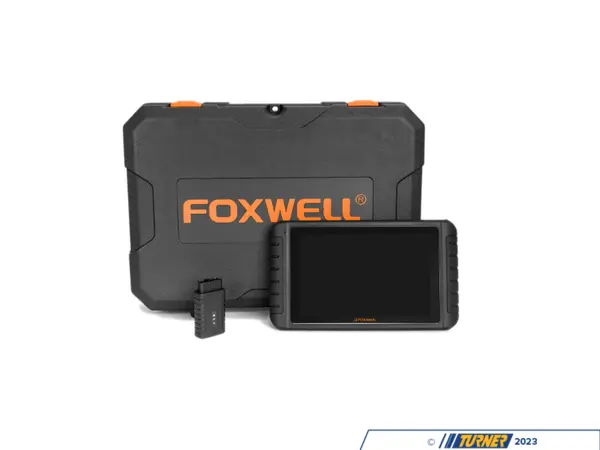
Schwaben i80II - Diagnostic Tablet for BMW OBD2 and 20-Pin
schwaben
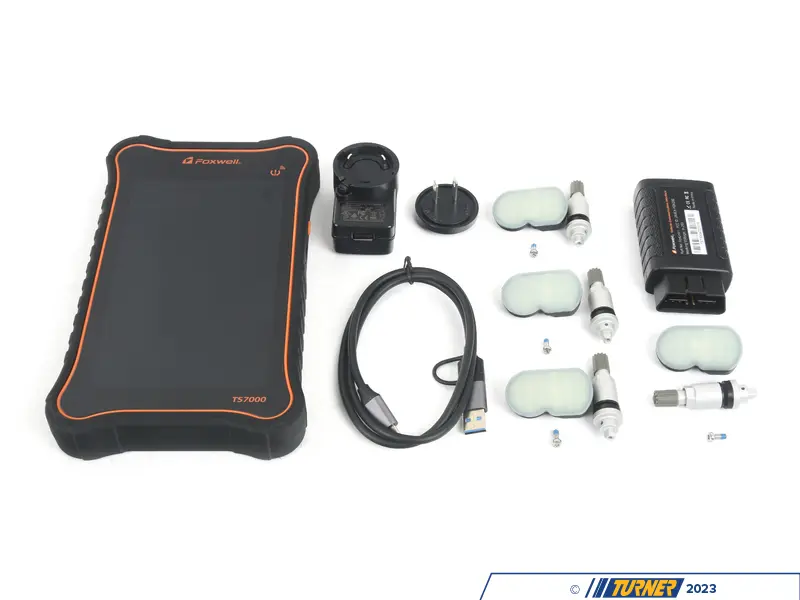
Schwaben TS7000 - Diagnostic and TPMS Tablet for BMW
schwaben
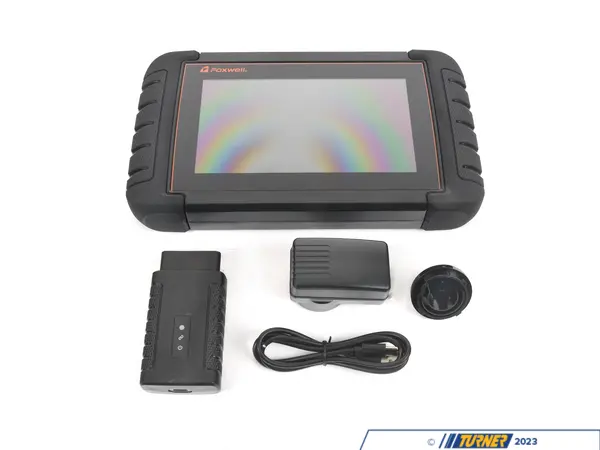
schwaben i70BT - Diagnostic Tablet for BMW OBD Scanning
schwaben
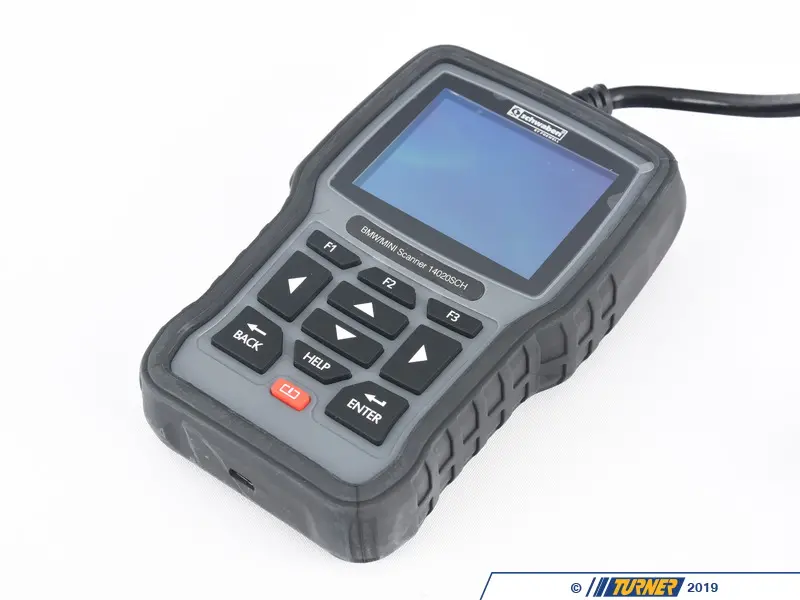
schwaben Elite - Diagnostic Tool for BMW DIY Service
schwaben

TAIZEISHAIGE ICOM Next - Diagnostic Interface for BMW Coding
TAIZEISHAIGE

Autel MK808S - Diagnostic Scan Tool for BMW DIY Repair
Visit the Autel Store

iCarsoft BMM V4.0 - Diagnostic Scanner for BMW Service
Visit the iCarsoft Store

Foxwell NT510 Pro Full-System Diagnostic Scanner & Battery Tester — BMW/Mini/RR
FOXWELL

Launch Creader Elite BMW OBD2 Bi-Directional Diagnostic Scan Tool
LAUNCH

Foxwell NT530 - BMW Diagnostic Scanner and Service Tool
Generic

Foxwell NT510 Elite Full System Diagnostic Scan Tool — BMW/Mini
FOXWELL

OBDLink MX+ OBD2 Bluetooth Scanner
OBDLink

ANCEL BM700 Pro Full System Diagnostic Scanner — BMW/Mini/RR
ANCEL
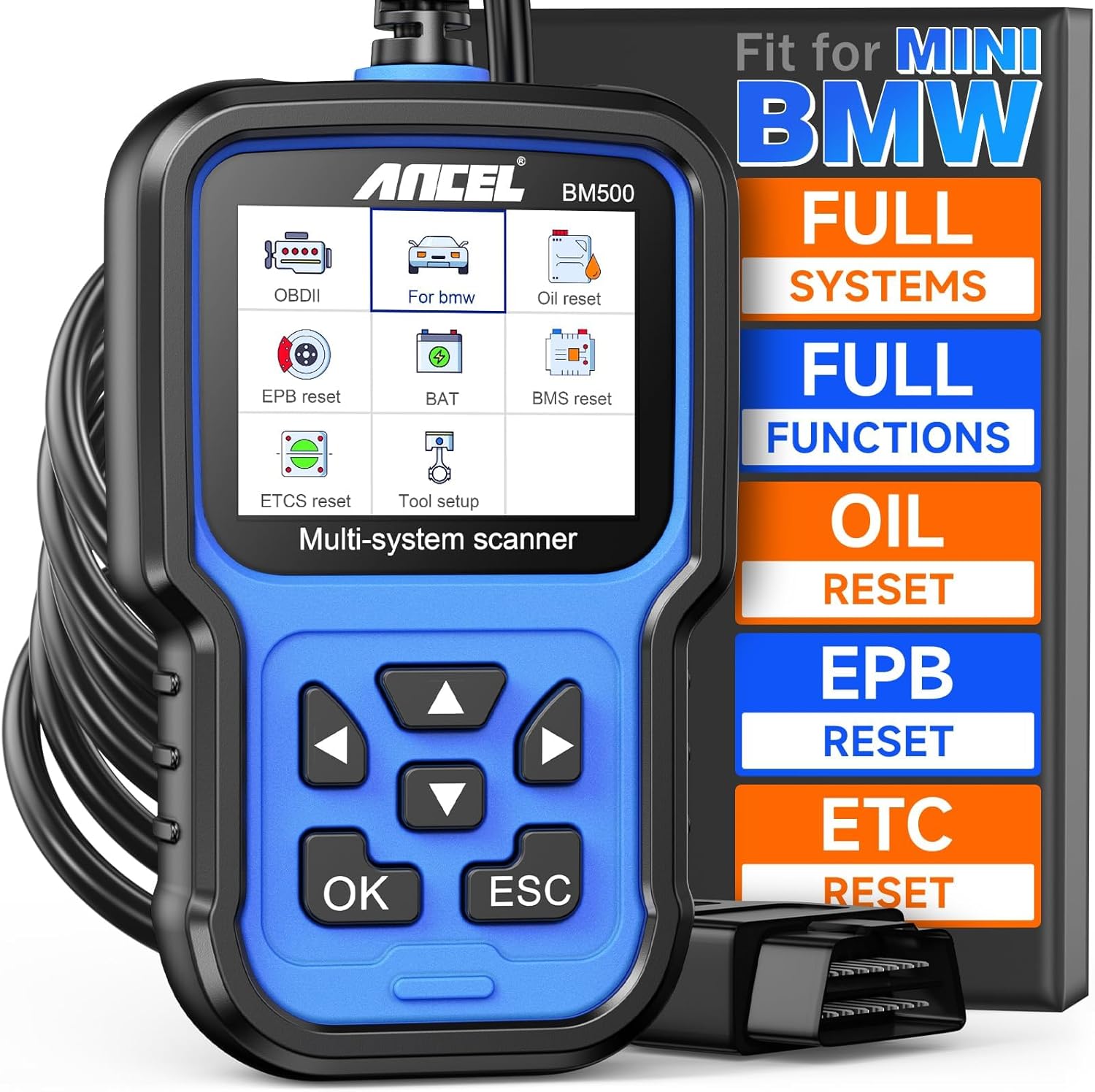
ANCEL BM500 OBD2 Full-System Diagnostic Scanner — BMW & MINI
ANCEL

OBDLink CX Bluetooth 5.1 OBD2 Adapter for BimmerCode
OBDLink

ANCEL BD300 Bluetooth OBD2 Scanner & Diagnostic Tool — BMW/MINI
ANCEL

PARANNIC ENET WiFi OBD2 Adapter — BMW F/G/I-Series
PARANNIC

Vgate vLinker BM+ Bluetooth OBD2 Scanner — BMW & Mini
Vgate

Vgate vLinker BM+ OBD2 Bluetooth Scanner — BMW/Mini BimmerCode
Vgate
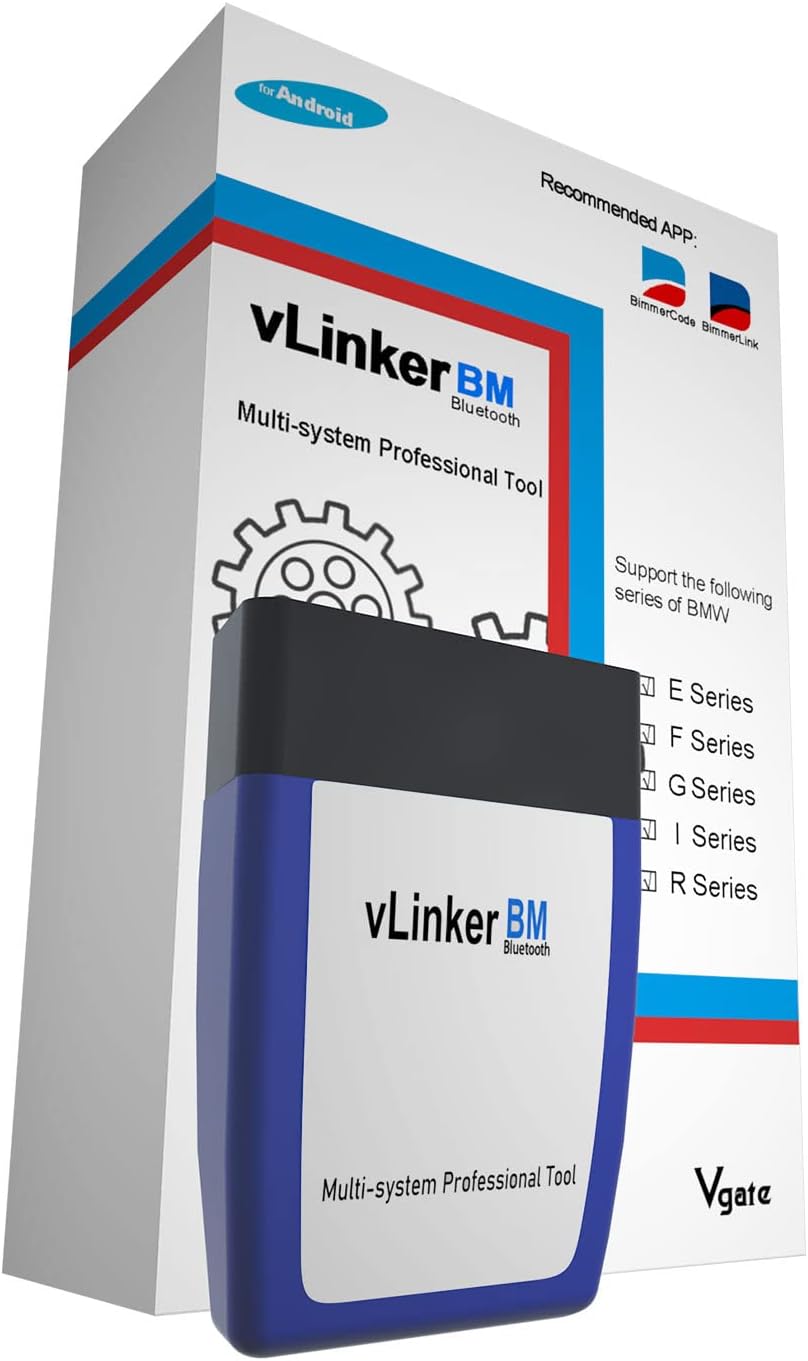
Vgate vLinker BM Bluetooth OBD2 Scanner — BMW/Mini (E/F/G/I/R Series)
Vgate

Carly Universal Adapter - OBD Scanner for BMW Coding
Carly

iCarsoft i910 II - OBD2 Scanner for BMW and MINI
Visit the iCarsoft Store
More tuning and coding gear for the BMW G05
If you own a BMW G05 X5 and you're looking into BMW G05 chips software coding diagnostic tools, you're dealing with one of the most electronically complex platforms BMW has ever built. The G05 runs on a full suite of networked control modules - everything from the B58 inline-six in the X5 xDrive40i to the N63 twin-turbo V8 in the X5 xDrive50i, the S68 competition unit in the X5 M60i, and the plug-in hybrid electronics in the X5 xDrive45e - all talking to each other over high-speed ethernet and CAN buses that would make a 2008 E70 owner's head spin. Getting into that system properly, whether you want to code a hidden feature, read a fault code, register a new battery, or push more power, requires the right tools and a clear understanding of what each one actually does on this specific chassis. This page covers exactly that.
Why the G05 Is a Different Animal for Coding and Diagnostics
I spent a year doing marketing for BMW and MINI before I ended up wrenching on my own cars, and one thing that stuck with me from that time is how dramatically the electronics architecture changed when BMW moved from the F-chassis generation to the G-chassis. The G05 X5, which launched for the 2019 model year as a complete redesign over the F15, is not an incremental update. It runs BMW's latest EE (advanced electronic architecture) with Automotive Ethernet as the backbone for the high-bandwidth modules - cameras, radar, the new MGU (Motor Generator Unit) in hybrid variants, the digital instrument cluster, and the Live Cockpit Professional infotainment system. Older OBD-II scanners that work perfectly on your buddy's E90 335i will connect to the G05 and show you almost nothing useful.
The practical consequence is that your tool stack for a G05 is different from what you'd use on an F30 or earlier. Not every adapter that works with BimmerCode on an F10 will give you full access on a G05. Not every cheap Bluetooth OBD scanner from Amazon is going to talk to the KAFAS3 camera module or the FLA high-beam assistant control unit. And for anything involving ECU flashing, key programming, or module replacement, you're in genuinely professional territory - the kind of work that requires either a proper ICOM NEXT setup running BMW ISTA or a high-end professional tool like the Autel IM608 II.
That said, a huge amount of what G05 owners actually want to do - unlocking video in motion, changing cluster layouts, enabling ambient lighting presets, coding Auto Start/Stop behavior, adjusting the exhaust note settings, registering a new battery - is completely accessible with the right consumer-friendly tools at a fraction of what a dealer visit costs. The key is knowing which tool does what job, and that's what this guide is about.
What G05 Owners Actually Use These Tools For
Before jumping into specific tools, it's worth being clear about the actual use cases, because they're very different in terms of required tool capability and risk level.
Everyday Coding Tweaks
This is where most G05 owners start. The G05 has a large number of coded features that are either disabled from the factory or set to a default that many drivers find annoying. Common ones I see on enthusiast forums regularly include Auto Start/Stop behavior, comfort window closing with the remote lock button, video in motion for the rear screen, instrument cluster display layout changes, adjusting the ambient lighting to include additional color zones BMW turned off in certain markets, coding the reversing camera guidelines, enabling the sport exhaust sound modes on non-M cars, and changing when the seat heating turns on automatically. None of this requires touching the engine or any safety-critical system. The risk is relatively low, and this is exactly the domain where BimmerCode excels.
Diagnostics and Fault Code Reading
The G05 has enough modules that a check engine light could be coming from any one of about forty different control units. The DISA, the DME, the transmission control module, the DSC unit, the air suspension module if you have the optional air ride, the PHEV battery management system on the 45e - all of them can throw faults that won't show as a simple CEL but will absolutely affect how the car drives or whether it passes inspection. Reading live data, monitoring fuel trims, checking for stored faults across all modules - this is where BimmerLink earns its place for routine work, and where BMW ISTA becomes necessary when you need guided test plans or need to know whether a fault is actually active versus stored.
Service Procedures - Battery Registration, Brake Service, Adaptations
This is probably the single most common reason G05 owners outside the dealer network go looking for a capable diagnostic tool. Battery registration on the G05 is not optional - the car has an intelligent alternator that adjusts its charge strategy based on the coded battery capacity and age. Put in a new AGM without registering it and you'll shorten the battery's life while also potentially running with the alternator charging at the wrong rate. Similarly, the electronic parking brake on the G05 requires a tool that can retract the EPB pistons - you cannot do rear brake pad swaps on this car without one. Steering angle sensor calibration after alignment work, DSC reset, TPMS relearn - all of these need a bidirectional tool that speaks BMW natively. BimmerLink handles most of this for the average owner. ISTA handles all of it. The Autel tools handle it too, though with varying levels of seamlessness.
Performance Coding and ECU Tuning
This is the deepest layer. If you want to remap the B58 in your X5 xDrive40i or push the N63B44O4 in the 50i harder, you're looking at ECU flashing territory. Stage 1 and Stage 2 tunes for the B58 are well-documented at this point - the B58 responds very well to tuning, with documented dyno results from reputable tuners showing gains in the range of 60-80 whp on a Stage 1 map with the stock turbo and no other hardware changes. For that kind of work, you need either a dedicated tuning device (the OBD port flash tools from companies like Burger Motorsports or MHD) or a shop running ISTA with custom map support. We cover ECU tuning in more depth on the ECU tuning page, but the diagnostic and coding tools here are the foundation layer that makes all of that possible or unnecessary depending on your goals.
Key Programming and Immobilizer Work
Replacement key fobs, lost keys, adding a spare - this is where even ISTA sometimes needs the dealer's BMW Group infrastructure, and where professional tools like the Autel IM608 II come in. The G05 uses BMW's latest key technology including the optional BMW Digital Key (NFC-based) which adds another layer of complexity. For physical key fob programming, the Autel IM series is the most commonly cited independent tool that can handle G-series BMW immobilizer work without being physically connected to BMW's servers.
The Core Tool Stack - What Actually Works on a G05
Let me break down the tools I'd actually recommend for a G05 owner, in rough order of capability and cost. For the full comparison table, scroll down - but here's the narrative version first.
BMW ISTA with ICOM NEXT - The Dealer-Level Standard
BMW ISTA (Integrated Service Technical Application) is the official dealer diagnostic and programming software. It's what a BMW service tech runs when your car is in for warranty work. Paired with a genuine ICOM NEXT hardware interface, it gives you full read and write access to every module on the G05 - including over-the-network programming for modules that require an official software update, which you genuinely cannot do any other way without BMW's server access.
The cost of a legitimate ISTA setup is significant. A genuine ICOM NEXT unit runs around $1,000 or more depending on where you source it and what cables come with it - and that's before you factor in the laptop, the engineering mode software to run ISTA in full programming mode, and the time investment to set it up and understand how to use it properly. There are cheaper clone ICOM units floating around various grey-market channels, and some of them work reasonably well for diagnostics, but for actual module programming or flashing on a G05, I'd be wary of anything that isn't a genuine unit. The G05's ethernet-backbone architecture means that a bad flash from a clone interface with timing issues can leave you with a bricked module.
The G05 Bimmerpost forum thread on diagnostic tools consistently shows that experienced G05 owners who do serious work on their cars consider ISTA the gold standard and note that the setup cost and complexity are the main barriers - not the capability. If you're doing brake pad changes twice a year, battery registrations, and occasional fault code checks, ISTA is probably overkill. If you're swapping modules, doing alignment-related calibrations, or dealing with complex fault trees, nothing else comes close.
BimmerCode - The Right Tool for Everyday Coding
BimmerCode is an iOS and Android app that handles feature coding on BMW and Mini vehicles through a compatible OBD-II adapter. It's not a diagnostic tool - it's specifically for coding - and on the G05 it covers an impressive list of comfort, convenience, and appearance features that you'd otherwise pay a dealer $150-200 per visit to toggle.
The app plus a compatible adapter typically runs between $50 and $200 total, depending on which adapter you use. BimmerCode's own recommended adapters include the OBDLink EX (wired USB, generally the most reliable for flawless coding) and some Bluetooth adapters, though adapter compatibility on the G05 specifically deserves attention. There's a YouTube walkthrough showing BimmerCode on a G05 with an MHD Black adapter for cluster coding that gives you a good visual of the process and confirms that the adapter matters - the MHD Black is one of the better-performing adapters for G-chassis coding specifically.
What BimmerCode does well on the G05 is the simple coding changes: instrument cluster layout, sport displays, comfort features, some lighting behavior, auto start/stop defaults, and several display and UI settings in the iDrive 7 system. What it doesn't do is full diagnostics, service resets, or anything that requires sending actual commands to actuators. For those, you need BimmerLink running alongside it - which is how most G05 owners actually use the two apps together.
One thing worth saying plainly: BimmerCode is not a substitute for understanding what you're coding. It presents options in readable language rather than raw hexadecimal values, which is helpful, but the G05 has coding options that are interdependent in non-obvious ways. Coding a feature incorrectly can create weird behavior that takes a full ISTA session to diagnose and reverse. Always read the specific coding thread for your exact G05 variant before committing a code change, and always back up your current coding before you change anything. BimmerCode has a backup function - use it.
BimmerLink - Diagnostics and Service Functions for the Average Owner
BimmerLink is the diagnostic counterpart to BimmerCode, made by the same developer (Auto Monitor). Where BimmerCode writes, BimmerLink reads - and it also handles a solid range of service functions that G05 owners commonly need. Battery registration is the big one. The G05 uses a 105 Ah AGM battery in most configurations (larger in the PHEV), and BMW's intelligent charging system is calibrated to the registered battery's capacity and condition. When you replace it, you need to register the new battery with the car, and BimmerLink can do this reliably on the G05 without an ISTA setup. Same for service interval resets, electronic parking brake service mode for rear brake work, and reading fault codes across all modules.
The live data functionality in BimmerLink is genuinely useful for the G05. You can monitor coolant temps, boost pressure on the B58, transmission fluid temp, battery voltage and charge current in real time - all the stuff you'd want when diagnosing an intermittent issue. It's not as deep as ISTA's guided test plans, but for the majority of fault-finding situations a DIY owner encounters, BimmerLink gets you there. And at the adapter cost it shares with BimmerCode (the apps use the same OBD adapter), it's essentially free to add if you already have BimmerCode set up.
The G05 forum consensus is pretty consistent on this: BimmerCode plus BimmerLink on a good adapter is the starting stack for any G05 owner. It covers the 80-90% of what enthusiast owners actually do week to week. You add ISTA when you need the other 10-20%, or you pay a shop that has ISTA to handle it.
Autel MaxiIM IM608 II - Professional-Grade with G-Series Coverage
The Autel MaxiIM IM608 II is a professional scan tool that covers diagnostics, bidirectional control, ECU coding, and - its main differentiator - advanced key programming and immobilizer functions. It's priced accordingly at roughly $4,000 to $5,000 or more when you factor in the software subscriptions and accessories that make it fully functional. This is a tool for independent BMW shops, mobile locksmiths working on luxury vehicles, or very serious enthusiasts who can justify the cost by doing work for others as well as their own cars.
Autel's 2026 BMW coverage update explicitly extends the IM608 II's capability to BMW G-series vehicles including 2026 models. For the G05, this means the IM608 II can handle key programming, ECU coding, and advanced diagnostics across the full model range with current software. That's meaningful because key programming on a G-series BMW is not straightforward - the encryption and the connection to BMW's immobilizer infrastructure means most generic tools simply can't do it, and even some professional tools struggle without current software.
For a G05 owner who's doing their own wrenching at a serious level, the IM608 II is probably overbuilt unless you're also doing locksmith-type work or managing a fleet. But if you run a small shop or you're doing BMW work for a group of friends as well as your own car, it earns its cost quickly in dealer-equivalent service capability.
Autel IM508S - A Cheaper Entry into the Autel Ecosystem
The Autel IM508S sits at roughly $1,200 to $2,000 depending on the kit and what accessories you add. It's included in the same 2026 BMW G-series coverage update as the IM608 II, which means it can handle a reasonable range of BMW diagnostic and programming tasks at a more accessible price point. The tradeoff versus the IM608 II is capability ceiling - the IM508S doesn't do everything the big unit does, particularly at the higher levels of BMW-specific programming and some of the more advanced immobilizer functions. But for diagnostic work, service functions, and mid-level coding tasks on a G05, it's a credible option for someone who wants a dedicated professional tool without the full IM608 II investment.
The main complaint with both Autel tools in the BMW community mirrors what you see with any third-party BMW tool - the subscription model means ongoing cost, and BMW's software updates can temporarily break compatibility until Autel pushes a corresponding update. This is a real concern on the G05 specifically, because BMW has been fairly aggressive about rolling out over-the-air software updates that change module software versions, and a tool that was fully compatible with your car six months ago might need a software update to stay current. Budget for the annual subscription when you price either Autel unit.
XTOOL D7 and D8S - Budget Bidirectional Options
The XTOOL D7 and XTOOL D8S are positioned at the affordable end of bidirectional scan tools - the D7 typically runs around $300 to $400 and the D8S closer to $500 to $600. Both appear on current 2026 roundups of capable scan tools for BMW diagnostics, with the D8S positioned as the more capable unit in the XTOOL lineup for coding and bidirectional functions. A YouTube comparison of 2026 scan tools covering BMW coding capability includes both XTOOL units among the viable options for BMW owners who don't want to spend professional-tool money.
The honest assessment for G05 use is that these tools are better than a generic OBD-II reader but less capable than ISTA or the higher Autel tiers for BMW-specific work. They can read and clear fault codes across systems, do basic service resets, and handle some bidirectional functions, but the depth of BMW-specific coding support and the reliability of those coding functions on a complex G05 configuration is not on par with BimmerCode plus BimmerLink for everyday coding tasks, or with ISTA for serious work. If you're a general DIYer who does work on multiple brands and needs a BMW-capable scanner as part of a multi-brand tool rather than a BMW-dedicated setup, the D7 or D8S makes sense. If the G05 is your primary focus, I'd spend the same money differently.
THINKCAR 689BT - Broadly Capable, Not BMW-Specialized
The THINKCAR 689BT sits in the $350 to $700 range and shows up in 2026 scan tool lists as a capable general-purpose bidirectional scanner. It's not BMW-specialized, and on the G05 specifically that limitation is felt more than it would be on a simpler European or Japanese platform. The G05's module network is complex enough that "broadly compatible" and "works well on this specific chassis" are different things. The THINKCAR is fine for reading codes and doing standard OBD-II functions, but for the G05-specific service procedures and coding depth that G05 owners typically want, I'd still lean toward the BimmerCode/BimmerLink stack for convenience-level work and ISTA for serious diagnostics. The THINKCAR fills a gap if you need a general shop scanner and also happen to own a G05, but it shouldn't be your primary G05 tool if you can help it.
The Full Tool Comparison Table
| Brand / Product | Typical US Price (2026) | Best Use on G05 | G05 Fitment Notes | Common Issues |
|---|---|---|---|---|
| BMW ISTA + ICOM NEXT | $1,000+ for genuine ICOM NEXT | Deep diagnostics, programming, all service functions | Dealer-level access to all G05 modules; required for module programming and guided fault diagnosis | Cost, setup complexity, requires proper laptop/software stack - frequently cited on G05 forums |
| BimmerCode + adapter | $50-$200 total (app + adapter) | Comfort/convenience/appearance coding changes | Cluster layout, lighting, Auto Start/Stop, UI features; MHD Black adapter shown working for G05 cluster coding | Adapter compatibility issues; coding failures after BMW software updates; not for diagnostics |
| BimmerLink + adapter | Shared adapter cost; app priced separately | Diagnostics, live data, battery registration, service resets, EPB service | Reliable for G05 battery registration and brake service mode - recommended on G05 forums | Limited scope vs ISTA; occasional adapter connection quirks |
| Autel MaxiIM IM608 II | $4,000-$5,000+ | Advanced diagnostics, key programming, ECU coding | 2026 update expands to G-series and 2026 BMW models | High subscription cost; software dependency; not always as seamless as ISTA for BMW coding |
| Autel IM508S | $1,200-$2,000+ | Mid-level diagnostics and key programming | Included in 2026 BMW G-series Autel coverage update | Same subscription concerns; less capable than IM608 II at highest BMW programming tasks |
| XTOOL D7 / D8S | $300-$600 | Budget bidirectional diagnostics and basic coding | BMW-capable but not BMW-specialized; included in 2026 BMW coding tool reviews | Inconsistent BMW coding depth; UI/translation quirks |
| THINKCAR 689BT | $350-$700 | General bidirectional diagnostics | Broadly compatible; not BMW-optimized for G05 depth | Coverage variability by function; less reliable for G05-specific coding vs BMW-native tools |
G05 Specific Fitment and Compatibility Notes
The G05 is not a single configuration - it spans multiple engine variants, two production generations within the G05 nameplate, and optional equipment packages that affect which modules are present and which coding options are available. This matters more than it might seem when you're selecting tools and planning coding sessions.
Engine Variants and What Changes for Each
The G05 X5 xDrive40i with the B58B30O1 six-cylinder is the most common variant in the US market and the one most enthusiasts are tuning. The B58 is connected to an MSD87 or DME 8.x depending on build date, and the coding options around engine behavior, sport displays, and performance mode are well-documented for this setup. BimmerCode covers this variant thoroughly. For ECU tuning specifically, check out our ECU tuning overview for the full picture on B58 stage maps.
The X5 xDrive50i with the N63B44O4 is a more complex diagnostic target because the N63 has known issues with valve stem seals and oil consumption in earlier iterations, and fault codes related to these issues can be tricky to differentiate from other faults without ISTA's guided test plans. BimmerLink will read the codes, but ISTA's test trees are genuinely useful here for figuring out which bank is the problem and what the next diagnostic step should be.
The X5 xDrive45e PHEV adds the hybrid battery system, the MGU, and a completely different charging logic module that standard coding tools need to handle carefully. BimmerCode has PHEV-specific coding options for the 45e, but you need to use the correct vehicle profile - accidentally applying coding meant for a pure combustion G05 to a 45e can create faults in the hybrid management system. ISTA is the right tool for any deep diagnostic work on the 45e's hybrid-specific systems.
The X5 M60i with the S68 V8 is the newest and most complex from a software standpoint. Coding and diagnostic tool compatibility for the M60i should be verified specifically for your build date before you commit to a tool, because the S68 is newer enough that some tools' BMW G-series coverage hasn't fully caught up. The Autel tools' 2026 G-series update is meaningful here specifically because it addresses this gap.
Production Year Differences Within the G05
The G05 X5 was introduced for the 2019 model year and received a significant LCI (Life Cycle Impulse, BMW's term for a mid-cycle refresh) for 2024. The LCI brought updated iDrive 8 infotainment, revised exterior lighting, and changes to several module software versions. If you're coding a 2019-2023 G05, you're working with iDrive 7 and an established coding database. If you're on a 2024+ LCI G05 with iDrive 8, some coding paths are different, some features that were codeable on iDrive 7 are locked differently on iDrive 8, and your BimmerCode app and ISTA installation need to be current to handle the updated module software versions correctly. Always check the forum thread for your specific build year before assuming a coding guide written for a 2020 X5 applies to your 2024.
Optional Equipment That Affects Coding Possibilities
Several factory options on the G05 add modules that open up additional coding possibilities - or require additional care when coding. Air suspension (the optional Adaptive M Suspension or standard air ride depending on variant) has a separate control module that can be coded for ride height behavior and response modes. Laser headlights have different coding paths than the standard adaptive LED units. The Bowers and Wilkins audio system has its own DSP module. The Parking Assistant Plus adds a separate module for the surround view system. Any time you're coding a G05, know what options are on your specific car and make sure you're coding based on that configuration rather than a generic G05 profile.
The Adapter Question - Why Your OBD Choice Matters More on a G05
I'm going to spend some time on this because it's the most common source of frustration I see from G05 owners who get into coding for the first time. You can have the right app and still get nowhere because your adapter is wrong.
The G05, like all G-chassis BMWs, uses a combination of communication protocols through the OBD-II port. Standard OBD-II K-Line and CAN bus protocols are present, but the higher-speed BMW-specific communication for deeper module access goes over BMW's own protocol stack. Many cheap Bluetooth OBD-II adapters from Amazon - the ELM327 clones in the $10-20 range - can read basic OBD-II codes from the engine and transmission, but they cannot communicate with most of the body and chassis modules on a G05. They're not fast enough, and their firmware doesn't support the BMW-specific communication modes needed.
For BimmerCode and BimmerLink, the recommended adapters as of 2026 are the OBDLink EX (wired, USB-C to laptop or OTG to phone - the most reliable for uninterrupted coding sessions), the OBDLink MX+ (Bluetooth, solid for diagnostics and most coding tasks), and the MHD Black adapter (which you can see in action in the G05 cluster coding walkthrough). The MHD Black is worth noting because MHD's OBD hardware is developed with BMW enthusiast use cases specifically in mind - the firmware is tuned for BMW's communication stack in a way that general-purpose adapters aren't.
For anything involving actual ECU flashing - stage map writing, not just feature coding - you want either the tool that came with your tune (Burger Motorsports JB4, MHD's flash tool, etc.) or the ICOM NEXT for ISTA-based flashing. Do not try to flash an ECU map through a generic Bluetooth OBD adapter. The communication speed and reliability requirements for safe ECU flashing are well above what a $30 ELM327 clone can deliver, and a interrupted flash mid-write is how you end up with an expensive paperweight.
Step-by-Step - A Typical G05 Coding Session with BimmerCode
For owners who are new to coding and want to understand what the process actually looks like on a G05, here's a realistic walkthrough of a typical BimmerCode session. This isn't a substitute for the app's own documentation or the specific forum threads for your G05 variant, but it gives you the shape of the process.
- Get your car on stable power. Coding sessions draw power from the OBD port and your laptop if you're using a wired adapter, and a coding session that drops power mid-write can corrupt module data. Connect a battery maintainer or charger to the battery before you start, especially on older G05s where the battery might be showing some age. This is not optional advice - it's the most common cause of coding problems I see reported.
- Connect your adapter to the OBD-II port. On the G05, this is under the dash on the driver's side, to the left of the steering column. It's accessible without any panel removal.
- Pair the adapter to the BimmerCode app on your phone or tablet. If you're using a wired OBDLink EX, connect it to your phone's USB-C port via OTG adapter or directly to a tablet that supports OTG USB. The app will guide you through the connection test.
- Turn the car to ignition on (power without starting the engine - press the start button without your foot on the brake). Do not start the engine during a coding session. The car needs to be in ignition-on mode for the modules to communicate correctly without running engine processes that can interrupt the session.
- Select your vehicle profile in BimmerCode. This should match your exact G05 variant - not just "G05 X5" but the correct powertrain and iDrive version. If you're on an LCI model with iDrive 8, select the LCI profile.
- Run a backup before changing anything. BimmerCode has a backup function that saves your current coding state. Run it every time before you code anything. If something goes wrong with a coding change, this backup is how you restore the previous state without needing ISTA.
- Navigate to the module and feature you want to code. BimmerCode organizes coding options by module (body control, instrument cluster, lighting control, etc.) and presents each option with a plain-language description and typically a note about what the available values do. Read the notes. Some options that sound harmless have dependencies that aren't obvious.
- Make your change and write it to the module. The write process typically takes 5-30 seconds depending on the module. Do not disconnect or move the adapter during a write. Do not close the app. Do not lock the car.
- Verify the change worked. Many coding changes require a car reboot (key off, wait 30 seconds, key on) before they take effect. Some require locking and unlocking the car. BimmerCode usually notes what's needed.
That's the process for a typical feature coding change. It's genuinely not complicated once you've done it once, and the BimmerCode app's user interface is clean enough that most G05 owners figure it out without much trouble. The risk is not the technical complexity - it's rushing the process, using a bad adapter, or ignoring the importance of backups.
Doing Your Own Battery Registration - Why This Matters and How to Do It
Battery registration is probably the most practically important service function a G05 owner can do with a diagnostic tool, and it's one that dealers routinely charge for when it's unnecessary - or skip when they shouldn't. Let me explain why it matters on the G05 specifically.
BMW's Intelligent Battery Sensor (IBS) on the G05 monitors the battery's state of charge, state of health, and charge current in real time. The car's alternator charging strategy is calibrated based on the coded battery type and capacity. When you install a new battery - whether you're going OEM replacement or upgrading to an Optima or similar - the new battery's characteristics need to be registered in the module that controls charging behavior. The registration tells the car the battery type (AGM in the G05 versus older flooded lead-acid), the capacity in amp-hours, and resets the health counter so the IBS starts fresh tracking the new battery's condition.
If you skip registration, you're running the risk of the alternator continuing to charge the new battery using parameters optimized for the old battery's aged condition - which can mean undercharging or overcharging your new battery and shortening its life. On the G05 with its considerable electronics load (the air suspension compressor, the iDrive system, the electric steering, the active safety systems all drawing current), a battery that isn't being charged correctly will degrade faster than it should.
BimmerLink can do the battery registration on the G05. In the app, look for the Service or Vehicle Specific Functions section - the exact navigation path varies slightly between app versions but the function is there. You'll need to enter the battery's capacity (the amp-hour rating, printed on the battery label) and type (AGM for the G05's factory spec). The process takes about two minutes once you're in the right menu.
If you're doing a more involved brake service at the same time, BimmerLink's Electronic Parking Brake service mode function is equally important. The G05's EPB uses an integrated motor in the rear caliper - you absolutely cannot compress the rear pistons by hand with a simple piston wind tool the way you can on a mechanical parking brake. You need a tool that can command the EPB motor to retract, and BimmerLink does this. This is also covered when you're browsing our G05 brake pad guide if you want the full brake service walkthrough.
Common Mistakes G05 Owners Make with Coding and Diagnostic Tools
After watching the G05 forum threads on this topic for a while and dealing with a few situations myself where I've had to help friends dig out of coding problems, here are the mistakes I see most often.
Using a Cheap ELM327 Clone and Wondering Why It Doesn't Work
I already covered this in the adapter section, but it bears repeating because it's the single most common issue. A $12 Bluetooth ELM327 from Amazon is not going to give you meaningful coding access to a G05. At best, it reads basic engine codes. At worst, it drops connection mid-coding and leaves a module in an inconsistent state. Spend the money on an OBDLink EX or equivalent. It's not that expensive relative to what you're trying to do.
Coding Without a Backup
Every experienced BimmerCode user has a story about forgetting to run a backup before a coding session and then needing to reverse a bad change. On the G05, some coding changes produce non-obvious consequences in related modules - change one setting in the FEM (Front Electronic Module) and you might see unexpected behavior in the comfort access system. A backup means you can restore cleanly. Without one, you're manually reversing changes and hoping you got everything.
Applying F-chassis Coding Guides to G-chassis Cars
There's a lot of older BMW coding content online written for the F15 X5, the F30 3 Series, and other F-chassis cars. The module names are different on the G05, the coding parameters are different, and some things that were codeable on F-chassis cars work differently or not at all on the G-chassis platform. Always verify that a coding guide specifically mentions the G05 or G-chassis before following it. The forum threads on G05 Bimmerpost are the right place for verified G05-specific guidance.
Ignoring Active Faults Before Coding
If your G05 has active fault codes when you sit down to do a coding session, resolve those first. Active faults can cause modules to behave differently during a coding session, and in some cases the car's fault management system can interfere with coding writes. Clear verifiable faults, confirm they don't come back, then proceed with coding. If you have faults you can't clear or faults that come back immediately, those need to be diagnosed rather than coded around.
Expecting Consumer Tools to Do Professional Tasks
BimmerCode is excellent at what it does. It is not ISTA. If you need to replace an ECU, code a new DME, program a new instrument cluster, or do anything involving module-level programming that requires BMW's software server access, you need ISTA or a professional tool. No amount of BimmerCode expertise closes that gap. Know the limits of your tools and don't try to push them into territory they're not designed for.
Not Reading the Forum Before a Coding Session
The G05 community on Bimmerpost is active and well-documented. Before you code anything non-trivial, search for that specific coding change on the G05 subforum. Somebody has already done it, documented what happened, and often noted the edge cases or problems. Five minutes of reading before you code saves hours of troubleshooting afterward.
Performance Coding and Software Upgrades - What's Achievable on the G05
The G05 X5 platform offers some legitimate performance gains through software work, particularly on the B58 powertrain. This section covers what's achievable at the coding and software level without getting into full ECU reflashing territory (which is covered separately on the ECU tuning page).
Sport Mode and Throttle Response Coding
The G05's drive mode system can be tuned through coding to adjust the default mode at startup, the throttle response curve in different modes, and the transmission shift logic that governs when the ZF8 automatic downshifts under part-throttle conditions. These are not the same as a tune - they're adjustments to the car's programmed behavior parameters within the stock engine and transmission maps. On the B58 G05, coding the throttle map to a more aggressive curve in sport mode makes a real, noticeable difference in how responsive the car feels, even with the stock power output. The engine is capable of responding faster than the factory throttle map allows in comfort mode, and bringing the sport mode closer to the true mechanical capability of the throttle body is a simple, reversible coding change.
Enabling M-Specific Features on Non-M G05 Models
The G05 xDrive40i and 50i share significant hardware with the X5 M and X5 M Competition, and some of the M-specific display and driving dynamic features can be enabled through coding on non-M cars. Specific items like the M-style instrument cluster layouts, certain launch control adjacent features, and the sportier shifting display indicators are codings that the G05 community has documented well. What doesn't work is trying to code in M powertrain behaviors onto a non-M driveline - the software checks for the correct ECU and hardware configuration and won't apply those maps. The visual and interface items, though, are fair game on most configurations.
Exhaust Flap and Sound Mode Coding
The G05 xDrive50i and M60i have electronically controlled exhaust valve systems that can be coded to maintain a more aggressive sound profile in comfort mode, or to default to open valves (louder) more readily than the factory setting allows. On cars with the optional sport exhaust, this makes a meaningful audible difference. On the standard exhaust, the effect is less dramatic but still present. BimmerCode has this option in the engine/exhaust section for compatible G05 variants.
What JB4 and Stage 1 Maps Add - Summary
For owners interested in actual power increases, the Burger Motorsports JB4 piggyback tune is the entry-level option for the B58 G05 - it's a plug-and-play device that intercepts sensor signals to the ECU and adjusts boost targets without reflashing the DME. It's a different product category from the diagnostic/coding tools on this page, but it uses the same OBD-II port infrastructure and the JB4's companion app gives you data logging capability that overlaps with what BimmerLink provides. The two can coexist, but you need to be aware of interaction effects when reading fault codes with BimmerLink while the JB4 is active. Full ECU flash tunes from established BMW tuners push beyond what the JB4 can achieve, with documented dyno numbers on the B58 showing Stage 1 flash gains that typically put a stock xDrive40i X5 well past 400 wheel horsepower with the right supporting mods - but that's properly in ECU tuning territory and requires the tuner's own flashing tool rather than a general diagnostic tool.
My Opinionated Picks for G05 Tool Setups
Let me be direct about what I'd actually recommend for different owner types. These aren't hedged "it depends" answers - they're real recommendations based on what I know about the G05 platform and what these tools actually do.
Best Daily Driver Setup - Editor's Pick for Most G05 Owners
BimmerCode + BimmerLink with an OBDLink EX wired adapter. Total cost: roughly $100 to $150 all-in for the adapter plus both apps. This covers everything a typical G05 owner needs for the first few years of ownership - coding the features you want, reading fault codes when a warning light appears, doing battery registrations, and handling brake service mode for EPB work. If you pair this with a decent floor jack and a basic socket set, you can handle a huge percentage of routine G05 maintenance at home. The OBDLink EX specifically gives you a wired, stable connection that doesn't drop during coding writes - I'd spend the extra $20 over a Bluetooth adapter for the peace of mind on a car with this much module complexity.
Best Value for the Serious DIY Wrench
BimmerCode + BimmerLink stack, plus occasional access to an ISTA setup for the bigger jobs. You don't have to own ISTA yourself - plenty of independent BMW shops have it, and if you're friends with another BMW enthusiast who has a proper ISTA setup, the cost of the hardware amortizes across multiple cars. The combination of doing 90% of your own work with the BimmerCode/BimmerLink stack and bringing the car to an ISTA-equipped independent shop for module programming or complex guided diagnostics is the most cost-efficient approach for most G05 owners.
Best for the Shop Owner or Multi-Car Enthusiast
Autel IM508S as the professional tool, BimmerCode/BimmerLink for daily coding. If you're doing BMW work on multiple cars, whether for your own fleet or as a side business, the IM508S at roughly $1,200 to $2,000 gives you a dedicated professional tool with G-series BMW coverage per the Autel 2026 update, plus the ability to handle key programming situations that neither BimmerCode nor BimmerLink can touch. The BimmerCode/BimmerLink stack remains faster and more intuitive for routine coding tasks even if you own the Autel, so the two are complementary rather than redundant.
Best Full Professional Setup
Genuine ICOM NEXT + BMW ISTA. If you're going to maintain a G05 at a professional level - doing module replacements, coding new ECUs, handling warranty-level diagnostic work for multiple vehicles - ISTA with a genuine ICOM NEXT is the right answer. The $1,000+ hardware cost hurts, but it's the only tool that truly replicates dealer capability on the G-chassis platform. Combined with a proper laptop setup and an ISTA installation you've taken the time to learn, this is the tool stack that means you're never stuck waiting for a dealer appointment to do something to your own car.
Integrating Coding and Diagnostics with the Rest of Your G05 Build
One thing I want to make clear is that the coding and diagnostic tool stack doesn't exist in isolation from the rest of your modifications. If you're running a tune on the B58, the diagnostic picture changes because fault codes that would be abnormal on a stock car are expected on a tuned one. If you've fitted aftermarket coilovers or lowering springs and had a four-wheel alignment done afterward, you need a tool that can do steering angle sensor calibration or you'll have a crooked steering wheel and potentially a DSC system that doesn't know where straight ahead is. If you've put on larger aftermarket wheels or changed tire sizes, TPMS relearn is necessary, and some TPMS functions on the G05 require a bidirectional tool rather than just driving cycles.
The coding and diagnostic side of the G05 modification stack is foundational - it's the layer that makes everything else work correctly. This is why I'd argue that buying a quality OBD adapter and setting up BimmerCode plus BimmerLink should happen before you spend money on anything else performance or cosmetic, not after. Know what's going on with your car's systems before you start changing the hardware.
If you're browsing the full range of G05 modifications, the BMW models overview gives you the full platform context, and the individual subcategories for G05 suspension upgrades and cold air intakes go into the hardware side in the same level of detail we've covered the software side here. The tools on this page are what you use to make sure the hardware changes are actually working as intended.
Frequently Asked Questions - BMW G05 Coding and Diagnostic Tools
Can I use BimmerCode on a G05 X5 without an internet connection?
Once the app is downloaded and your vehicle profile is loaded, BimmerCode can operate without an active internet connection for the coding session itself. However, app updates and some license activations require connectivity. More practically, your phone's cellular connection during a coding session is not a problem for the coding function - it's only the OBD adapter communication path that matters during a live coding write. Keep your phone off airplane mode but don't worry about Wi-Fi during the session itself.
Will BimmerCode work on a 2024+ G05 LCI with iDrive 8?
Yes, with current app and adapter software, BimmerCode supports the 2024+ G05 LCI. However, iDrive 8 has a different coding architecture for some features versus iDrive 7 on pre-LCI G05s. Some options available on iDrive 7 are different or restricted on iDrive 8. Check the BimmerCode official documentation and the G05 iDrive 8 specific threads on forums before assuming that a coding guide written for a 2021 X5 applies to your 2024 model.
Do I need to register a battery myself or can I skip it?
You should not skip battery registration on a G05. The car's intelligent charging system is calibrated to the registered battery's parameters. An unregistered replacement battery will be charged using parameters appropriate for the old battery, which can mean incorrect charge voltage and shortened battery life. BimmerLink makes this easy and the process takes about two minutes - there's no good reason to skip it.
Is ISTA worth buying just for one G05?
Probably not for a typical owner. The hardware and setup cost is significant, and most of what a single-car G05 owner needs can be done with BimmerCode, BimmerLink, and occasional trips to an independent shop with ISTA for the bigger jobs. Where ISTA ownership makes sense for an individual is if you're doing very frequent deep work on your car, if you have multiple BMWs, or if the nature of the work you're doing - module swaps, ECU-level programming, complex multi-fault diagnostics - genuinely requires dealer-level capability regularly.
Can the Autel IM608 II program a BMW Digital Key on the G05?
The BMW Digital Key (the NFC-based phone-as-key function available on newer G05 configurations) requires BMW's own server infrastructure for provisioning and isn't programmable through third-party tools including the Autel. Physical key fob programming for standard comfort access keys is within the IM608 II's capability for G-series BMW. The Digital Key is a different and server-dependent system.
What's the difference between coding and programming in BMW terminology?
In BMW's terminology, coding means changing configuration parameters within an existing software version - turning features on or off, adjusting behavior settings, changing display options. Programming means flashing new software versions to a module, which requires BMW's software server access and a tool capable of writing new firmware. BimmerCode does coding. ISTA with ICOM does both. This distinction matters because "coding" a feature and "programming" a module are very different in terms of tool requirements, risk level, and what you're actually changing in the car's electronics.
Can I code a G05 that has the optional air suspension without risking the suspension module?
Coding the air suspension module on the G05 is possible with BimmerCode, and the main options available are ride height behavior settings and mode response characteristics. These are standard parameter changes within the module's coding range and are not unusually risky compared to coding any other module - as long as you take a backup first and use a reliable adapter. What you want to avoid is applying coding profiles from a non-air-suspension G05 to an air-suspension car, because those profiles won't include the air suspension module's correct baseline parameters.
My G05 has a persistent fault code that clears with a scan tool but comes back. What do I do?
A fault that clears and returns is almost always an underlying condition that the system is detecting - not a data error in the module's memory. Clearing it repeatedly is not a fix. You need to identify what the fault code is actually describing, look at the freeze frame data (what was the car doing when the fault was recorded), and follow the diagnostic tree for that specific fault. BimmerLink can give you the fault code and freeze frame data. For a full guided diagnosis, ISTA's test plans are genuinely superior to manual fault-finding for most G05 fault types. For intermittent faults, live data logging while reproducing the conditions is often the most efficient path - BimmerLink can do this recording for you.
Is there any risk to coding a G05 that's still under warranty?
BMW's warranty position on coding is nuanced. Coding feature changes that don't affect powertrain, emissions, or safety systems is in a gray zone - BMW service centers can detect coding changes (the module stores the modification history), but coding a comfort feature is different from tuning the engine. In practice, most dealers will not void warranty coverage for a minor coding change that clearly has nothing to do with whatever component failed. However, if you've coded anything related to the powertrain, transmission, or any system covered by a warranty claim, that coding becomes relevant to the claim. The safe approach is to keep an ISTA or BimmerCode backup of your stock coding state and restore it before warranty service visits, then re-apply your coding afterward.
Do I need different tools for the G05 versus the X5 M (F95)?
The F95 X5 M and G05 X5 are different platforms - the F95 uses a different chassis code and different module architecture in some respects. However, both are G-generation BMWs and both are supported by the same general tool stack: BimmerCode, BimmerLink, ISTA with ICOM NEXT, and the Autel tools with G-series coverage. The specific coding options available, the module names, and some procedures are different between the two, so platform-specific forum guidance matters. Don't use a G05 coding guide on an F95 without verifying the specific parameters apply.
What happens if a coding write fails mid-process?
A failed coding write - usually caused by adapter disconnection, power drop, or app crash - can leave a module in an inconsistent state. In many cases, cycling the ignition off and back on, waiting for the modules to reboot, and re-attempting the coding from your backup state resolves it. In rare cases, a failed write to a critical module requires ISTA to restore the module to a known good state. This is why stable power (battery maintainer connected), a reliable adapter, and a pre-session backup are not optional steps. The scenarios where a failed coding write requires dealer intervention are rare but real, and they almost always trace back to preventable setup issues.
Can I use a coding tool to disable the G05's automatic high-beam function?
Yes. The automatic high-beam assistant (FLA) on the G05 can be adjusted through coding - you can change when it activates, set it to a different default state, or modify its sensitivity behavior. This is a commonly requested coding change for owners who find the factory automatic high-beam logic too aggressive or who want more manual control. BimmerCode covers this in the lighting module section. Make sure your G05's headlight variant (laser vs. standard adaptive LED) is correctly reflected in your coding profile, as the FLA coding parameters differ between headlight types.

Kamil Siegień
Founder of BimmerTalk. Five years wrenching on BMWs, currently dailying a G20 330i with the B48 turbo four. Spent a year doing marketing for BMW and MINI before going independent. I write everything on this site myself.
More about the site
BMW Coding and Diagnostic Tools - What They Are and Why Every BMW Owner Needs One
If you own a BMW and you're still paying the dealer $150 to read a check engine light, stop. Right now. The world of chips-software coding-diagnostic-tools for BMW has matured to the point where a motivated owner can do in their driveway what used to require a factory ISID station and a trained technician. I run a G20 330i with the B48 turbo four as my daily, I've spent five years wrenching on BMWs ranging from crusty E36 coupes to a friend's G82 M4, and before BimmerTalk I spent a year inside BMW's marketing operation. I know what the dealer charges, I know what the independent shops use, and I know what you can realistically do yourself. This guide covers all of it - from the cheapest Bluetooth OBD dongle that actually works to the professional Autel tablets that rival what you'd find bolted to a wall at your local BMW Service Center.
The short version is this: the market in 2026 is split into three clear tiers, the gap between a generic scanner and a BMW-specific tool is enormous, and the right choice depends almost entirely on whether you want diagnostics, coding, programming, or all three. Let me walk you through every layer.
Why a Generic OBD2 Scanner Is Not Enough for a BMW
Every car sold in the US since 1996 has an OBD2 port, and every BMW from the E36 onward has one too. That port is standardized. The basic protocol - reading and clearing powertrain fault codes - is the same across brands. So in theory, the $25 Bluetooth dongle you ordered off Amazon should work fine on your F30 328i. And it will, sort of. It will pull codes from the engine and transmission. That's it. That's approximately 10 percent of what you actually need on a modern BMW.
Here's what a generic reader misses. It will not talk to your DSC module, which is where your wheel speed sensor faults, stability control errors, and brake pressure sensor codes live. It will not talk to the airbag module (SRS), which means if you have a deployed pretensioner or a seat sensor fault you'll never know until the car fails inspection or, worse, the bag deploys incorrectly. It will not talk to the transfer case on xDrive models, the DISA or VANOS controllers on older N-series engines, the EPS (electric power steering) module, the FEM/BDC body domain controller on F and G series cars, or any of the camera and ADAS modules on anything newer than about 2015.
On something like an E60 530i with the N52 engine, I've seen cars with eight active faults spread across DSC, airbag, and instrument cluster modules, and the owner had no idea because his generic scanner said "no codes." On my own G20, a full module scan via ISTA turns up faults in modules I didn't even know existed - the power distribution box has its own diagnostic memory, the antenna amplifier logs errors, the KOMBI can store calibration faults. None of that shows up on a Bluetooth dongle running a generic app.
The bottom line is that BMW's architecture is deeply proprietary. The chassis codes change - E36, E46, E90, F30, G20 - but the underlying complexity keeps increasing with each generation. A proper BMW coding and diagnostic tool speaks the same language as that complexity. A generic scanner does not.
The Three Tiers of BMW Diagnostic and Coding Tools in 2026
Before I go into specific products, let me lay out the landscape. Every tool in this space falls into one of three categories, and they don't overlap as much as marketing copy would have you believe.
Tier One - Dealer-Level BMW Software and Hardware
BMW ISTA+ (Integrated Service Technical Application, sometimes called ISTA-D or ISTA-P depending on what you're doing) is what BMW dealers actually use. The diagnostic side reads every module on every BMW from approximately the E46 onward. The programming side - ISTA-P - handles software updates, module flashing, and retrofit programming. This is the real deal. It's what a master technician uses when they're coding a new DME or programming a replacement instrument cluster.
To run ISTA at home, you need a laptop capable of running a Windows VM or a dedicated Windows machine, the ISTA software itself (obtainable from various enthusiast sources - I won't pretend it comes shrink-wrapped in a box), and either an ENET cable (for F and G series cars, typically $20-$80 for a known-good cable) or an ICOM hardware interface for older E-series cars and more serious programming work. ICOM-style hardware clones run from about $150-$500 depending on quality; genuine BMW ICOM hardware is thousands of dollars and practically unavailable to private buyers. The cable-and-software setup can be had for as little as $20-$200 all-in if you're comfortable sourcing software and configuring the environment yourself.
The payoff is enormous. ISTA generates guided test plans, identifies coding errors by module, shows expected versus actual values, and guides you through repairs with factory-level detail. For retrofit work - adding a factory rear camera to an F10 that didn't come with one, or coding a new DCT module after a rebuild - there's nothing in the aftermarket that touches ISTA. It's also the tool most trusted indie BMW shops run, specifically because it's what the factory uses.
The tradeoff is that it's genuinely difficult to set up if you're not comfortable with Windows environments, ISTA-specific INI configurations, and BMW's module structure. It's not a tablet you pull out of a box and plug in. Expect a weekend of research before you successfully run your first test plan, especially on G-series cars where the software architecture is updated frequently.
Tier Two - Professional Multi-Brand Scan Tablets
This is the meat of the market for independent shops and serious enthusiast owners. Brands like Autel, Launch, and to a lesser extent Foxwell make standalone scan tablets that handle BMW diagnostics and coding without requiring a laptop, a VM, or any software configuration. You buy the tablet, register it, update it, and plug it into the OBDII port. These tools run their own BMW-specific software stacks and cover most functions you'd ever need for real-world service work.
The range within this tier is wide. At the entry end, the Foxwell NT510 or NT530 gives you BMW-specific module scanning, service resets (oil, brake fluid, steering angle, battery registration), and basic actuation tests for roughly $150-$300. At the high end, the Autel MaxiSys Elite II Pro and MK908 Pro II give you bidirectional control, ECU coding, guided diagnostics, and programming capability on nearly every BMW from the E36 forward - with pricing in the $1,000-$2,000 range. The flagship Autel tablets with full J2534 programming pass-through capability push into $2,500-$4,000+ territory.
According to professional BMW scan tool retailers, the Autel lineup in particular is consistently positioned as the strongest aftermarket choice for combined BMW diagnostics, coding, and service functions - specifically the MP808, MK908 Pro II, and Elite II Pro families, which support ECU coding, bidirectional control, and retrofit-adjacent features across BMW's chassis range.
Tier Three - Consumer Coding Apps
BimmerCode and BimmerLink are the names that come up constantly on forums when someone wants to code their F30 without going full ISTA or spending $1,000 on a tablet. These are phone apps (iOS and Android) that pair with a compatible OBD adapter - typically an OBD Link MX+ or a dedicated BimmerCode adapter - and give you access to module-level coding parameters through a clean, organized interface. The adapter plus app license typically runs $50-$300 total depending on which adapter and which features you buy.
BimmerCode is genuinely good at what it does. On my G20 330i I used it to enable video-in-motion for the passenger screen, adjust cornering light behavior, change the startup sequence on the instrument cluster, and register the battery after I swapped to an AGM unit. None of those took more than ten minutes. But BimmerCode has real limits. It won't do guided diagnostics with test plans. It won't program a new module after replacement. It won't do ADAS calibrations. It's a coding and live-data tool, not a diagnostic platform, and it's best understood that way.
When You Actually Need Each Tool Type - Matching the Tool to the Job
One of the most common mistakes I see on forums is someone buying a BimmerCode setup and then being frustrated that it can't help them diagnose a random misfire on their E90 335i N54. Or someone dropping $2,000 on an Autel Elite II Pro because they just wanted to enable folding mirrors on their F32. The tool has to match the job. Here's my real-world breakdown.
Just Reading and Clearing Fault Codes
If all you want is to kill that CEL before your inspection and know what you're dealing with, a Foxwell NT510 or NT530 is honestly all you need for most situations. It reads all modules, not just powertrain, it clears codes, and it does the most common service functions like oil reset and battery registration. On older E-series cars (E46, E39, E36), a K+DCAN cable running INPA on a laptop is still the gold standard for raw data access. INPA is ugly by modern standards, but the data it returns is accurate and complete, and BMW technicians have been using it since the 1990s for good reason. The cable itself costs almost nothing.
Coding Hidden Features and Personalization
For F and G series cars - basically anything from the F10 5 Series (2010) through current production including G20, G30, G42, G80, G82 - BimmerCode is the easiest and most user-friendly path. It covers a legitimately impressive list of coding options organized by module, it has a good safety record because it only writes to defined parameters, and the app is updated regularly to add support for new chassis codes. For E-series cars, NCS Expert is the traditional tool for coding but it has a significantly steeper learning curve - you need to understand FA/VO profiles, coding data structure, and how to write back without corrupting a module. It's doable, but plan on reading two or three forum guides before touching anything.
Service Functions - Oil Reset, Battery Registration, Steering Angle Calibration
Battery registration is the one that catches people. On any BMW with an IBS (intelligent battery sensor) - basically anything E90 onward - if you swap the battery without registering it in the car's system, the charging algorithm will treat it like the old battery and you'll undercharge a fresh AGM unit, potentially killing it in a year. A cheap generic scanner will not do this. You need either a BMW-specific tool or a proper scan tablet. The Foxwell NT510/530 handles battery registration, oil service reset, brake fluid reset, and steering angle reset for a relatively modest price. So does BimmerCode. So does any Autel tablet. This is a solved problem as long as you have the right tool.
Bidirectional Control and Actuator Testing
This is where the Autel tablets earn their money. Bidirectional control means the scanner can send commands to the car - activate the fuel pump, cycle the ABS modulator, command an injector to cut out, operate a window motor. This is how you do real diagnostic work, not just fault-code reading. If you're trying to figure out whether an ABS pump is mechanically dead or just has a wiring fault, you need to command it to activate and measure what happens. Generic tools can't do this. BimmerCode can't do this. You need a capable tablet like the Autel MP808 (roughly $600-$900) or the MK908 Pro II ($1,000-$2,000) for this kind of work.
Module Programming After Replacement
This is the hardest job in the space. If you replace a DME, a CAS/FEM, a transfer case module, or any safety-system component, it typically needs to be programmed to match the VIN and properly initialized. For most modern G-series cars, this honestly requires either ISTA-P or a top-tier Autel/Launch tablet with J2534 pass-through. There are cases where BimmerCode or a mid-tier scanner can handle simpler module initializations, but for anything touching anti-theft or safety systems, I'd go with ISTA or an authorized shop. Getting this wrong is expensive. A bricked DME on an N54-powered E92 335i is a genuinely painful repair bill.
BMW ISTA - The Factory Standard Explained for Enthusiasts
I want to spend real time on ISTA because it's the most powerful tool available and the most misunderstood one. Most forum discussions treat it like a sacred secret, but it's genuinely accessible if you approach it methodically.
ISTA (Integrated Service Technical Application) is BMW AG's own dealer diagnostic and programming software. The diagnostic module (formerly called ISTA-D) handles fault reading, guided test plans, module identification, and live data across every BMW and Mini manufactured since approximately 2000. The programming module (formerly called ISTA-P) handles software updates, module programming, coding, and retrofit initialization. In 2026 these are typically distributed as a unified ISTA+ package, though different operations within it require different interface hardware.
For F and G series cars, the standard connection is an ENET cable - a modified Ethernet cable with a proprietary BMW connector on one end. These run roughly $20-$80 from reputable vendors. The cable connects your laptop's Ethernet port (or a USB-to-Ethernet adapter) directly to the car's ENET port in the diagnostic socket. Data transfer is fast and stable, which matters a lot when you're doing module flashes that can take 15-30 minutes.
For E-series cars (roughly E36 through E90/E60/E82), you typically need an ICOM interface - a hardware module that sits between your laptop and the car. Genuine BMW ICOMs are expensive and rare outside dealer networks. Quality clone ICOMs run from about $150-$500 and vary significantly in reliability. The cheaper ones are fine for diagnostics but I would not use them for module programming - the risk of a failed flash from a bad connection is real. If you're going to program modules with ISTA on an E-series car, spend the money on a quality ICOM equivalent or accept that you're taking on risk.
Setting up ISTA requires a Windows environment - either a dedicated Windows laptop or a VM running on Mac or Linux. The software itself is large (20-40 GB depending on version and vehicle data packages) and configuration involves specific INI settings and database paths. This is not a two-minute setup. But once it's running, it's remarkably capable. ISTA's guided test plans walk you through diagnostic procedures step by step, including wiring diagrams, component locations, and expected measurement values. For something like diagnosing an intermittent VANOS fault on an E90 N54 or tracking down a chassis flex noise on an F10, the test plans alone are worth the setup effort.
Autel MaxiSys Line - The Best All-Around Aftermarket Choice for BMW
If you want one tool that covers BMW diagnostics and coding without the complexity of setting up ISTA, Autel's MaxiSys family is what most independent shops and advanced enthusiasts end up with. I've used the MP808 and the Elite II Pro, and I can give you a direct comparison.
Autel MP808 - Entry to Mid Professional
The Autel MP808 is a 7-inch Android-based tablet that handles full-system diagnostics, service reset functions, oil resets, EPB service, battery registration, and basic bidirectional control. For BMW specifically, it reads all modules, clears codes, and handles most common service items. In the current US market it runs roughly $600-$900 depending on the package and promotions. That's not cheap, but it's a legitimate professional tool that will work on every BMW from roughly the E46 forward and also on every other car in your driveway - it's genuinely multi-brand.
What the MP808 lacks compared to the higher-end Autel tablets is depth of ECU coding and the most advanced programming functions. It will do many coding operations on BMW F and G series cars, but for complex retrofit coding or VIN-binding a new module, you want to step up. It's a strong buy if you're primarily focused on diagnostics and service resets and occasional coding.
Autel MK908 Pro II and Elite II Pro - The Professional Tier
The MK908 Pro II and Elite II Pro are where Autel's BMW capability really opens up. These are larger-format tablets (10-inch screens) running more capable BMW-specific software stacks with deeper ECU coding, guided retrofit procedures, and bidirectional control across a much wider range of actuators and systems. Retailers specifically list ECU coding, bidirectional scanning, and programming-oriented functions as key features of these units. Price range for this tier is roughly $1,000-$2,000 depending on model and subscription status.
For a busy independent BMW shop doing coding work - retrofitting cameras, coding SMG-to-DCT conversions, initializing replacement modules - the Elite II Pro is a genuinely practical tool. It's not as deep as ISTA for the most complex programming jobs, but it's faster, more user-friendly, and doesn't require a laptop. For the advanced enthusiast who owns multiple BMWs and wants one professional-grade tool without the ISTA setup headache, this is what I'd recommend.
According to current professional scan tool retailer listings, the Autel MaxiSys Elite II Pro and MK908 Pro II are consistently positioned as the top aftermarket options for combined BMW diagnostics, ECU coding, and bidirectional functions across BMW's platform range.
Autel MaxiFlash Ultra and MaxiSys Ultra - Flagship Programming
The top of Autel's current lineup, these flagship tablets with J2534 pass-through capability push into the $2,500-$4,000+ range. The J2534 functionality is significant - it means the tool can run BMW's own OEM programming software protocols, not just Autel's interpretation of them. For shops doing module programming, ADAS calibration, and software updates on late-model G20, G30, G80 platforms, this is the level where you stop compromising. For most private owners, it's overkill.
Launch X-431 - The Main Competitor to Autel for BMW Work
Launch has been in the BMW scan tool market as long as Autel, and the X-431 series is the other name that consistently comes up in professional forums. Launch's main advantage is breadth of vehicle coverage - if you're a shop working on BMWs, Mercedes, Volkswagen Group cars, and American domestic vehicles all in the same week, Launch sometimes has a coverage edge on specific marques. For BMW-only work, most forum consensus puts Autel slightly ahead on BMW-specific depth and software quality, but the gap has narrowed significantly and either brand is a legitimate choice at similar price points.
The Launch X-431 PAD VII and X-431 Pro3 are the models most commonly compared directly to the Autel Elite II Pro. Like Autel, these tablets cover full-system diagnostics, ECU coding, service functions, and bidirectional control. Launch also offers a J2534 pass-through module as an add-on for programming. If you've had good experience with Launch on other makes or your shop already runs their software ecosystem, staying with Launch makes sense. If you're buying your first professional scan tool and BMW is the primary focus, I'd lean Autel, but it's genuinely close.
Foxwell NT510 and NT530 - The Budget BMW-Specific Scanner That Actually Works
I want to spend time on the Foxwell because it's consistently underestimated. The NT510 and NT530 are dedicated, chassis-specific BMW scanners - not multi-brand tablets, just purpose-built for BMW (and a few other makes as separate purchases). They read all modules, do service resets, handle battery registration, and perform some actuation tests. They're not glamorous. The interface is dated. But they work reliably and they run $150-$300 depending on where you buy.
For an owner who wants a proper BMW tool without spending $600+ and doesn't need ECU coding capability, the Foxwell NT530 is legitimately one of my top recommendations. I've used one on a buddy's E92 335i to pull a DSC module fault that a $50 Amazon scanner missed entirely, register a new AGM battery after a replacement, and reset the service indicator. It did all of that cleanly. It's not the right tool if you want to code features or do serious programming, but as a pure diagnostic and service reset device it punches above its price point.
BimmerCode and BimmerLink - The Consumer Coding App Reality Check
BimmerCode is probably the most talked-about BMW coding tool among non-professional enthusiasts, and the hype is mostly deserved - with some important caveats.
BimmerCode is a smartphone app (iOS and Android) that pairs with a compatible OBD adapter to let you modify coding parameters in your BMW's various modules. It covers F and G series BMWs most comprehensively, with growing E-series coverage. The interface organizes coding options by module and presents them in plain language - "enable passenger seat memory on F30" or "change daytime running light intensity on G20" rather than raw hex values. That makes it genuinely accessible to owners who are not professional technicians.
The adapter matters a lot. BimmerCode works best with their own branded adapter or the OBD Link MX+. Do not use random cheap Bluetooth adapters - particularly the ELM327 clones flooding Amazon. They drop connections, cause incomplete writes, and on rare but documented occasions have left modules in an inconsistent state that required a factory reset to clear. The OBD Link MX+ runs about $90-$120 and is worth every dollar as a reliable foundation. Total setup cost - adapter plus BimmerCode app license - lands in the $130-$200 range typically.
On my G20 330i, things I've done with BimmerCode include enabling video-in-motion (long story, it's useful for a co-pilot navigating), adjusting auto-lock behavior when pulling out of Park, changing the door-open chime, enabling US-spec folding mirrors, and registering a new AGM battery. Every one of those took under ten minutes. BimmerCode is genuinely good for these kinds of personalization and convenience operations.
BimmerLink is the companion app focused on live data monitoring. It reads all available PIDs from your BMW's modules and displays them in customizable dashboards on your phone. For tracking things like coolant temperature, boost pressure, VANOS timing angles, fuel trims, and oil temperature on a track day, BimmerLink is a genuinely useful tool - much better than most dedicated OBDII data apps because it speaks BMW's proprietary data protocols rather than just standard OBDII PIDs. I'd actually recommend BimmerLink even to people who use a tablet scanner for diagnostics, because the smartphone-based live data display is more convenient during a drive than a separate tablet mounted on the dash.
What BimmerCode cannot do is equally important to understand. It will not generate guided fault diagnostics. It will not do bidirectional actuator control. It will not program a replacement module or perform deep retrofit coding for things like adding a system the car wasn't originally equipped with. For ECU tuning or performance flashing, BimmerCode is entirely the wrong category of tool - you want MHD Flasher or a similar map-writing platform for that work.
INPA and NCS Expert - The Old School E-Series Standard
If you're working on E46, E39, E90, E60, E82, or E85 BMWs, you will eventually encounter INPA and NCS Expert in forum discussions. These are old BMW factory software tools that have been in enthusiast circulation for years, and they remain relevant specifically for E-series cars where newer consumer apps have shallower coverage.
INPA (Integrated Diagnostic Interface for BMW) is a raw diagnostic interface that reads live data and fault codes directly from BMW's module bus. It's ugly - DOS-era aesthetics - and it requires a Windows laptop with a K+DCAN cable (roughly $10-$40 for a known-good one). But the data it returns is genuine factory data, the coverage of E-series modules is deep, and BMW technicians used it for years as a primary diagnostic tool. For an E46 330i owner trying to read VANOS or DME data in real time, INPA through a K+DCAN cable is hard to beat for the money.
NCS Expert is the E-series coding tool. It works through the same K+DCAN cable as INPA and gives access to the coding strings stored in each module. The interface requires you to understand BMW's FA (vehicle order) and VO (vehicle code) structure - basically the factory build configuration - because changes you make are written against that structure. Get it wrong and you can accidentally disable options or confuse modules. The learning curve is real. But for enabling features on an E90 330i or E60 525i that BimmerCode doesn't cover, NCS Expert is the tool you'll end up using. Spend time on forums like Bimmerpost reading the NCS Expert guides before you touch anything.
MHD Flasher and Performance Tuning Apps - Where Coding Meets Power
I want to briefly address the overlap between diagnostic/coding tools and performance tuning software because they're different categories that people sometimes conflate. ECU tuning and flashing for power - the kind done through MHD Flasher on N54, N55, S55, B58, B48 engines - is a separate discipline from diagnostics and general coding. MHD is a dedicated performance flash tool, not a diagnostic scanner. It writes new fuel, boost, and ignition maps to the DME. It requires understanding your hardware - turbo, intercooler, fuel injectors, intake - and your target goals before you start writing maps.
That said, if you're tuning for performance and you're not running a proper diagnostic and data-logging setup alongside it, you're flying blind. The combination I run on my G20 330i B48 is MHD for the tune, BimmerLink for live data monitoring, and ISTA on a laptop for full-system fault checks before and after any map change. That layered approach catches problems early - if a new map is inducing misfires or showing unexpected fuel trim corrections, BimmerLink's live data tells me before I've done any damage. The tools complement each other.
For owners doing performance work on N54-powered E90/E92 cars, the same logic applies. Use a proper scan tool to confirm there are no pre-existing faults before flashing, and use data-logging to monitor the car after. A few hours of diagnostic work can save you from a very expensive engine repair caused by a tune that was fighting an unknown sensor fault.
Chassis Coverage - What Works on Which BMW Generation
Tool compatibility by chassis is one of the most common questions I get, so let me give you a direct breakdown by generation rather than making you hunt through spec sheets.
E-Series BMWs - E36 Through E90/E60/E82
The E36 (1992-1999) is the oldest chassis where OBDII diagnostics become practical - specifically E36 models from 1996 onward have the US OBDII port. Pre-1996 E36 cars use a different diagnostic protocol (OBD1-era, round 20-pin connector) and need proprietary cables. For 1996+ E36, a K+DCAN cable and INPA covers your bases.
The E46 (1999-2006), E39 (1997-2003), E60/E61 (2004-2010), E82/E88 (2007-2013), and E90/E91/E92/E93 (2006-2013) are all well-served by K+DCAN plus INPA/NCS Expert for the hands-on DIY approach, or by a capable Autel/Launch tablet for a more turnkey solution. BimmerCode covers some E-series chassis but less comprehensively than F and G series. The Foxwell NT530 handles service functions well across all these platforms.
F-Series BMWs - F10 Through F87
The F-series generation (roughly 2010-2020 depending on model) is where BimmerCode hits its stride. Full coverage, deep coding parameter access, reliable operation. ISTA on an ENET cable is also excellent here and is required for any programming work. Autel and Launch tablets cover F-series comprehensively. This is the best-served generation in terms of tool options - you have genuine flexibility in what you choose.
Notable F-series chassis covered: F10/F11 5 Series, F30/F31/F34 3 Series, F32/F33/F36 4 Series, F20/F21 1 Series, F80 M3, F82/F83 M4, F87 M2, F15 X5, F16 X6, F25 X3, F26 X4. All well-supported across tools.
G-Series BMWs - G20 Through G82
Current production. G20 3 Series, G30 5 Series, G42 2 Series Coupe, G80 M3, G82 M4, G05 X5, G06 X6, G07 X7, and the rest of the current lineup. ISTA is required to stay current on these - BMW pushes software updates frequently on G-series cars and the module complexity is higher than anything before it. BimmerCode coverage on G-series is solid and growing with each update. Autel and Launch tablets cover G-series well on diagnostics and service functions; programming and deep retrofit work still often requires ISTA for reliability.
One G-series-specific note: the BDC (Body Domain Controller) and ZGW (Central Gateway Module) on G-series cars add a layer of access complexity compared to F-series. Some coding operations that were straightforward on an F30 require additional steps on a G20 because of gateway security protocols. BimmerCode handles this transparently if you use a compatible adapter, but it's another reason to avoid cheap generic adapters on current-generation cars.
What to Avoid - Real Risks With Budget and Clone Tools
This section matters more than most guides make clear. There are genuine failure modes here that cost real money to fix.
Cloned ENET cables with poor build quality are the biggest risk for F and G series owners doing ISTA work or BimmerCode sessions. A cable that drops connection mid-write can leave a module in an incomplete state - partially flashed, partially coded. Recovering from this sometimes requires dealer-level intervention. I've seen this happen. It's not common but it's not theoretical either. Spend $40-$80 on a cable from a known vendor rather than $8 on a marketplace special.
ELM327 clone adapters are everywhere and they're a problem. The original ELM327 chip from Elm Electronics is a legitimate product. The clones - and there are thousands of them - use fake chips that incompletely implement the protocol. They work for basic powertrain codes. They fail in unpredictable ways when asked to do BMW proprietary protocol operations like coding. For BimmerCode specifically, the supported adapter list exists for a reason. Use a supported adapter.
Performing any write operation with a low battery is a genuine brick risk. Module programming and coding operations require stable power throughout - typically 12.5V minimum, and you want to be at 12.8V or above for anything that takes more than a few minutes. If you're coding or flashing and your battery drops during the write cycle, you can corrupt a module. Always use a battery maintainer during any write-level operation. This applies to ISTA flashing, BimmerCode sessions, MHD tunes, Autel coding - every platform without exception.
Performing coding operations without researching the specific parameter first is how people accidentally disable safety features or create new faults. BimmerCode does a good job of warning about dangerous parameters, but NCS Expert on E-series cars gives you no such protection. Know what you're changing before you change it.
Cheap clone ICOM interfaces for E-series ISTA work are risky for module programming specifically. They're typically fine for diagnostics - reading fault codes, running test plans, reading live data. But for ISTA-P programming sessions on an E-series car, a flaky clone ICOM connection during a DME flash is a genuine problem. If you're going to do serious programming work, use a quality ICOM equivalent, not the $30 option.
My Picks by Use Case - Concrete Recommendations
I know you came here for actual recommendations, so let me give them to you straight without hedging everything to death.
Daily Driver BMW Owner Who Just Wants to Read Codes and Reset Services
Buy a Foxwell NT530 for around $150-$200. It reads all modules, resets service indicators, does battery registration, and covers every BMW from E46 onward. It won't do coding or advanced diagnostics but it will handle everything a normal owner needs for routine maintenance and fault checking. This is the "if you only do ONE thing" buy for the majority of BMW owners.
F or G Series Owner Who Wants Coding and Convenience Features
Get the BimmerCode app plus an OBD Link MX+ adapter. Total cost roughly $130-$200. Enables the features most people want - cornering lights, mirror behavior, auto-lock/unlock, display settings, battery registration. Add BimmerLink if you want live data monitoring. This setup lives on your phone, you use it maybe twice a year for coding changes and occasionally for a quick fault check.
E-Series Owner Doing Serious DIY Work
Build an INPA/NCS Expert setup on a Windows laptop. Get a quality K+DCAN cable for $20-$40. This covers diagnostics, coding, and most service functions on any E-series BMW. Supplement with a Foxwell NT530 for service reset functions that INPA doesn't handle cleanly. Total cost under $300 for a genuinely capable E-series toolkit.
Advanced DIY Enthusiast with Multiple BMWs
Build an ISTA setup on a dedicated Windows laptop plus ENET cable ($50-$150 total for cable and setup) for F and G series cars, plus a K+DCAN cable for any E-series cars you own. Supplement with BimmerCode on your phone for quick coding operations. This covers you for diagnostics, coding, and programming at the deepest level available outside a dealer. If you're doing retrofit work, ISTA is non-negotiable.
Independent Shop or Serious Professional
The Autel MaxiSys Elite II Pro at roughly $1,000-$2,000 is the professional choice for combined BMW diagnostics, coding, and service functions without the ISTA setup overhead. Add an ISTA setup for the cases where you need factory-depth programming. The combination of an Autel Elite II Pro for day-to-day work and ISTA for deep programming covers essentially everything you'd encounter in a BMW-focused independent shop.
Track Day Enthusiast Who Wants Data
BimmerLink on your phone with the OBD Link MX+ adapter gives you live module data you can log during a session. Pair with a proper BimmerCode setup for pre-track coding (corner exit behavior, stability control settings, display configuration) and a full-system ISTA scan before any serious track event to confirm no hidden faults. This approach costs under $250 total and gives you more useful data than most dedicated OBD data loggers at higher prices.
Fitment Notes and BMW-Specific Quirks by Platform
A few chassis-specific things worth knowing before you buy tools.
E46 (1999-2006): The E46 has an OBDII port but some operations - specifically DME flashing and certain coding functions - require the older 20-pin adapter if you're working with ISTA-P. For diagnostics and basic coding, the K+DCAN cable works fine. The E46 also has a reputation for DSC module faults that most generic tools miss entirely - another reason the right tool matters on this chassis.
E90/E92 with N54 (2007-2013): The twin-turbo N54 engine generates a high volume of fault codes in normal operation. High-pressure fuel pump adaptation codes, injector deviation codes, and charged air system codes are common and often don't indicate real problems. You need a tool that can read the actual fault descriptions and freeze frame data, not just codes - a generic reader showing "P0171" on an N54 tells you almost nothing useful without the additional module data that a BMW-specific tool provides. This is also the engine most commonly tuned with MHD, which makes having a proper scan tool alongside the tune essential.
F10/F30 with N20 (2012-2016): The N20 four-cylinder is notorious for timing chain issues that can show up as vague misfires and cam position sensor codes before catastrophic failure. A proper BMW tool that reads VANOS adaptation values and cam timing data is genuinely valuable here - it's one of the cases where the depth of a real BMW-specific scan tool versus a generic reader can literally prevent an engine failure.
G20/G30 with B48/B58 (2019+): Current generation cars with the B48 and B58 engines have very active DME fault logging - the system is self-monitoring at a granular level and generates fault entries for minor adaptations and transient events that often clear themselves. Reading current versus stored versus pending faults accurately requires a tool that speaks BMW's proprietary extended fault protocols. BimmerCode/BimmerLink handles this correctly with a supported adapter. Generic scanners return incomplete data or miss faults entirely on G-series architecture.
Supporting Equipment - What You Need Alongside the Tool
The tool itself is only part of the setup. A few supporting items make a real difference.
Battery maintainer: Already mentioned this in the risk section, but it deserves its own paragraph. For any write operation - coding, programming, flashing - a battery maintainer like the CTEK MXS 5.0 or an equivalent held at 13.0-14.4V during the operation eliminates the battery-drop risk. This is not optional. It's a $50-$100 investment that protects the work you're doing with a potentially expensive tool.
Quality laptop for ISTA/INPA work: You don't need a fast machine, but you need a reliable one. ISTA is not particularly CPU-hungry once running, but it needs stable USB/Ethernet connections and should not be running on a marginal battery. A dedicated, AC-powered Windows laptop for diagnostic work is the right setup. I use an old ThinkPad I picked up for $100 - it's dedicated to ISTA and nothing else.
Good quality OBDII extension cable: The OBDII port in most BMWs is in an awkward position under the dash. A 6-inch extension cable lets you position the adapter better and reduces stress on the port when you have a heavy tablet cable plugged in. Cheap fix, worth having.
USB-to-Ethernet adapter for modern laptops: Most modern thin laptops don't have Ethernet ports. For ENET cable connections to F and G series cars, you need Ethernet. A quality USB-to-Ethernet adapter (not the cheapest one on Amazon - get one with a known-good chipset like Realtek or AX88772) is about $15-$30 and necessary for the setup.
Brand Comparison Table - Quick Reference
| Tool / Platform | Best BMW Chassis | Diagnostics | Coding | Programming | Bidirectional | Approx. 2026 US Price |
|---|---|---|---|---|---|---|
| BMW ISTA+ / ENET cable | E46-G series (F/G best) | Excellent | Excellent | Excellent | Good | $20-$200 (cable + software) |
| ICOM + ISTA-P | E and F series | Excellent | Excellent | Best available | Good | $150-$500 (clone ICOM) |
| Autel MP808 | E46 through G series | Very Good | Good | Limited | Good | $600-$900 |
| Autel MK908 Pro II | E46 through G series | Excellent | Very Good | Good | Excellent | $1,000-$2,000 |
| Autel Elite II Pro | E46 through G series | Excellent | Excellent | Very Good | Excellent | $1,000-$2,000 |
| Autel MaxiFlash Ultra | Full range, J2534 | Excellent | Excellent | Excellent | Excellent | $2,500-$4,000+ |
| Launch X-431 Pro3 / PAD VII | E46 through G series | Excellent | Very Good | Good | Excellent | $800-$2,000 |
| Foxwell NT530 | E46 through G series | Good | Limited | None | Basic | $150-$300 |
| BimmerCode + OBD Link MX+ | F series, G series, some E | Basic | Excellent | None | None | $130-$200 |
| INPA + K+DCAN cable | E36 through E93 | Very Good | Limited | None | Good | $20-$50 |
| NCS Expert + K+DCAN | E36 through E93 | None | Excellent | Limited | None | $20-$50 (same cable as INPA) |
Common DIY Mistakes and How to Avoid Them
Five years of watching people brick modules, corrupt coding data, and misdiagnose faults because they used the wrong tool or the right tool incorrectly. Here are the patterns that repeat.
Using a generic scanner and declaring "no faults found": This is genuinely dangerous on a used BMW purchase or pre-track inspection. "No faults" from a generic tool means no powertrain faults. It says nothing about 15 other modules. Do a proper full-scan before trusting a clean bill of health.
Coding before reading current values: Before you change any coding parameter, screenshot or record the current value. If something goes wrong or you don't like the result, you need to know what you're reverting to. BimmerCode handles this reasonably well by showing current values. In NCS Expert and ISTA, this discipline is on you.
Not fully reading the procedure before starting a flash or programming session: ISTA test plans and module programming procedures sometimes require specific preconditions - engine at a certain temperature, specific modules in a specific state, doors closed, parking brake set. Ignoring these requirements mid-procedure is how you get into trouble. Read the full procedure before you start, not during.
Confusing "code" and "program" as the same operation: Coding writes parameters to an existing, functional module. Programming replaces the module's firmware. These are different operations with different risk profiles and different tool requirements. Many enthusiasts use the terms interchangeably, which creates confusion. Know which operation you're actually performing.
Doing any write operation in a place with unstable WiFi or mobile data: If your Autel tablet or BimmerCode app loses its network connection mid-operation because you're in a weak signal area, some operations will fail mid-write. This is less common on tools that download everything before starting, but it happens. Either complete your setup on a reliable connection first or work offline once the data is loaded.
Not accounting for regional coding differences: A BMW sold in the US has different baseline coding than the same car sold in Europe or Japan. When you look up a coding guide online, confirm it was written for the same regional spec as your car. Applying a Euro-spec coding change to a US-spec car can enable features that aren't equipped (like fog lights for a car that has the wiring but not the lights), which at best does nothing and at worst sets fault codes in modules that now expect hardware that isn't there.
When to Skip DIY and Use a Professional
I'm a firm believer in DIY for the right jobs. I'm also honest about the jobs where paying a pro is the right call.
VIN-binding a replacement DME or CAS on anti-theft-critical systems: If you're replacing the main DME (Digital Motor Electronics) or CAS (Car Access System) module on any BMW, the new unit needs to be properly married to the car's VIN, key data, and other modules. Getting this wrong can leave you with a car that won't start, or worse, a car that appears to start but has subtle engine management issues. This requires ISTA at minimum and ideally a dealer or specialist with genuine BMW ISTA-P access. The cost of getting it wrong - a second set of modules plus labor to fix it - far exceeds the cost of having a specialist do it correctly once.
ADAS calibration after a windshield replacement or front-end collision: The forward camera and radar systems on G-series cars require calibration within tight tolerances after any displacement. This requires specific calibration targets, a level surface, and proper ISTA calibration procedures. DIY attempts without the right equipment produce unreliable ADAS systems. Not worth it.
Coding work on an unfamiliar car you just bought: Before you start changing coding parameters on a used BMW, do a full system scan first and understand the car's current state. A used F30 might have previous owner coding that's already been modified, previous fault codes that were cleared without being fixed, or module software versions that are several updates behind. Coding on top of an unknown baseline is a recipe for chasing problems you created yourself.
Frequently Asked Questions About BMW Coding and Diagnostic Tools
Can I use BimmerCode on my E46 or E90?
BimmerCode has limited but growing E-series support. The E46 has very limited coverage - most owners still use NCS Expert for coding on this chassis. The E90/E92 has better BimmerCode support, particularly for the later build dates. Check BimmerCode's official compatibility list before buying, because coverage varies by specific model year and module within the same chassis generation. For E-series cars generally, the NCS Expert + K+DCAN combination remains the more reliable choice for comprehensive coding.
Do I need a special cable for ISTA on my G20?
Yes - you need an ENET cable for F and G series ISTA connections. The ENET cable has an RJ45 Ethernet connector on the laptop end and a proprietary BMW connector on the car end. You'll also need either a built-in Ethernet port on your laptop or a USB-to-Ethernet adapter. The cable itself is inexpensive ($20-$80) but buy from a reputable vendor - cheap ENET cables with poor-quality connectors are a real source of connection problems.
What's the difference between ISTA-D and ISTA-P?
Historically, ISTA-D was the diagnostic module (reads faults, runs test plans, live data) and ISTA-P was the programming module (module flashing, software updates, coding). In the current ISTA+ package, these functions are integrated into a single application. Both are still referred to by their old names in forum discussions, so it's useful to know the distinction. Diagnostics are lower risk. Programming operations are higher risk and have hardware requirements (like battery voltage and connection quality) that diagnostics don't.
Can BimmerCode void my warranty?
Technically, any modification to factory software can potentially affect warranty coverage on systems that are directly impacted. In practice, BimmerCode's coding changes are parameter-level modifications to BMW's own software framework, not firmware replacements. BMW cannot legally void an entire warranty due to a coding change under Magnuson-Moss in the US - they would need to demonstrate that the specific coding change caused the specific failure. For active warranty vehicles I'd be selective about what you code, but enabling cosmetic features like mirror behavior or ambient lighting settings is very low risk from a warranty perspective.
Is it safe to code my BMW myself, or is it better to go to a shop?
For the kinds of coding most enthusiasts want to do - enabling hidden features, adjusting convenience settings, registering a battery - it's completely safe if you use a quality tool, a supported adapter, and stable power. The risk comes from using unreliable hardware, working with low voltage, or modifying parameters you don't understand. Do your research, use supported tools, and don't change anything you haven't specifically read about for your exact chassis. If you're uncertain about a parameter, leave it alone.
How often do I need to update my scan tool software?
For Autel and Launch tablets, annual software subscription renewals are typical - usually $150-$300/year depending on the tool. Without updates, the tool continues to work for vehicles it already knew about but won't have coverage for new models or updated BMW software versions. For someone who owns a specific BMW that's a few years old, running outdated tool software is less critical. For a shop working on current-year BMWs, staying current is essential. ISTA updates can be applied manually and enthusiast communities maintain fairly current versions. BimmerCode offers per-vehicle purchase or a subscription model and pushes app updates through the App Store/Play Store.
Can I do a battery registration with BimmerCode instead of buying a Foxwell or Autel?
Yes - BimmerCode supports battery registration on compatible F and G series cars. If you already have BimmerCode for coding purposes, you don't need a separate tool just for battery registration on modern BMWs. For E-series cars where BimmerCode coverage is limited, you'd want either a Foxwell NT530 or the K+DCAN/INPA setup to handle battery registration properly.
Does ISTA work on Apple Silicon Macs?
Not natively - ISTA is a Windows application and requires a Windows environment. On Apple Silicon Macs, you can run ISTA through virtualization software like Parallels or VMware Fusion (running Windows 11 ARM), but ISTA compatibility with ARM-based Windows VMs varies by version and is not guaranteed. The most reliable ISTA setup remains a dedicated x86 Windows laptop. If you're on a Mac and want ISTA, a used Windows laptop running Windows 10 dedicated to this purpose is genuinely the cleanest solution.
What's the best way to scan a BMW before buying it used?
Bring a Foxwell NT530 or borrow/rent access to a capable scan tablet. Do a complete all-module fault scan before you hand over any money. You're specifically looking for: airbag module faults (which can indicate a previous collision and airbag deployment that wasn't disclosed), DSC module faults (indicates potential ABS or stability system issues), transmission faults (especially important on xDrive models where transfer case codes may indicate wear), and fault counts in any module that seem high relative to the car's mileage. A clean pre-purchase scan doesn't guarantee the car is perfect, but a scan full of faults in multiple modules is a concrete reason to negotiate hard or walk away. I'd check out the BimmerTalk articles section for detailed pre-purchase inspection guides by chassis.
Can I use the same Autel tablet for coding and diagnostics, or do I need separate tools?
A capable Autel tablet like the Elite II Pro handles both diagnostics and ECU coding in a single device. You don't need separate tools. The distinction is that higher-end tablets do both better - more bidirectional diagnostic control AND deeper coding capability. The lower-end Autel tablets lean more heavily toward diagnostics and lighter toward coding. Know your primary use case and buy to that need, with coding depth as the tiebreaker if you're between two models.
What's the right tool for a G80 M3 or G82 M4 owner?
The G80 M3 and G82 M4 are complex platforms with S58 engines, xDrive on most variants, sophisticated active suspension systems, and dense module architecture. For ownership-level diagnostics and coding, BimmerCode with a supported adapter handles the personalization side. For full-system fault analysis and anything approaching the car's performance systems, you want ISTA or an Autel Elite II Pro at minimum. Before any track day on a G80/G82, I'd do a full ISTA scan specifically because these cars have self-diagnostic systems that log calibration faults and adaptation resets that are easy to miss without a proper scan. If you're also exploring ECU tuning options for the S58, a proper diagnostic baseline is even more important before you start making map changes.
Is ISTA free, and where do I get it?
ISTA is BMW's proprietary software and is not officially distributed outside the dealer network. It's widely available in BMW enthusiast communities through forum resources, and the ENET hardware is readily available from aftermarket vendors. I'm not going to link you to specific download sources because that's outside the scope of this guide, but searching "ISTA download BMW forum" will get you to the right places quickly. The software itself is free in the sense that there's no licensing fee in the aftermarket ecosystem; what you're paying for is the cable hardware and the time investment to set it up properly.
Where These Tools Fit in a Complete BMW DIY Setup
I want to close the content section with a realistic picture of how diagnostic and coding tools fit into the broader DIY toolkit for a BMW owner who's serious about their car.
The tools in this category are the foundation layer of serious BMW ownership. They tell you what's actually happening inside the car. Every other modification - ECU tunes, suspension upgrades, brake improvements, intake and cooling work - is better executed and safer when you have proper diagnostic capability running alongside it. When I put a tune on my G20 B48, I scan for faults before and after. When a friend bolted upgraded brakes onto his F80 M3, we checked brake system adaptation values with a proper scan tool before his first track session. When my buddy rebuilt the suspension on an E92 335i, we ran ISTA steering angle calibration and checked all corner modules before putting it back on the road.
The tools in this category also pay for themselves quickly. One dealer visit for a fault scan and reset that takes ten minutes costs $100-$200 at most dealers. An oil service reset that takes five minutes is often $50-$100. Battery registration is $80-$150. Buy a Foxwell NT530 for $200 and you've recouped the cost in two visits. Buy a BimmerCode setup for $160 and you've saved money the first time you register a battery yourself.
For the models in our catalog, I've tried to stock tools that have genuine value at each price point - not every product in this space is worth buying, and the gap between a real BMW-specific tool and a generic scanner is too large to paper over with marketing language. If you're not sure where to start, the chassis compatibility tool can help you narrow down which products work on your specific car, and the articles section has detailed guides for specific use cases including pre-purchase inspections, track prep, and common fault code explanations by chassis. For comparison shopping across similar categories, the models page organizes products by BMW generation if you want to browse everything that's confirmed compatible with your specific chassis code.
Own your data. Know your car. The right tool makes that possible.
Kamil Siegień
Founder of BimmerTalk. Five years wrenching on BMWs, currently dailying a G20 330i with the B48 turbo four. Spent a year doing marketing for BMW and MINI before going independent. I write everything on this site myself.
More about the site