Hands-on Review
Veepeak OBDCheck BLE+ Bluetooth OBD2 Scanner - iOS & Android Review
by Veepeak

Affiliate disclosure. BimmerTalk is a proud partner of the Amazon Associates Program and Turner Motorsport. We may earn a small commission on qualifying purchases through our links, at no extra cost to you. Read the full disclosure.
Does what BimmerCode needs on E and F chassis for $40, but G-series owners will hit a wall named Secure Gateway.

What I like
- +Actually on BimmerCode's official supported list, not a random Amazon gamble
- +Works fine with BimmerLink too if you want both apps in your pocket
- +iOS BLE pairing happens inside the app, no fumbling with Bluetooth settings
- +Cheap enough that losing it in a parking lot doesn't ruin your week
- +Solid starter tool for E90/F30 owners who just want to poke around
What I don't
- -Struggles or fails outright on G-series Secure Gateway coding
- -Noticeably slower data throughput than OBDLink CX or MX+
- -Not trusted by Carly, MHD, or ProTool for their diagnostic/tuning workflows
- -Build quality feels exactly like what $40 buys you
Bottom line
Buy this if you drive an E82-F32 era BMW and want to try BimmerCode or BimmerLink without dropping eighty bucks on an OBDLink CX. Skip it if you've got a G20, G05, or anything with Secure Gateway, and skip it entirely if you're chasing MHD tuning or Carly's deeper diagnostics.
I get asked constantly which dongle to buy for BimmerCode, and the honest answer depends entirely on what's parked in your garage. For a good chunk of the BimmerTalk audience still running E90s, E92 coupes, or early F30s, the Veepeak OBDCheck BLE+ is a perfectly sensible answer. For G20 and G05 owners, it's a "read the fine print before you buy" situation.
What it actually is
This is a small Bluetooth OBD-II dongle that plugs into your diagnostic port and talks to your phone over either Bluetooth LE or Classic depending on platform. On iPhone it uses BLE and the pairing happens entirely inside whatever app you're running, no fumbling through iOS Bluetooth settings trying to find a device named "OBDII" in a list of six identical entries. On Android you get more flexibility with connection types, which is generally true across this whole category.
The relevant fact for BMW people is that this thing is on BimmerCode's own list of officially supported adapters, alongside the OBDLink CX, OBDLink MX+, and Vgate vLinker BM. That matters more than it sounds like it should. BimmerCode explicitly rejects a huge pile of generic ELM327 clones because their Bluetooth firmware and protocol timing is garbage, and you'll know because the app will just refuse to talk properly or throw errors mid-coding. Veepeak isn't in that pile. It's a legitimate, tested option.
Real-world use on E and F chassis
I ran this on a friend's E92 335i and later on an F30 328i, doing the usual round of coding tweaks, comfort turn signals, disabling seatbelt chimes, activating shadowline mirrors, that sort of thing. It worked. Connection was reliable, readings came through, coding operations completed without drama. It's not fast. If you've used an OBDLink CX you'll notice the Veepeak takes visibly longer to pull module data and complete write operations. On an older E-chassis car with a shorter module list this barely matters. On something with more electronics onboard it starts to feel like watching a progress bar you wish would just finish.
For fault code reading and basic live data monitoring, honestly this thing is fine for any of the applications people usually reach for it.
Where it falls apart
G-series cars introduced Secure Gateway, BMW's security layer that gatekeeps which modules can be written to and by what hardware. This is where budget adapters start failing, and the Veepeak is no exception. I wouldn't trust it for coding on a G20 330i, and I own one, so this isn't theoretical. If your daily is anything G-series or newer, you need an adapter specifically marketed as Secure Gateway capable, and right now that conversation starts and mostly ends with the OBDLink CX. We've gone deep on that comparison in our OBDLink CX vs MX+ breakdown if you want the specifics.
BimmerCode cost reality
Worth mentioning since it always comes up: BimmerCode itself is a free download with a one-time Full Version unlock, not a subscription, and the current verified iOS price sits at $49.99. So your actual total spend here is roughly $40 for the Veepeak plus that unlock fee, still well under the cost of a single dealer coding visit for most jobs. If you want the fuller picture on adapter choices and what each one actually unlocks, our BimmerCode adapter guide covers the comparison in more depth than I can cram in here.
Who it's for
Street price around $42 puts this squarely in impulse-buy territory, and that's honestly the right way to think about it. If you're running an E82 through F32 chassis BMW and want a legitimate, app-supported way to start coding your own car without spending OBDLink money up front, buy this and don't overthink it. If you're on a G20, G05, or anything newer with Secure Gateway, save yourself the return shipping and just buy the CX. And if you're chasing tuning software or professional-grade diagnostics, this was never built for that job in the first place.
Check if it fits your BMW
BMW models this fits
Other Coding & Diagnostic Tools


Recommended for your BMW

PEMP 10.25" Vertical CarPlay & Android Auto Head Unit — E84 X1
PEMP

MOTOALL Adaptive Headlight TMS Control Module — F07/F10/F11 5 Series
MOTOALL

BMW DME Engine Control Unit (ECU) — OEM 0261S15452 / 170988680
ZKZQPOCU
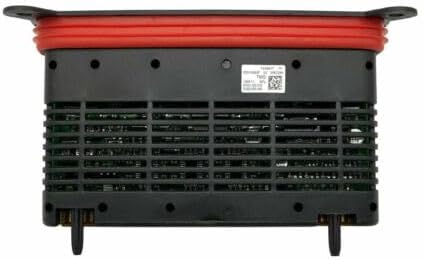
Headlight ECU Drive Module 63117440877 — F10 5 Series (2014–2016)
ZDKK