Hands-on Review
OBDLink CX Bluetooth 5.1 OBD2 Adapter for BimmerCode Review
by OBDLink

Affiliate disclosure. BimmerTalk is a proud partner of the Amazon Associates Program and Turner Motorsport. We may earn a small commission on qualifying purchases through our links, at no extra cost to you. Read the full disclosure.
The most dependable BLE adapter for BimmerCode on a BMW, as long as coding is the job and you accept a narrow app list.
Quick answer
Yes, for BMW coding the OBDLink CX is worth it. It is a Bluetooth 5.1 BLE adapter that BimmerCode-focused guides and supported-adapter lists consistently name as a top pick, it works on both iPhone and Android, and it also handles BimmerLink diagnostics such as reading ABS faults and battery registration. It is not worth it if you want a multi-brand scanner or apps like Torque Pro, where the OBDLink MX+ is the better fit.
What I like
- +Bluetooth 5.1 Low Energy connects inside the app on iPhone with no system-level pairing dance
- +Widely recommended for BimmerCode and BimmerLink, and also works as a basic OBD-II adapter with the free OBDLink app
- +Standby draw under 1 mA in BatterySave mode per the datasheet, so leaving it plugged in is defensible
- +Small and light (46 x 23 x 33 mm, about 20 g) so it can live under the dash
- +3-year warranty and lifetime firmware updates at a street price around $80
What I don't
- -Narrow third-party app support - not compatible with Torque Pro or FORScan, and Carly, MHD and bootmod3 support is absent or unconfirmed
- -Built for BMW, MINI and Supra rather than as a multi-brand diagnostic tool, so a mixed-brand household needs the MX+ or a second adapter
- -Secure Gateway on G-series cars can still hide modules or block functions, and some ECUs need an ENET cable regardless of adapter
- -Modest data throughput (26 PIDs per second in one listing) and no confirmed Windows or Mac software support
Bottom line
Buy the OBDLink CX if you code a BMW, MINI or A90 Supra from a phone, especially an iPhone, and want an adapter that BimmerCode guides consistently put at the top of the list. Skip it if you need one adapter for several brands, want Torque Pro or FORScan, or plan to flash tunes with MHD or bootmod3. For pure BMW coding and BimmerLink diagnostics at a street price around $80, it is the sensible default.
Is this the right one for you?
- ✓
I code my BMW or MINI on an iPhone
BLE is what iOS wants. You connect inside BimmerCode, not in iOS Settings, and the CX is the adapter most iPhone coding guides name first.
- →
I want one adapter for my BMW and the family Ford or GM, plus Torque Pro
The CX is BMW-optimized and other brands are not what it is sold for. The OBDLink MX+ is the multi-brand tool and also works with Torque Pro.
- ✓
I want to code and also read ABS faults, register a battery and reset service on Android
BimmerLink with the CX covers fault codes including ABS, live data and documented service functions. Confirm your exact model on BimmerLink's list first.
- →
I only want a cheap adapter for a few BimmerCode tweaks on an E or F car
The Vgate vLinker BM+ at a street price around $40 to $60 is the value pick and is listed as a BimmerCode-supported adapter.
- →
I want to flash a tune or code head-unit functions on a G-series
MHD and bootmod3 do not list the CX, and some G-series ECUs are reported to need an ENET cable rather than any Bluetooth adapter.
Specs at a glance
| Bluetooth | 5.1 Low Energy (BLE) |
|---|---|
| Platforms | iOS and Android |
| Dimensions | 46 x 23 x 33 mm (1.8 x 0.9 x 1.3 in) |
| Weight | About 20 g (0.7 oz) |
| Operating voltage | 8 to 18 V DC, 12 V nominal |
| Active current | 55 mA typical |
| Standby current | Under 1 mA in BatterySave mode |
| Protocols | ISO 15765 CAN, ISO 11898, SAE J1939, ISO 9141-2, ISO 14230 KWP2000 |
| Max PID rate | 26 PIDs per second (dealer listing) |
| Warranty | 3 years |
| Firmware updates | Lifetime, via the OBDLink app |
| Model / part number | CX101 / 431101 |
I spend a good part of my working day with a phone in one hand and an OBD adapter in the other, and the OBDLink CX has lived under the dash of my G20 330i long enough that I have opinions. The CX is a Bluetooth 5.1 Low Energy adapter aimed at BMW, MINI and the A90 Supra, built around BimmerCode and BimmerLink. It is widely recommended for BimmerCode, it is not the only adapter that works, and it is not a universal scanner. Street price around $80.
Short version if you are one click from the buy button: get it if your main job is coding a BMW from a phone, especially an iPhone. Skip it if you want one adapter for the whole driveway or you plan to flash tunes. The rest of this review is the long version, with the caveats spelled out rather than buried.
What the OBDLink CX actually is
Physically it is a small plug, 46 by 23 by 33 mm and about 20 g, with no buttons and no USB port. It runs from the car's 12 V supply across an operating range of 8 to 18 V, draws a typical 55 mA when active and drops below 1 mA in BatterySave mode according to the dealer datasheet. The model number is CX101 and the manufacturer part number is 431101, which is worth remembering when you are checking a listing. Retailers we found list a 3-year warranty, and OBDLink promises lifetime firmware upgrades.
On the wire it speaks the usual set of protocols. ISO 15765 CAN, ISO 11898, SAE J1939, plus the K-line legacy pair ISO 9141-2 and ISO 14230 KWP2000. So it is a proper OBD-II adapter, and it works with the free OBDLink app for generic engine codes and live data on OBD-II compliant cars. What is true is that the CX is optimized for BMW, and coverage beyond BMW is thin, so it is not the adapter to buy for a mixed-brand driveway. If that is you, keep reading, because the MX+ section matters.
One number worth knowing is the maximum PID rate of 26 PIDs per second quoted in a technical listing. That is modest. The CX is a coding-first device, not a data logger. If you want to graph a dozen channels on a track day, this is not the OBDLink for that.
What I could not confirm is the chipset, the official release date, and any formal Bluetooth range figure. OBDLink does not publish them, so I will not pretend to know them either. You will also see talk online of an older, non-5.1 CX. I found no documented separate variant. Every detailed listing describes the same Bluetooth 5.1 BLE device with the same dimensions, so I treat the "old versus new CX" conversation as really being a CX versus MX+ conversation.

$79.95
OBDLink CX Bluetooth 5.1 adapter - check current price and availability on Amazon
Who the CX is for and who should skip it
The pattern I see in the shop is simple. People who buy a CX for BimmerCode on a BMW are generally happy. People who buy a CX expecting a do-everything scanner are not, and it is not the adapter's fault.
The CX is for you if:
- You own a BMW, MINI or 2019+ Supra and want to code comfort features with BimmerCode.
- You use an iPhone, or you want the same adapter to work on both iPhone and Android without fuss.
- You want BimmerLink diagnostics as well, including fault codes across modules, live data and documented service functions.
- You want something you can leave plugged in without worrying about the battery.
Skip it, or at least think harder, if:
- You want one adapter for several brands. The CX is BMW-optimized and that focus is not a footnote.
- You live in Torque Pro, FORScan or AlfaOBD. A detailed 2026 review states plainly that the CX is not compatible with Torque Pro and lists those other apps as not compatible either.
- You want to flash a tune. MHD and bootmod3 do not list the CX, and flashing hardware should be whatever the flasher's own documentation vets.
- You need Windows or Mac software. I found no reliable evidence of CX support there. This is a phone and tablet device.
How it performs on real BMWs
I will split this by chassis generation, because the answer changes, and I will be precise about what the research actually supports versus what I would like to be true.
E-series
BimmerCode-focused guides describe the CX as a common choice for E, F and most G cars. For the E90 specifically, third-party testing reports successful coding sessions. For the E46, I could not find a primary source confirming full CX support, and I am not going to claim it from my own bench either. My E46 is a project car and BimmerCode's current car list is the reference you should check for any E-series model before you spend money. The K-line protocols are in the CX spec sheet, which is encouraging, but a protocol on a datasheet is not the same as a confirmed coding session.
F-series
This is the CX's comfortable middle ground. F-series BMWs and F and J-series MINIs are exactly what the adapter is positioned for, and I found no F-series specific exception list in the research. I also found no source saying MINI F or J cars carry the same Secure Gateway restrictions as newer G-series BMWs, so do not assume the G-series caveats below apply to your F56 or F60.
G-series and Secure Gateway
Here is where I need you to read slowly. The CX is widely reported to work with BimmerCode on G-series cars, with the G20 and G05 called out by name, and review sources describe it as one of the safest BLE choices for modern BMWs. On my own G20 it is the adapter I reach for. But Secure Gateway limits are function-specific, not adapter-specific. The adapter connecting successfully does not mean every module or every option will be available.
Three things the research flags that I see echoed by owners. First, modules can simply be missing in BimmerCode on a G20, which is what a Reddit thread about a 330i describes. Second, some G-series ECUs are reported to need an ENET cable rather than Bluetooth, with the head unit given as the example. Third, one source warns that coding past what Secure Gateway allows can fail or trigger faults that may need ISTA to clear. Coverage is described as a moving target that shifts with app version, chassis and ECU. Treat the CX as a compatible adapter for BimmerCode on G-series, not as a key that unlocks BMW's security. No adapter at this price is that.
iPhone vs Android and app support
The CX is BLE only. That is the whole reason it exists alongside the MX+. On an iPhone you do not pair it in iOS Settings. You plug it in, turn the ignition on, open the app and connect from inside the app. In BimmerCode that means Settings, then Adapter, then choose OBDLink CX. Guides note that location permission may be requested because BLE discovery on mobile needs it. This is normal, not a privacy stunt.
On Android the flow is the same in spirit. Enable Bluetooth, grant the app its permissions including location if asked, and connect inside the app. Some generic Android guides still say to pair in system Bluetooth first. That advice is aimed at classic Bluetooth adapters in general, and it is not consistently shown as necessary for the CX's BLE workflow. I did not find a solid, sourced bug list for specific iOS 17 or 18 or Android 14 or 15 versions, so if someone tells you a particular OS release broke the CX, ask them for the evidence.
App support is where honesty matters most, because the old review got it wrong and a lot of marketing gets it wrong too. What is explicitly supported:
- BimmerCode for coding. This is the primary use case and the reason the CX turns up on every BimmerCode adapter list I have read.
- BimmerLink for diagnostics. That means reading and clearing fault codes across engine and many body and chassis modules including ABS on supported cars, live data, and documented service functions such as battery registration, service reset and parking brake service mode. Do confirm your exact model, year and function against BimmerLink's own documentation, because a car being on the list does not prove every function.
- OBDLink app for generic OBD-II engine codes and live data.
- Car Scanner ELM, named as compatible in a recent expert review.
What is not supported or unconfirmed. Torque Pro is explicitly called not compatible in a detailed 2026 review, and I am ignoring one comparison table that lists Torque for the CX because it contradicts its own body text and looks like MX+ features copied across. Carly is a closed ecosystem selling its own adapters and nothing lists the CX, so treat that as unsupported. MHD and bootmod3 do not list it. ProTool does not list it. Windows OBDwiz is plausible as a generic interface but undocumented for the CX. No account or subscription is required for the CX hardware itself. The coding app is a separate purchase, but that is true of every adapter on this page. If you want the app-by-app view in one place, our BimmerCode adapter guide goes deeper.
OBDLink CX vs MX+ vs Vgate vs Veepeak
| Adapter | Street price | Bluetooth | iOS | Best for |
|---|---|---|---|---|
| OBDLink CX | around $80 | 5.1 Low Energy | Yes | BimmerCode and BimmerLink on iPhone or Android |
| OBDLink MX+ | around $120 to $140 | Classic Bluetooth | Yes | Multi-brand diagnostics and apps like Torque Pro and FORScan |
| Vgate vLinker BM+ | around $40 to $60 | Bluetooth or BLE (version not consistently published) | Yes | Budget BimmerCode on E and F cars |
| Veepeak OBDCheck BLE+ | check current listing | Low Energy | Yes | Budget iPhone coding where stability matters less |
OBDLink CX
- Street price
- around $80
- Bluetooth
- 5.1 Low Energy
- iOS
- Yes
- Best for
- BimmerCode and BimmerLink on iPhone or Android
OBDLink MX+
- Street price
- around $120 to $140
- Bluetooth
- Classic Bluetooth
- iOS
- Yes
- Best for
- Multi-brand diagnostics and apps like Torque Pro and FORScan
Vgate vLinker BM+
- Street price
- around $40 to $60
- Bluetooth
- Bluetooth or BLE (version not consistently published)
- iOS
- Yes
- Best for
- Budget BimmerCode on E and F cars
Veepeak OBDCheck BLE+
- Street price
- check current listing
- Bluetooth
- Low Energy
- iOS
- Yes
- Best for
- Budget iPhone coding where stability matters less
The MX+ is the interesting one. It is OBDLink's flagship, uses classic Bluetooth rather than BLE, and works with a far wider set of apps and brands. It is also listed as a BimmerCode-supported adapter. If you want one adapter for a BMW and a Ford and Torque Pro on the weekend, it is the better buy even at roughly half again the price. For BMW-only coding, the consensus across the guides I read is that the CX offers equal or better stability at a lower price, with BLE that iPhones prefer. The two sources I found disagree on the exact MX+ Bluetooth version, so I will stick to "classic Bluetooth". I have compared them in detail in OBDLink CX vs MX+ and reviewed the flagship separately in our OBDLink MX+ review.
The Vgate vLinker BM+ is the value pick and is named in BimmerCode's supported adapter list. At a street price around $40 to $60 it is hard to argue against for a few tweaks on an F30. What is not consistently published is the exact Bluetooth version, so if iPhone reliability is your priority the CX is the safer money. Our vLinker BM review covers it properly.
The Veepeak OBDCheck BLE+ is the other BLE adapter guides list for iPhone coding. I did not find a verified US street price in our research, so check the listing. Side-by-side tables I read place the CX above the Veepeak for coding reliability and speed, particularly on newer chassis, though those are qualitative judgements rather than published benchmarks. See our Veepeak OBDCheck BLE review for the detail.
And the generic ELM327 clone for the price of a coffee? Every BimmerCode-focused source I read calls anything outside the supported list a gamble. I agree. Cheap clones are where the battery drain and dropped-session horror stories actually come from.
OBDLink CX Bluetooth 5.1 OBD2 Adapter for BimmerCode
$79.95
Setting it up and fixing connection problems
"OBDLink CX not connecting" is a real search and a real complaint. In the posts I found it is the most common negative theme for the CX, ahead of anything hardware related. Almost all of it comes down to phone-side state and the fact that BLE does not behave like the Bluetooth speaker in your kitchen. Here is the order I work through.
- Plug the CX in fully. One forum-style report describes a fit issue with a particular OBD port that looked like a connection failure and was really a physical one. Check it is seated.
- Turn the ignition on, or start the engine. The adapter needs the car awake.
- Wait. A troubleshooting guide says the CX can take 45 to 60 seconds to become visible after insertion. A delay is not a fault.
- Connect inside the app. In BimmerCode go to Settings, then Adapter, then OBDLink CX. Do not chase it in iOS Bluetooth settings.
- Check permissions. The app needs Bluetooth and, for BLE discovery, location.
- If it connected once and now drops right after pairing, restart the phone. That was the fix in the Reddit report I found, and it is the fix I see most often.
- Still stuck? Unplug and reinsert, toggle Bluetooth off and on, forget any stale pairing, close competing OBD apps. OBDLink support notes a phone busy with other Bluetooth devices can cause intermittent failures.
- In the OBDLink app, set the protocol to Automatic and disable Start with Last Connected Protocol if detection is failing.
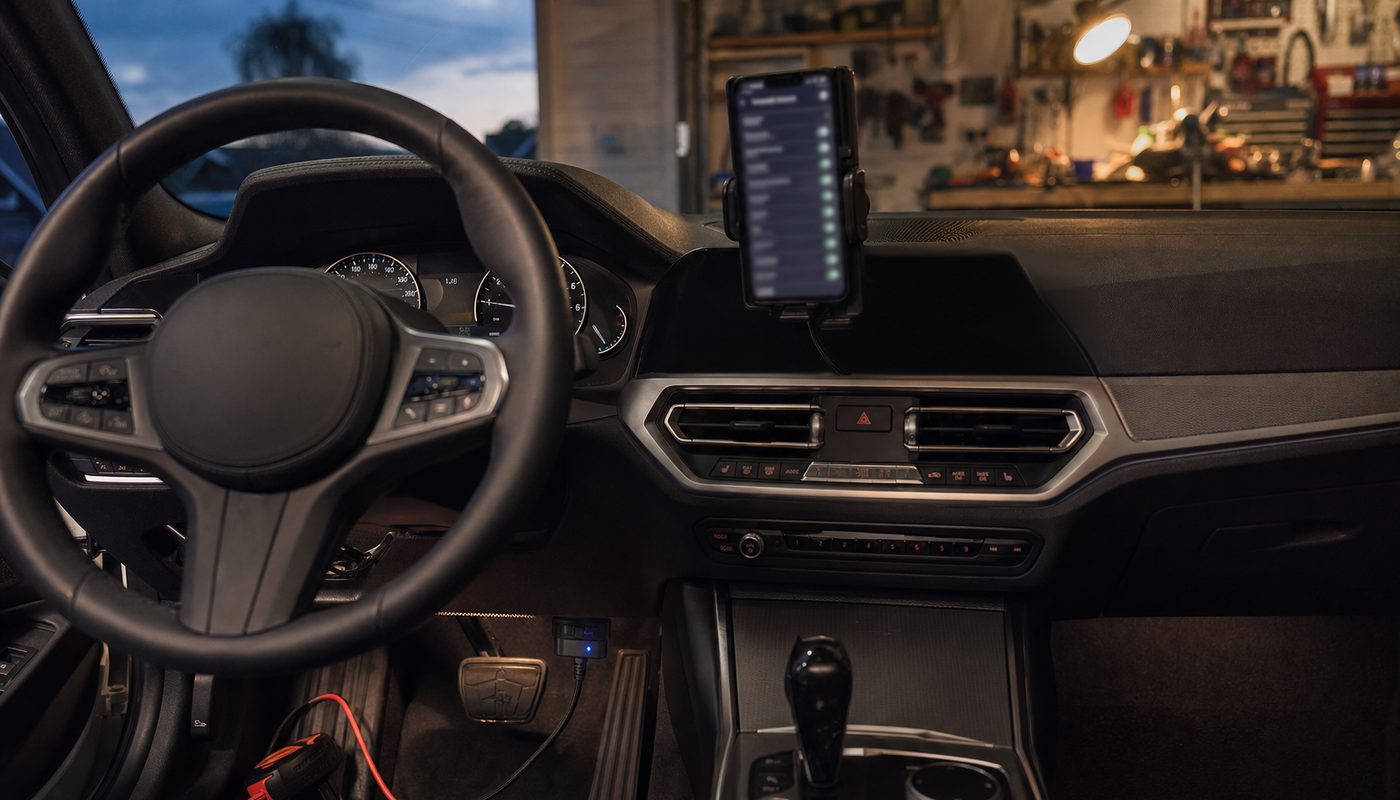
Now the part that actually damages cars. No source I found blames the CX for bricking a module. The risk described is low vehicle voltage or an interruption during a write. That is the adapter-agnostic truth of coding, and it is why third-party guides recommend turning off accessories and keeping voltage stable while you code.
For a full walkthrough with screenshots, our OBDLink and BimmerCode coding guide is the companion to this review. If it still will not connect, work through our OBDLink CX not connecting checklist.
Leaving it plugged in
OBDLink says its adapters use BatterySaver low-power mode, are safe to leave installed and will not drain the battery. The CX datasheet puts standby draw under 1 mA. Third-party BMW guides say it sleeps when the car sleeps. One owner reports six months connected with no drain, including periods when the car sat. I leave mine in the G20 and have not had reason to regret it.
Two honest caveats. OBDLink does not publish the exact wake conditions for the CX, so I cannot tell you whether it wakes on voltage change or bus activity. And every BMW has its own parasitic draw picture, so a car that already sits for weeks on a marginal battery does not need another variable. Unplug it if the car is going into hibernation. That is a hedge, not a warning about the CX. The battery drain complaints I actually find online are about cheap ELM327 clones without proper sleep modes, not genuine CX units.
How to avoid a fake OBDLink
Counterfeits with copied box art are reported on Amazon and eBay, though the volume of fakes is far higher for generic ELM327 dongles than for the CX specifically. The checklist I use is short.
- Buy from the OBDLink or ScanTool.net storefront, or a marketplace listing explicitly sold by the manufacturer. Third-party sellers with vague names are where the trouble starts.
- Price sanity. Street price is around $80. A guide citing European pricing puts the normal window at roughly $75 to $100. Far below that on a "new" unit is a red flag, not a bargain.
- Packaging. Sealed, original, undamaged, with clear OBDLink and ScanTool.net identity. Generic boxes, reprinted labels or "compatible with OBDLink" wording are not it.
- Identity check. Open the OBDLink app and confirm the adapter is recognized as an OBDLink device. An unknown or generic identity is a strong warning.
- Firmware check. Genuine units accept vendor-app firmware updates. Clones commonly fail to update or report inconsistent firmware.
- Behavior. Unstable readings, frequent drops and failures on basic OBD modes are classic clone symptoms.
Is it worth the price
Listed price is $79.95, snapshots show it at that figure on Amazon, and a comparison source shows offers as low as $75.95. Reviewers place the street price around $79 to $99. My view is that $75 to $85 is a fair buy, up to about $90 is acceptable from a trusted retailer with proper returns, and anything below $75 is an unusually good moment. I do not have verified price-history data for Prime Day or Black Friday, so I will not promise you a sale date. If the price is in the fair band and you need the adapter, waiting is unlikely to save you more than lunch money.
Against the MX+ at around $120 to $140, the CX saves you real money if BMW is your only target. Against the vLinker BM+ at around $40 to $60, you are paying roughly double for the OBDLink name, BLE 5.1, the 3-year warranty and the consistency of being the adapter that BMW coding guides reach for first. Whether that premium is worth it depends on how much a dropped session in the middle of a write would annoy you. For me, a lot.
Final verdict
The OBDLink CX does one job well. It is a BLE adapter for coding and diagnosing BMWs, MINIs and the A90 Supra from a phone, it is widely recommended for BimmerCode, and it plays nicely with BimmerLink for the diagnostics you actually want, including ABS faults and battery registration. On my G20 it has been the adapter I trust for the everyday coding people ask me about.
Its limits are real and I have not hidden them. The app ecosystem is narrow, it is not a multi-brand tool, throughput is modest, and Secure Gateway on G-series cars will still stop you at the door for some functions no matter what you plug in. I could not find it on a BimmerCode primary page, only in the guides and adapter lists that consistently name it, and I could not confirm E46 support from a primary source either.
Rating 4.4 out of 5. If you code a BMW from a phone, this is the default. If your needs go beyond that, our best BMW coding tool roundup will point you elsewhere, and the MX+ or an ENET cable is the honest next step.
Frequently asked questions
Is the OBDLink CX worth it for BMW coding?
For BMW, MINI and A90 Supra coding from a phone, yes. It is widely recommended for BimmerCode, uses Bluetooth 5.1 BLE that suits iPhone and Android, and covers BimmerLink diagnostics too. At a street price around $80 it costs roughly half of an MX+, which only makes sense over the CX if you need multi-brand coverage or apps like Torque Pro.
Can I leave the OBDLink CX plugged in, and will it drain my battery?
OBDLink says its adapters use BatterySaver mode and are safe to leave installed, and the CX datasheet lists standby draw under 1 mA. User reports we found describe it staying connected for months without drain. If the car will sit for weeks, unplugging it is a sensible hedge rather than a requirement.
Does the OBDLink CX work with iPhone and Android?
Yes, both. On iPhone you connect inside the app rather than pairing in iOS Settings, because the CX is BLE only. On Android you also connect from within the app, but you may need to grant Bluetooth and location permissions first for BLE discovery to work.
Does the OBDLink CX work on E-series BMWs like the E90 and E46?
Third-party testing reports successful coding sessions on the E90, and BimmerCode guides describe the CX as a common choice for E, F and most G cars. For the E46 we could not find a primary source confirming full CX support, so treat it as unconfirmed and check BimmerCode's current car list for your exact model before buying.
Does the OBDLink CX work on G-series BMWs with Secure Gateway, and can it brick a module?
Reports show the CX working with BimmerCode on G20 and G05 for many coding jobs, but Secure Gateway limits are function-specific, so some modules can be missing or blocked, and some ECUs such as the head unit are reported to need ENET. No source blames the CX for bricked modules; the risk described is low battery voltage or interruptions during a write, so keep the car on a stable supply while coding.
OBDLink CX vs MX+, which should I buy?
The CX is BMW-focused, Bluetooth 5.1 BLE, and sits at a street price around $80. The MX+ uses classic Bluetooth, costs around $120 to $140, and is OBDLink's multi-brand adapter that also works with Torque Pro, FORScan and many other apps. If your only coding target is a BMW or MINI, pick the CX; if you want one adapter for several brands, pick the MX+.
Why is my OBDLink CX not connecting, and how do I fix it?
Plug it in with the ignition on and wait 45 to 60 seconds, since the CX can take that long to become visible. Connect inside the app, in BimmerCode under Settings then Adapter and select OBDLink CX, not via iOS Bluetooth settings. If it still fails, restart the phone, toggle Bluetooth off and on, make sure the app has location permission, and in the OBDLink app set the protocol to Automatic and disable Start with Last Connected Protocol.
How do I spot a fake OBDLink CX?
Buy from the OBDLink or ScanTool.net storefront or a listing sold by the manufacturer, and be suspicious of anything far below the normal street price of around $80. Check for sealed original OBDLink packaging with clear ScanTool.net branding, then open the OBDLink app and confirm the adapter identifies itself as an OBDLink device and accepts a firmware update. Generic labels, super mini or ELM327 v2.1 wording, and frequent disconnects are all red flags.
Check if it fits your BMW
BMW models this fits
E82
1 Series
E88
1 Series
F22
2 Series
F23
2 Series
F44
2 Series
G42
2 Series
E90
3 Series
E92
3 Series
E93
3 Series
F30
3 Series
F31
3 Series
G20
3 Series
G21
3 Series
F32
4 Series
F33
4 Series
F36
4 Series
G22
4 Series
G26
4 Series
F10
5 Series
G30
5 Series
G38
5 Series
E63
6 Series
E64
6 Series
G32
6 Series
E65
7 Series
F01
7 Series
G11
7 Series
G70
7 Series
E31
8 Series
G14
8 Series
G15
8 Series
G16
8 Series
E84
X1
F48
X1
E83
X3
F25
X3
G01
X3
F26
X4
G02
X4
E53
X5
E70
X5
F15
X5
G05
X5
E71
X6
F16
X6
G06
X6
G07
X7
E85
Z4
E89
Z4
G29
Z4
F87
M2
G87
M2
F80
M3
G80
M3
G81
M3
F82
M4
F83
M4
G82
M4
G83
M4
F90
M5
F91
M8
F92
M8
F93
M8
Other Coding & Diagnostic Tools


Recommended for your BMW

PEMP 10.25" Vertical CarPlay & Android Auto Head Unit — E84 X1
PEMP

MOTOALL Adaptive Headlight TMS Control Module — F07/F10/F11 5 Series
MOTOALL

BMW DME Engine Control Unit (ECU) — OEM 0261S15452 / 170988680
ZKZQPOCU
Headlight ECU Drive Module 63117440877 — F10 5 Series (2014–2016)
ZDKK