BMW ISTA Explained - What It Does, What You Need, and When It's Worth It
Affiliate disclosure. BimmerTalk is a proud partner of the Amazon Associates Program and Turner Motorsport. We may earn a small commission on qualifying purchases through our links, at no extra cost to you. Read the full disclosure.

If you have ever searched for "ista bmw" you have probably landed on one of three things: a forum thread with a dead download link, a YouTube thumbnail screaming that you should stop using it, or a shop in Belgium selling a complete kit for roughly the price of a decent used E90. None of those tell you what ISTA actually is, whether you need it, or how to get it without putting something nasty on the laptop that also holds your tax returns.
So here is the version I wish had existed when I first went down this hole. ISTA is BMW's own workshop software - the thing on the dealer technician's laptop, the thing behind the "diagnostic time 1.0 hour" line on your invoice. It diagnoses, it guides, it draws wiring diagrams, and on the right hardware it reflashes control units. It is also complete overkill for most of the people typing it into Google.
I daily a 2022 G20 330i and my own toolkit is BimmerCode and an OBDLink CX, which is a world away from an ICOM Next and a 70 amp power supply. I also spent a year working inside BMW and MINI - not on the tools, but close enough to watch every workshop job start with the same grey laptop and the same software. This article is for the owner who wants to understand that software properly, decide whether it is worth the money and hassle, and if it is, go about it the right way.
ISTA 4.x
Software family
ISTA-P
Programming on E-series
BMW AOS portal
Legit access route
Roughly 70 A regulated
Programming power supply
ISTA at a glance
ISTA stands for Integrated Service Technical Application. It is the diagnostic and programming environment BMW Group uses in its own workshops for BMW, MINI and Rolls-Royce. When people say "ISTA" today they almost always mean the current ISTA 4.x application, which the enthusiast world still calls ISTA+ and which absorbed the older ISTA-D diagnostic branch and, for F and G series cars, the ISTA-P programming branch.
The quick answer to "do I need it" depends entirely on what you are trying to do. Reading codes, clearing a service light or registering a battery does not need ISTA. Chasing a weird intermittent fault with a guided test plan, pulling the factory wiring diagram for a particular connector, or reflashing a replaced module absolutely does.
| Question | Short answer | Where to read more |
|---|---|---|
| What is ISTA | BMW's own workshop diagnostic and programming software, currently ISTA 4.x | The lineage section below |
| ISTA+ or ISTA-P | ISTA+ (ISTA 4.x) for F, G and i cars, ISTA-P for E-series programming | The chassis table below |
| What hardware | ICOM Next for everything, ENET cable for F and G diagnostics, K+DCAN for E-series | The hardware section |
| Can I get it legally | Yes, through BMW's AOS portal, priced by access period | The legitimate route section |
| Should I download a free copy | No, and I explain exactly why | The honest truth section |
| Is a Foxwell enough | For most owners doing their own maintenance, yes | The when ISTA is overkill section |
What is ISTA
- Short answer
- BMW's own workshop diagnostic and programming software, currently ISTA 4.x
- Where to read more
- The lineage section below
ISTA+ or ISTA-P
- Short answer
- ISTA+ (ISTA 4.x) for F, G and i cars, ISTA-P for E-series programming
- Where to read more
- The chassis table below
What hardware
- Short answer
- ICOM Next for everything, ENET cable for F and G diagnostics, K+DCAN for E-series
- Where to read more
- The hardware section
Can I get it legally
- Short answer
- Yes, through BMW's AOS portal, priced by access period
- Where to read more
- The legitimate route section
Should I download a free copy
- Short answer
- No, and I explain exactly why
- Where to read more
- The honest truth section
Is a Foxwell enough
- Short answer
- For most owners doing their own maintenance, yes
- Where to read more
- The when ISTA is overkill section
If you only take one thing from this article, make it this. ISTA is a diagnostic brain first and a programming tool second, and the programming half is where owners get hurt. The diagnostic half is genuinely wonderful and fairly safe. The programming half needs a real interface, a real power supply, and a real understanding of what the proposed measures plan is about to do to your car.
Where ISTA came from
Knowing the family tree matters because the names are still used interchangeably on forums and in eBay listings, and the wrong name on the wrong car is how people end up with a tool that cannot do the job.
DIS and GT1
Before ISTA there was DIS, the Diagnostic Information System, running on the GT1 workshop hardware. If you own an E36, E38, E39 or early E46 you will still see DIS mentioned, because that is what the dealer used when your car was new. DIS already had the core idea that makes BMW's diagnostics different from a generic scanner - fault codes linked to test modules and repair information rather than just a code number and a one-line description. It is thoroughly obsolete now, but the philosophy survived.
Rheingold and ISTA-D
DIS was replaced by ISTA-D, the "D" meaning diagnostics. Internally the application lived in a directory called Rheingold, so enthusiasts started calling the whole thing Rheingold, and the name stuck. If someone offers you "Rheingold" they are offering an ISTA-D or early ISTA+ installation, not a separate product. ISTA-D did the diagnosis, the test plans, the wiring diagrams and the service functions, but it did not program modules.
ISTA-P
Programming was a separate application, ISTA-P, built around BMW's programming system for the E-series and the R-series MINI. It handled flashing, encoding and the vehicle order side of a control unit replacement. The important bit for today's owner is that ISTA-P never fully went away. Per BMW's own documentation, programming an E-series car is still an ISTA-P job, because the merged ISTA+ application does not program E chassis.
ISTA+ and the merge
Around the F-series era BMW folded the programming functions for the newer architectures into the diagnostic application. The result was marketed internally as ISTA with 4.x version numbers, and known everywhere else as ISTA+. Today it is one application that diagnoses E, F, G and i cars and programs F, G and i cars, with ISTA-P kept alongside for E-series programming. When a seller lists "ISTA+ and ISTA-P together" that is why - they are two tools covering two generations.
What ISTA does that your scanner does not
I have reviewed a lot of BMW scanners for this site, and the honest comparison is that none of them replicate the one thing that makes ISTA special. It is not the number of modules it can see. Plenty of tools now read every module, and I have an entire article on the BMW scanner that actually reads every module. What ISTA adds is the connective tissue between a fault, the vehicle's actual topology, BMW's repair information and a guided path to a fix.
The full vehicle test
Every ISTA session starts by identifying the car from the VIN and running a vehicle test across every control unit on every bus. You get the fault memory of each module, its hardware and software identification, the integration level (the I-level, which is the software state of the whole car as a package) and the vehicle order. A generic tool reads codes. ISTA reads codes and knows what the car is supposed to look like, which is what makes the next step possible.
Guided test plans
This is the headline feature. Pick a stored fault, or a symptom, and ISTA generates a test plan - a branching sequence of checks with expected values, measurement instructions, connector pinouts and follow-on tests. Instead of "P0171 system too lean" and a shrug, you get "check this resistance at this pin on this connector, expected value this, if out of range go here". If you have ever paid a dealer for diagnostic time, this is what you paid for, and it is why a dealer technician can find a chafed wire under a seat in an hour while a general shop replaces three parts.
Wiring diagrams and repair instructions
ISTA ships with BMW's technical information - wiring diagrams by VIN rather than by vague model year, component locations, connector views, torque values and the repair procedures themselves. For an owner doing a serious job on an N54 or N55 car, having the actual diagram for the exact harness fitted to your build date is worth more than any live data screen.
Service functions
Battery registration, steering angle sensor adjustment, brake bleeding routines on cars with DSC, injector adaptations, transfer case and EGS adaptations, replacement component initialisations - ISTA does all of them as proper BMW procedures with the correct sequence. Several aftermarket tools do a subset. For the common one, battery registration, you absolutely do not need ISTA and my battery registration guide covers the cheaper ways.
Programming and encoding
On F, G and i cars with a suitable interface, ISTA can program control units - flash new software, encode a replaced module to the vehicle order, and update the whole car to a newer integration level. This is the part that is genuinely dealer-only in capability, and it is the part with the risk. Note the word "coding" here means encoding a module to the vehicle order, not the feature-toggling coding that BimmerCode does. If what you actually want is to turn off the seatbelt chime, ISTA is the wrong tool and my best BMW coding tool article is the right one.
ISTA plus versus ISTA-P by chassis
This is the question I see mangled most often. The simplest way to think about it is by car generation, and the table below is a summary of what BMW's own documentation and the usual guides agree on. Exact coverage always depends on the ISTA release, the vehicle data installed and the interface in use, so treat it as a map rather than a guarantee.
| Chassis family | Diagnosis | Programming | Typical interface |
|---|---|---|---|
| E-series (E46, E60, E70, E90 and so on) | ISTA 4.x works for most, some early K-line cars are fussy | ISTA-P, not ISTA plus | K+DCAN for diagnostics, ICOM for programming |
| R-series MINI | ISTA 4.x | ISTA-P | K+DCAN or ICOM |
| F-series (F10, F30, F80 and so on) | ISTA 4.x | ISTA 4.x integrated programming | ENET for diagnostics, ICOM for programming |
| G-series (G20, G05, G80 and so on) | ISTA 4.x | ISTA 4.x integrated programming | ENET for diagnostics, ICOM Next preferred |
| i3 and i8 (I01, I12) | ISTA 4.x | ISTA 4.x where supported | ICOM, high voltage procedures apply |
| Newest platforms | Current ISTA release | Current ISTA release, DoIP dependent | ICOM Next |
E-series (E46, E60, E70, E90 and so on)
- Diagnosis
- ISTA 4.x works for most, some early K-line cars are fussy
- Programming
- ISTA-P, not ISTA plus
- Typical interface
- K+DCAN for diagnostics, ICOM for programming
R-series MINI
- Diagnosis
- ISTA 4.x
- Programming
- ISTA-P
- Typical interface
- K+DCAN or ICOM
F-series (F10, F30, F80 and so on)
- Diagnosis
- ISTA 4.x
- Programming
- ISTA 4.x integrated programming
- Typical interface
- ENET for diagnostics, ICOM for programming
G-series (G20, G05, G80 and so on)
- Diagnosis
- ISTA 4.x
- Programming
- ISTA 4.x integrated programming
- Typical interface
- ENET for diagnostics, ICOM Next preferred
i3 and i8 (I01, I12)
- Diagnosis
- ISTA 4.x
- Programming
- ISTA 4.x where supported
- Typical interface
- ICOM, high voltage procedures apply
Newest platforms
- Diagnosis
- Current ISTA release
- Programming
- Current ISTA release, DoIP dependent
- Typical interface
- ICOM Next
The E-series trap
Owners of E90 and E60 cars regularly buy an ISTA+ package, connect a K+DCAN cable, get a perfect vehicle test, and then discover there is no programming option for their car. That is not a broken install. ISTA+ simply hands E-series programming to ISTA-P. If you need to flash a module on an E-series you need ISTA-P, an ICOM, and the matching programming data, and that is a much larger setup. For diagnostics and coding on those cars the K+DCAN route is well established, and I go through it in the INPA and K+DCAN cable guide.
The G-series DoIP wrinkle
Newer G cars increasingly use Diagnostics over Internet Protocol. The practical consequence is that a cable or interface that worked on an F30 does not automatically do everything on a late G20 or a G05, especially for programming. BMW's documentation positions ICOM Next as the current workshop interface for this reason. My own 2022 G20 falls in this bracket, which is part of why I have never been tempted to go beyond BimmerCode and the OBDLink CX on it.
The U-series question
Sellers love to say "all models". I could not find a reliable chassis matrix for BMW's newest U-series platforms in any current ISTA documentation, so I am not going to pretend one exists. If you have a very new car, confirm coverage against the actual release notes of the ISTA version you are buying access to, not a listing.
The interface hardware question
ISTA is software. It talks to the car through an interface, and the interface decides what you can actually do. This is where most of the money goes and where most of the bad decisions happen.
ICOM A2
The ICOM A2 is the previous-generation genuine BMW multiplexer. It supports diagnostics and programming across E, F and some G cars when correctly configured, and used genuine units still circulate from workshops that upgraded. The problems are age and provenance. Firmware support is winding down, the units have been through years of workshop abuse, and the second-hand market is flooded with clones wearing genuine-looking labels. If someone offers you an A2 at a bargain price, assume it is a clone until a BMW part number and the device's own identification say otherwise.
ICOM Next and the A3 that is not a thing
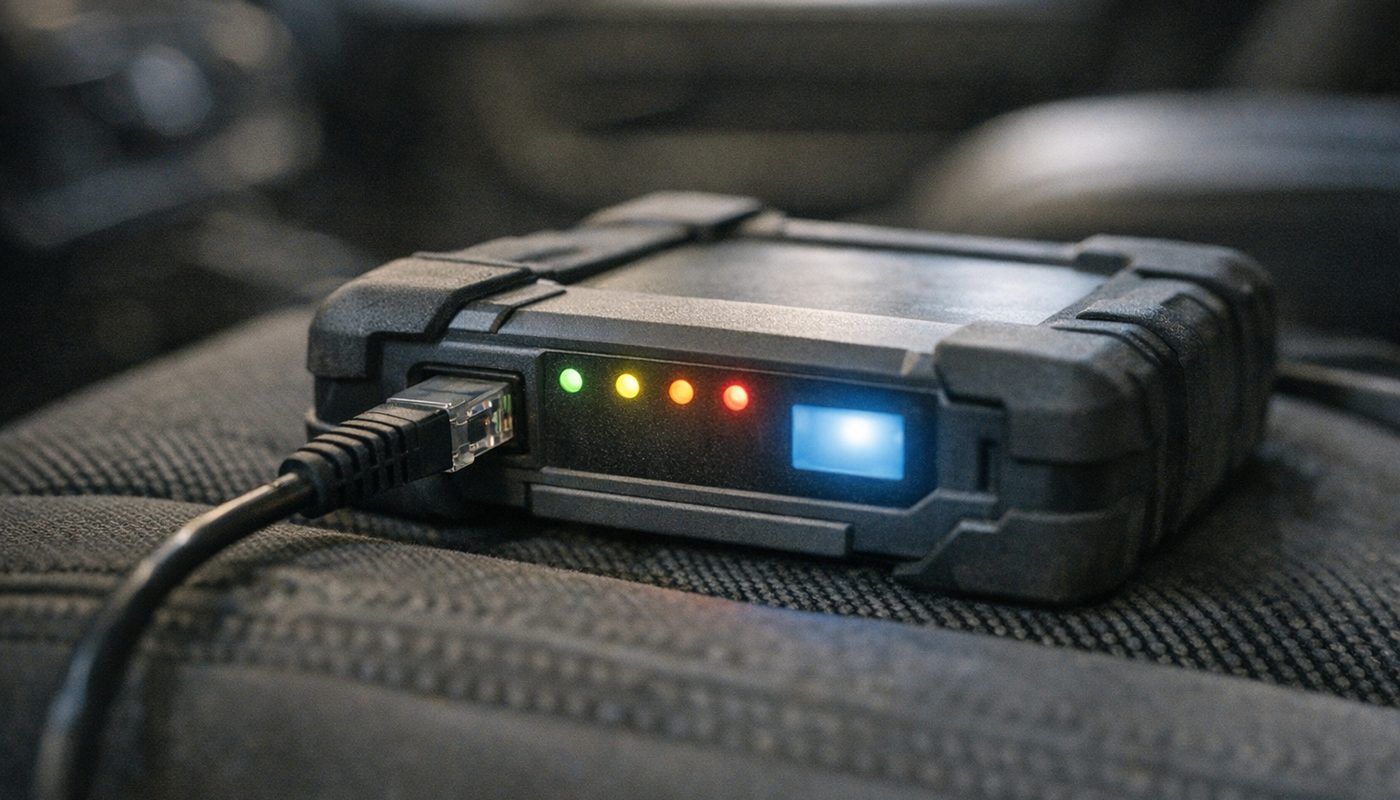
ICOM Next is BMW's current interface. BMW's documentation lists it as the recommended device for diagnostics, coding and ECU programming on modern cars, connected over Ethernet, and it is what you will see in any dealer today. Genuine units are expensive - think the price of a good set of wheels rather than a scanner - and they still need the right firmware to match the ISTA release.
You will also see "ICOM A3" in listings. I looked for BMW documentation establishing an A3 as a distinct product generation and could not find it. As far as I can tell, "A3" is seller language for a clone or a repackaged unit. That does not make every A3 listing junk, but it does mean the name tells you nothing about what is inside the box.
The honest situation for a DIY owner is that the aftermarket ICOM Next clones are what most people actually buy, because a genuine unit is hard to justify for one car. The reasonable ones are fine for diagnostics, test plans and service functions. Where I draw the line is flashing. Owners on Bimmerpost and Bimmerfest have long reported clone units with flaky Ethernet, mismatched firmware and poor power handling, and a dropped connection halfway through a DME write is how a car becomes a very heavy sculpture. If you buy a clone, use it for the diagnostic half of ISTA and send programming to a shop with a genuine interface.

$1,114.98Amazon price as of Nov 8, 2026 - may change
We may earn a commission if you buy - it never changes what we recommend or what you pay.
ENET cable
For F and G cars the ENET cable is the budget hero. It is an OBD-to-Ethernet lead that plugs straight into a laptop, costs around thirty dollars, and gives ISTA full diagnostic access on the Ethernet-equipped chassis - vehicle test, fault memory, test plans, live values and most service functions. It is also the cable for E-Sys coding, which I cover separately in the ENET cable and E-Sys coding guide.
What ENET is not is a universal programming interface. Some programming operations on some F and G cars do work over ENET, and plenty of owners have done it, but coverage by chassis and ISTA release is not something I can confirm from documentation, and the cable has none of the multiplexing or bus isolation of an ICOM. Treat ENET as the diagnostics tool it is. If you want to see the one we tested, my ENET cable review rates it four stars for exactly that job.

BimmerTalk rating 4.0/5
$33.99Amazon price as of Nov 8, 2026 - may change
We may earn a commission if you buy - it never changes what we recommend or what you pay.
K+DCAN for E-series
Older cars do not have an Ethernet pin on the OBD port, so ISTA talks to them over K-line or D-CAN through a USB cable. The good cables have a proper FTDI chip and a switch for pin 7 and pin 8 to cover both bus types. The bad ones have a flaky switch, a counterfeit chip and a driver that fights Windows. The cable is fine for ISTA diagnostics and INPA coding on an E46 through E9x, but it is not a programming interface and should never be used as one.
The laptop you actually need
ISTA is a heavy Windows application with a large database behind it, and the programming data for F and G cars is enormous. Aftermarket guides and the sellers who bundle laptops broadly agree on the shape of a sensible machine, and BMW does not publish a simple public spec sheet, so this is a practical target rather than an official minimum.
Specification
- Windows 10 or Windows 11, 64-bit. Not a Mac, not a virtual machine you downloaded from a stranger.
- An Intel Core i5 class processor or equivalent. The 2.0 GHz dual-core "minimum" some guides quote will run, slowly.
- 16 GB of RAM. 8 GB works for diagnostics, 4 GB is the number guides quote and nobody enjoys.
- An SSD with at least 250 GB free for the application and data. A full programming data set needs more, so 512 GB is the comfortable size.
- A real wired Ethernet port, or a quality USB-to-Ethernet adapter, for ICOM and ENET. Wi-Fi is for browsing, not for talking to a DME.
- A working mains adapter and a battery that still holds a charge.
Settings that bite
Laptops go to sleep. ISTA sessions do not appreciate it. Before any long session turn off sleep, hibernation and USB selective suspend, plug into the mains, and quit anything that might pop up an update and reboot the machine. Antivirus can also interfere with the application, which is a legitimate reason some guides tell you to add exceptions - and also, as we are about to discuss, a reason pirated packages tell you to turn it off entirely, which is a very different thing.
Getting ISTA legitimately
Here is the part the forum threads skip. BMW does sell access to ISTA. It is not hidden, it is not dealer-only, and in Europe BMW is legally obliged to sell it to you. The route is the BMW Aftersales Online System, usually just called AOS, which has regional portals for the US and for European markets.
How AOS works
You register an account for your country, provide business and user details, accept BMW's terms, and purchase a subscription for a defined period. BMW's own documentation describes access by period rather than a one-time purchase, and the EU type-approval regulations explicitly require that repair and maintenance information be available on daily, monthly and yearly terms with fees that vary by duration and must be reasonable and proportionate. In other words, a short licence for one job is supposed to exist.
The honest caveat is that I cannot give you a price list. BMW's pricing differs by country, by access period, by account type and by whether the entitlement is information-only or includes diagnostic and programming functions, and the figures floating around older forum posts are exactly that - old. The checkout page on the portal for your market is the only source that counts, so check it before budgeting. What I can say is that if you are weighing a day of AOS access against a dealer diagnostic charge, my BMW diagnostic cost article gives you the other side of that sum.
What the licence does and does not include
This trips people up. Possessing ISTA is not the same as having unrestricted programming rights. Diagnostics, TIS repair information, the ETK parts catalogue, programming entitlement and security-related functions such as immobiliser work can all be controlled separately, and which bundle you get varies by market. If you need programming for a specific job, confirm that the subscription you are buying includes it for your chassis before you pay, and do not assume the parts catalogue comes along for the ride.
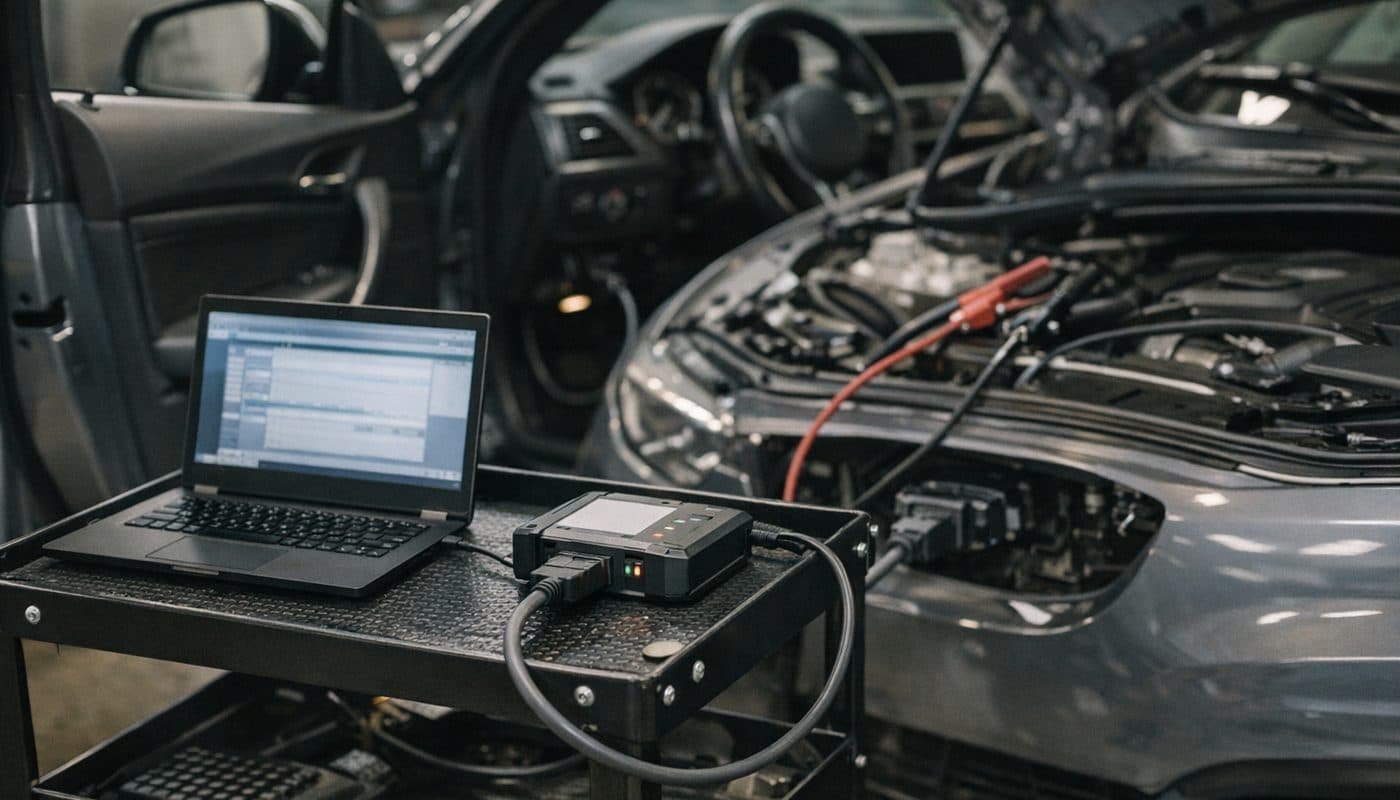
Hardware is never included. AOS gives you software and data. The ICOM, the ENET cable and the power supply are on you, and BMW expects a supported interface - normally an ICOM, or a supported J2534 pass-thru device where the market permits it.
Private owners versus shops
AOS is built for independent repairers. Whether a private individual can register depends on the regional portal's terms. Some markets accept individuals, some want a business. If yours does not, the legal options are an independent BMW specialist who holds a subscription, or the dealer. What is not an option is borrowing a shop's credentials, because they are personal and the terms are explicit about that.
The right to repair angle
For EU readers, Regulation 2018/858 and the regulations before it require standardised, non-discriminatory access to OBD information, diagnostic tools, software and repair information for independent operators, and the latest delegated rules say cybersecurity measures cannot be used as an excuse to lock independents out beyond what the regulation allows. That is the legal lever if a portal refuses you or quotes something absurd. It does not, however, give anyone a right to a cracked copy, and it says nothing about what BMW may charge in the United States.
The honest truth about ISTA download copies
Search "bmw ista download" and the first results are forum posts and video channels pointing to free packages - full installs, pre-built virtual machine images, activation patches, "lifetime licence" sellers on marketplaces for the price of a pizza. I am not going to link to any of them or walk you through using them, and this is the section where I explain why that is not me being precious.
You have no idea what is in it
A pirated ISTA package is a multi-gigabyte bundle of executables, drivers and database files from someone you cannot identify, and the install process almost always asks you to disable antivirus, run unknown binaries as administrator and install unsigned drivers. That is the exact recipe for a remote access trojan or a credential stealer, on a Windows machine you will then connect to your car. I could not find a published forensic report naming a specific malicious ISTA torrent, so I will not claim one exists. I will say that the behaviour the installs demand is indistinguishable from the behaviour malware demands, and you are trusting a stranger's upload to be the exception.
Stale data flashes the wrong thing
The second risk is less dramatic and more common. Pirated packages are frozen at whatever version the uploader had, with whatever programming data they bundled. ISTA builds a programming plan from the car's current integration level and the data it has installed. If those do not match properly, the application can misidentify modules, propose an inappropriate software path or fail partway through. Owners on Bimmerpost report plenty of "it just stopped at 60 percent" threads that trace back to mismatched data, mismatched ICOM firmware or a laptop that went to sleep. On a legitimate subscription the data is current and matched to the application. On a torrent, it is a lottery.
A failed flash is not a retry button
BMW's own programming documentation warns that some aborted programming operations cannot simply be restarted and can leave a module unable to even respond to diagnosis until a recovery procedure is run. Recovery needs genuine equipment and the right data. If your only ISTA is the pirated one that just failed, you have no recovery route, and the module may be a replacement part plus a trip to a shop that will have to encode it to the car.
Legality
Copying BMW's software, bypassing its licensing and using activation patches is copyright infringement and, in many jurisdictions, an anti-circumvention offence as well. Exact penalties vary by country and I am not a lawyer, but "everyone on the forum does it" is not a defence anywhere. The practical consequences are also real. A shop running cracked software has no comeback when a programming job goes wrong, and an owner selling a car that was flashed with a pirated package and a clone ICOM has an uncomfortable story if the next owner's dealer notices the integration level does not add up.
So what do you actually do
If you only need diagnostics, buy a short AOS licence when you need it, or accept that a good aftermarket scanner covers you. If you need programming, either buy AOS access with programming entitlement and a genuine interface and power supply, or pay a specialist with that setup. Neither is as cheap as free. Both leave you with a working car and a laptop that is not reporting your passwords to someone in a basement.
Programming safely
Everything about ISTA diagnostics is forgiving. Everything about ISTA programming is not. This section is the part I would want a friend to read twice before they press execute.
Why the power supply is not optional
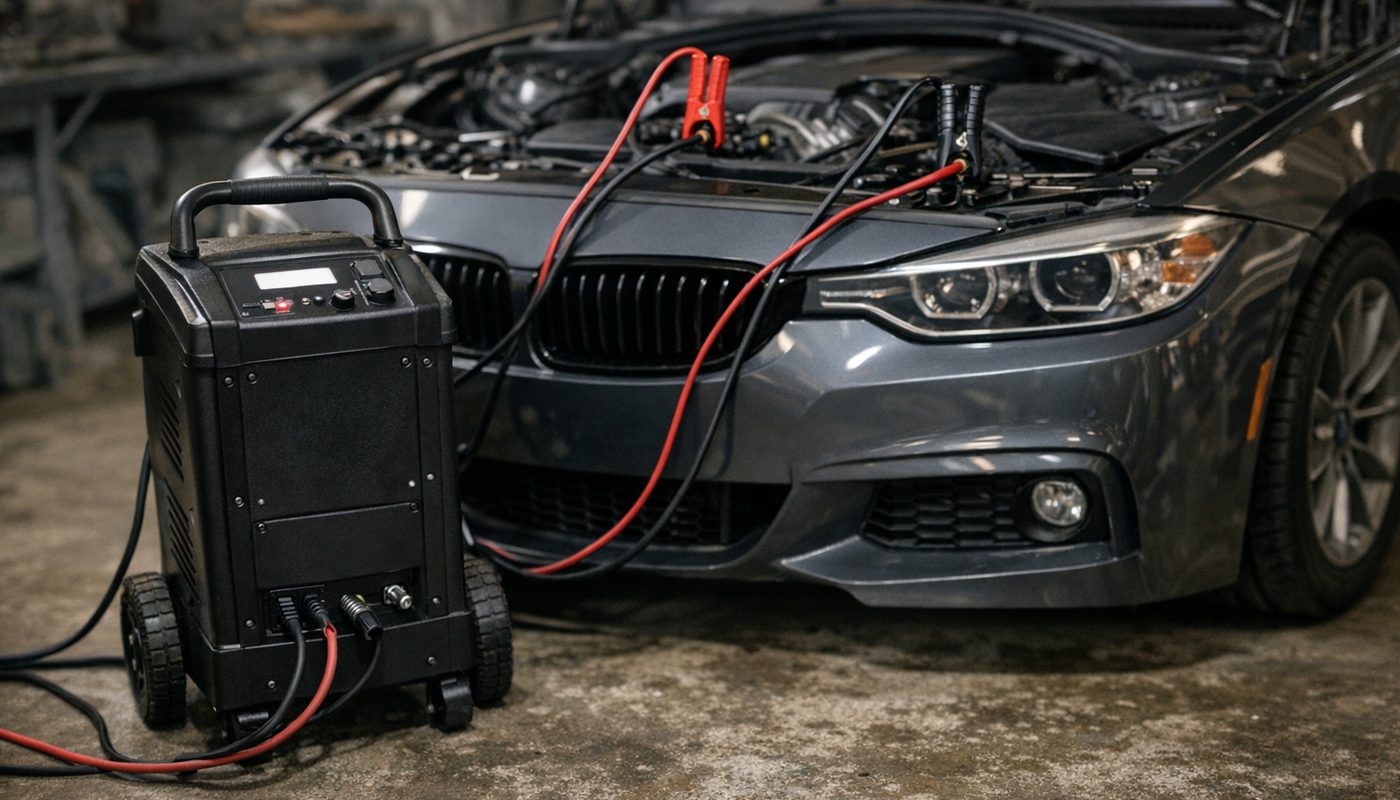
During programming, ISTA keeps multiple control units awake, cycles the ignition, runs the fans and pumps that come on with it, and writes software continuously for anything from twenty minutes to a couple of hours on a full integration level update. A car battery alone sags under that load. A normal battery charger is worse than nothing, because chargers switch modes, pulse, throttle current as voltage rises and sometimes shut off entirely when they decide the battery is full. Any of those events can interrupt communication mid-write.
Workshops use a regulated power supply, often called a battery support unit, that holds the system at a fixed voltage and can deliver a large current indefinitely. Around 70 amps is the figure most guides and BMW-oriented shops use as the target. I could not find a single BMW-published universal minimum, and the real requirement varies by car and procedure, but 70 amps is the sensible planning number and it is a lot more than any trickle charger produces.
A sane programming checklist
- Park the car indoors with the battery accessible, and connect the regulated power supply before you start - not when the voltage warning appears.
- Plug the laptop into the mains, disable sleep and hibernation, close every other application and update service.
- Use a wired Ethernet connection between the laptop and the interface. Never program over Wi-Fi.
- Confirm the interface firmware matches the ISTA release you are using, and that the ISTA data is current for your car.
- Run the full vehicle test first and clear any fault that would interfere with programming, such as a low voltage code.
- Read the proposed measures plan line by line. Confirm the VIN, the vehicle order, the current and target integration level and every module it intends to touch. If you do not understand a line, stop.
- Execute, then leave the car alone. No doors, no key presses, no "just checking" the lights.
- If the session fails, do not disconnect power or close ISTA. Note the exact error, check whether the module still communicates, and get help before any retry.
Know when to send it out
For most owners the right answer is to send programming to a specialist. A replaced module that needs encoding, a DME update as part of a recall, a full integration level update to fix a known bug - these are one-off jobs. Paying an independent with a genuine ICOM Next, a real power supply and an AOS subscription is cheaper than buying that setup for a single use, and it comes with someone who has recovered a failed flash before.
When ISTA is overkill
Here is my actual opinion. The majority of people searching for ISTA want one of three things: to read a fault properly, to do a service function the dealer charges silly money for, or to understand what is wrong before deciding whether to fix it themselves. For all three there are tools that cost a fraction of an ICOM, need no laptop and carry none of the programming risk.
A BMW-specific scanner
The Foxwell NT510 Elite with the BMW software package reads every module, clears codes, shows live data, runs actuations and does the service functions that matter most to an owner, including battery registration and the various resets. It is around 160 dollars at the time of writing. It does not do test plans or wiring diagrams and it will never program a module, but it covers the diagnostic needs of an owner maintaining an E90 or F30 almost completely. I compare it with its bigger sibling in the Foxwell NT510 Elite vs NT530 article.

$164.99
We may earn a commission if you buy - it never changes what we recommend or what you pay.
A multi-brand tablet
If you also look after a non-BMW in the household, the Autel MK808S is the step up. Full-system coverage, service functions, a proper screen and some coding, for roughly 480 dollars. It is a three and a half star tool in my Autel MK808S review because it is good rather than great on BMW specifically, but it is a genuine alternative for the owner who wants one tablet for everything. For shop-grade options above that, see my best professional BMW scanner piece.

BimmerTalk rating 3.5/5
Currently unavailable at last check - see current options
We may earn a commission if you buy - it never changes what we recommend or what you pay.
A phone app and a good adapter
This is where I live. BimmerCode for feature coding and BimmerLink for diagnostics, on an OBDLink adapter, covers reading and clearing module faults, live data, service resets and battery registration on an F or G car, for the price of the adapter and the apps. I use the OBDLink CX on my G20, which is a coding-first adapter. If you want the one adapter that also does proper diagnostics with generic apps and other brands, the OBDLink MX+ is the better buy. My read and clear BMW fault codes guide walks through this workflow.

BimmerTalk rating 4.0/5
$139.95Amazon price as of Nov 8, 2026 - may change
We may earn a commission if you buy - it never changes what we recommend or what you pay.
When you really do need ISTA
Be honest about where the line is. You need ISTA when the fault is intermittent and you have exhausted the obvious, when you need the actual wiring diagram for your build date, when a shop is quoting a diagnosis you want to sanity check, or when a module has been replaced and needs programming. If none of that describes your situation, buy the scanner, not the ICOM.
Which route for which owner
Pulling it together. This is the decision I would make for each kind of owner, with the caveat that prices for AOS access need checking on the portal for your market.
| Owner type | What I would buy | Why |
|---|---|---|
| Daily driver, basic maintenance | Foxwell NT510 Elite or OBDLink MX+ with BimmerLink | Covers codes, live data and service resets, no laptop, no risk |
| F or G owner who likes coding | OBDLink adapter with BimmerCode, ENET cable for E-Sys | Feature coding does not need ISTA at all |
| E-series owner chasing faults | K+DCAN cable, short AOS licence or a specialist with ISTA for test plans | ISTA-P programming is a separate world, leave it to a shop |
| Owner with one weird intermittent fault | Short-term AOS diagnostic access with ENET or K+DCAN | Test plans and wiring diagrams are what you are paying for |
| Owner needing a module programmed | A specialist with genuine ICOM, power supply and AOS programming entitlement | One-off job, not worth owning the setup |
| Independent BMW specialist | Genuine ICOM Next, AOS business subscription, regulated 70 A supply, dedicated laptop | The real cost of doing it properly, and the only way to sleep at night |
Daily driver, basic maintenance
- What I would buy
- Foxwell NT510 Elite or OBDLink MX+ with BimmerLink
- Why
- Covers codes, live data and service resets, no laptop, no risk
F or G owner who likes coding
- What I would buy
- OBDLink adapter with BimmerCode, ENET cable for E-Sys
- Why
- Feature coding does not need ISTA at all
E-series owner chasing faults
- What I would buy
- K+DCAN cable, short AOS licence or a specialist with ISTA for test plans
- Why
- ISTA-P programming is a separate world, leave it to a shop
Owner with one weird intermittent fault
- What I would buy
- Short-term AOS diagnostic access with ENET or K+DCAN
- Why
- Test plans and wiring diagrams are what you are paying for
Owner needing a module programmed
- What I would buy
- A specialist with genuine ICOM, power supply and AOS programming entitlement
- Why
- One-off job, not worth owning the setup
Independent BMW specialist
- What I would buy
- Genuine ICOM Next, AOS business subscription, regulated 70 A supply, dedicated laptop
- Why
- The real cost of doing it properly, and the only way to sleep at night
Notice how far down that table ISTA appears for a private owner. That is deliberate. The software is brilliant, and I would not want anyone to come away thinking otherwise. It is also a professional tool with a professional price, a professional hardware requirement and a professional failure mode, and the scanner market in 2026 has caught up on everything except the guided diagnosis and the programming.
FAQ
Is ISTA the same thing as an ICOM
No. ISTA is the software on the laptop. ICOM is BMW's hardware interface that connects the laptop to the car. You can run ISTA without an ICOM by using an ENET cable on F and G cars or a K+DCAN cable on E-series, but only for diagnostics and some service functions. Programming is where the ICOM becomes necessary.
What is the difference between ISTA-D and ISTA-P
ISTA-D was the diagnostic application, also called Rheingold after its internal directory name. ISTA-P was the separate programming application. The two were merged into the current ISTA 4.x, known as ISTA+, for F, G and i cars. ISTA-P is still the programming tool for E-series BMWs and R-series MINIs because ISTA+ does not program those chassis.
Can ISTA code my car like BimmerCode does
Not in the way you mean. ISTA encodes a control unit to the vehicle order during programming or a module replacement. It does not give you a menu of comfort features to toggle. For that kind of coding you want BimmerCode on an F or G car or E-Sys over an ENET cable, and ISTA is simply the wrong tool. Think of ISTA as the doctor and BimmerCode as the tailor.
Does an ENET cable work with ISTA for programming
Sometimes, on some cars, and I would not plan on it. ENET gives ISTA full diagnostic access on Ethernet-equipped F and G cars and owners have programmed over it, but coverage by chassis and ISTA version is not something BMW documents and the cable has none of the isolation or multiplexing of an ICOM. Use ENET for diagnosis and coding, and use an ICOM with a proper power supply for flashing.
Can I use ISTA on a MINI
Yes. ISTA is BMW Group software and covers MINI and Rolls-Royce as well as BMW. The same generational split applies - R-series MINIs are programmed with ISTA-P, newer F and U based MINIs with the current ISTA release, and the exact coverage depends on the data installed and the interface.
Why does a used ICOM A2 cost so little compared to a genuine ICOM Next
Mostly because the cheap ones are clones, and the genuine ones are old and out of firmware support. A2 units that were genuine have been through years of workshop use. The A3 you see advertised alongside them is not a BMW product generation I could find documented. If you must buy second-hand, verify the BMW part number and the device's own identification, and still keep it for diagnostics only.
How much does legitimate ISTA access cost
BMW sells it by access period through the AOS portal for your region, and in the EU it is legally required to offer daily, monthly and yearly terms at reasonable fees. The actual numbers vary by country, period and whether programming is included, and old forum figures are unreliable, so check the portal's checkout page before you budget. It is not free, and it is not the thousands a hardware kit costs either.
What happens if a programming session fails halfway
It depends on the module and the point of failure. BMW's documentation warns that some aborts cannot simply be restarted and can leave the module unable to communicate until a recovery procedure is run with genuine equipment. The correct response is to keep the power supply connected, leave ISTA open, record the exact error and find out whether the module still responds before anyone attempts a retry. Blind retries on a dying battery make it worse.
Do I need ISTA to register a new battery
No. Battery registration is a service function that Foxwell, Autel, BimmerLink and several other tools handle on E, F and G cars. ISTA does it too, but buying into ISTA for a battery swap is like buying a lathe to sharpen a pencil. The cheaper routes are covered in detail in my battery registration guide.
Bottom line
ISTA is the best BMW diagnostic software that exists, because it is BMW's own. The guided test plans and VIN-specific wiring diagrams are the reason dealers find faults that general shops miss, and if you have one of those faults, a short legitimate licence and an ENET or K+DCAN cable is money well spent. The programming side is equally real and equally dangerous, and it belongs with a genuine ICOM, a regulated power supply and someone who has done it before.
What ISTA is not is a free download you should chase through a forum. The copies floating around are unverifiable software bundles from strangers, often frozen on old data, and the failure mode is not a crashed app but a dead control unit. Buy access from BMW when you need it, or pay a specialist who already has.
And for the owner who just wants to read codes, reset a service light, register a battery and understand what is going on before the shop visit, a Foxwell or an OBDLink and a phone app does it all with no laptop and no risk. That is where I sit with my own G20, and I do not feel under-equipped. Fix the right problem with the right tool, and keep the dealer software for the day you actually need the dealer's brain. Thanks for reading, Kamil.