BMW ENET Cable and E-Sys - The Complete F and G Series Coding Guide
Affiliate disclosure. BimmerTalk is a proud partner of the Amazon Associates Program and Turner Motorsport. We may earn a small commission on qualifying purchases through our links, at no extra cost to you. Read the full disclosure.

Every few weeks someone emails me the same question in a slightly different outfit. "I've got a G20 / F30 / F10, I've seen people doing crazy codings on Bimmerpost with a cable that costs less than a car wash, what is this ENET thing and should I bother with E-Sys instead of the phone app?" So here's the long answer, in one place.
Quick disclosure before anything else, because I'd rather you know where I'm coming from. My own hands-on coding is done on my 2022 G20 330i with BimmerCode and an OBDLink CX. I spent a year inside BMW and MINI and I've been deep in this stuff for about five years, but I have not put E-Sys on my own laptop and bricked a module to bring you a war story. What follows is built from BMW's own documentation, the E-Sys workflow guides the community has written, and a lot of owner threads where people did get it wrong and then explained how they got it back. I'll tell you plainly where something is a forum consensus rather than a spec.
This guide is for F, G and I chassis owners (plus MINI F-series and the A90 Supra crowd, who inherited the same electronics) who are curious whether laptop coding is worth the climb. If you only want mirror fold and a digital speedo, I'll say it now and again at the end: buy the cable anyway, use BimmerCode with it, and keep your weekends. If you want to change the vehicle order, touch modules the apps hide, or understand what the apps are actually doing under the hood, keep reading.
Around 20 to 50 USD
Wired ENET cable price
F, G and I series plus MINI F and A90 Supra
Chassis covered
Steep, plan a weekend
E-Sys learning curve
Mandatory for every write
Battery support
The quick answer for people who hate scrolling
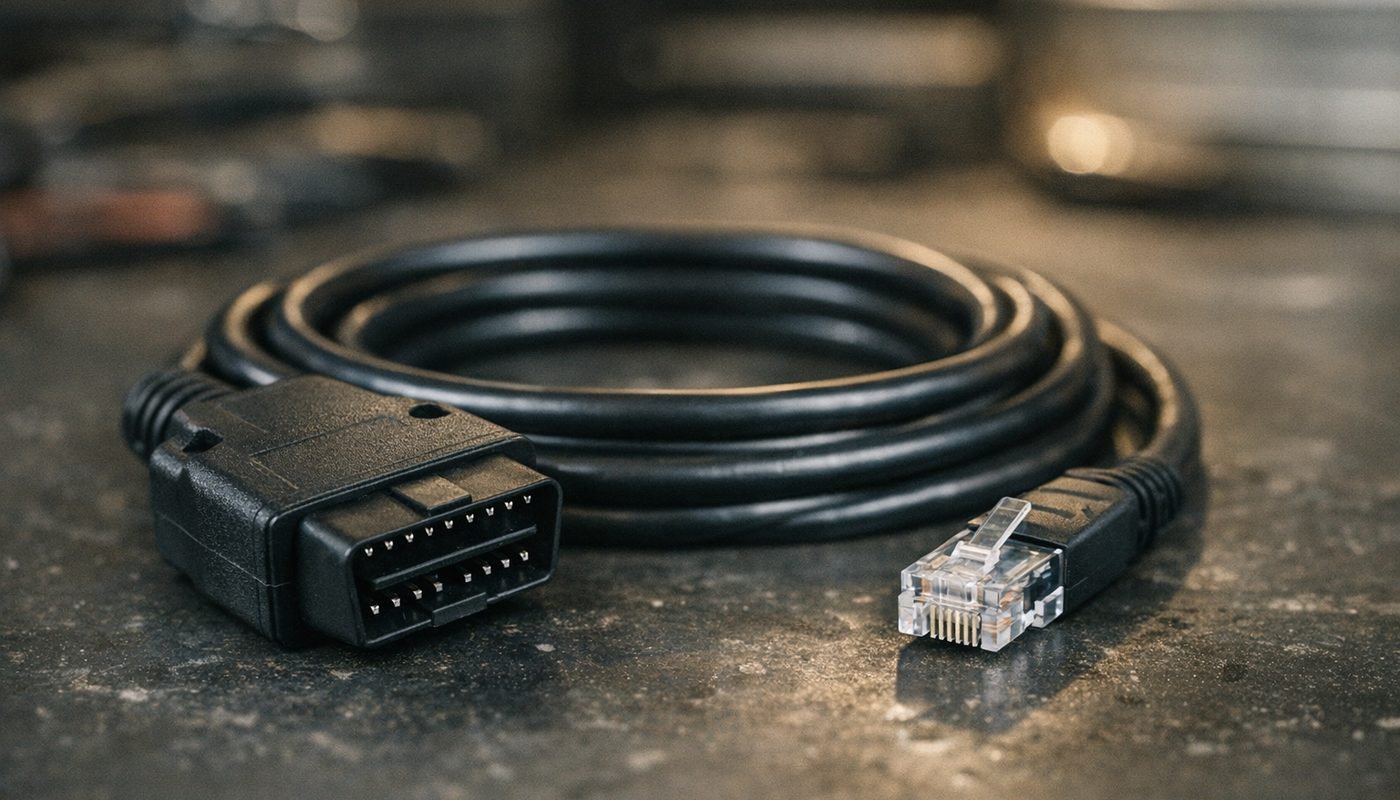
An ENET cable is a passive adapter that connects the Ethernet pins in your BMW's OBD2 socket to an RJ45 plug. E-Sys is BMW's engineering software for talking to the car over that link. Together they let you read the vehicle order, read each module's coding file, change individual parameters, and write them back. That is the whole thing. Everything else is detail, and the detail is where people lose modules.
Here's what the shopping list and the honest time budget look like for the three common ways of doing this.
| What you want | What you need | Honest effort |
|---|---|---|
| Comfort codings on a G20 or F30 | ENET cable or OBDLink CX, BimmerCode app, 15 minutes | Low, the app does the thinking |
| FDL coding of parameters the apps hide | ENET cable, Windows laptop, E-Sys, PSdZData Lite, battery support | High, expect a weekend before the first write |
| VO coding or retrofits | All of the above plus a correct FA and often the hardware and licences | Very high, this is where ISTA and specialists live |
Comfort codings on a G20 or F30
- What you need
- ENET cable or OBDLink CX, BimmerCode app, 15 minutes
- Honest effort
- Low, the app does the thinking
FDL coding of parameters the apps hide
- What you need
- ENET cable, Windows laptop, E-Sys, PSdZData Lite, battery support
- Honest effort
- High, expect a weekend before the first write
VO coding or retrofits
- What you need
- All of the above plus a correct FA and often the hardware and licences
- Honest effort
- Very high, this is where ISTA and specialists live
If you already own a Bluetooth adapter and just want the app route, my OBDLink and BimmerCode guide covers that from unboxing to first coding. This article is about the laptop route, and about knowing enough to decide you don't need it.
What an ENET cable physically is
Strip the marketing off and an ENET cable is four wires and a bridge. F, G and I chassis BMWs expose a 100 Mbit Ethernet interface on the diagnostic socket. The cable just routes those pins to a standard RJ45 plug so your laptop's network port (or a USB to Ethernet dongle) can see the car as a network device. There is no chip, no protocol converter, no firmware. That is why a decent one costs about as much as a takeaway and why the eBay version from a seller you've never heard of can still work perfectly, or not at all.
The wiring and the pin 8 bridge
The commonly documented aftermarket layout routes OBD pins 3, 11, 12 and 13 to the Ethernet data pairs on the RJ45 side. I'm hedging with "commonly documented" because BMW has never published a universal consumer wiring standard for these cables, and cheap manufacturers do vary the shielding and ground arrangement. If you're the type who owns a multimeter, five minutes of continuity checking on a new cable is time well spent.
The bit that trips people up is the activation bridge. Most ENET cables link OBD pin 8 to pin 16. Pin 16 is permanent battery positive. Feeding that to pin 8 wakes the car's diagnostic Ethernet interface so the laptop can establish a link without you doing anything special at the car. Pin 8 is not a data pin. It is a "please wake up" signal. A cable without that bridge is the usual explanation for the Bimmerpost threads titled "cable arrived, laptop sees nothing", and a cable with the bridge done badly is a less common but nastier explanation for a parasitic drain that appeared the week after someone started coding.
Which cars use it and why your E46 can't
ENET is the native interface for F-series, G-series, I-series, MINI F54 through F57 and the A90 and A91 Supra, which run BMW electronics in a Toyota suit. E-series cars don't have an Ethernet diagnostic interface at all. An E46, E60 or E90 talks K-line or D-CAN, which is a different physical layer and a different protocol, and no amount of wishing turns a passive Ethernet cable into a serial interface. For those cars you want a K+DCAN cable and a completely different toolchain, which I've written up in the INPA and K+DCAN guide. Any listing claiming one ENET cable "covers all BMW E, F and G" is either describing a bundle of two cables or describing something that isn't true.
USB-C and USB-A variants
Most modern laptops don't have an RJ45 port, so the sensible cables now ship with a USB-C or USB-A Ethernet adapter in the box. That adapter is the only part with any electronics in it, and it is where cheap cables cut corners. A sketchy USB network chipset with power management turned on will drop the link mid-session, and you'll blame E-Sys. If you buy a bare RJ45 cable, pair it with a known-brand USB Ethernet dongle rather than the one that came free with something. Our review of the USB-C and USB-A ENET cable goes into which adapter chipset it uses and how it behaved.

BimmerTalk rating 4.0/5
$33.99Amazon price as of Nov 8, 2026 - may change
We may earn a commission if you buy - it never changes what we recommend or what you pay.
Wired ENET vs WiFi ENET adapters
A WiFi ENET adapter plugs into the same OBD socket but bridges the car's Ethernet to a WiFi network your phone, tablet or laptop joins. Products like the Parannic unit, MHD's own wireless adapter, and the Kies-sold xAutomotive xA Ultra all live here. They exist because people got tired of running a cable across the cabin to a laptop on the passenger seat, and because phone apps like BimmerCode, BimmerLink, MHD and bootmod3 can use them directly.
Where WiFi is genuinely fine
For coding, a reputable WiFi ENET adapter is normally fine. A coding write is a small amount of data and the apps are built to cope with a short reconnect. Owners using them with BimmerCode on G-series cars report a faster, more stable session than Bluetooth on some cars, and if your laptop has no Ethernet and you code from a phone anyway, the convenience is real. The Parannic is listed at around $60 at the time of writing and names F, G and I series support, though I'd treat any claim about flashing support as something to verify against the specific app's own compatibility list, not the adapter's packaging.
Where I'd only ever use wired
Flashing a DME, EGS or any module where an interrupted write leaves half a program on the chip. The comparisons I've read, and the general tone on the tuning forums, all land in the same place: wireless is slower on large transfers and more prone to timeouts, and a timeout in the middle of a DME flash is how you learn what a recovery flash costs. MHD and bootmod3 owners do flash over WiFi every day, and the apps are built to resume, but E-Sys is not that forgiving. If you're going down the E-Sys road at all, a short wired cable is the conservative, boring, correct choice. I cover the tuning side separately in the MHD tuning guide.
What I'd buy today
If I were setting up for E-Sys from scratch I'd buy a wired ENET cable with a decent USB-C adapter and spend the money I saved on a battery support charger. If I only wanted to use phone apps on an F or G chassis and didn't fancy Bluetooth, the Parannic is a reasonable middle ground. Spending $110 on a premium wireless adapter only makes sense if a specific flashing app you already use lists it as supported.

$61.99Amazon price as of Aug 23, 2026 - may change
We may earn a commission if you buy - it never changes what we recommend or what you pay.
What E-Sys is and what it is not
E-Sys is BMW's own engineering tool for the F, G and I platforms. It is a Windows Java application that was never designed as a consumer product. BMW uses it internally alongside ISTA, which is the dealer diagnostic and programming system I've covered in the ISTA guide. The two overlap a bit but they're different animals: ISTA is for diagnosing and repairing cars using guided procedures, E-Sys is for configuring and programming control units by hand, with no guard rails whatsoever.
Why it's free and why that's a problem
BMW doesn't sell E-Sys. It leaked years ago, the community adopted it, and now it circulates in bundles alongside its data files. That means nearly every copy an enthusiast runs is, strictly speaking, not licensed to them. I'm not going to link you to one and I'm not going to walk you through the token business, but I will say plainly why it matters: bundles from random sites are a classic malware vector, and a tampered copy of software that writes to your car's body controller is not a risk I'd take to save the cost of a licensed app. If you go this route, the owner community has well-known, long-standing sources and the forums will steer you towards them. Do not grab the first "E-Sys 2026 full package" that a search engine shows you.
E-Sys Launcher and ProTool
Stock E-Sys has two annoyances for hobbyists. It expects a licence token that expires, and the FDL editor shows parameter names as bare codes with no human description. The E-Sys Launcher, originally from a developer known as TokenMaster and later distributed by BimmerGeeks, is a wrapper that handles the token side and adds plain-language mapping so a parameter reads as something like a seatbelt warning setting rather than a hex string. The exact distribution status and version numbers in 2026 are murky and I'm not going to pretend otherwise. BimmerGeeks also sells ProTool, an Android application with its own interface that does diagnostics, service functions and coding on BMWs through an ENET or WiFi ENET connection. ProTool is not just E-Sys with a touchscreen, and I'll compare it properly further down.
Version numbers, and why you shouldn't chase them
At the time of writing, third-party bundle listings mention E-Sys in the 3.3x range and a Launcher Pro in the 2.8 range. There is no official BMW consumer release page to confirm what "current" means, so treat those as what sellers are shipping rather than a standard. More important than the newest number is that your E-Sys, Launcher and PSdZData versions are known to work together. Mixing arbitrary versions is a well-documented cause of missing CAFDs and coding that fails halfway, which brings us to the data.
PSdZData explained in plain English
E-Sys on its own knows how to talk to the car. It does not know what any module's coding means. That knowledge lives in PSdZData, a large folder of BMW data files, and the files that matter most for coding are the CAFDs. A CAFD is the definition file that tells E-Sys how to interpret a particular module's coding data at a particular software level. No matching CAFD, no coding.
Lite vs Full
PSdZData comes in two flavours. Lite contains the CAFDs and the data needed to read, interpret and write coding, and it's a few gigabytes. Full adds the actual control unit firmware for programming and flashing, and it is enormous, well over 100 GB in recent releases according to the people who host it. For VO coding and FDL editing, Lite is what you need. You only need Full if you're using E-Sys to flash module software, and if you're reading an introductory guide you should not be doing that.
| Package | What it contains | When you need it |
|---|---|---|
| PSdZData Lite | CAFDs and coding definitions, a few GB | Reading FA and SVT, FDL coding, VO coding |
| PSdZData Full | Lite plus module firmware, well over 100 GB | Flashing and programming control units, some retrofits |
| Neither | E-Sys will connect but cannot interpret or write coding | Never, this is the most common first-timer dead end |
PSdZData Lite
- What it contains
- CAFDs and coding definitions, a few GB
- When you need it
- Reading FA and SVT, FDL coding, VO coding
PSdZData Full
- What it contains
- Lite plus module firmware, well over 100 GB
- When you need it
- Flashing and programming control units, some retrofits
Neither
- What it contains
- E-Sys will connect but cannot interpret or write coding
- When you need it
- Never, this is the most common first-timer dead end
The I-level concept
Every F and G chassis BMW has an integration level, usually called the I-step or I-level, which is a version stamp for the software across the whole car. It looks like a string with the chassis code and a year-month-number, and each time a dealer programs the car it moves up. Your PSdZData has to know about your car's I-level. If the car was programmed at the dealer last month and your PSdZData predates that, E-Sys will look at the modules and find CAFDs it has no definitions for. That's the root of most "CAFD not found" posts. The rule of thumb owners use is simple: the data package should be at least as new as the car's current I-level. Newer is fine. Older is a coin toss.
Don't go the other way and assume newest-is-safest either. A huge data package doesn't help if the E-Sys version it's paired with doesn't understand its format. Stick to combinations that the community confirms as working together.
Setting up the laptop
This is the unglamorous part that determines whether the glamorous part works. E-Sys is Windows only. It's a Java application, so it's not fussy about hardware, but it is fussy about networking and about the laptop staying awake.
Network settings
The car runs its own little network on the diagnostic Ethernet port and expects your laptop to join it with an automatic, link-local style address. In practice that means your Ethernet adapter should be set to obtain an IP address automatically. If you've previously set a static address on that adapter for a NAS or a printer, that is the first thing to undo. When the cable is in and the car's awake, the adapter should show a connection within a few seconds. If Windows reports an unidentified network, that's actually normal for this link.
Firewall, sleep and power management
Windows Firewall sometimes blocks the Java process from reaching the car. Allow it on private networks when prompted, or add an exception if you've already clicked "cancel" in a hurry. Then go into power options and turn off sleep, hibernation and hard disk shutdown while on mains, and in the network adapter's properties disable the "allow the computer to turn off this device to save power" box. A laptop that dozes off during a write is an entirely avoidable way to interrupt a coding session. Keep the laptop plugged in. Battery-powered laptop plus battery-powered car is two things that can quit at once.
Disk space and the data path
Even Lite PSdZData wants a few gigabytes, and E-Sys needs to be pointed at the folder in its settings. Owners trip over this constantly: E-Sys opens, connects to the car, reads the SVT, then fails to find any CAFD because the data path is still set to the default empty folder. Set it, restart E-Sys, and confirm it before plugging into the car.
The battery support rule
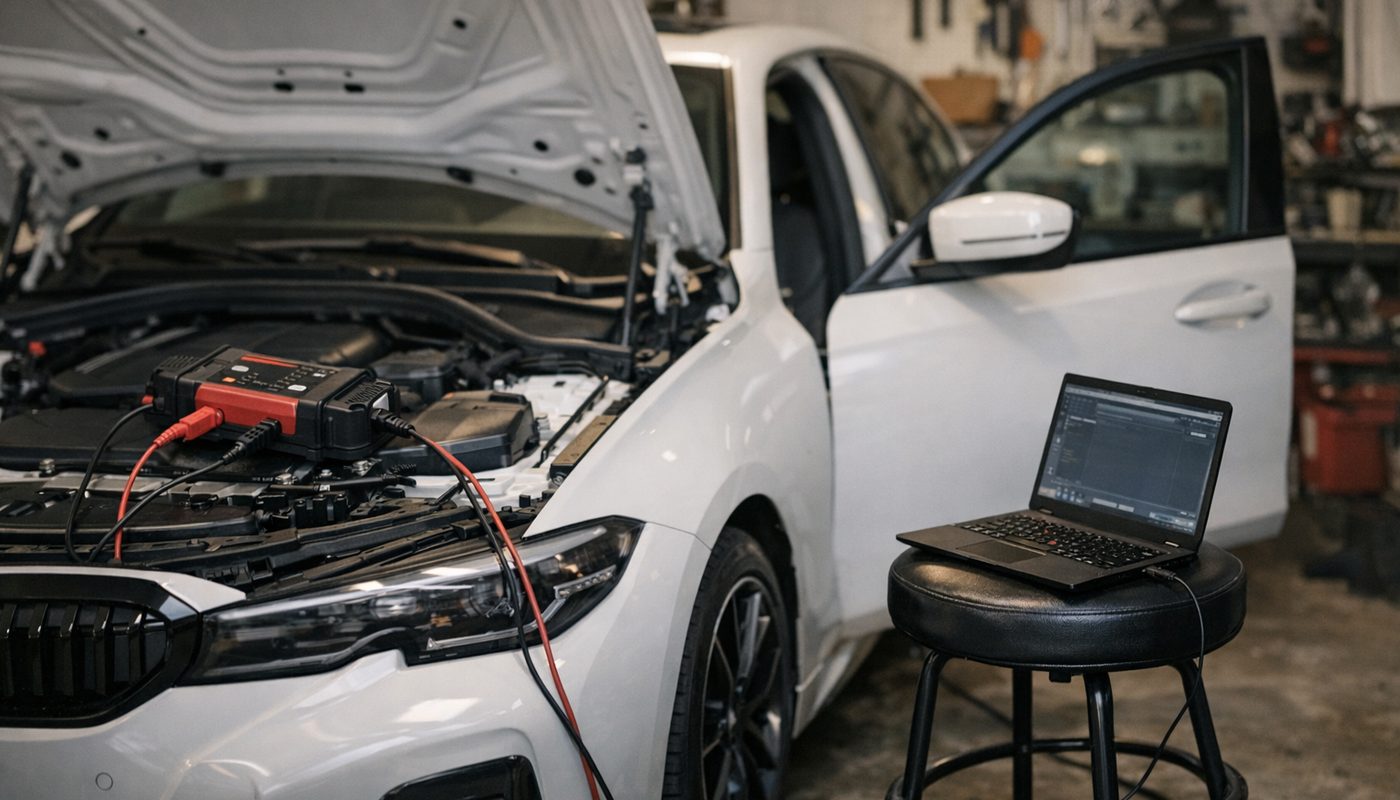
I'll say this once, then I'll say it again in the warning box, then you'll see it in the procedure. Every write to a module, coding or programming, happens with a battery support unit connected. Not a trickle charger. A supply that can hold system voltage with the ignition on and modules awake. A modern G-series with the ignition on and the head unit lit pulls a surprising amount of current, and a lead-acid or AGM battery that's been sitting all week will sag. Modules monitor voltage, and some will abort a write or throw undervoltage faults across the whole car if it drops under their threshold mid-operation. BMW doesn't publish one consumer-facing minimum figure, and the voltages quoted on forums vary, so I won't give you a number to argue about. I'll just say the undervoltage threads all have the same shape: no charger, long session, lights on, sudden silence.
Coding is lower risk than flashing because a coding write is short and modules generally recover from an aborted one. But "generally" isn't "always", and the recovery section below exists because of the exceptions. Also, while I'm here, if you've just replaced the battery and skipped registration, sort that first through the battery registration guide. A car that thinks it has an old battery manages charging differently and that's one more variable you don't want during a session.
The E-Sys coding workflow, step by step
This is the generic sequence the E-Sys guides describe and the forums repeat, and it's the same for an F30 and a G20. Only the chassis target and the module names change. Menu labels vary slightly between E-Sys versions and launchers, so I'm describing what each step does rather than quoting exact button text.
- Connect. Battery support on, laptop on mains. Plug the ENET cable into the OBD socket and the laptop. Switch the ignition to the on position without starting the engine. Open E-Sys, go to the connection dialog, and pick the correct target. F30 and F80 are both under the F020 family. The G20 is under S18A. Connect using the vehicle's VIN rather than a generic target where the option exists, because the VIN approach reads the real car rather than a template.
- Read and save the FA. In Expert Mode, open Coding and read the FA (the vehicle order, also called the VO). Save it untouched to a dated folder outside the E-Sys working directory. Then activate the FA. Activating tells E-Sys which build configuration to use for everything that follows, and forgetting it is why "Code" buttons stay grey.
- Read and save the SVT. Read the SVT Actual. This is the real list of control units on the car, their software and which CAFD each one is running. Save it too. Compare it to your expectations before touching anything: if the module you planned to code isn't in the list under the name you expected, stop and work out why.
- Read coding data. Expand the target module, select its CAFD, and read coding data. E-Sys creates an NCD file, which is the module's actual current coding. Save a copy of the original NCD to your backup folder immediately, because E-Sys will overwrite the one in its working folder the next time you read.
- Edit FDL. Right-click the CAFD and open the FDL editor. Find the parameter you want. Change only that parameter, to a value you've seen confirmed for your chassis and software level, and save the edit. Resist the urge to tidy up three other things while you're in there.
- Code FDL. Back on the coding screen, select the same CAFD and run the Code FDL command. Watch the log. Do not touch the doors, the cable, the ignition or the laptop until it reports success. A coding write is usually seconds, not minutes, which is exactly why people get casual about it.
- Cycle and test. Ignition off, lock the car, walk away for a few minutes to let the bus go to sleep, then start it and test the function. If it didn't work, restore the original NCD rather than guessing at a second value. If it did, write down the module, parameter and value for next time, because a dealer visit can wipe it.
Select the module, not just the CAFD
One subtle thing that comes up in nearly every recovery thread: E-Sys treats the control unit line and the CAFD line underneath it as different things. For normal FDL coding you work on the CAFD. For recovering a module that has lost its coding definition, you select the control unit itself and ask E-Sys to detect the matching CAFD. Clicking the wrong line is the difference between the command being available and it not being.
FA and VO coding vs FDL coding
These are two different operations and confusing them is the most expensive mistake in this hobby, so here's the distinction clearly.
FDL coding edits individual parameters inside a module's existing coding data. The vehicle order is untouched. You read the NCD, flip a value, write it back. It's surgical, it's reversible with your saved NCD, and it is what 95 percent of enthusiast coding is.
VO coding rebuilds a module's coding from the vehicle order. You edit the FA to add or remove a factory option code (BMW calls them SA codes), activate the changed FA, and code the module, and E-Sys generates the module's coding from scratch as if the car had left the factory with that option. It's the right tool when you've genuinely retrofitted equipment, or when you need to put a module back to a known factory state. It's the wrong tool for turning on a seatbelt gong, because it regenerates the whole module and quietly overwrites every FDL tweak you ever made to it.
| Aspect | FDL coding | VO coding |
|---|---|---|
| What changes | One or more parameters inside one module | The whole coding of a module derived from the vehicle order |
| Vehicle order | Untouched | Edited, then activated, then applied |
| Typical use | Comfort and display codings, hidden features | Retrofits, option additions, factory reset of a module |
| Survives dealer programming | Usually not | Yes, if the FA change is legitimate and the hardware exists |
| Risk level | Low to moderate with a saved NCD | High, wrong SA code or wrong FA from another car can confuse several modules |
| Reversibility | Restore the original NCD | Restore and activate the original FA, then VO code the affected modules |
What changes
- FDL coding
- One or more parameters inside one module
- VO coding
- The whole coding of a module derived from the vehicle order
Vehicle order
- FDL coding
- Untouched
- VO coding
- Edited, then activated, then applied
Typical use
- FDL coding
- Comfort and display codings, hidden features
- VO coding
- Retrofits, option additions, factory reset of a module
Survives dealer programming
- FDL coding
- Usually not
- VO coding
- Yes, if the FA change is legitimate and the hardware exists
Risk level
- FDL coding
- Low to moderate with a saved NCD
- VO coding
- High, wrong SA code or wrong FA from another car can confuse several modules
Reversibility
- FDL coding
- Restore the original NCD
- VO coding
- Restore and activate the original FA, then VO code the affected modules
The retrofit trap
Adding an SA code to the FA doesn't conjure hardware. If you add the code for a feature the car doesn't have the sensor, wiring, module software or licence certificate for, the best case is that the module ignores it and the worst case is a cluster full of faults for equipment that isn't there. Forum posts claiming a VO code alone "unlocks" a navigation or driver assistance feature on a car that never had it are, politely, unconfirmed, and usually come from someone who had the hardware and forgot to mention it.
Backups that actually let you recover
A backup is only a backup if it's somewhere E-Sys can't overwrite it and you can find it under stress. Here's the minimum set, per the E-Sys documentation and every sensible forum guide.
- The original FA, saved before any edit.
- The original SVT Actual, so you know what was on the car.
- The original NCD for every module you touch, copied out of the working folder immediately after reading.
- A plain text note with the VIN, chassis, I-level, E-Sys version, PSdZData version, and the parameter names and original values you changed.
Put it in a dated folder with the VIN in the name, and copy that folder to a second drive or cloud storage. The reason for the paranoia is the sequence E-Sys follows: reading coding data again writes a fresh NCD into the working folder, so if you read, code, then read again to check, the "original" in the default location is now your coded version. Owners have lost their starting point exactly this way and then had to rebuild a module from a VO code they weren't sure about.
What a backup cannot do
An NCD restores coding. It does not restore firmware, fix a module that lost its CAFD because the data package didn't know about it, or replace an FSC licence certificate. If a write was interrupted and the module no longer answers, you are past the point where your backup folder helps, and the recovery section is where you go next.
What common codings look like on a G20 and an F30
To make this less abstract, here are the kinds of changes owners typically make, and roughly which module they live in on each chassis. I'm saying "typically" on purpose. Parameter names and even which module owns a function shift between model years and I-levels, and a value documented for a 2014 F30 on NBT can simply not exist on a 2019 F30 on NBT EVO. Read your own car's CAFD and FDL descriptions rather than copying a list.
| Function | F30 and F80 module | G20 module |
|---|---|---|
| Mirror fold on lock, welcome lights, locking behaviour | FEM_BODY | BDC_BODY |
| Digital speed in the cluster, cluster display options | KOMBI | KOMBI or DKOMBI |
| iDrive display and media settings | HU_ENTRY, NBT or NBT EVO | HU_MGU |
| Rear lighting and some rear body functions | REM | Shared across BDC_BODY and rear modules |
| Chassis and integration functions | ICM, not a casual coding target | Several domain controllers, not a casual coding target |
Mirror fold on lock, welcome lights, locking behaviour
- F30 and F80 module
- FEM_BODY
- G20 module
- BDC_BODY
Digital speed in the cluster, cluster display options
- F30 and F80 module
- KOMBI
- G20 module
- KOMBI or DKOMBI
iDrive display and media settings
- F30 and F80 module
- HU_ENTRY, NBT or NBT EVO
- G20 module
- HU_MGU
Rear lighting and some rear body functions
- F30 and F80 module
- REM
- G20 module
- Shared across BDC_BODY and rear modules
Chassis and integration functions
- F30 and F80 module
- ICM, not a casual coding target
- G20 module
- Several domain controllers, not a casual coding target
The important reading of that table is the top row. The G20's BDC_BODY is a body domain controller in the same broad family as the F30's FEM_BODY, but it is not the same module and its parameters are not the same. The single most common G20 mistake reported on Bimmerpost is someone following an F30 guide, finding a parameter with a familiar sounding name in BDC_BODY, and setting it to the F30 value. Sometimes it works. Sometimes it does nothing. Sometimes you get a module that behaves oddly until it's restored.
What I actually change on my own car
On my G20 I use BimmerCode for the boring stuff: digital speed display, mirror fold, the various start-stop and locking behaviours. The point I want to make is that these are the same parameters E-Sys would be editing in BDC_BODY and KOMBI, with the app choosing the value for you and keeping its own backup. The app is doing FDL coding. It's just doing it with a safety net. I've covered the wider tool landscape in my best BMW coding tool piece, and for the specific adapter question there's the BimmerCode adapter guide.
Things I would not code
Anything touching airbags, seatbelt reminders beyond the audible gong, immobiliser or key authorisation in the body controller, mileage, emissions-related behaviour, or any lighting change that affects what the car does on a public road where it's regulated. Video in motion and the like are legal and insurance questions as much as coding ones. The parameters are there and E-Sys will let you. That's not a recommendation.
What goes wrong and how owners recover
This is the section the competitor pages don't have, so I'll take my time. There are essentially four failure modes. Three are recoverable at home with care. The fourth isn't, and knowing which one you're in is most of the battle.
Wrong or outdated PSdZData and the CAFD_FFFFFFFF problem
Symptoms: E-Sys reads the SVT but shows a module with a CAFD it can't match, read coding data fails, or the module appears as CAFD_FFFFFFFF, which is what you see when a control unit has lost its coding definition. The usual cause is a data package older than the car's I-level, sometimes combined with a coding attempt that went half way.
The recovery the community documents: stop writing. Note the I-level, the module and the exact error. Install a PSdZData release that's at least as current as the car. Restart E-Sys after changing the path. Read SVT Actual again. Select the control unit line, not the CAFD line, and use the detect CAF for SWE function to let E-Sys find the matching definition for the software that's actually on the module. Then code the module. If the module was still responding, this gets most people home. If it isn't responding, see the fourth failure mode.
Low voltage during a write
Symptoms: the connection drops mid-operation, several modules throw communication or undervoltage faults, the car wakes up in a strange state with warning lights and missing functions. Sometimes the coded module is unavailable.
Recovery: get the battery support on if it wasn't, and leave it on. Don't start pulling the battery; a module in a half-written state can be made worse by repeated power cycles. Reconnect, read SVT Actual and see whether the module answers. If it does and still has valid software, restore its original NCD or detect the CAFD and code it, and then clear the fault memory across the car. If it doesn't answer, you're into ISTA territory.
Wrong module or wrong value
Symptoms: the feature didn't change, a different feature changed, the head unit shows the wrong language or a blank screen, the cluster shows odd units or warnings. These are confusing but usually not dangerous. A head unit with a bad coding value is not a bricked head unit.
Recovery: this is what your NCD backup is for. Reconnect, activate the correct FA, read SVT, select the same module and CAFD, and write the original NCD back, or manually restore the original values in the FDL editor if your E-Sys version makes the NCD write awkward. Code, cycle the ignition, check for faults. If you hit a feature that won't appear no matter what you code, check whether it needs an FSC certificate or hardware before you blame your coding.
VO coding mistakes
Symptoms: after adding or removing an option code and coding, several unrelated settings reverted, a module reports missing hardware, or the car behaves as though it's a different spec. The nastiest version is someone who loaded another vehicle's FA by mistake.
Recovery: restore the untouched FA from your backup, activate it, read SVT Actual, and VO code only the modules that were affected, not the whole car. Then reapply your deliberate FDL changes, because VO coding wiped them. If you don't have the original FA, don't guess SA codes. BMW keeps the build record by VIN and a dealer or specialist can retrieve it. Guessing is how one mistake becomes several.
The one you can't fix at home
If a body controller like FEM_BODY or BDC_BODY stops communicating after an interrupted write, repeated E-Sys attempts make it harder to diagnose and can't restore firmware that isn't there. The honest route is ISTA with Full data and a properly powered programming session, or a specialist with bench tools, or the dealer. Claims that every bricked module can be brought back with E-Sys alone are unconfirmed and I'd treat anyone making them with suspicion. The body controller holds access and start authorisation functions, which is exactly why I listed it under things not to experiment with.
E-Sys vs BimmerCode vs ProTool vs Carly
Here's the honest comparison for F and G chassis owners. Prices are street estimates at the time of writing and they move, so check before buying.
| Tool | Rough cost | Connection on F and G | Learning curve | What it is for |
|---|---|---|---|---|
| E-Sys | Software not sold to consumers, cable around 20 to 50 USD | Wired ENET to a Windows laptop | Steep | Full FA and VO coding, unrestricted FDL, retrofits, programming |
| BimmerCode | Around 30 USD one-time plus adapter | OBDLink CX or MX+ over Bluetooth, or a supported ENET or WiFi ENET adapter | Low | Convenience, lighting and display codings with a safety net |
| ProTool | Around 120 USD one-time plus adapter, check current price | ENET or WiFi ENET on Android | Moderate | BMW diagnostics, service functions and coding beyond the preset apps |
| Carly | Roughly 64 to 114 USD per year plus adapter | Carly compatible Bluetooth or WiFi adapter | Low to moderate | Guided coding, diagnostics, service resets, with a subscription |
E-Sys
- Rough cost
- Software not sold to consumers, cable around 20 to 50 USD
- Connection on F and G
- Wired ENET to a Windows laptop
- Learning curve
- Steep
- What it is for
- Full FA and VO coding, unrestricted FDL, retrofits, programming
BimmerCode
- Rough cost
- Around 30 USD one-time plus adapter
- Connection on F and G
- OBDLink CX or MX+ over Bluetooth, or a supported ENET or WiFi ENET adapter
- Learning curve
- Low
- What it is for
- Convenience, lighting and display codings with a safety net
ProTool
- Rough cost
- Around 120 USD one-time plus adapter, check current price
- Connection on F and G
- ENET or WiFi ENET on Android
- Learning curve
- Moderate
- What it is for
- BMW diagnostics, service functions and coding beyond the preset apps
Carly
- Rough cost
- Roughly 64 to 114 USD per year plus adapter
- Connection on F and G
- Carly compatible Bluetooth or WiFi adapter
- Learning curve
- Low to moderate
- What it is for
- Guided coding, diagnostics, service resets, with a subscription
The learning curve, honestly
BimmerCode took me about ten minutes to get a first coding done on my G20 with the OBDLink CX, and that includes the time spent reading the warning screens. The E-Sys route, based on how long the setup threads run, is a weekend before you write anything: install, sort the data path, sort the network adapter, read everything, back it all up, then find the parameter. The second and third times are quick. The first time is a proper project. ProTool sits between the two. Carly is as easy as BimmerCode but you're paying rent, which I've argued about at length in Carly vs BimmerCode.
The same cable does both jobs
This is the part I most want you to take away. BimmerCode supports ENET connections on F and G chassis. So the cheap cable you'd buy for E-Sys is also a perfectly good BimmerCode interface, faster on some cars than Bluetooth. The sensible path for a curious owner is to buy the cable, do your comfort codings in BimmerCode, and only open E-Sys for the thing the app genuinely doesn't expose. You lose nothing by starting with the safety net. If you'd rather stay wireless for the app, the OBDLink CX vs MX+ comparison explains why I went for the CX for coding only, and why the MX+ makes sense if you also want full diagnostics.
When E-Sys is genuinely the right tool
You've retrofitted a factory option and need to add its SA code. You want a parameter BimmerCode's database doesn't list for your I-level. You need to VO code a module back to factory after someone else's experiment. You're doing a head unit or cluster swap. Or you want to understand what's happening instead of trusting a toggle. Those are good reasons. "I saw a YouTube video" is not one.

BimmerTalk rating 4.4/5
$79.95Amazon price as of Nov 8, 2026 - may change
We may earn a commission if you buy - it never changes what we recommend or what you pay.
Diagnostics are a separate question
A quick but important aside, because the inbox proves people conflate them. E-Sys is not a diagnostic scanner. It will read the module list and coding, but reading fault memory across every system, live data, service resets and guided tests are ISTA's job on the laptop side, or BimmerLink, ProTool and the all-module handhelds on the consumer side. If what you actually want is to know why the check engine light is on, you want the scanner that reads every module rather than a coding tool, and for the phone app split there's BimmerLink vs BimmerCode. Buying E-Sys hardware to clear a fault code is buying a lathe to open a tin.

BimmerTalk rating 4.0/5
$139.95Amazon price as of Nov 8, 2026 - may change
We may earn a commission if you buy - it never changes what we recommend or what you pay.
FAQ
Does a BMW ENET cable work on my E90 or E46
No. E-series cars have no Ethernet diagnostic interface. They use K-line and D-CAN, and you need a K+DCAN cable and tools like INPA or NCS Expert. Listings that claim one ENET cable covers everything from E46 to G20 are either bundling two cables or misleading you. The ENET cable is for F, G and I series, MINI F-series and the A90 Supra.
Why is an ENET cable so cheap when an ICOM costs hundreds
Because it's four wires and a plug. The F and G chassis expose Ethernet directly on the OBD socket, so the cable does no translation. An ICOM is a proper interface box with its own processor that speaks every BMW protocol going back to the K-line era, handles multiple sessions, and is built for workshop use. For a home coder on a single F or G car it's overkill several times over.
Can I use the ENET cable with BimmerCode instead of E-Sys
Yes, and on F and G chassis it's a good option. BimmerCode supports ENET and some owners find it quicker and more stable than Bluetooth on newer cars, especially G-series. You'll need a device with an Ethernet port or a USB Ethernet adapter, or a WiFi ENET adapter if you code from a phone. Either way the cable isn't wasted if you decide E-Sys isn't for you.
Do I need PSdZData Full to code my G20
Not for coding. Lite contains the CAFDs and definitions needed to read, edit and write coding for VO and FDL work. Full adds control unit firmware and is only required for programming and flashing, which is a different and much riskier activity. What matters more than Lite versus Full is that the package knows your car's I-level, so pick one at least as recent as the car.
What is the difference between E-Sys and E-Sys Launcher
E-Sys is BMW's application. The Launcher is a community wrapper that handles the token licensing E-Sys expects and adds readable descriptions to FDL parameters, which stock E-Sys shows as bare codes. Most hobbyists run the two together. The Launcher's distribution and versions in 2026 are not something I can confirm from an official source, so verify through the established owner communities rather than a random download site.
Will dealer software updates wipe my E-Sys codings
FDL changes usually don't survive a dealer programming session, because the dealer's process regenerates module coding from the vehicle order. VO changes based on a legitimate option code generally do survive, provided the hardware is there. That's why it's worth keeping a note of every parameter and value you changed, so you can reapply them in ten minutes rather than rediscover them.
Is coding with E-Sys going to void my warranty
Coding leaves traces. Modules record coding events and a dealer running ISTA can see that configuration has been changed outside their system. Whether that affects a specific warranty claim depends on the claim, the dealer and the relationship between what you changed and what failed. Reversible comfort codings on a module unrelated to the fault are rarely an issue in owner reports. Anything touching the DME, EGS or safety systems is a different conversation and I wouldn't go there on a car under warranty.
What happens if I code the wrong module
Most often, nothing, because the parameter you changed doesn't do what you thought in that module, and you restore the original NCD. Occasionally you get a visible side effect, like a head unit in the wrong language or a cluster showing odd units, which the same restore fixes. The genuinely bad outcome is an interrupted write to a body controller, which is a power and data problem rather than a wrong-module problem, and which is why battery support and backups come before everything else.
Can I flash my DME with E-Sys instead of buying MHD or bootmod3
Technically E-Sys with Full data can program modules, including the DME, to BMW's own software levels. It cannot load a performance tune, and it has none of the recovery and resume logic the tuning apps were built around. If you want more power from a B48, B58 or S58, that's a tuning platform question and the MHD guide covers it. If you want to update a module to a newer BMW software level, that's usually a job for ISTA and a specialist, not a first E-Sys project.
The bottom line
Buy the ENET cable. At around $30 for a decent one with a proper USB-C adapter, it's the cheapest piece of BMW ownership kit that does anything useful, and it serves BimmerCode today and E-Sys tomorrow. Get a wired one, not a WiFi one, if there's any chance you'll do more than coding with it.
Then be honest about what you want. If the answer is mirror fold, digital speed, welcome lights and the usual comfort list, that's BimmerCode with a safety net and a backup you didn't have to make yourself, and it's what I run on my own 330i. If the answer involves the vehicle order, a retrofit, or a parameter the app hides for your I-level, E-Sys is the right tool, and the price of using it properly is a weekend of setup, a battery support unit, a backup folder you treat like a passport, and the discipline to change one thing at a time. Owners who do all of that almost never post the scary threads. Owners who skip one of them write most of them.
Start with the app, keep the cable, and only open E-Sys when you can explain to yourself why the app can't do the job. That's the whole philosophy, and it's served my G20 well. Kamil.