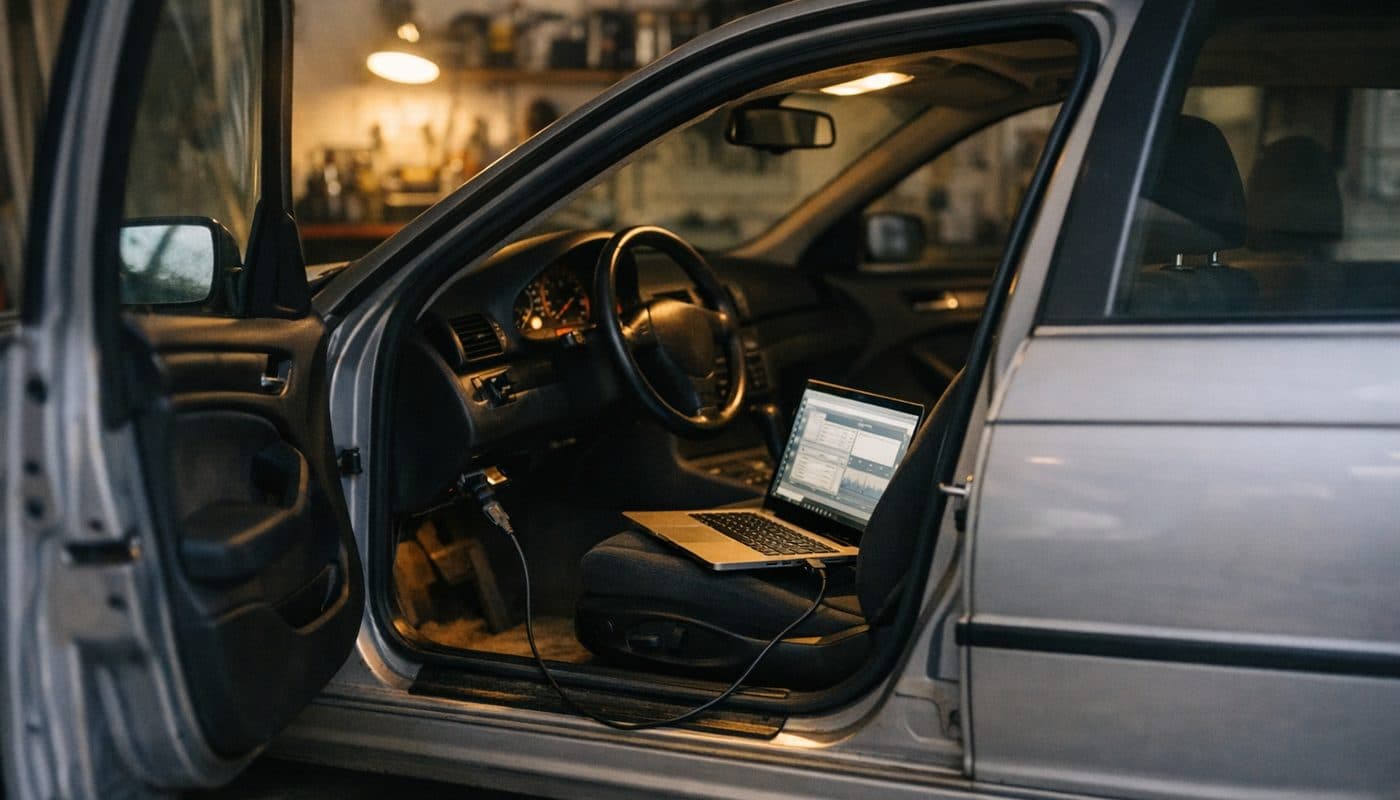
BMW INPA and K+DCAN Cable Guide for E-Series Owners
Affiliate disclosure. BimmerTalk is a proud partner of the Amazon Associates Program and Turner Motorsport. We may earn a small commission on qualifying purchases through our links, at no extra cost to you. Read the full disclosure.

I'll be upfront about where I'm coming from. My own car is a 2022 G20 330i, and the only coding I do on it is BimmerCode with an OBDLink CX from my phone. Modern car, modern tools, five minutes in the driveway. So why am I writing a long guide to INPA, a piece of German diagnostic software that was already old when my car was still a sketch in Munich?
Because every week people land on BimmerTalk from an E46, an E90 or an E60 asking the same question: how do I get something close to dealer-level diagnostics without paying dealer money? For the E-series era the honest answer still runs through a cheap USB cable called K+DCAN and a stack of BMW factory software that was never meant to leave the workshop. I spent a year inside BMW and MINI, and one thing that stuck with me is how little of the real toolbox an owner ever gets to touch. INPA is the owner's way around that, for cars built roughly between 1996 and 2013.
This is the guide I'd want if I were buying an E90 tomorrow. What INPA and EDIABAS actually are, how NCS Expert, WinKFP and Tool32 fit around them, which cable to buy and why the little switch on it matters, the pin 7 and 8 bridge, the round 20-pin connector under the bonnet of older cars, the COM port and latency settings everyone trips over, and the error messages you will meet (IFH-0009, I'm looking at you). I also cover the modern alternatives honestly, because for plenty of owners a Foxwell or a phone app is the better buy. Everything about the old tools here comes from BMW's own documentation, long-time users on Bimmerforums and E90post, and vendor spec sheets. I'm not going to pretend I've been flashing DMEs in a garage since 2005.
E36 through E90 and E70
Chassis covered
roughly 20 to 60 USD
Cable price
around March 2007
K-line to D-CAN cutover
1 ms
Recommended latency timer
INPA and K+DCAN at a glance
If you only read one section, make it this one. The table gives the short version of every question I get about this topic, and the rest of the article is the long version.
| Question | Short answer | Covered below |
|---|---|---|
| What is INPA | BMW's old factory diagnostic front end that runs on EDIABAS and talks to E-series control modules | What INPA actually is |
| Which cars does it cover | E36 through E90 and E70 era cars, including E39, E46, E53, E60, E83 and E87, with coverage varying by module and data files | Which E-series cars work |
| Which cable do I need | A K+DCAN USB cable with a genuine FTDI chip and a K-line or D-CAN switch | The K+DCAN cable |
| My car is pre-2007 | You need K-line mode and often the pin 7 to 8 bridge, and the oldest cars need a 20-pin adapter | The switch mod and 20-pin section |
| Does it work on F or G series | Not as a proper workflow, those cars use ENET with E-Sys or ISTA | Honest limits |
| Is it official software | No, it is leaked BMW software and you will not find download links here | The honest part |
| Modern alternative | Foxwell NT510 Elite for most owners, BimmerLink for quick checks, ISTA with K+DCAN for depth | Modern alternatives |
What is INPA
- Short answer
- BMW's old factory diagnostic front end that runs on EDIABAS and talks to E-series control modules
- Covered below
- What INPA actually is
Which cars does it cover
- Short answer
- E36 through E90 and E70 era cars, including E39, E46, E53, E60, E83 and E87, with coverage varying by module and data files
- Covered below
- Which E-series cars work
Which cable do I need
- Short answer
- A K+DCAN USB cable with a genuine FTDI chip and a K-line or D-CAN switch
- Covered below
- The K+DCAN cable
My car is pre-2007
- Short answer
- You need K-line mode and often the pin 7 to 8 bridge, and the oldest cars need a 20-pin adapter
- Covered below
- The switch mod and 20-pin section
Does it work on F or G series
- Short answer
- Not as a proper workflow, those cars use ENET with E-Sys or ISTA
- Covered below
- Honest limits
Is it official software
- Short answer
- No, it is leaked BMW software and you will not find download links here
- Covered below
- The honest part
Modern alternative
- Short answer
- Foxwell NT510 Elite for most owners, BimmerLink for quick checks, ISTA with K+DCAN for depth
- Covered below
- Modern alternatives
The one-line summary: if you own an E-series and want to read every module, watch live data per cylinder, reset adaptations and do real coding, INPA plus a K+DCAN cable is still the cheapest route to that depth. The price you pay is time, patience and a Windows laptop you don't mind messing up. If that sounds like a hobby you don't want, skip to the alternatives and the decision table, because I'd rather you buy a Foxwell and use it than buy a cable that sits in a drawer.
What INPA actually is
INPA stands for Interaktive Pruef- und Diagnose Anwendung, which translates roughly to interactive test and diagnosis application. It is a front end, nothing more. It draws menus and screens, and every screen is a script that calls a job in a control module. The real work of talking to the car is done by a lower layer called EDIABAS.
EDIABAS is the engine, INPA is the dashboard
EDIABAS (Electronic Diagnostic Basic System) is the communication runtime. It knows how to open the interface, speak to a module over K-line or D-CAN, and run the jobs described in each module's PRG file. INPA, NCS Expert, WinKFP and Tool32 all sit on top of it. This matters because most setup problems people blame on INPA are actually EDIABAS problems: the wrong interface set in a config file, the wrong COM port, or a missing data file. When you troubleshoot, think of it as two layers, not one program.
Why anyone still uses it in 2026
Three reasons. First, it reads BMW-specific fault memory from every module that has a script, not just the engine P-codes a generic reader shows. Second, it exposes live data and actuator tests that consumer tools either hide or never implemented for older cars. Third, it costs the price of a cable. For an E46 or E39 owner, no phone app comes close to that combination, and the gap only gets wider the older the car is. BMW's own workshop tooling for these cars moved on to ISTA, but the module data INPA uses is still the same underlying BMW data.
The German-labelled, 1990s-looking reality
I won't dress it up. INPA looks like a Windows 98 application because that is more or less what it is. Many screens are in German, function keys do the navigating, and the version you end up with depends entirely on which unofficial bundle you installed. The widely circulated BMW Standard Tools 2.12 package is usually described as INPA 5.0.6, NCS Expert 4.0.1 and WinKFP 5.3.1, but those version numbers are reported by whoever packaged the bundle, not by BMW, so treat them as approximate. If you are the kind of person who enjoyed setting up a Raspberry Pi, you'll be fine. If you want polish, you want ISTA or a Foxwell.
The BMW Standard Tools stack explained
The phrase "INPA" gets used as shorthand for the whole bundle, but the bundle is four separate programs with very different risk levels. Understanding which one does what will save you from opening WinKFP when you meant to clear a fault code.
| Program | What it does | Risk level | When you would open it |
|---|---|---|---|
| INPA | Guided diagnostics, fault memory, live values, actuator and service tests | Low to medium | Reading faults, watching data, resetting adaptations |
| NCS Expert | Reads and writes module coding data and the vehicle order | Medium to high | Changing coding, retrofits, battery capacity coding |
| WinKFP | Flashes ECU firmware using matching SP-Daten | High | Updating or replacing a module, only with battery support |
| Tool32 | Runs individual low-level jobs from a module PRG file | Medium to high | One specific job you fully understand and cannot reach another way |
INPA
- What it does
- Guided diagnostics, fault memory, live values, actuator and service tests
- Risk level
- Low to medium
- When you would open it
- Reading faults, watching data, resetting adaptations
NCS Expert
- What it does
- Reads and writes module coding data and the vehicle order
- Risk level
- Medium to high
- When you would open it
- Changing coding, retrofits, battery capacity coding
WinKFP
- What it does
- Flashes ECU firmware using matching SP-Daten
- Risk level
- High
- When you would open it
- Updating or replacing a module, only with battery support
Tool32
- What it does
- Runs individual low-level jobs from a module PRG file
- Risk level
- Medium to high
- When you would open it
- One specific job you fully understand and cannot reach another way
INPA for diagnosis
This is where you'll spend most of your time. Pick the chassis, pick the module, read faults, open the live data screens. INPA can reset certain adaptations and run service routines where the script supports them, and it can show module identification data. It is a read-mostly tool with a few write functions, which is exactly the right place for a first-time user to live.
NCS Expert for coding
NCS Expert is the E-series coding tool, and it is nothing like BimmerCode. You load a profile, read the vehicle order from the CAS or light module, pick a module, read its trace file, edit values in a text file, and write it back. It is unbelievably powerful and unbelievably easy to break something with. I cover what it can do in the coding section below, and the broader picture of what I actually recommend for coding is in its own article. For F and G cars the equivalent is E-Sys over an ENET cable, which has a separate guide in this series.
WinKFP for programming
WinKFP writes new firmware to a module. That is the single riskiest thing you can do to an E-series with a laptop. A dropped USB connection or a battery that sags mid-flash can leave a DME, EGS or CAS dead and you with a tow truck bill. BMW's workshop procedure for any programming assumes a regulated power supply holding the car at a steady voltage for the whole session, and so should yours.
Tool32 for people who already know the answer
Tool32 (the EDIABAS ToolSet) lets you load a module's PRG file and run any job it contains, with any arguments. There is no guidance and no safety net. Forum veterans use it for things like battery registration jobs or specific reset routines that INPA's scripts don't expose. The catch, as one Bimmerforums thread after another shows, is that the job name and arguments differ between DME families, so a Tool32 recipe for an MSV70 does not automatically apply to an MSD80. If you cannot say which PRG, which job and which argument, don't run it.
Which E-series cars work with INPA
The short answer is most of them, and the long answer is that it depends on the module, the production date and the data files in your installation. Here is how the chassis break down, based on BMW's interface documentation and what owners consistently report.
The well-supported middle years
E46, E39, E53, E83, E87, E60 and E90 are the heartland. These cars communicate over K-line until roughly March 2007, after which BMW switched the diagnostic line to D-CAN. A switch-equipped K+DCAN cable handles both, which is why that cable became the default. The later a car is within this window, the more it depends on having matching SP-Daten files in your installation, so a 2010 E90 may show a chassis menu but refuse to talk to a particular module if the data behind it is too old.
The early cars and the E70
E36 and E38 sit at the awkward end. Some modules on these cars use an older ADS protocol that a K+DCAN cable simply doesn't replicate, no matter what the switch says. Owners with full ADS needs end up with serial-port ADS hardware and a laptop old enough to have a real serial port, which is a niche I'd only recommend to someone who already loves that car more than their weekends. The E70 X5 sits at the other end: supported for diagnostics, but it is a D-CAN car with more modules and a bigger appetite for current data files. BMW's documentation is clear that for anything F-series onward the correct path is ENET or ICOM with PSdZData, not this stack.
What "supported" really means
I want to be precise here because a lot of sellers aren't. A chassis appearing in the INPA menu does not mean every module on your specific car will respond. If a module is missing from the list or returns no response, the cause is more often a missing PRG or IPO file, an old data set, or a module variant your installation doesn't know about than a dead module. Keep that in mind before you condemn a control unit. If you are not sure whether your car is K-line or D-CAN, the production date on the door jamb sticker is the first clue, and your OBD port location and connector type is the second.
The K+DCAN cable
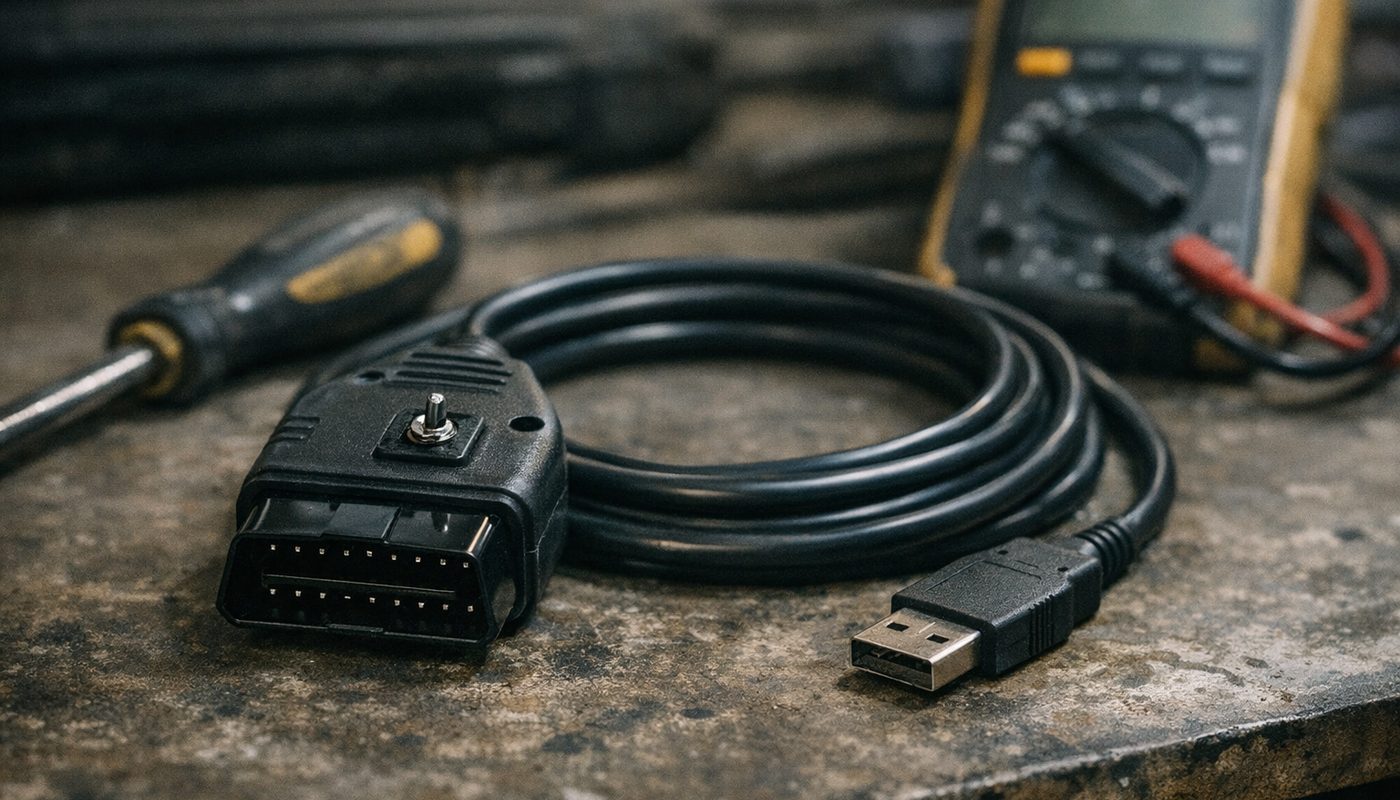
This is the part most people actually need help with, because the cable market is a mess of identical-looking listings with wildly different insides. A K+DCAN cable is a USB-to-serial converter that presents itself to Windows as a virtual COM port, with a 16-pin OBD2 plug wired to BMW's K-line on pin 7 and the D-CAN pair on pins 6 and 14. That's it. The chip inside and the wiring around the plug are what separate a good one from junk.
The FTDI chip question
The chip you want is the FTDI FT232RL. It has stable timing, mature Windows drivers, and the adjustable latency timer that BMW's short, bursty diagnostic transactions need. Cheap cables may contain a counterfeit FTDI-marked part, a CH340, a CP210x, or an unmarked clone. Some of these work, some half-work, and some cause the exact intermittent "no response" faults that make people give up. I have not seen a reliable visual test for a fake FT232RL that a normal buyer could apply, so my advice is simpler: buy from a seller that names the chip, states INPA compatibility, documents the switch, and takes returns. The OHP cable fits that description and is the one I'd put in my own cart for an E-series.

$52.99Amazon price as of Nov 8, 2026 - may change
We may earn a commission if you buy - it never changes what we recommend or what you pay.
Price-wise, no-name cables run roughly $20 to $35 at the time of writing, a documented FTDI cable with a switch sits around $50 to $60, and prices move around, so check the current listing. The difference is small compared to one Saturday lost to a cable that drops connection every ninety seconds.
The switch and the pin 7 to 8 bridge
Older BMWs don't always put all their modules on one K-line. Pin 7 carries the main K-line and pin 8 carries a second one used by certain modules on earlier cars. A basic cable wires only pin 7, which means some modules on a pre-2007 car never hear the laptop. The fix is to join pins 7 and 8 at the cable so both lines are addressed. Early on, people did this with a soldered bridge inside the plug, which is where the phrase "the switch mod" comes from: a toggle that bridges 7 and 8 in one position and leaves them separate in the other.
Here's the catch owners on E46 forums keep repeating. Not every seller wires the switch the same way. On one cable the switch selects between K-line and D-CAN, on another it bridges 7 and 8, on a third it does something ambiguous the listing never explains. Some cheap cables are simply wired wrong. So the rule is: don't trust a switch-position chart from a different cable. Check it yourself.
- Unplug the cable from everything and set a multimeter to continuity.
- Put one probe on pin 7 of the OBD2 plug and the other on pin 8.
- Flip the switch and note which position gives you a beep. That is your bridged position.
- Now check pin 6 to pin 14. If one switch position connects or disconnects the CAN pins instead, you have a K-line and D-CAN selector rather than a 7 to 8 bridge.
- Write the result on a strip of tape on the cable, because you will forget by next month.
For a pre-2007 K-line car you generally want K-line mode with 7 and 8 bridged. For a 2007-onward D-CAN car you want D-CAN mode and no bridge. Bridging on a car that doesn't need it usually just means some modules won't respond, but on a badly made cable it can cause bus conflicts, so match the mode to the car and move on.
The round 20-pin connector and the OBD1 era
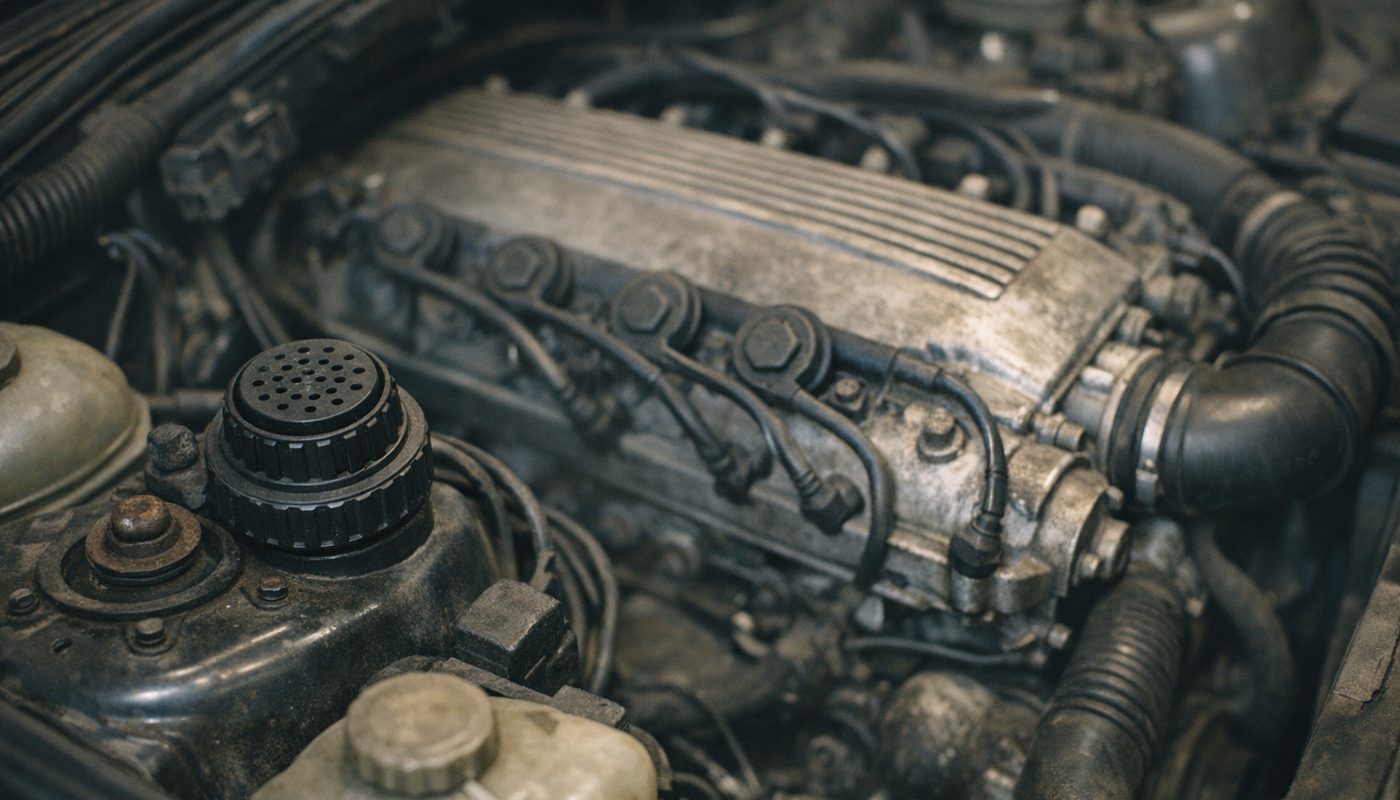
If your car has a round connector under a black screw cap near the strut tower, you are in the territory people search as "BMW OBD1 scanner". Early E36, E39 and E46 cars used this 20-pin round plug in the engine bay, and some have both the round plug and a 16-pin socket in the cabin. BMW phased it out over the late 1990s and early 2000s, and one specialist seller notes the E39 lost it from around the 2001 model year, though I'd treat that boundary as approximate because markets and build dates vary.
A K+DCAN cable's 16-pin plug does not fit the round socket. You need a 20-pin to 16-pin adapter, which simply reroutes power, ground and the diagnostic lines. The adapter changes the connector, not the protocol, so if your car's modules need ADS, an adapter won't fix that. On cars that have both sockets, some modules are only reachable through one of them, and the engine bay plug often gives the fuller picture. Adapters are cheap, usually around $10 to $20, and if you are shopping for an older car I'd buy the cable and the adapter together from the same seller so they are known to work as a pair.
The honest part about INPA
I'd be doing you a disservice if I skipped this. The software is BMW's internal property. It leaked out of dealerships and training centres years ago, got bundled by enthusiasts and resellers, and now circulates in dozens of slightly different packages. BMW never sold it to the public and never supported it on your laptop. When an eBay listing says "INPA software brand new", that is somebody selling you a USB stick of files they don't own the rights to.
What that means for you
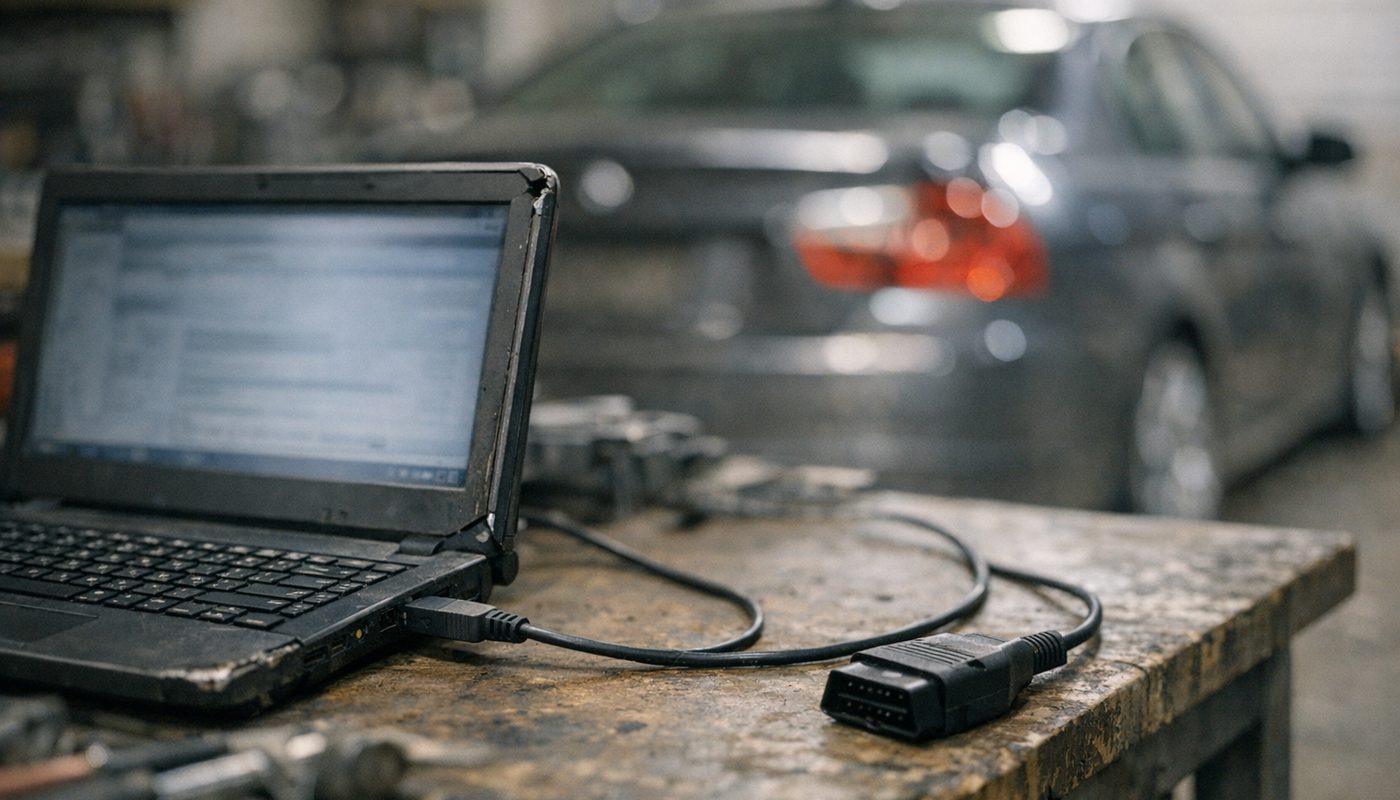
Two practical things. One, I'm not going to link to downloads or walk you through installing cracked bundles, and you should be suspicious of any site that cheerfully does. Those packages are a classic vector for malware, and the laptop you plug into your car is also the laptop you log into your bank on. Two, if you do go this route, use a dedicated machine. An old Windows laptop, a clean install, nothing personal on it. The photo further down of a battered laptop on a workbench is pretty much the right mental picture.
The legitimate routes
The clean options are limited but real. Independent BMW specialists and some tuning shops run licensed ISTA through BMW's dealer and independent operator programmes, and will do one-off diagnostics or coding for a fee. Foxwell, Autel and similar companies license BMW diagnostic coverage legally in their handheld scanners. BimmerLink, BimmerCode and Carly reverse-engineer the protocols and sell you an app. None of these give you the full Standard Tools stack, but all of them keep you on the right side of the line, and for most owners that's plenty.
Setting it up without losing your weekend
I'm going to keep this conceptual because the exact clicks depend on which bundle you have, and because the guides on Bimmerforums already cover the install screens in exhaustive detail. What those guides often skip is why each step matters, and that's what trips people up.
The laptop
Any Windows machine will do, but the stack is 32-bit software from another decade. It runs on Windows 10 and 11 with some compatibility fiddling, and the 64-bit installation threads are long for a reason. A dedicated old laptop with a clean Windows install and a decent battery is ideal. Plan on installing to the default paths, typically C:\EDIABAS and C:\NCSEXPER, because a surprising number of scripts have those paths hard-coded.
Drivers, COM port and the latency timer
Plug in the cable and install the FTDI driver. Then open Device Manager, find the USB Serial Port entry under Ports, and give it a low COM number, ideally COM1 to COM9, because older EDIABAS builds get fussy above that. In the port's advanced properties, set the latency timer from the default 16 ms down to 1 ms. That setting controls how long the driver buffers data before passing it on, and BMW's diagnostic traffic is lots of short back-and-forth exchanges, so a 16 ms wait on every one adds up to timeouts and "no response" errors. Unplug and reconnect the cable after changing it. The latency timer has nothing to do with the car's bus speed, and leave the serial settings themselves alone unless a guide for your specific bundle says otherwise.
Telling EDIABAS which interface you have
EDIABAS reads a file called EDIABAS.INI and a companion OBD.INI to learn what it is talking through. For a K+DCAN cable the interface line should be set to STD:OBD, and OBD.INI should point at the same COM number you set in Device Manager. If the interface is left at REMOTE, ENET, or ADS from a bundle meant for different hardware, nothing will ever connect and you'll get initialisation errors before you even reach the car. This is the first thing to check whenever a fresh install refuses to talk.
First connection checklist
- Confirm with the multimeter which switch position matches your car (K-line with 7 to 8 bridged for pre-2007, D-CAN for later).
- Plug the cable into the laptop, confirm the COM number and latency timer in Device Manager.
- Check EDIABAS.INI says STD:OBD and OBD.INI matches the COM port.
- Plug into the car. Turn the ignition to position 2, engine off, so every module is awake.
- Open INPA. In the bottom corner you should see battery and ignition indicators go from empty to filled. If ignition stays empty, stop and fix communication before touching any module.
- Pick your chassis, then the DME, and read identification first. If ident comes back, you are talking to the car.
- Read fault memory and screenshot or save it before you clear anything.
That last step is not optional. The single most common way owners make a diagnosis harder is clearing codes before writing them down. If you need a refresher on what the codes you're staring at actually mean, my BMW fault codes explained article covers the structure, and the read and clear guide covers the generic workflow with any tool.
What you can actually do with INPA on an E-series
This is where the hassle pays off. I'll use the E90 with the N52 and N54 as the worked example because those two engines are what most of my readers are living with, and because they show nicely how INPA's usefulness depends on the engine as much as the chassis.
Reading every module
One thing to get straight: stock INPA does not have a one-button "scan all modules" report. You select the chassis and open the modules one at a time, DME, EGS, DSC, CAS, KOMBI, FRM or LM, JBBF, MRS and so on. Some bundles include a script that walks through the list automatically, but don't assume yours does. What you get in return is BMW-level detail per module, including stored and pending faults with freeze-frame data and a fault frequency counter, which is far more than a generic reader shows. If one-button full-module scans are the main thing you want, a handheld like the Foxwell does it faster, and I compare the options in the BMW scanner that actually reads every module.
Rough-run and misfire counters on the N54 and N52
This is the feature that justifies the cable for an N54 owner. In the DME's live data screens INPA can show per-cylinder rough-running values, sometimes labelled as misfire counters, that reveal where the DME sees combustion going uneven before it ever throws a code. The workflow owners on E90post describe is sensible: read and save the fault memory, open the analogue values, watch the counters at warm idle and again under whatever load reproduces the problem, then swap a coil or plug to a neighbouring cylinder and see whether the high number follows the part.
Two cautions. The counters tell you which cylinder, not which component, and on an N54 a misfire under boost needs you to also look at low-pressure fuel supply, rail pressure, injector behaviour and boost leaks. On an N52, a rough cylinder can be a plug, a coil, a CCV or vacuum leak, a VANOS or Valvetronic fault, or something mechanical, and INPA is not a smoke test or a compression gauge. If you are weighing up which of these engines to live with in the first place, I go into their failure patterns in the N54 vs N55 vs B58 comparison.
Injector values and adaptations
The N54 DME can display injector-related correction values, and after replacing injectors the calibration value printed on each new injector has to be entered into the DME, a step forum threads bang on about because skipping it causes rough running and the question of mixing injector indexes is genuinely messy. INPA can also reset mixture and fuel trim adaptations. The right time to do that is after a verified repair: a fixed intake leak, a new oxygen sensor, new injectors. Resetting adaptations to make a recurring fault go quiet for a week is not a repair, and the car will tell you so. Note the exact menu labels for these functions depend on whether you have an MSV70, MSV80, MSD80 or MSD81 and on the script version in your bundle, so follow a guide written for your DME, not a generic one.
Valvetronic learning on the N52
The N52 has Valvetronic and its DME script typically includes an eccentric shaft teach-in routine. It is a real procedure with real prerequisites: stable voltage or a power supply, ignition on and engine off unless the routine says otherwise, no faults that block learning, and all the mechanical bits actually installed correctly. Don't run it just because the idle is lumpy. If the routine fails, that usually points at a mechanical or electrical cause, not at INPA. And it does not apply to the N54, which uses a conventional throttle and has no Valvetronic to teach.
Battery registration
Registration tells the power management that a new battery is fitted and resets the ageing history. It is normally reachable through the DME service functions in INPA on most E90-era engines. What it does not do is change the coded battery capacity or chemistry, which is a separate NCS Expert coding step if you've changed battery size or gone from AGM to flooded or back. I'd point you to the battery registration guide for the full why and how, and to the fact that BimmerLink and a Foxwell both do the registration step with far less drama than Tool32.
Coding with NCS Expert
NCS Expert is what makes the E-series stack genuinely different from a phone app. Where BimmerCode gives you a curated list of options for your module, NCS Expert gives you every parameter in the module's coding data, including ones that were never meant to be user-facing. That's how people enable things, retrofit modules, and recover from a mis-coded vehicle order. It is also how people turn off their airbag lamp logic by accident or leave a light module in a state where the indicators don't work. The non-negotiable habits: back up the original trace file before writing anything, change one thing at a time, keep battery support connected, and never code a module you can't identify. For the broader picture of coding tools, including why I don't recommend NCS Expert as a first coding experience, see what I actually use for coding.
Common errors and fixes
You will see error codes. Everyone does. The good news is that they cluster into a handful of causes, and most of them are on the laptop side, not the car side.
| Error or symptom | What it usually means | First things to try |
|---|---|---|
| IFH-0009 no response from control unit | EDIABAS opened the cable but the selected module never answered | Check ignition is on, right chassis and module selected, COM number and latency, switch position, pin 7 to 8 bridge on K-line cars |
| IFH-0018 initialisation error | EDIABAS itself could not set up the interface | Check EDIABAS.INI is STD:OBD, OBD.INI matches the COM port, driver installed, no other program holding the port |
| IFH-0003 or 0006 data set or interface errors | Config or data file problem rather than the car | Reinstall driver, confirm paths, confirm the bundle includes data for your chassis |
| Battery and ignition indicators stay empty | No electrical contact or wrong interface mode | Reseat plug, verify ignition position 2, check for a blown diagnostic fuse |
| Some modules respond and others do not | Missing data files, wrong K-line pin, or module not on that bus | Try the bridged switch position, use the 20-pin adapter on older cars, update SP-Daten |
| Intermittent dropouts mid-session | Cable chip or USB driver instability | Different USB port, 1 ms latency, replace a clone cable with a genuine FTDI one |
IFH-0009 no response from control unit
- What it usually means
- EDIABAS opened the cable but the selected module never answered
- First things to try
- Check ignition is on, right chassis and module selected, COM number and latency, switch position, pin 7 to 8 bridge on K-line cars
IFH-0018 initialisation error
- What it usually means
- EDIABAS itself could not set up the interface
- First things to try
- Check EDIABAS.INI is STD:OBD, OBD.INI matches the COM port, driver installed, no other program holding the port
IFH-0003 or 0006 data set or interface errors
- What it usually means
- Config or data file problem rather than the car
- First things to try
- Reinstall driver, confirm paths, confirm the bundle includes data for your chassis
Battery and ignition indicators stay empty
- What it usually means
- No electrical contact or wrong interface mode
- First things to try
- Reseat plug, verify ignition position 2, check for a blown diagnostic fuse
Some modules respond and others do not
- What it usually means
- Missing data files, wrong K-line pin, or module not on that bus
- First things to try
- Try the bridged switch position, use the 20-pin adapter on older cars, update SP-Daten
Intermittent dropouts mid-session
- What it usually means
- Cable chip or USB driver instability
- First things to try
- Different USB port, 1 ms latency, replace a clone cable with a genuine FTDI one
IFH-0009 in detail
This is the one everyone meets. It means the interface opened fine but nothing came back from the module you asked for. The ranked list of causes from the install guides and forum threads: ignition off or in the wrong position, wrong chassis or module selected, COM port or latency not set, wrong switch position for the car's bus, a K-line car with pin 8 not bridged, a dodgy cable, a blown diagnostic socket fuse, missing data files for that module, or a dead module. Work from the top down. Nine times out of ten you fix it before you reach the cable, and on the tenth you find a fuse.
IFH-0018 in detail
This one is a local problem. EDIABAS couldn't initialise the interface at all, which means it never even tried to talk to the car. The usual causes are an EDIABAS.INI set to the wrong interface type, a COM mismatch between Windows and OBD.INI, a missing or failed FTDI driver, a second program already holding the port open, or a broken installation with conflicting files from two different bundles. The wording varies between EDIABAS releases, so don't lean too hard on one forum post's exact explanation. Fix the configuration, restart the laptop, try again.
The ignition state trap
Position 1 wakes some modules and not others. Position 2 (dashboard fully lit, engine off) is what you want for diagnostics, and for most adaptation resets and registrations. For live engine data you obviously need the engine running. A good chunk of "half my modules don't respond" complaints are simply someone sitting in position 1. Also check that the diagnostic socket's own fuse is fine, because if the cable's power and ignition indicators never light, the cable can't be blamed for not talking.
Modern alternatives for E-series owners
This is the section I am personally most comfortable in, because it's how I actually live with a BMW. I don't use INPA on my G20 and never will; the car wouldn't know what to do with it. But for an E-series the question is whether a modern tool can give you enough of what INPA does without the setup cost. For a lot of owners the answer is yes.
BimmerLink and BimmerCode
BimmerLink is the diagnostic app and the more relevant one for this topic. On supported E-series cars it reads and clears BMW-specific faults from multiple modules, shows live data, registers batteries, and runs some service resets. BimmerCode is the coding app, and this is where I have to correct a myth I see all the time: it does not support every E-series. At the time of writing its coverage starts around the 2008 model year, so an E46 or an early E60 is out, and later E90, E60, E70 and E71 cars get selective coverage that depends on the exact module. Check the official vehicle list before buying anything.
The adapter question matters too. The OBDLink CX I use on my G20 is aimed at F and G chassis, and for E-series cars the apps point you to either a K+DCAN cable on Android or a Bluetooth adapter from their supported list, with the OBDLink MX+ being the usual name that comes up. Verify that against the current compatibility page because adapter support changes. If you already own a K+DCAN cable for INPA, you may be able to use the same cable with an Android phone for BimmerLink, which is a nice bit of double duty. My best OBD scanner for BMW roundup covers the adapters in more depth, so I won't repeat it here.

BimmerTalk rating 4.0/5
$139.95Amazon price as of Nov 8, 2026 - may change
We may earn a commission if you buy - it never changes what we recommend or what you pay.
What the apps miss on an E-series is a long list: INPA-style test screens, Tool32 jobs, unrestricted NCS Expert coding, vehicle order changes, WinKFP flashing, full module replacement programming, and the deeper airbag and transmission routines. If you want quick fault checks and a battery registration once every five years, that list doesn't matter. If you want to chase an N54 misfire by cylinder or code a retrofit, it does.
Foxwell NT510 Elite
If I owned an E90 and had to pick one tool with no laptop involved, this would be it. The NT510 Elite is a handheld with BMW-licensed coverage, which means it scans all modules in one pass, reads BMW-specific faults, offers service resets and a fair set of active tests, and does battery registration without any INI files. Per Foxwell's spec sheet the exact functions vary by chassis and module, so look up your car before buying, and it is not a substitute for NCS Expert, WinKFP or ISTA test plans. At around $165 at the time of writing it costs about three K+DCAN cables and saves you about three weekends. I compare it to its bigger sibling in the NT510 Elite vs NT530 article.

$164.99
We may earn a commission if you buy - it never changes what we recommend or what you pay.
Carly
Carly is the polished all-in-one app: diagnostics, coding, live data and a used-car check in one interface, sold on a subscription. On an E-series the coverage is controlled by Carly's database and thins out the older the car gets, and the subscription cost adds up compared to a one-time cable or scanner. It's a fair choice for someone who wants an easy phone experience on a later E90 or E70 and doesn't mind paying yearly. I've written up the trade-offs against BimmerCode elsewhere on the site, so I'll keep it to that.
ISTA with a K+DCAN cable
ISTA is what the dealer uses today, and it runs on E-series cars through the same K+DCAN cable INPA uses. It gives you proper vehicle identification, fault analysis with guided test plans, wiring information and service functions, and it is a far more structured experience than INPA. For an E-series owner who wants depth without the 1990s interface, ISTA with K+DCAN is the closest thing to a modern INPA. It is still unofficially distributed in the same way, still a big install, and ISTA does not replace NCS Expert for arbitrary coding. I've put the full setup picture in the ISTA diagnostic software guide in this series.
Which tool for which owner
The honest way to decide is to work out what kind of owner you are first and pick the tool second. Here's the table I'd hand to a friend who just bought an E-series and asked "what should I get".
| Owner type | What you actually need | Tool I would recommend |
|---|---|---|
| Check engine light once a year, wants it gone | Read and clear codes, see if the car is safe to drive | BimmerLink with a supported adapter, or a Foxwell NT510 Elite |
| Daily driver E90 or E60, does own maintenance | Full-module scans, service resets, battery registration, some live data | Foxwell NT510 Elite |
| N54 or N52 owner chasing misfires and fuel trims | Per-cylinder rough-run data, adaptation resets, injector values | INPA with a K+DCAN cable, or ISTA with the same cable |
| E46 or E39 with the round 20-pin connector | Module access on a K-line car, possibly both sockets | K+DCAN cable with switch plus 20-pin adapter and INPA |
| Retrofits and real coding on a late E-series | Vehicle order edits, module coding beyond the app list | NCS Expert over K+DCAN, with battery support |
| Replacing a module or updating firmware | Programming with matching data | WinKFP or ISTA-P with battery support, or pay a specialist |
| E36 or E38 with ADS-era modules | ADS hardware, not K+DCAN | Honestly, a specialist or a very patient hobby project |
| Wants the easiest experience, happy to subscribe | Polished app, no laptop | Carly or BimmerLink plus BimmerCode on 2008 and later cars |
Check engine light once a year, wants it gone
- What you actually need
- Read and clear codes, see if the car is safe to drive
- Tool I would recommend
- BimmerLink with a supported adapter, or a Foxwell NT510 Elite
Daily driver E90 or E60, does own maintenance
- What you actually need
- Full-module scans, service resets, battery registration, some live data
- Tool I would recommend
- Foxwell NT510 Elite
N54 or N52 owner chasing misfires and fuel trims
- What you actually need
- Per-cylinder rough-run data, adaptation resets, injector values
- Tool I would recommend
- INPA with a K+DCAN cable, or ISTA with the same cable
E46 or E39 with the round 20-pin connector
- What you actually need
- Module access on a K-line car, possibly both sockets
- Tool I would recommend
- K+DCAN cable with switch plus 20-pin adapter and INPA
Retrofits and real coding on a late E-series
- What you actually need
- Vehicle order edits, module coding beyond the app list
- Tool I would recommend
- NCS Expert over K+DCAN, with battery support
Replacing a module or updating firmware
- What you actually need
- Programming with matching data
- Tool I would recommend
- WinKFP or ISTA-P with battery support, or pay a specialist
E36 or E38 with ADS-era modules
- What you actually need
- ADS hardware, not K+DCAN
- Tool I would recommend
- Honestly, a specialist or a very patient hobby project
Wants the easiest experience, happy to subscribe
- What you actually need
- Polished app, no laptop
- Tool I would recommend
- Carly or BimmerLink plus BimmerCode on 2008 and later cars
Notice how many rows don't say INPA. That's deliberate. I think INPA is brilliant value for the owner who will actually use it, and a waste of a Saturday for the owner who just wants the light off. If your main worry is that amber lamp on the dash, start with my check engine light article and a simple reader, and come back to the cable when you need more.
Buying checklist and what I would do
Let me pull the practical threads together, because this is the "so what do I actually do" part.
If you're buying a cable
- Insist on a named chip, ideally a genuine FTDI FT232RL, and a seller who documents the switch.
- Get a switch-equipped cable unless you are certain your car is D-CAN only.
- Add a 20-pin adapter if your car has the round connector, from the same seller.
- Buy from somewhere with returns. A dead cable is common enough that this matters.
- Expect roughly $50 to $60 for a good one, less for a gamble, and check the live price.
If you're setting up INPA
- Use a dedicated old laptop with nothing personal on it.
- Low COM number, 1 ms latency, STD:OBD in EDIABAS.INI, matching COM in OBD.INI.
- Ignition position 2, read identification first, save fault memory before clearing.
- Leave WinKFP and Tool32 alone until you understand exactly what a job does.
- Any write operation, coding or flashing, gets a battery support unit, no exceptions.
If you're me, hypothetically, with an E90
I'd buy the OHP cable, a Foxwell NT510 Elite, and a battery support unit, in that order of spending excitement and the reverse order of actual use. The Foxwell would do ninety percent of my diagnostics in the driveway with no laptop. The cable and INPA would come out for the N54-specific stuff and any coding, on the garage laptop, with the battery support connected. And I'd keep BimmerLink on my phone for the "is this noise a fault code or just an old car" moments. That combination costs well under $300 all in and covers more than most independent shops will do for you in a single visit.
$52.99Amazon price as of Nov 8, 2026 - may change
We may earn a commission if you buy - it never changes what we recommend or what you pay.
FAQ
Is INPA still worth it in 2026 for an E90 or E46
For an owner who wants depth, yes. Nothing else at the price gives you per-module BMW fault data, per-cylinder live values and NCS Expert coding on an E-series. For an owner who wants to read and clear codes a couple of times a year, no. A Foxwell NT510 Elite or BimmerLink will do that job faster and with less risk to your laptop and your sanity.
The way I'd frame it is this: INPA is a hobby tool that happens to be extremely capable, not a product. If the word hobby makes you wince, buy the handheld.
What is the difference between INPA and ISTA
INPA is the older factory diagnostic front end with raw module screens and scripts. ISTA is what BMW workshops use now, with guided test plans, wiring diagrams and a structured fault workflow. Both talk to E-series cars through the same K+DCAN cable. ISTA is the more pleasant and more thorough diagnostic tool; INPA is lighter, faster to open, and sits alongside NCS Expert and Tool32 for coding and low-level jobs that ISTA doesn't expose. Plenty of owners run both.
Does INPA work on F-series or G-series BMWs
Not as a sensible workflow. Some bundles claim F-series support and some modules may respond in specific setups, but BMW's architecture changed to ENET and PSdZData with the F-series, and the right tools there are E-Sys for coding and ISTA for diagnostics over an ENET cable. On my own G20 the question doesn't even come up. If someone promises you INPA for an F30, ask which exact module and which exact function they tested, because unqualified claims are usually wrong.
Which K+DCAN cable should I buy for my BMW
One with a genuine FTDI FT232RL chip, a documented K-line or D-CAN switch, and a seller who states INPA compatibility and takes returns. The OHP cable ticks those boxes and is around $50 to $55 at the time of writing. Add a 20-pin round adapter if your car has the under-bonnet connector. Avoid listings that just say "BMW diagnostic cable" with no chip named, because that's where the clone chips and bad wiring live.
What does the switch on the K+DCAN cable do
It depends on the cable, which is exactly the problem. On most it selects between K-line wiring for pre-2007 cars and D-CAN wiring for 2007-onward cars. On some it bridges pins 7 and 8 so a K-line car's second diagnostic line is addressed. On a few it does something the listing never explains. Check it with a multimeter on continuity between pins 7 and 8, and between pins 6 and 14, then label the cable. Never trust a switch diagram from a different seller.
Can I use a K+DCAN cable with BimmerLink or BimmerCode
On Android, both apps list K+DCAN cables as a supported connection for E-series cars at the time of writing, which makes the cable a nice two-for-one purchase. iPhones don't do wired OBD, so iOS users on an E-series need a supported Bluetooth adapter from the apps' lists instead. Check the current compatibility pages for your exact chassis and model year before relying on either, especially for anything older than 2008 where BimmerCode coverage drops away.
What does IFH-0009 mean and how do I fix it
It means EDIABAS opened the cable but got no reply from the module you selected. Work through the causes in order: ignition in position 2, correct chassis and module chosen, COM port low and latency at 1 ms, correct switch position for your car, pins 7 and 8 bridged on a K-line car, a working diagnostic fuse, and finally the cable itself. Most people fix it before the cable step. If only some modules fail, suspect data files or the second K-line rather than the car.
Can INPA do battery registration and should I use it for that
It can, usually through the DME service functions on E90-era cars. Whether you should depends on what else you own. If you already have INPA running, it's a few clicks. If you don't, BimmerLink or a Foxwell does the same registration far more simply, and I'd never set up the whole Standard Tools stack just for that. Remember that registration doesn't change the coded capacity or battery type; that's a separate coding step if you changed battery spec.
Is there a BMW OBD1 scanner for cars with the round 20-pin plug
Not really a separate product category. What you want is a 20-pin to 16-pin adapter that lets a normal K+DCAN cable or a BMW-specific handheld plug into the round connector. The adapter only changes the connector; it doesn't translate protocols. For E36 and E46 cars with the round plug, K+DCAN plus adapter plus INPA covers most modules. For E36 and E38 cars with ADS-era modules, you are into serial-port ADS hardware territory, which is a project rather than a purchase.
The bottom line
INPA and the K+DCAN cable are the last cheap doorway into real BMW diagnostics for the E-series era, and I think that's genuinely worth celebrating. For well under a hundred dollars an E90 owner can read every module the way the dealer could, watch an N54 misfire by cylinder, reset adaptations after a proper repair, and with NCS Expert code things no app will ever let them touch. The price of that doorway is an old Windows laptop, a leaked software stack that looks and behaves like 1998, German menus, fiddly INI files, and the discipline to never write to a module without battery support.
My advice, from someone who codes a G20 from his phone and has done the homework on the old stack rather than lived in it: be honest about which owner you are. If you want codes read and the light off, buy the Foxwell NT510 Elite or a BimmerLink setup and never look back. If you have an N54 to tame, an E46 to keep alive, or a retrofit to code, buy a proper FTDI cable with a switch, set the COM port and latency before you do anything else, check the switch with a multimeter, and start with INPA before you ever open WinKFP. The cable is cheap. Your weekends and your DME are not.
Thanks for reading. If you get INPA talking to your E-series and discover something I've got wrong or missed, tell me - this is a corner of BMW ownership that lives on shared knowledge, and I'd rather this guide be right than mine. Kamil.


