MHD for BMW - Flasher, Adapters, Maps and Datalogging Explained
Affiliate disclosure. BimmerTalk is a proud partner of the Amazon Associates Program and Turner Motorsport. We may earn a small commission on qualifying purchases through our links, at no extra cost to you. Read the full disclosure.

Every BMW tuning thread eventually lands on the same three letters. Someone with a 340i asks what to do first, and within two replies the answer is "just MHD it". No explanation, no caveats, as if everyone knows what that means, which adapter it needs, what it costs once you add the maps, and whether a 2022 car can even be flashed over the OBD port anymore. Most of the time the person asking does not know any of that. I didn't either when I started reading into it.
So this is the long version. What MHD actually is (a phone-based flash tool, not a piggyback chip), which engines it covers, what the licence structure looks like in 2026, the adapter question that confuses almost everyone, what Stage 1 and Stage 2 really assume, how to datalog properly instead of just screenshotting a boost gauge, and the awkward truth about locked DMEs on newer cars. Plus a straight comparison against JB4 and bootmod3 at the end.
Quick honesty up front. I daily a G20 330i with a B48 that I code with BimmerCode and an OBDLink CX, and I spent a year inside BMW and MINI seeing how dealers look at modified cars. I have not flashed my own DME, and I am not going to pretend otherwise. What follows is built from MHD's own documentation, reseller spec sheets, tuner write-ups and a lot of owner reports on Bimmerpost and e90post, filtered through a tuning background that started with a Skoda Superb 1.8 TSI I took from 160 to 222 hp. That car taught me the one lesson this whole article keeps coming back to: the tune is the easy part, the logs are the work.
Confirmed platforms
Flasher licence (S58 example)
N54 N55 S55 B58 S58 and A90 Supra
MHD Universal WiFi adapter
around 332 USD
Locked DMEs
roughly 79 to 110 USD
many cars built from mid 2020 onward
The short answer if you are in a hurry
MHD Flasher is an app for iPhone and Android that rewrites the calibration inside your BMW's engine computer (the DME) through the OBD port. You buy a licence for your engine family, plug in a compatible adapter, back up your stock file, and flash either MHD's own off-the-shelf maps or a custom map from a tuner. It also logs engine data to a CSV file you can send to that tuner. That is the whole product in one paragraph.
Whether it is the right tool for you depends on three things: the engine, the age of the car, and how much you want to be involved. Here is how I would sort people.
| Your situation | What I would do | Why |
|---|---|---|
| N54 or N55 E-series or F-series built before 2020 | MHD with the Universal WiFi adapter | Mature platform with the deepest custom tuner support and the most owner data |
| B58 or S58 built before roughly June 2020 | MHD with an ENET cable or the MHD adapter | Usually flashable over OBD with no unlock drama |
| B58 or S58 built from mid 2020 onward | Confirm the DME type first and budget for an unlock | Many Bosch MG1 and MD1 units are locked until a bench or in-shop unlock is done |
| B48 or N20 owner who just wants a bit more | Compare MHD against a JB4 before paying for a flash licence | Gains are modest and a piggyback is reversible |
| Car still under factory warranty | Think hard and read the warranty section below | Assume the flash can be detected and the warranty on related parts is at risk |
N54 or N55 E-series or F-series built before 2020
- What I would do
- MHD with the Universal WiFi adapter
- Why
- Mature platform with the deepest custom tuner support and the most owner data
B58 or S58 built before roughly June 2020
- What I would do
- MHD with an ENET cable or the MHD adapter
- Why
- Usually flashable over OBD with no unlock drama
B58 or S58 built from mid 2020 onward
- What I would do
- Confirm the DME type first and budget for an unlock
- Why
- Many Bosch MG1 and MD1 units are locked until a bench or in-shop unlock is done
B48 or N20 owner who just wants a bit more
- What I would do
- Compare MHD against a JB4 before paying for a flash licence
- Why
- Gains are modest and a piggyback is reversible
Car still under factory warranty
- What I would do
- Think hard and read the warranty section below
- Why
- Assume the flash can be detected and the warranty on related parts is at risk
If you came here only for the adapter question: for F-series and G-series cars a plain ENET cable works for flashing and logging, the MHD Universal WiFi adapter adds wireless plus the CAN and K-Line support E-series cars need, and no Bluetooth dongle you already own should be assumed to work for flashing. The rest of this article explains why.
What MHD actually is and what it is not
A flash tool, not a chip
There are two ways to make a turbo BMW faster with electronics. A piggyback like the JB4 sits between sensors and the DME and lies to it, so the factory calibration thinks everything is normal while boost quietly goes up. A flash tool like MHD replaces the calibration itself: boost targets, ignition timing, fuel, torque limits, throttle behaviour, all rewritten. MHD belongs firmly in the second camp. The app talks to the DME, pulls the stock file, keeps a backup, and writes a new one.
That distinction matters more than the marketing suggests. When I tuned the Skoda, the difference between a cheap box and a proper remap was not peak power, it was how the car behaved at part throttle, how the gearbox reacted to torque, how it felt in the cold. A flash lets the tuner address all of that coherently. A piggyback works around it. Neither is wrong, but they are different products and you should know which one you are buying.
What the Flasher licence includes
Per MHD's own product descriptions and the reseller listings I checked, the core Flasher licence for a given platform gets you:
- Flashing back to stock or to a "Stage 0" file with stock power.
- Flash options you toggle before writing the file - exhaust burbles, cold start noise reduction, top speed limiter removal, cooling behaviour and kickdown settings, depending on platform.
- Reading and clearing DME fault codes and running adaptation resets.
- The ability to flash custom maps from a tuner and, on supported platforms, JB4 backend maps.
What it does not include
Performance maps. This catches people constantly. The Flasher licence lets you write to the DME, but MHD's own Stage 1 and Stage 2 off-the-shelf maps are a separate map pack, and live gauges plus datalogging are a separate Monitor licence unless you buy the Super licence bundle. Think of it as three products that happen to live in one app. The e90post "how to use" thread puts it bluntly: flashing MHD on its own does nothing to your power, it just opens the door.
Supported engines and platforms in 2026
The confirmed list
MHD sells by engine family, not by badge. The platforms I could confirm from current listings are the N54, the N55 (both E-series and F-series, including the electronic wastegate EWG cars), the S55 in the F80 M3 and F82 M4, the B58 across F-series and G-series bodies plus the Toyota A90 Supra, and the S58 in the G80 M3, G82 M4 and the X3 M and X4 M. The N54 OTS maps are credited to Wedge Performance, which tells you something about how long that platform has been developed.
If you are still deciding which of these engines to buy into, the N54 vs N55 vs B58 comparison covers the reliability and tuning headroom side in detail, so I will not repeat it here.
The N20, N26 and B48 question
This is where I have to be careful. MHD has had four-cylinder apps for the N20 and N26, and a B48 platform, on its list for a while. But when I went looking for current map stages and pricing for those in 2026, I could not find a source I would trust enough to print a number. So treat the four-cylinder platforms as "exists, verify on MHD's site for your exact DME before you pay". As a B48 owner myself that is exactly what I would do, and frankly it is part of why my G20 is still stock.
Why the licence is tied to the DME family
An F30 can carry an N20, an N26, a B46, a B48 or an N55 depending on model and year. The chassis code tells MHD nothing. The licence is keyed to the engine computer family, and it is also linked to your MHD account and email. Per MHD's FAQ, licences cannot be transferred to another account, and buying a car that was tuned by the previous owner does not give you their licence. Budget for your own.
What MHD costs once you add everything up
The pieces
Prices differ by platform and by reseller, and they move, so these are rough ranges at the time of writing rather than quotes. The S58 is the platform with the most consistent published pricing: around 332 USD for the Flasher licence, around 130 USD for the OTS map pack, around 130 USD for the Monitor licence, and a bundle of roughly 593 USD for all three. The B58 Flasher licence shows up at around 279 to 299 USD depending on currency and store. N55 licences are listed at a similar level, with map packs in the region of 100 to 130 USD and a Super licence somewhere around 500 USD. N54 pricing I saw was inconsistent between listings, so check the current figure.
Then add the adapter, roughly 79 to 110 USD for the MHD Universal WiFi unit or around 30 USD for an ENET cable if your car is F-series or G-series. If you want a custom tune, that is a separate fee from the tuner, and if your DME is locked, the unlock is on top of all of it.
A worked example
Say you have a 2019 G20 M340i and want Stage 1 with logging. Flasher licence plus maps plus monitor is in the region of 550 to 600 USD, an ENET cable around 30 USD, and no unlock because the car predates the lockdown. Call it around 600 USD all in before fuel. For a 2022 G80 M3 the software is similar money, but you add a DME unlock that one shop lists at around 299 USD plus tax, and possibly labour or shipping. That pushes it close to 1,000 USD before anyone writes a custom map. Still cheaper than most dyno tuning sessions, but not the "a couple hundred bucks" people throw around on Reddit.
Account rules worth knowing
MHD's FAQ is clear that licences are locked to the account. If you delete the account, the licence goes with it. If you buy a new car with the same engine family, your existing licence does not automatically carry over, and MHD states a new car means a new licence. This is the part I like least about the model, but it is the model.
Which adapter do you actually need
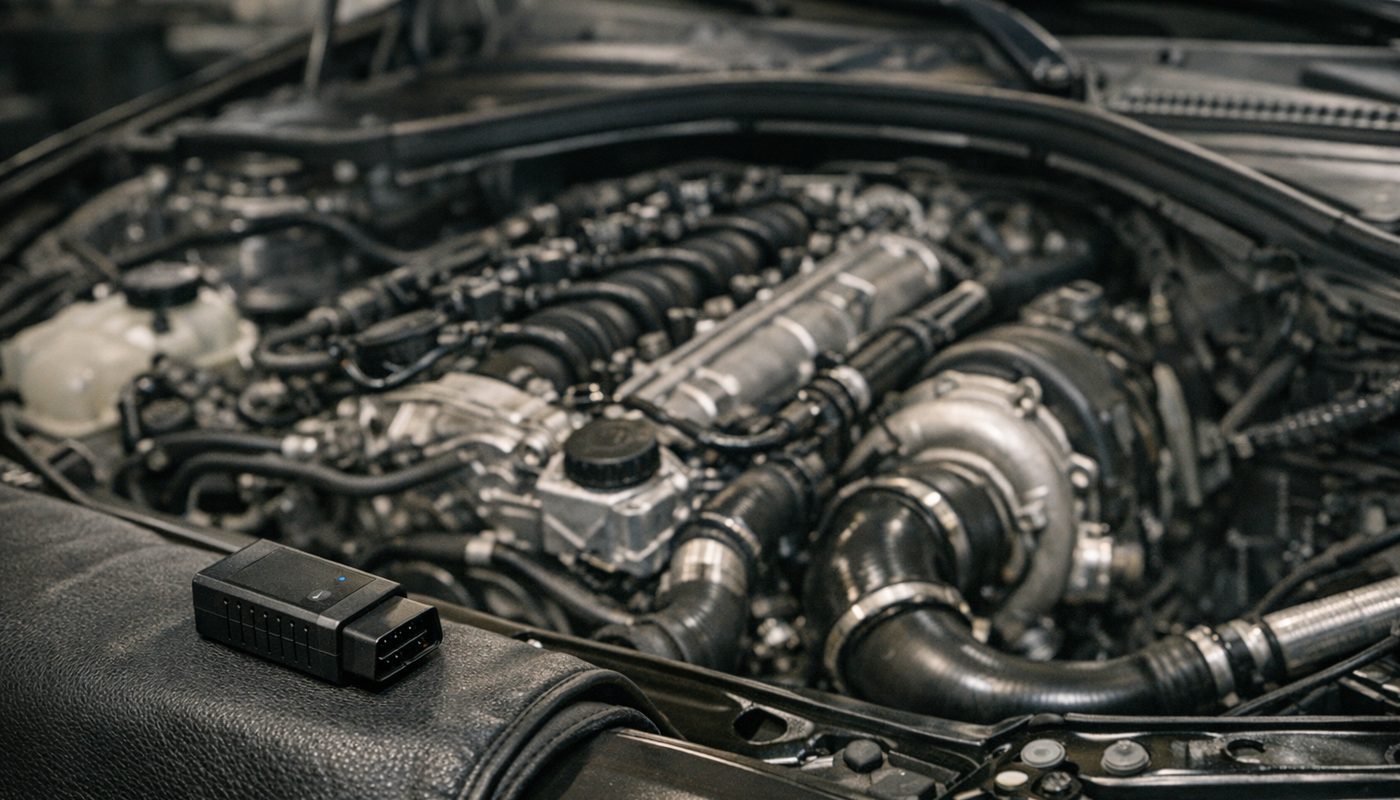
This is the question in the search data, so let me do it properly. MHD communicates with the car over one of three protocols: ENET (the Ethernet-based diagnostic link on F-series and G-series cars), CAN (what E-series N54 and N55 cars use for flashing), and K-Line or K-DCAN (older E-series diagnostics). Which adapter you need depends on which of those your car speaks.
F-series and G-series cars with an ENET cable
For B58, S58, N55 F-series and N20 or B48 cars, a plain ENET cable into a laptop or a phone with a USB-C adapter is the cheapest route and it is the same cable you would use for E-Sys coding. MHD's Universal adapter uses ENET on these cars, which tells you the protocol is standard rather than proprietary. Retailer listings for third-party ENET WiFi adapters advertise MHD flashing and logging support too. The cable is the boring, conservative choice and I would pick it for a first flash because there is no WiFi to drop mid-write.
We reviewed a USB-C and USB-A ENET cable that works for coding on F, G and I cars, and the same cable is what I would reach for here. If you want the broader E-Sys workflow explained, the ENET cable and E-Sys coding guide is the companion to this article.

BimmerTalk rating 4.0/5
$33.99Amazon price as of Nov 8, 2026 - may change
We may earn a commission if you buy - it never changes what we recommend or what you pay.
The MHD Universal WiFi adapter
MHD's own hardware, currently sold as the Universal WiFi Adapter, bundles ENET for F and G cars and the Supra, CAN for E-series cars, and K-Line for older applications into one wireless unit that works with iOS and Android. At roughly 79 to 110 USD depending on the seller, it is the right answer if you own an E-series car, because a G-series ENET cable physically cannot talk to an E90 N54. Retailer listings say it replaced the older separate black and orange MHD adapters, though I could not confirm that product history from MHD directly.
It is also the adapter to buy if you plan to flash the ZF 8HP transmission with xHP on a G-series or Supra, because retailer descriptions say that workflow needs CAN rather than ENET. I have not verified that with MHD's own documentation, so check with xHP before assuming.
Third-party WiFi and Bluetooth adapters
Some ENET WiFi adapters sold for BimmerCode and BimmerLink also advertise MHD compatibility on F, G and I cars. They tend to need manual IP configuration and may not support transmission flashing. MHD's FAQ addresses using non-MHD adapters in general terms, but I could not find a current official list of approved third-party hardware, so I would treat these as "works for many owners, not guaranteed, back up first".
Bluetooth is a different story. The OBDLink CX I use for BimmerCode, the MX+ many people own, the vLinker, none of these should be assumed to work for MHD flashing. They are excellent for coding and code reading, which is why the best coding tool roundup recommends them, but flashing is a different job. Do not try to save 80 USD here.

$61.99Amazon price as of Aug 23, 2026 - may change
We may earn a commission if you buy - it never changes what we recommend or what you pay.
Connecting to the adapter
People ask how to connect to the MHD WiFi adapter and the answer is the same as any WiFi OBD dongle. Plug it into the OBD port with the ignition on, go to your phone's WiFi settings, join the network the adapter broadcasts (not your home WiFi), ignore the "no internet" warning, then open MHD and let it connect. If the app cannot see the car, the usual fixes are turning off mobile data for the session, forgetting and rejoining the network, and checking that the ignition really is in the accessory or on position. On Android with a cable, you need an OTG-compatible phone, which MHD's S58 listing calls out specifically.
Stage 1, Stage 2, Stage 2+ and custom maps
What each stage actually assumes
MHD's off-the-shelf maps are sorted by stage and by fuel. Stage 1 is written for a stock car on good fuel. Stage 2 assumes a high-flow downpipe or equivalent exhaust change, because the extra flow changes how the turbo spools and how much heat the catalyst can take. Stage 2+ on the N54 and N55 listings assumes both a downpipe and an upgraded intercooler. Within each stage there are variants for 91, 93 and 95 octane, plus ethanol blends like E20 on the N55, E30 on the S55 and B58.
The advertised figures, which are examples rather than promises, look like this: N55 EWG up to around 360 hp at Stage 1, 390 at Stage 2 and 430 at Stage 2+, with the listing itself saying those numbers do not apply to the M2 or X4 M40i. S55 up to about 530 hp at Stage 1 and 560 at Stage 2. B58 up to around 420 hp at Stage 1 and 470 at Stage 2. The S58 has its own map pack but the listing I saw does not break out stage figures in a way I would quote. All of these are crank figures on specific fuel in specific conditions, and your dyno will disagree.
Choose by fuel, not by ambition
The single most common Stage 1 mistake I see in forum logs is a 93 octane map on 91 octane fuel, or an E30 map on a tank that is maybe E15. The DME will pull timing to protect itself, the car will feel flat, and the owner will decide the tune is bad. Pick the map that matches what is actually in the tank, log a pull, and only then consider stepping up. This is doubly true in the US where pump ethanol content is not consistent station to station.
Custom maps and who writes them
The question "who are the best tuners for BMWs" gets asked constantly and I am not going to rank shops I have no first-hand experience with. What I can say is that the main advantage of MHD over a sealed piggyback is the custom tuning ecosystem: you send a tuner your stock backup and a few logs, they send back a map file you flash with your existing licence, and you iterate by email. On the N54 and N55 that ecosystem is deep and old. On the B58 and S58 it is still growing, and it is where bootmod3 has traditionally been strongest. Pick a tuner by looking for logs of cars like yours on the forums, not by Instagram dyno videos.
One more thing from MHD's FAQ: you can add MHD flash options like burbles or cold start noise reduction on top of a third-party custom map, and you can save a tuned map as a backup. That makes the custom route less of a black box than it used to be.
Flash options people buy MHD for
Exhaust burbles on overrun, cold start noise reduction (deleting the loud cold-start cat heating routine), raising or removing the top speed limiter, and tweaking kickdown and cooling behaviour. These are toggles applied to whatever map you flash. They are also, in my opinion, the most overrated reason to flash a car. Burbles are unburnt fuel igniting in a hot catalyst. It sounds great on a video and the catalyst does not enjoy it. Use the mild setting if you must.
The locked DME problem on newer cars
This is the section that did not need to exist five years ago and now decides whether MHD is even an option for you.
Which cars are affected
From roughly June or July 2020, BMW started shipping Bosch MG1 and MD1 engine computers, commonly referred to as DME8 units on the B58 and S58, with tuning protection that blocks the normal OBD write. Earlier B58 cars with the older Bosch DME can generally be flashed straight over OBD. Many 2020-and-newer B58 and S58 cars cannot, until a one-time unlock is performed. The newest B58 cars with Continental DMEs are a separate case again and the Bosch unlock methods do not automatically apply to them.
The important part: "B58" or "S58" is not enough information. The exact Bosch part number, processor and software version decide whether an unlock exists for your car. MHD's app can tell you if your DME requires an unlock, and that free check is the first thing I would do on any 2020-plus car before spending a cent.
Unlock routes
Two broad paths exist in 2026. The older one is a mail-in bench unlock, FEMTO being the well-known name, where the DME comes out of the car and goes to a service that patches it and sends it back. The newer one is an in-shop unlock using the AutoTuner tool, which the 2026 reporting describes as not requiring the DME to be shipped or opened on supported DME8 units. Either way, once the unlock is in place MHD can do subsequent flashes over OBD. The unlock, the MHD licence, the map pack and any custom tune are four separate purchases.
What it costs and the catch
One independent shop lists around 299 USD plus tax for a single DME unlock in 2026 and around 550 USD for two. FEMTO pricing I could not confirm from an official 2026 source. The catch that surprised me: at least one MHD reseller states that on AutoTuner-unlocked S58 cars, flashing back to the stock file removes the unlock, and the DME has to be unlocked again before MHD can flash it. So the "just flash it stock before the dealer visit" plan can cost you another unlock. Confirm this with whoever does your unlock before you rely on it either way.
How a first MHD flash actually goes
I have not done this on my own car, so this is the procedure as MHD and experienced owners describe it, with the safety rules I would never skip. It is written for an F or G car with an ENET cable, but the E-series flow with the MHD adapter is the same shape.
- Confirm support before buying. Install the free MHD app, connect the adapter, and read the vehicle identification screen. It tells you the DME type, whether an unlock is needed, and which licence to buy. Do not buy the licence from a reseller first and hope.
- Charge and support the battery. Connect a proper battery charger or power supply that can hold voltage for the whole session. A full DME write can take a good while on newer cars and a voltage dip mid-write is the number one way people brick a DME. Headlights off, HVAC off, radio off.
- Full tank of the right fuel. Fill with the octane the map is written for. Driving around on a Stage 1 93 map with 87 in the tank is asking for timing pull and a check engine light.
- Buy the licence in the app, logged into the account you will keep. Remember it is bound to this account and email.
- Back up the stock file. The app pulls and stores your factory calibration. Save a copy somewhere outside the phone too. This is your way back and your custom tuner will want it.
- Pick the map and the flash options. Stage 1 on the fuel you actually have, and leave the burbles on the mildest setting for the first flash so you are evaluating the tune, not the noise.
- Flash and do not touch anything. Ignition on, engine off, phone plugged into power, mobile data off. Let it run to the end even if the progress bar seems stuck. Do not open the door, do not press the start button.
- Clear codes and reset adaptations. The app can do both. Then drive gently for a few miles to let the DME settle.
- Log a baseline pull. Third or fourth gear, full throttle from around 2,500 rpm to near redline, with the Monitor licence recording. This is the log you compare everything else against.
If something goes sideways after the flash and the car drops into reduced power, the limp mode guide explains what the DME is doing and why, and the check engine light article covers reading what it is complaining about. Both are worth reading before you flash, not after.
Datalogging - what to watch and how to read it
This is the part most people skip and the part that actually keeps engines alive. The Monitor licence gives you live gauges (one description specifies a handful of configurable channels on screen) and CSV logging of a much longer list. If you only buy one add-on beyond the Flasher licence, buy this one before the maps.
The channels that matter
Tuners who publish logging guides agree on the core set, and it matches what I learned the hard way on the Skoda.
- Timing corrections per cylinder. The DME pulls ignition timing when it hears knock. One transient correction on a bump or a gear change is nothing. Repeated negative corrections on the same cylinder under steady load is a real signal: bad fuel, heat, an injector, or a map that is too aggressive. This is the single most important channel on any turbo BMW.
- Boost target vs boost actual, plus wastegate duty. After spool, actual should sit tight against target. Consistent underboost points to a leak, a tired diverter valve or a turbo at its limit. Overshoot points to a control problem. Check whether your log shows absolute or relative pressure before comparing with someone else's numbers.
- Low-pressure fuel pump pressure. Watch for sag at high rpm and high load. LPFP limits often only show up in the last 1,000 rpm, which is exactly why a partial pull hides them.
- High-pressure fuel pump rail pressure, target and actual. Actual should stay close to target under load. Falling rail pressure means the fuel system is out of headroom or something is wrong, and it is the number that decides whether Stage 2 is realistic.
- Intake air temperature. Heat soak kills timing. Compare the first pull with the third, not one pull in isolation. On a stock intercooler this is where Stage 2 starts to make sense or not.
- Lambda target and actual. Actual should follow commanded. Remember a logged commanded value is what the DME wants, not an independent measurement - only a wideband confirms the real mixture.
- Coolant and oil temperature. So you do not interpret a cold or a heat-soaked engine as normal full-load behaviour.
How to take a log worth reading
Same gear, same start rpm, same fuel, same road if you can. Third gear from roughly 2,500 rpm to near redline on a straight, dry, empty road is the standard pull because it is long enough to show spool, midrange and the top end where fuel pressure problems live. Log the whole thing including a few seconds before and after. Note the ambient temperature, the fuel and the ethanol content if you know it. One clean pull tells a tuner more than ten messy ones.
Sharing logs
MHD exports logs as CSV. Tuners want the file itself, not a screenshot of a graph. Email it with your stock backup, the map you are running, your mods, the fuel, and the conditions. If you are posting on Bimmerpost for a second opinion, do the same and say which channels you are worried about. The people who get useful help are the people who give context. The people who post "is this normal?" with a cropped screenshot get told to post the log.
MHD vs JB4 vs bootmod3
The three names that come up for every turbo BMW. They are not three versions of the same thing, which is why the arguments never end.
| Factor | JB4 | MHD | bootmod3 |
|---|---|---|---|
| Type | Piggyback box | Direct DME flash | Direct DME flash |
| Reversible | Unplug it | Flash stock file back | Flash stock file back |
| Map switching while driving | Yes via BMS app | Not a core feature at the time of writing | Yes including octane and ethanol maps |
| Custom tuning | Supported via backend maps | Strong tuner ecosystem especially N54 and N55 | Strong cloud-based tuner workflow |
| Datalogging | Boost timing IAT trims via app | Broad CSV logging with Monitor licence | Very wide channel list with live gauges |
| Locked DME impact | Not affected by DME lock | Needs unlock on many 2020-plus cars | Needs unlock on many 2020-plus cars |
| Best for | Low commitment and easy removal | Value and tuner access | Polished app and widest monitoring |
Type
- JB4
- Piggyback box
- MHD
- Direct DME flash
- bootmod3
- Direct DME flash
Reversible
- JB4
- Unplug it
- MHD
- Flash stock file back
- bootmod3
- Flash stock file back
Map switching while driving
- JB4
- Yes via BMS app
- MHD
- Not a core feature at the time of writing
- bootmod3
- Yes including octane and ethanol maps
Custom tuning
- JB4
- Supported via backend maps
- MHD
- Strong tuner ecosystem especially N54 and N55
- bootmod3
- Strong cloud-based tuner workflow
Datalogging
- JB4
- Boost timing IAT trims via app
- MHD
- Broad CSV logging with Monitor licence
- bootmod3
- Very wide channel list with live gauges
Locked DME impact
- JB4
- Not affected by DME lock
- MHD
- Needs unlock on many 2020-plus cars
- bootmod3
- Needs unlock on many 2020-plus cars
Best for
- JB4
- Low commitment and easy removal
- MHD
- Value and tuner access
- bootmod3
- Polished app and widest monitoring
When JB4 makes more sense
If your car is under warranty, if the DME is locked and you do not want to pay for an unlock, or if you simply want to try more power without committing, the piggyback wins. It comes off in minutes, it switches maps on the fly, and on the B48 specifically it is the option I keep coming back to for my own G20 because the flash licence economics do not add up for a four-cylinder with modest headroom. The full JB4 guide by chassis covers which box and which maps per engine, so I will not duplicate it.
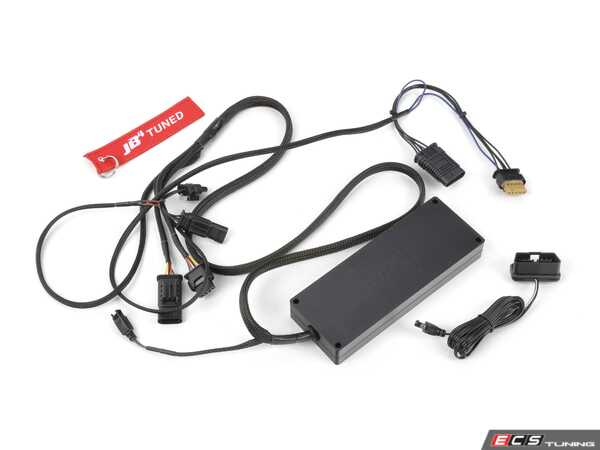
BimmerTalk rating 4.3/5
$529.00
We may earn a commission if you buy - it never changes what we recommend or what you pay.
When MHD makes more sense
Older cars, custom tunes, and owners who want to own the calibration rather than trick it. On an N54 or N55 the depth of MHD tuner support is unmatched and the platform is cheap relative to what it unlocks. On a pre-2020 B58 it is a very solid value play. MHD also lets you flash JB4 backend maps on supported platforms, which is a nice middle ground if you already run the box and want the DME side cleaned up.
When bootmod3 makes more sense
The honest answer to "bootmod3 or MHD" is that bootmod3 has the more polished app, on-the-fly map switching, a very long live-monitoring channel list (reseller listings advertise seventy-plus concurrent channels) and a cloud-based custom tuning workflow that B58 and S58 tuners built their businesses around. The trade is that you depend on that cloud and app ecosystem, and pricing has historically run higher. If you value a slick interface and the B58 or S58 tuner pool over a lower buy-in, bootmod3. If you value a cheaper entry and the N54 and N55 heritage, MHD. On the B58 both are legitimate and plenty of people have run both.
Warranty, detection and emissions
Assume it can be seen
Having spent a year inside the brand, my advice is simple: assume the dealer can tell. A dealer running ISTA compares the software and integration levels on the car against what BMW expects for that VIN and build, and programming history can persist in the DME and in BMW's systems after you flash stock. I could not find a primary BMW document to confirm the exact counter names or what the current DME families display, and I am not going to repeat the forum claim that MHD increments a visible counter by one on every flash as if it were verified. What I will say is that a stock reflash does not guarantee a clean slate, and anyone who promises it does is guessing. The ISTA guide goes into what the dealer software actually looks at.
What warranty actually means here
Tuning does not void the whole warranty in the way people fear. It gives BMW grounds to deny a claim on parts where tuning is a plausible cause: engine, turbo, fuel system, transmission, drivetrain. A window regulator failure is not going to be pinned on your Stage 1. A failed HPFP on a flashed car almost certainly will be. On an unlocked DME, the unlock itself is another thing that can be spotted, and the claim that it is invisible is unconfirmed and I would not bet a 70,000 USD car on it.
Emissions
Stage 2 on most platforms assumes a high-flow downpipe, which in the US usually means a catless or sports-cat downpipe that is not legal for road use under federal rules and certainly not in CARB states. Burble options dump fuel into the catalyst. The map itself can alter emissions-related behaviour. I write for a US audience and I am not going to pretend this is a grey area. If you need to pass an emissions inspection, plan Stage 1 on stock hardware and think carefully about anything beyond it. Also think about OTA software updates on newer G-series cars, which reports describe as a real risk to unlocked DMEs - check with your unlock provider what to do before accepting one.
Do you need MHD at all
Short section, because I think it is worth asking. If what you really want is to watch boost, timing and fuel pressure on your stock car, or to read codes from every module before you decide whether it is healthy enough to tune, you do not need a flash licence for that. A Bluetooth adapter with BimmerLink shows live engine data and reads DME codes, and the BimmerLink vs BimmerCode article explains which app does what. For a proper pre-tune health check across all modules, the all-module scanner article covers the tools that actually see the EGS, DSC and the rest.
My rule from the Skoda days: never tune a car you have not logged stock. Baseline first, tune second. If the stock baseline shows a sagging LPFP or timing corrections on cylinder three, a map will not fix that, it will find it faster.

BimmerTalk rating 4.0/5
$139.95Amazon price as of Nov 8, 2026 - may change
We may earn a commission if you buy - it never changes what we recommend or what you pay.
FAQ
What is MHD tuning exactly
MHD Flasher is a smartphone app for iOS and Android that rewrites the calibration in a BMW's engine computer through the OBD port using a compatible adapter. You buy a licence for your engine family (N54, N55, S55, B58, S58 and others), it backs up your stock file, and you flash either MHD's off-the-shelf Stage 1 or Stage 2 maps or a custom map from a tuner. It also clears codes, resets adaptations, toggles options like burbles, and with the Monitor licence records datalogs. It is a flash tool, not a plug-in chip, so the factory calibration is actually replaced rather than tricked.
How do I connect to the MHD WiFi adapter
Plug the adapter into the OBD port under the dash, turn the ignition on, open your phone's WiFi settings and join the network the adapter broadcasts. Your phone will warn that there is no internet, which is correct and fine. Turn off mobile data so the phone does not jump back to a different network, then open MHD and let it connect. If it refuses, forget the network and rejoin, check the ignition position, and make sure no other app is holding the adapter. On Android with a wired ENET cable you need a phone that supports OTG.
Can I leave the MHD adapter plugged in
For an occasional drive with the gauges up, yes, but I would not leave it in permanently. Any OBD dongle draws a small amount of current and some keep modules awake, which on a G-series car with a sensitive battery management system can mean a flat battery or a cluster of low-voltage faults after a week parked. Owners on the forums report mixed experiences and the safe pattern is plug in, log, unplug. If you want a dongle that lives in the port, that is a question for the coding and scanner articles, not the flash tool.
Is bootmod3 better than MHD
Different rather than better. bootmod3 has the more polished app, on-the-fly map switching, a very wide live-monitoring list and a cloud workflow that many B58 and S58 tuners prefer. MHD is generally cheaper to get into, has the deepest N54 and N55 heritage, and runs offline once you have your files. On the B58 either is a legitimate choice and the deciding factor is usually which tuner you want to work with and what you want to pay up front. On older E-series cars MHD is the more obvious pick.
Does MHD support the B48 in my G20 330i
MHD has listed four-cylinder platforms including the B48, but I could not confirm current map stages or pricing for it from a source I trust at the time of writing, so verify on MHD's site with the free app's vehicle check before buying. As a 330i owner I would also price a JB4 for the same car before committing, because the gains available on a stock B48 are modest and the piggyback is reversible.
Can my 2022 M340i or M3 be flashed over OBD
Possibly not without an unlock. Many B58 and S58 cars built from around mid 2020 carry locked Bosch MG1 or MD1 DMEs that block the normal OBD write until a one-time unlock is done, either mail-in bench or in-shop with a tool like AutoTuner. The free MHD app can tell you whether your specific DME needs it. Budget roughly 300 USD and up for the unlock on top of the licence and maps, and confirm with the unlock provider whether flashing back to stock removes the unlock, because on some setups it does.
Will MHD void my warranty
It gives BMW grounds to deny claims on engine, drivetrain and fuel system parts where tuning is a plausible cause, and you should assume the flash and any unlock can be detected even after returning to a stock file. The rest of the car is generally unaffected. There is no version of this where a flashed car is warranty-neutral, so decide with that in mind.
What is the difference between Stage 1 and Stage 2 on MHD
Stage 1 is written for a stock car on a given fuel. Stage 2 assumes a high-flow downpipe, and on the N54 and N55 a Stage 2+ map also assumes an upgraded intercooler. Running a Stage 2 map on stock hardware does not magically add power, it just asks the turbo and catalyst for flow they cannot deliver, and the logs will show it in underboost and heat. Match the stage to the hardware you actually have.
Can I transfer my MHD licence to a new car or account
No. MHD's FAQ states licences are tied to the account and email that bought them, cannot be moved to another account, and do not carry from a previous owner. A new car means a new licence even on the same engine family. Keep the account you buy with.
The bottom line
MHD is a mature, reasonably priced way to own the calibration in a turbo BMW, and on an N54, N55 or pre-2020 B58 it is the tool I would buy if I wanted a flash tune with real tuner support behind it. The adapter question is simpler than the forums make it: ENET cable or ENET WiFi for F and G cars, the MHD Universal adapter for E-series cars or if you want one box for everything, and no Bluetooth dongle for flashing, full stop. The money is more than people quote once you add maps, logging and, on newer cars, an unlock, so price the whole thing before you start.
The parts that actually matter are the ones nobody puts in the YouTube thumbnail. Support the battery. Match the map to the fuel. Log before you tune and log after. Watch timing corrections, boost against target and fuel pressure at the top of the rev range, and send real CSV files to real tuners. And be honest with yourself about warranty and emissions instead of hoping a stock reflash erases the past.
My own G20 is still stock, and this research did not change that - the B48 numbers do not justify the trade for me yet. But if I had an older M340i in the garage, I know exactly which cable I would plug in first. Drive safe, log everything, and I will see you in the next one. Kamil.
More in BMW Performance & Tuning