Best OBD2 Scanner for MINI Cooper - R56, F56 and J01 Owners
Affiliate disclosure. BimmerTalk is a proud partner of the Amazon Associates Program and Turner Motorsport. We may earn a small commission on qualifying purchases through our links, at no extra cost to you. Read the full disclosure.

Here is something I learned during my year working for BMW and MINI that most MINI owners never get told plainly: on the diagnostic side, a MINI is a BMW. Same control modules, same fault code structure, same software talking to the same gateway. The marketing people keep the brands in separate rooms. The engineers never did. So when someone on a MINI forum asks whether a "BMW scanner" will work on their Cooper S, the honest answer is that there is no other kind worth buying.
That is good news, because you get to borrow the entire BMW tool ecosystem - BimmerCode, BimmerLink, OBDLink, Foxwell, Carly - instead of hunting for some mythical MINI-only reader. The less good news is that MINI's generations differ far more than the badge suggests. A 2005 R53 with its supercharged Tritec, a 2009 R56 Cooper S with the N14 and its infamous chain rattle, a 2019 F56 with a B48 and a BDC body controller, and a 2025 electric J01 are four completely different diagnostic conversations. A tool that is perfect for one can be useless on another.
This guide is for owners of all four. I will tell you which tool fits your generation, what the common R56 codes actually mean when they land on screen, how coding and battery registration work on the F-series cars, and where the new-generation MINIs stand with third-party tools at the time of writing (short version - be careful with your money). Prices are US, rough, and they move around.
4
MINI generations covered
9
Tools compared
around 42 USD
Cheapest useful adapter
N12 N14 N16 N18
R56 era engines
The Short Answer
If you own an F54, F55, F56, F57 or F60 (2014 to 2024) and want diagnostics, coding and battery registration from your phone, buy an OBDLink CX and run the BimmerLink and BimmerCode apps. That is exactly what I use on my own G20 330i, and the F-series MINI sits on the same adapter list with the same app workflow. Nothing about the MINI badge changes the procedure.
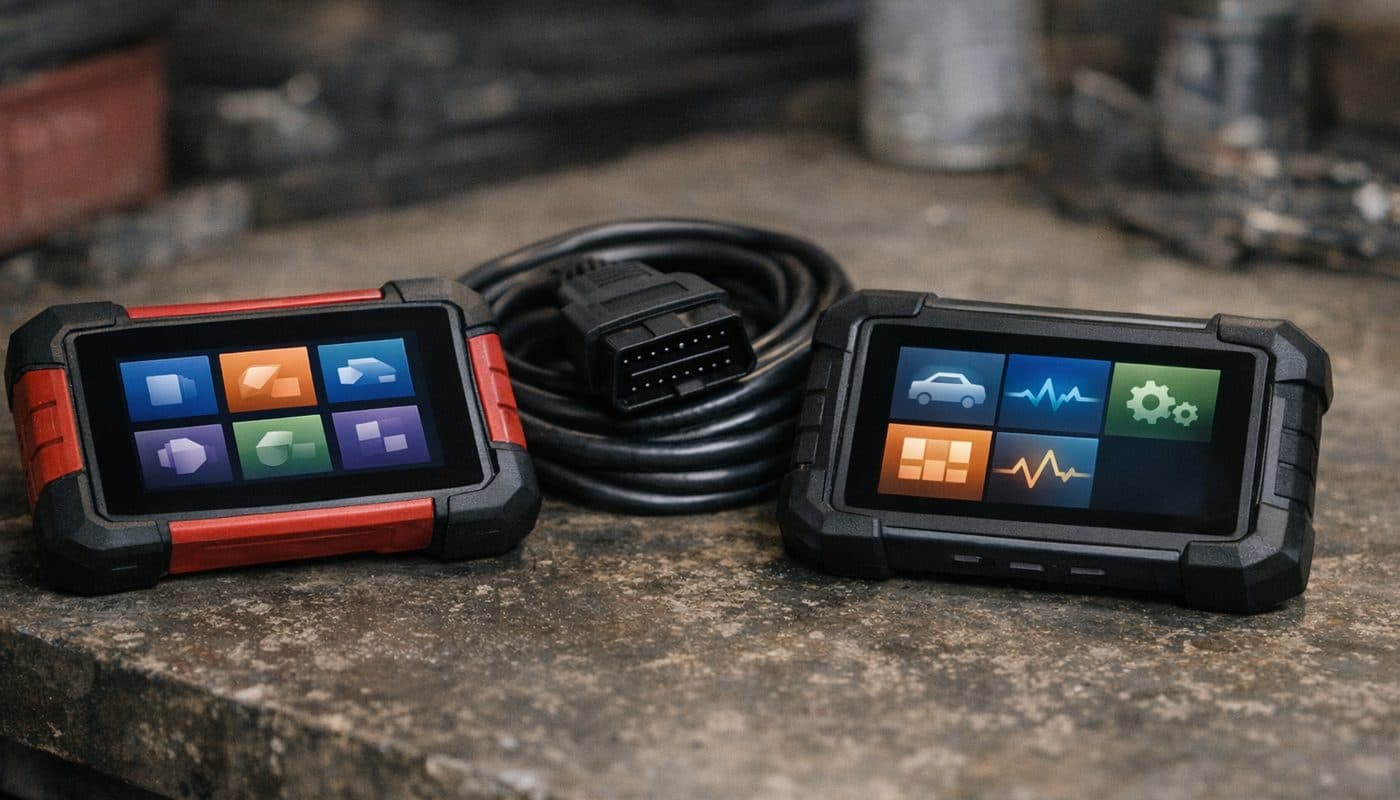
If you own an R56-era car (2007 to 2013, or an R60 Countryman up to 2016) with an N14 or N18 under the bonnet, a handheld full-system tool pays for itself the first time it shows you camshaft angles or fuel rail pressure instead of a lonely P0300. The Foxwell NT510 Elite in its BMW and MINI version is the sensible pick, and the Ancel BM500 is the budget version of the same idea.
If you own an R50 or R53, go handheld and confirm your VIN with the manufacturer's compatibility checker before you order. If you own a J01, J05 or U25, read the new-generation section before spending anything, because at the time of writing none of these tools explicitly lists those chassis.
| Pick | Best for | Rough price |
|---|---|---|
| OBDLink CX plus BimmerLink and BimmerCode | F-series coding and diagnostics from a phone | around 80 USD plus the apps |
| Foxwell NT510 Elite BMW and MINI | R56 and R60 full-system diagnostics and service resets | around 165 USD |
| Ancel BM500 | Budget handheld that scans every module on R56 and F56 | around 100 USD |
| Veepeak OBDCheck BLE+ | Cheapest supported adapter for BimmerCode on an F56 | around 42 USD |
| Carly for MINI | One subscription app with guided diagnostics | adapter plus yearly plan and the price changes |
| BlueDriver | Generic engine codes on any car in the household | around 100 to 120 USD |
OBDLink CX plus BimmerLink and BimmerCode
- Best for
- F-series coding and diagnostics from a phone
- Rough price
- around 80 USD plus the apps
Foxwell NT510 Elite BMW and MINI
- Best for
- R56 and R60 full-system diagnostics and service resets
- Rough price
- around 165 USD
Ancel BM500
- Best for
- Budget handheld that scans every module on R56 and F56
- Rough price
- around 100 USD
Veepeak OBDCheck BLE+
- Best for
- Cheapest supported adapter for BimmerCode on an F56
- Rough price
- around 42 USD
Carly for MINI
- Best for
- One subscription app with guided diagnostics
- Rough price
- adapter plus yearly plan and the price changes
BlueDriver
- Best for
- Generic engine codes on any car in the household
- Rough price
- around 100 to 120 USD
Why a BMW Tool Is the Right Tool for a MINI
Same modules, different badge
Open the module list on any R56 and you will see names that could have come straight off an E90. There is a DME for the engine, a DSC module for stability and ABS, a CAS for the keys and immobiliser, an FRM footwell module running the lights, a JBE junction box and a KOMBI instrument cluster. Automatics get an EGS. The F-series cars moved on to the BDC body domain controller that the F30 and my G20 also use, with the head unit variants (NBT, NBTevo and so on) carried over from the BMW catalogue. Even the engines are shared. The B38 three-cylinder in a Cooper lives in BMW's smaller cars, and the B48 in a Cooper S is the same engine family as the one in my 330i.
That is why every serious BMW diagnostic tool has MINI in its vehicle database by default, and why MINI-only tools barely exist. During my year inside the company it was obvious that both brands ran on one diagnostic backbone. The dealer software did not care which badge was on the bonnet. Neither should you.
What a generic reader shows versus a BMW-group tool
Plug a cheap generic reader into a MINI and you get the DME's standardised P-codes and some basic live data. That is it. You will not see the DSC, the airbag module, the transmission, the body modules or the cluster. You will not see the four-character hex codes BMW uses internally, which carry far more detail than the P-code they get translated to. You will not see misfire counters per cylinder, VANOS target versus actual angles, high-pressure fuel rail target versus actual, or the "shadow" faults that are stored without turning on the check engine light. And you will certainly not be able to register a battery or reset a service interval.
A BMW-group tool, whether it is an app like BimmerLink or a handheld like the Foxwell, reads all of that. On an R56 with the N14, this is the difference between "misfire cylinder 3" and knowing whether the problem is a coil, carbon, timing or fuel pressure. I go into how BMW's codes are built in BMW Fault Codes Explained, and every word of it applies to a MINI.
Which MINI Do You Actually Have
MINI chassis codes matter more than model years here, because the generations overlap and the tool support splits along chassis lines. Here is the map:
- R50, R52, R53 (2002 to 2006) - the first BMW-era MINI. R50 is the Cooper, R53 the supercharged Cooper S, R52 the convertible. Tritec 1.6 engine, older BMW diagnostic protocols.
- R55, R56, R57, R58, R59, R60, R61 (2007 to 2016) - the second generation. R56 hatch, R55 Clubman, R57 convertible, R58 coupe, R59 roadster, R60 Countryman, R61 Paceman. N12 and N14 engines until the 2011 facelift, N16 and N18 after it. This is the generation with the big engine reputation, good and bad.
- F54, F55, F56, F57, F60 (2014 to 2024) - third generation on BMW's UKL platform. F56 three-door, F55 five-door, F57 convertible, F54 Clubman, F60 Countryman. B38, B46 and B48 engines. BMW F-series electronics, so the coding story is excellent.
- J01, J05, U25, F66 (2024 onward) - the current cars. J01 is the electric Cooper, J05 the electric Aceman (as I understand the codes), U25 the new Countryman. The F66 petrol Cooper is, from what MINI has published, a heavily updated F-series car rather than a clean sheet. Tool support for all of these is thin at the time of writing.
Before you buy anything, find your chassis code. It is on the build plate and in the VIN, and most of the apps will identify it automatically the first time they connect. If you are not sure where the port is, our port location guide covers MINI too, but the one-line answer is driver's footwell, under the dash, near the steering column, on every generation.
R50 and R53 - the Tritec Years
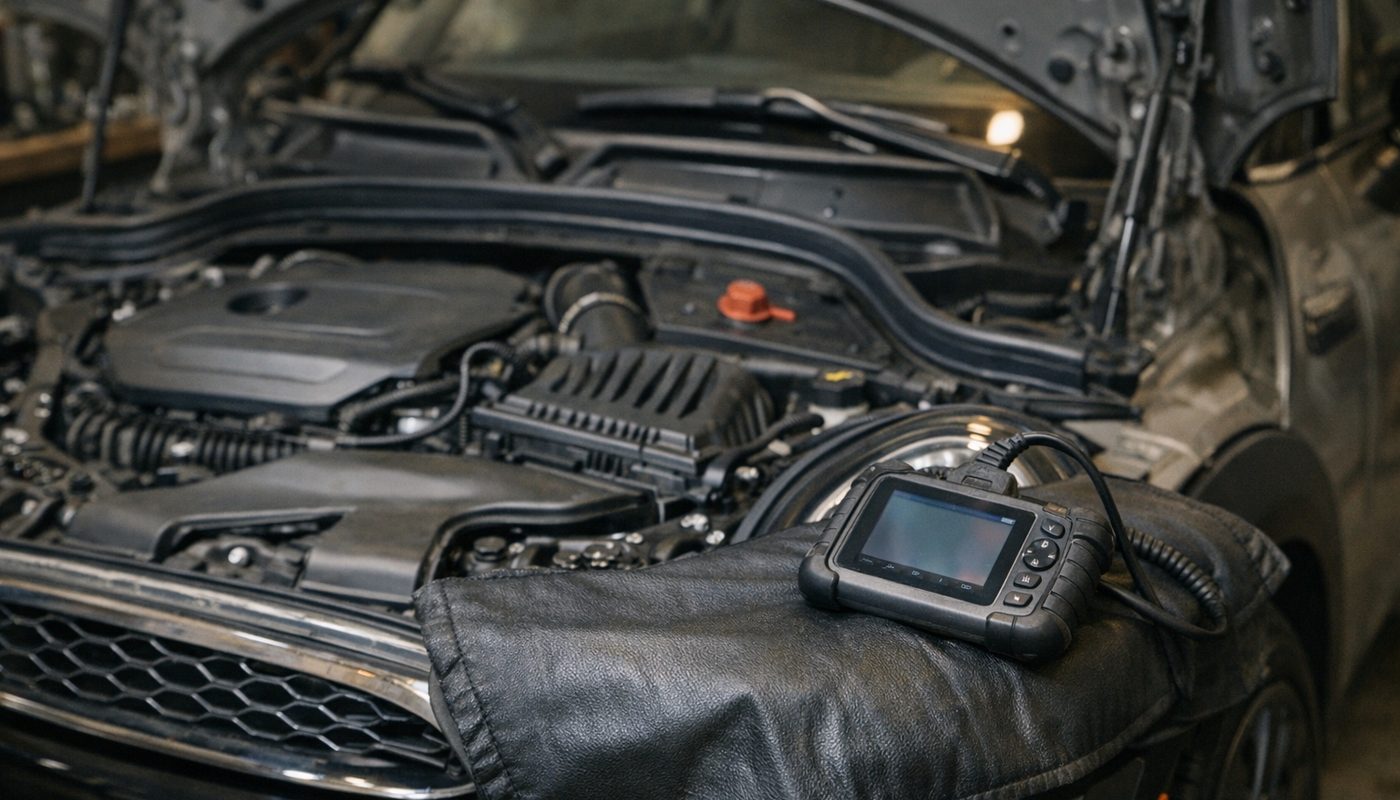
The first-generation cars are the awkward ones for app-based tools. The Tritec engine came out of a BMW and Chrysler joint venture and the electronics predate the module architecture that BimmerCode and BimmerLink were built around. The BimmerLink listing states MINI support from 2006 onward, which means an R53 is effectively outside its window. BimmerCode's R50/R53 coverage is similarly unclear and I would not plan a purchase around it.
Handheld tools are the better bet. Foxwell's compatibility material claims BMW and MINI coverage from roughly 1996, and Ancel's BM500 listings make a similar claim, so an R50 or R53 should be in scope for both. I say "should" deliberately. Both companies offer a VIN or model lookup on their sites, and for a first-generation MINI that lookup is not optional. Run it, screenshot the result, then order. An owner on Grassroots Motorsports reported using the NT510 Elite to reset cam adaptations on an R56, which tells you the BMW package digs below the generic layer, but that is a second-generation data point and I would not stretch it to an R53 without checking.
What you want from a tool on these cars is simple: every module, not just the engine. The R50 and R53 are old enough now that the airbag, ABS and body faults are at least as common as engine faults, and a generic reader cannot see any of them. BlueDriver, Car Scanner with a cheap dongle, or a free AutoZone scan will all leave you blind on those modules.
R56 - What the Scanner Actually Shows on an N12, N14 or N18
This is the generation that sends most people looking for a MINI scanner, and for good reason. The N14 in the 2007 to 2010 Cooper S earned a reputation for timing chain rattle, carbon build-up on the intake valves, high-pressure fuel pump trouble and cooling leaks. The N18 that replaced it in 2011 improved some of that and inherited the rest. The naturally aspirated N12 and N16 in the base Cooper are calmer, but they share the cooling system, the VANOS design and the plastic parts that crack with age.
A generic reader on these cars gives you a symptom. A BMW-group tool gives you a direction. Here is what the common problems look like on screen and what owners actually do about them.
Timing chain, tensioner and VANOS codes
The famous N14 "death rattle" is a cold-start or low-rpm clatter from the chain side of the engine. On a scanner it shows up as camshaft timing codes: P0012 (cam timing over-retarded, bank 1), P0016 (crank to cam correlation) and sometimes P0008 or P0009 (engine position system performance). The important thing to understand is that none of these codes says "chain". They say the camshaft is not where the DME expects it to be, which can also mean low or degraded oil, a sticking VANOS solenoid, or a sensor problem.
This is where the better tools earn their money. A full-system tool lets you compare the commanded VANOS angle against the actual one in live data. If the actual angle wanders or lags under command, the mechanical side is suspect. If the oil is low and old, fix that first and re-test, because VANOS runs on oil pressure. Owners on the R56 forums usually pull and clean the VANOS solenoids before condemning anything, and they replace the chain as a set - chain, tensioner, guides and often sprockets - rather than just the tensioner, because a new tensioner on a stretched chain buys you a few months at best. Secondary sources commonly recommend proactive N14 chain replacement somewhere around 50,000 to 60,000 miles and an N18 inspection around 80,000, but treat those as enthusiast guidance rather than a factory interval.
Misfires and the coil swap test
P0300 is a random or multiple-cylinder misfire. P0301 through P0304 point at cylinders one to four. On a direct-injection N14 or N18 the usual suspects are plugs, coils, injectors, intake-valve carbon, a vacuum leak from a split PCV diaphragm in the valve cover, low rail pressure, compression or timing. A code alone cannot tell them apart. A tool with misfire counters per cylinder and freeze-frame data can get you most of the way:
- Before clearing anything, save the freeze frame. Note the rpm, load, coolant temperature, fuel trims and rail pressure at the moment the misfire was logged. A misfire only at cold idle points somewhere different from one only under boost.
- Read the misfire counters. A single cylinder racking up counts while the others sit at zero is a cylinder-specific fault. All four counting is a system fault (air, fuel pressure, timing).
- Swap the coil from the suspect cylinder with a neighbour, then the plug, and clear the code. Drive it. If the misfire follows the coil, you have your answer for the price of a coil. If it stays put, the part is innocent.
- Check the plug wells for oil (leaking valve cover) and the plugs for fouling. A wet, carbon-black plug on one cylinder suggests an injector problem.
- Watch long-term fuel trim. A big positive trim with a lean code points at unmetered air - smoke-test the intake and PCV system before buying sensors.
- If the misfire is still on the same cylinder after all of that, you are into compression and leak-down testing, intake-valve carbon inspection and a mechanical timing check.
Cooling - thermostat housing, water pump and P0128
Two parts on these engines leak coolant as a hobby. The thermostat housing is plastic and cracks with heat cycles, and the water pump is a known weep point. A scanner helps in two ways. First, P0128 (coolant temperature below thermostat regulating temperature) tells you the thermostat is stuck open or the sensor is lying, which you confirm by watching live coolant temperature during warm-up. A healthy engine should climb steadily to operating temperature and stay there; one that plateaus low is the thermostat. Second, when the coolant level warning comes on and you cannot see a leak, live data lets you catch a temperature spike before the engine does something expensive.
Owners tend to replace the thermostat housing with a current-revision part rather than a copy of the original, and they do the water pump at the same time if it shows any crust. One honest caveat from the research: P0128 on its own does not prove a housing leak, and a visible leak does not prove the thermostat has failed. Pressure-test the system and read the data before ordering both.
Fuel pressure, carbon and boost
P0087 (fuel rail pressure too low) and P0191 (rail pressure sensor performance) are the HPFP codes everyone fears on the N14. Symptoms are long cranking, hesitation under load and misfires. The pump is often guilty, but not always. The correct move is to watch rail pressure target versus actual on a BMW-group tool while cranking, at idle and under acceleration. If the low-pressure side is weak, the high-pressure pump cannot do its job and replacing it changes nothing. Owners who skip this step sometimes buy an expensive pump to fix a cheap in-tank problem.
Carbon build-up on the intake valves produces rough idle, flat power and misfires with no single clear code. Because these are direct-injection engines, fuel never washes the back of the valves. The fix is removing the intake manifold and cleaning the valves, usually with walnut media blasting, and the suggested intervals you will read online (anywhere from 35,000 to 80,000 miles) vary so much with driving style that I would treat them as a rough guide only. A scanner cannot see carbon directly. What it can do is rule out the cheaper causes first so you are not paying for a walnut blast to fix a coil.
P0299 (turbo underboost) is the one that makes Cooper S owners sweat. Before anyone says "turbo", pressure-test the charge pipes and intercooler plumbing, check the diverter valve and wastegate, and look at the vacuum lines. Live boost target versus actual on a decent tool will show whether the system is leaking or the turbo genuinely cannot deliver. If the turbo is coming off, enthusiast practice is to inspect the oil feed and return lines at the same time, since a restricted feed shortens the life of the replacement.
| Code | What the scanner says | Usual R56 cause | First thing owners check |
|---|---|---|---|
| P0012 | Cam timing over-retarded bank 1 | Low or old oil, sticking VANOS solenoid, chain wear | Oil level, solenoid clean, cam target versus actual |
| P0016 | Crank to cam correlation | Chain stretch, guide or tensioner wear | Mechanical timing check before any sensor |
| P0300 to P0304 | Random or cylinder misfire | Coil, plug, injector, carbon, PCV leak, fuel pressure | Freeze frame, misfire counters, coil swap |
| P0171 and P1497 | Lean condition or unmetered air | Split PCV diaphragm, intake or vacuum leak | Smoke test the intake and valve cover |
| P0087 and P0191 | Low rail pressure or sensor performance | HPFP or weak low-pressure supply | Rail pressure target versus actual while cranking |
| P0128 | Coolant below regulating temperature | Thermostat stuck open | Live coolant temperature during warm-up |
| P0299 | Turbo underboost | Boost leak, diverter valve, wastegate, turbo | Pressure test the charge system |
| P0420 | Catalyst efficiency | Unresolved misfire or exhaust leak | Fix the misfire first |
P0012
- What the scanner says
- Cam timing over-retarded bank 1
- Usual R56 cause
- Low or old oil, sticking VANOS solenoid, chain wear
- First thing owners check
- Oil level, solenoid clean, cam target versus actual
P0016
- What the scanner says
- Crank to cam correlation
- Usual R56 cause
- Chain stretch, guide or tensioner wear
- First thing owners check
- Mechanical timing check before any sensor
P0300 to P0304
- What the scanner says
- Random or cylinder misfire
- Usual R56 cause
- Coil, plug, injector, carbon, PCV leak, fuel pressure
- First thing owners check
- Freeze frame, misfire counters, coil swap
P0171 and P1497
- What the scanner says
- Lean condition or unmetered air
- Usual R56 cause
- Split PCV diaphragm, intake or vacuum leak
- First thing owners check
- Smoke test the intake and valve cover
P0087 and P0191
- What the scanner says
- Low rail pressure or sensor performance
- Usual R56 cause
- HPFP or weak low-pressure supply
- First thing owners check
- Rail pressure target versus actual while cranking
P0128
- What the scanner says
- Coolant below regulating temperature
- Usual R56 cause
- Thermostat stuck open
- First thing owners check
- Live coolant temperature during warm-up
P0299
- What the scanner says
- Turbo underboost
- Usual R56 cause
- Boost leak, diverter valve, wastegate, turbo
- First thing owners check
- Pressure test the charge system
P0420
- What the scanner says
- Catalyst efficiency
- Usual R56 cause
- Unresolved misfire or exhaust leak
- First thing owners check
- Fix the misfire first
If you only take one thing from this section, take this: on an R56 the code is where the diagnosis starts, not where it ends. The tool that shows live data from the DME is worth three times the tool that only shows the code.
F-Series MINI - Coding, Battery Registration and Service Resets
The F54, F55, F56, F57 and F60 are, electronically, small BMW F-series cars. That means they are the best MINIs by a distance for the owner who wants to do things from a phone. The B38, B46 and B48 engines are far less dramatic than the N14, so the typical owner here is not chasing a chain rattle. They want to turn off the seat belt chime, fold the mirrors on lock, register a new battery and reset the oil service without a dealer visit. All of that is a Sunday morning job.
What BimmerCode can change on an F56
BimmerCode exposes settings that already exist in the car's modules, mainly the BDC body controller, the KOMBI cluster and the head unit. It cannot add hardware the car does not have, and it cannot flash or program anything. Popular F-series MINI codings reported by owners and listed in BimmerCode's own documentation include:
- Digital speed readout in the instrument display
- Folding the mirrors when you lock the car (power-fold mirrors required)
- Automatic door locking and selective unlocking behaviour
- Start-stop memory, so the car remembers you switched it off (market and software dependent)
- Welcome lighting, headlight delay and lighting behaviour
- Alarm acknowledgement and interior monitoring settings
- Ambient lighting and climate memory tweaks
- Video in motion and head-unit display options, depending on the installed unit
- Full-screen Apple CarPlay on specific NBTevo software versions - not universal, so check your head unit before you count on it
- Battery type and capacity in the BDC, which you only touch if you have actually fitted a different battery specification
The workflow is identical to what I do on my G20: plug in the OBDLink CX, open BimmerCode, let it identify the car, back up the module, change the setting, write it. The OBDLink plus BimmerCode guide walks through it screen by screen and nothing changes for a MINI except the badge on the splash screen. A setting missing from your list usually means your car lacks the hardware, has a different module revision or a different market configuration. It does not mean the app is broken.
Battery registration is not battery coding
This trips up more F56 owners than anything else. MINI's own technical documentation says a replacement 12-volt battery must be registered with a diagnostic tool so the power management system knows it has a fresh battery to charge. Disconnecting the old battery, clearing codes or driving the car for a week does not do this. An unregistered battery gets charged on the old battery's aged profile, which shortens its life and can upset start-stop.
Registration and coding are two different operations. Registration tells the car "new battery, same type". Coding changes the stored battery type or capacity, for example AGM to a different Ah rating. BimmerLink does the registration. BimmerCode does the type and capacity change if your new battery differs from the old one. Changing the type in BimmerCode does not register the battery, and registering in BimmerLink does not change the type. For a like-for-like replacement you only need BimmerLink. The full reasoning and the step-by-step live in our battery registration guide, and I will not repeat it here.
Service reset without the dealer
F-series MINIs run Condition Based Service, so each item (engine oil, brake fluid, front and rear pads, vehicle check) has its own countdown. After you do the work, you reset that specific item. Many F56s let you do the common ones through the cluster menu itself, but a tool makes it painless and reaches the items the cluster hides. BimmerLink, Carly and the Foxwell all offer CBS resets on supported cars. One rule: reset only what you actually did. Resetting the oil service to make the message go away without changing the oil just hides a real interval, and the next owner (or the next version of you) pays for it.
Carly and Foxwell on an F56
Carly covers the F-series MINI with fault reading, live data, battery registration on supported models, selected service resets and some coding. Its battery registration support is broader than its ability to recode a changed battery type, so for a different-specification battery you may still need BimmerCode. The Foxwell NT510 Elite does full-system scanning, battery registration and CBS resets on the F56 per Foxwell's spec sheet, but handheld tools at this price are diagnostic and service tools, not coding tools. Whether a given Foxwell model can do real F56 convenience coding is not something I could confirm from a primary source, so I would not buy it for that. The honest split is BimmerCode for coding, BimmerLink or Foxwell for everything else.
J01, J05, U25 and F66 - Where Tool Support Stands
I wish I could give you a tidy answer here. I cannot. At the time of writing, none of BimmerCode, BimmerLink, Carly, Foxwell or Autel publishes a compatibility statement that explicitly names the J01 electric Cooper, the J05 Aceman or the U25 Countryman. Generic "BMW and MINI" marketing on an adapter box tells you nothing about these cars, because they are a new platform with a new electrical architecture, and newer BMW Group vehicles increasingly need gateway authentication before a third-party tool can do anything beyond basic reads.
There is also the high-voltage question on the electric cars. Even where a tool can see the battery and charging modules, that is not somewhere I would want a consumer app poking around on a car still under warranty. The sensible position for a J01 or J05 owner in 2026 is to let the dealer handle diagnostics for now and check the in-app vehicle list in BimmerLink and BimmerCode every few months. The developers add chassis as they crack them, and the MINI community on the F56 forums is usually first to report when something starts working.
The petrol F66 is a slightly different story. From everything MINI has published, it is an evolution of the F-series architecture, so there is a reasonable chance the F-series apps will pick it up sooner than the electric cars. Reasonable is not confirmed. Buy the adapter only once the app says yes to your VIN, not before. An OBDLink CX is cheap enough that the risk is small, but "cheap enough to gamble" is still gambling.
The Picks in Detail
OBDLink CX with BimmerLink and BimmerCode
This is the setup I actually use, and the one I would buy for any F-series MINI. The CX is a small Bluetooth 5.1 adapter at around 80 dollars, it sits on the official supported-adapter lists for both apps, and it works with iPhone and Android. BimmerLink handles diagnostics: fault codes from every module, live data including the rail pressure and cam angles I keep going on about, battery registration and the service functions the app supports for your car. BimmerCode handles the coding. BimmerLink's full version is listed at around 40 dollars with a roughly 10 dollar CarPlay add-on, and BimmerCode is in the same ballpark, so the whole kit lands around 160 dollars. That is Foxwell money, with coding thrown in and no second screen to carry.
The limits are honest ones. The CX is a basic ELM-style adapter, so on an R56 it will read codes and live data through BimmerLink (MINI support starts at 2006 per the listing), but it will not reach the older R50/R53 cars. And neither app flashes or programs anything. If you are weighing it against the MX+, our adapter guide has the full breakdown, but for a MINI owner the CX is the right default.

BimmerTalk rating 4.4/5
$79.95Amazon price as of Nov 8, 2026 - may change
We may earn a commission if you buy - it never changes what we recommend or what you pay.
OBDLink MX+
The MX+ costs around 140 dollars and does everything the CX does, plus it works with a wider range of third-party apps and has faster data rates, which matters if you log a lot of live data or want to use something beyond the Bimmer apps. For a MINI owner it is the pick if you plan to use the same adapter on other makes in the household, or if you are the type who logs boost and timing on track days in a JCW. If the car is an F56 and the plan is coding plus occasional diagnostics, the extra money buys you nothing you will use.

BimmerTalk rating 4.0/5
$139.95Amazon price as of Nov 8, 2026 - may change
We may earn a commission if you buy - it never changes what we recommend or what you pay.
Foxwell NT510 Elite BMW and MINI
This is the R56 owner's tool. It is a handheld, wired, no-phone-required full-system scanner at around 165 dollars, with the BMW and MINI package loaded. It reads every module, shows live data from the DME including the VANOS and fuel pressure parameters, and per Foxwell's spec sheet it handles battery registration, oil and CBS resets, electronic parking brake service, adaptation resets and a handful of other service functions, with exact coverage varying by car. Owners on Grassroots Motorsports and the MINI forums rate it as the "decent for the money" option, and one specifically bought it to reset cam adaptations on an R56 S, which is precisely the sort of job that separates it from a phone adapter.
What it does not do is pretty. The interface is dated, the updates are slow to download and it will not do the convenience coding you get from BimmerCode. If you have an F56 and want both, it is not either-or: plenty of owners keep a Foxwell in the boot and a CX in the glovebox. If you are torn between it and the multi-make NT530, that comparison covers it; for a one-MINI household the NT510 Elite is enough.

$164.99
We may earn a commission if you buy - it never changes what we recommend or what you pay.
Ancel BM500 and BM700 Pro
The BM500 is the budget handheld, around 100 dollars, and it is specifically pitched at BMW, MINI and Rolls-Royce. An owner on mini2 running an N12 R56 reported it interrogates every module, clears faults and reads live data, which lines up with Ancel's claims of engine, transmission, ABS and airbag coverage back to 1996. Where it gets vaguer is service functions. The listing claims a handful of resets, but I could not find a clean per-generation matrix, so if there is one specific function you need (battery registration, say) confirm it with Ancel for your VIN before buying. For a second-generation MINI where the main job is reading every module and watching live data, it is a lot of tool for the money.
The BM700 Pro sits around 133 dollars and scored 3.3 out of 5 in our review. On paper it adds more service functions over the BM500. In practice the gap to the Foxwell is small enough that most MINI owners should either save the money with the BM500 or spend the extra for the NT510 Elite. The middle ground is the hardest to justify.
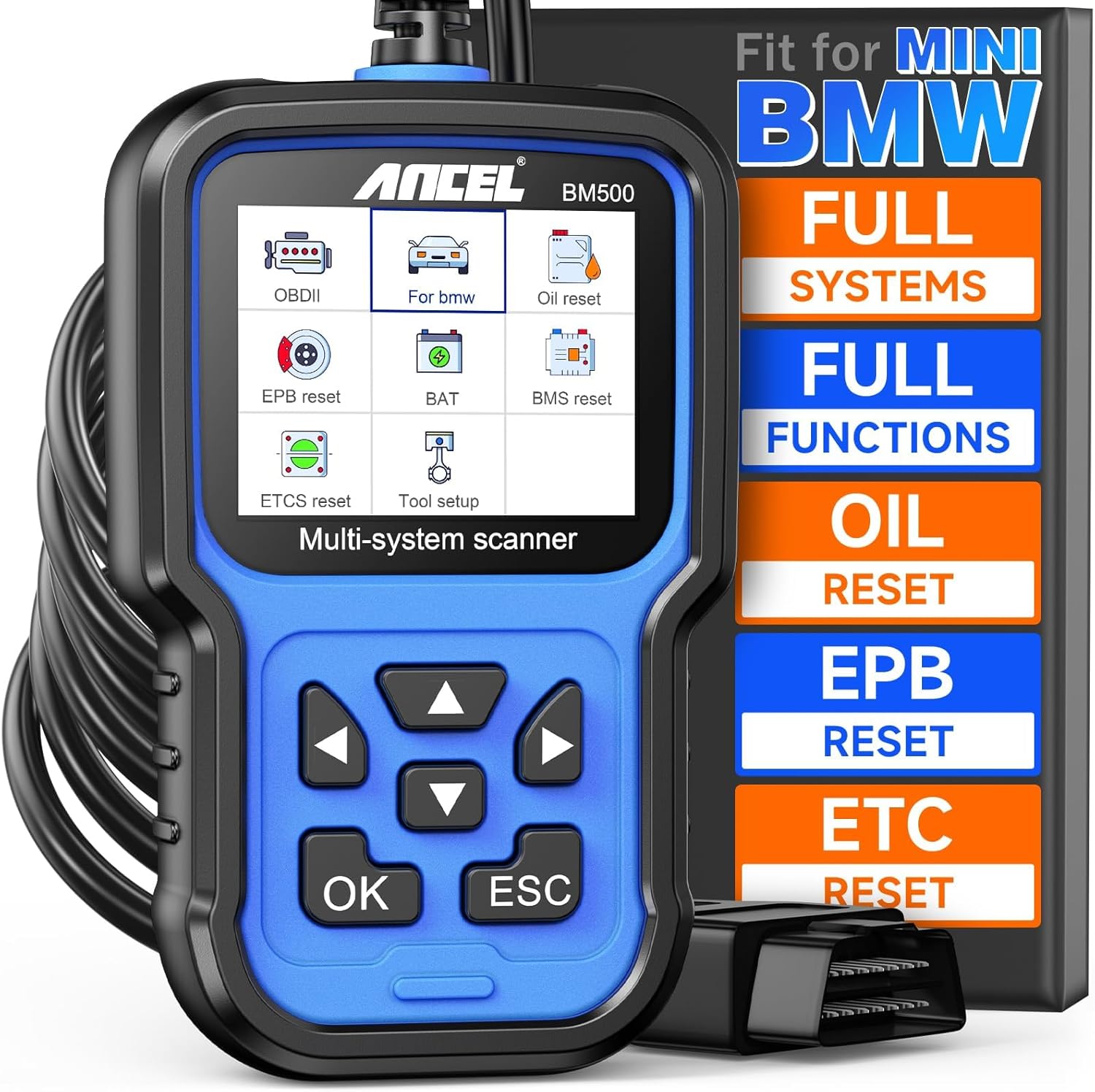
$98.99
We may earn a commission if you buy - it never changes what we recommend or what you pay.
Veepeak OBDCheck BLE+ and the vLinker BM
If 80 dollars for an adapter feels steep for an F56 you just want to code once, the Veepeak OBDCheck BLE+ at around 42 dollars is on the BimmerCode and BimmerLink supported lists and works with both iOS and Android. It scored 3.6 out of 5 in our review, mostly because it is slower and the connection is less bulletproof than the OBDLink. For occasional use that is a fair trade. The Vgate vLinker BM is the other budget option around 50 dollars with a similar story. Either one gets an F-series MINI owner coding for well under a hundred dollars all in.

BimmerTalk rating 3.6/5
$39.87Amazon price as of Nov 8, 2026 - may change
We may earn a commission if you buy - it never changes what we recommend or what you pay.
Carly for MINI
Carly is the all-in-one subscription option. You buy their adapter, pay a yearly plan for the MINI package, and get fault reading across modules, live data, battery registration on supported cars, service resets, some coding and their used-car check features in one app. The appeal is hand-holding: the app explains codes in plain language and ranks their severity, which is genuinely useful for a first-time owner staring at a cluster full of warnings. The downside is cost over time. After three years of subscriptions you have paid for a Foxwell and the OBDLink kit with change left over, and the coding depth is shallower than BimmerCode's. I compare them properly in Carly vs BimmerCode. For a MINI owner who wants one app and does not mind paying yearly, it works. For anyone else, the OBDLink route is better value.
BlueDriver and the generic crowd
BlueDriver, at roughly 100 to 120 dollars, is a nice generic reader with a polished app and a repair-report feature. Its enhanced module access is strongest on domestic and Japanese makes. For a MINI I would treat it as a generic engine code reader unless BlueDriver's current compatibility list says otherwise for your chassis. The same goes for Car Scanner with a cheap dongle, which one F56 electric owner on the forums uses happily, and for any no-name ELM327 on Amazon. They read the DME's P-codes. They do not see the DSC, airbags, BDC or cluster, they cannot register a battery and they cannot code. If the family has four cars and one of them is a MINI, fine. If the MINI is the reason you are shopping, buy a BMW-group tool.
Every Tool Compared for MINI
Here is the whole field in one place. "All modules" means the tool can read beyond the engine into ABS, airbag, transmission and body modules on a supported car. Generation support is based on manufacturer listings and owner reports; where I could not confirm it, I say so.
| Tool | MINI generations | All modules | Coding | Service functions | Rough price |
|---|---|---|---|---|---|
| OBDLink CX plus BimmerLink and BimmerCode | R56 era and F-series from 2006, R53 not supported, J01 unconfirmed | Yes via BimmerLink on supported cars | Yes via BimmerCode | Battery registration and selected resets | around 80 USD plus apps around 50 USD |
| OBDLink MX+ plus apps | Same as CX | Yes via BimmerLink | Yes via BimmerCode | Same as CX | around 140 USD plus apps |
| Foxwell NT510 Elite BMW and MINI | R53 claimed from 1996, R56 and F-series yes, J01 unconfirmed | Yes | No real convenience coding | Battery registration, CBS, EPB, adaptations per spec sheet | around 165 USD |
| Ancel BM500 | R53 claimed from 1996, R56 confirmed by owners, F-series likely, J01 unconfirmed | Yes | No | Basic resets, confirm per VIN | around 100 USD |
| Ancel BM700 Pro | As BM500 but matrix unconfirmed | Claimed | No | More resets claimed, confirm per VIN | around 133 USD |
| Veepeak OBDCheck BLE+ plus apps | R56 era and F-series from 2006 | Yes via BimmerLink | Yes via BimmerCode | Battery registration via BimmerLink | around 42 USD plus apps |
| Vgate vLinker BM plus apps | R56 era and F-series from 2006 | Yes via BimmerLink | Yes via BimmerCode | Battery registration via BimmerLink | around 50 USD plus apps |
| Carly for MINI | R56 and F-series vehicle dependent, R53 and J01 unconfirmed | Yes on supported cars | Some | Battery registration and resets on supported cars | adapter plus yearly subscription |
| BlueDriver | Any OBD2 MINI for engine codes | No for MINI unless their list says otherwise | No | No | around 100 to 120 USD |
OBDLink CX plus BimmerLink and BimmerCode
- MINI generations
- R56 era and F-series from 2006, R53 not supported, J01 unconfirmed
- All modules
- Yes via BimmerLink on supported cars
- Coding
- Yes via BimmerCode
- Service functions
- Battery registration and selected resets
- Rough price
- around 80 USD plus apps around 50 USD
OBDLink MX+ plus apps
- MINI generations
- Same as CX
- All modules
- Yes via BimmerLink
- Coding
- Yes via BimmerCode
- Service functions
- Same as CX
- Rough price
- around 140 USD plus apps
Foxwell NT510 Elite BMW and MINI
- MINI generations
- R53 claimed from 1996, R56 and F-series yes, J01 unconfirmed
- All modules
- Yes
- Coding
- No real convenience coding
- Service functions
- Battery registration, CBS, EPB, adaptations per spec sheet
- Rough price
- around 165 USD
Ancel BM500
- MINI generations
- R53 claimed from 1996, R56 confirmed by owners, F-series likely, J01 unconfirmed
- All modules
- Yes
- Coding
- No
- Service functions
- Basic resets, confirm per VIN
- Rough price
- around 100 USD
Ancel BM700 Pro
- MINI generations
- As BM500 but matrix unconfirmed
- All modules
- Claimed
- Coding
- No
- Service functions
- More resets claimed, confirm per VIN
- Rough price
- around 133 USD
Veepeak OBDCheck BLE+ plus apps
- MINI generations
- R56 era and F-series from 2006
- All modules
- Yes via BimmerLink
- Coding
- Yes via BimmerCode
- Service functions
- Battery registration via BimmerLink
- Rough price
- around 42 USD plus apps
Vgate vLinker BM plus apps
- MINI generations
- R56 era and F-series from 2006
- All modules
- Yes via BimmerLink
- Coding
- Yes via BimmerCode
- Service functions
- Battery registration via BimmerLink
- Rough price
- around 50 USD plus apps
Carly for MINI
- MINI generations
- R56 and F-series vehicle dependent, R53 and J01 unconfirmed
- All modules
- Yes on supported cars
- Coding
- Some
- Service functions
- Battery registration and resets on supported cars
- Rough price
- adapter plus yearly subscription
BlueDriver
- MINI generations
- Any OBD2 MINI for engine codes
- All modules
- No for MINI unless their list says otherwise
- Coding
- No
- Service functions
- No
- Rough price
- around 100 to 120 USD
If the table makes your head spin, the decision tree is short. R53: Foxwell or BM500 after a VIN check. R56 or R60: Foxwell first, BM500 if money is tight, add a CX later if you want coding. F-series: CX plus the apps, Foxwell only if you prefer a handheld. New generation: wait and check the app lists. For the wider BMW picture, including Autel and the professional tier, our main BMW scanner roundup goes deeper.
Your First Scan - Step by Step
Whatever tool you bought, the first session should follow the same shape. This is the order that stops you from throwing away information you will want later.
- Park the car, ignition on, engine off. On an F-series MINI that means press the start button without your foot on the brake (or clutch). On an R56 turn the key to position two. The modules need to be awake, not the engine.
- Find the port in the driver's footwell under the dash near the steering column. On some R56 and F56 cars it hides behind a small flap or trim panel. Plug in the adapter or the handheld.
- Connect the app or boot the tool and let it identify the car from the VIN. Confirm it has read the correct chassis code before going further. If it defaults to a BMW model, pick the MINI manually.
- Run a full scan of every module, not just the engine. Save or screenshot the complete list. On an older MINI you will find stored faults in modules you did not know existed, and that first snapshot is your baseline.
- Open any engine codes and read the freeze-frame data before you clear anything. Note rpm, load, temperature, fuel trims and (on an N14 or N18) rail pressure.
- Pull up live data and watch the parameters that match the problem: coolant temperature for a P0128, misfire counters for a P030x, cam angles for a P0012, rail pressure for a P0087, boost for a P0299.
- Only now clear the codes, drive the car and rescan. A code that comes straight back is a current fault. One that stays gone was historical.
- If you are doing a service function (battery registration, CBS reset), put the car on a charger first, do the single function, and verify it in the cluster afterwards.
The reading and clearing part is deliberately short here because our full guide to reading and clearing BMW fault codes already covers the detail, and the MINI procedure is identical.

Mistakes MINI Owners Make With Scanners
Buying for the badge instead of the chassis
The single most common error is ordering an adapter because the box says "BMW and MINI" and finding out the app does not list the car. The adapter is dumb hardware. The app or the handheld software decides what works. Check the vehicle list for your chassis code first, every time, and double that caution on an R53 or anything from 2024 onward.
Clearing codes before reading the freeze frame
I have watched people on forums post "cleared the code, it came back, what now?" with nothing else to go on. The freeze frame was the only clue they had about the conditions when the fault set, and they deleted it in the first thirty seconds. Screenshot first, clear second, always.
Replacing parts to match a code
P0087 does not mean "buy a high-pressure fuel pump" and P0016 does not mean "buy a cam sensor". On an N14 especially, the code tells you which system is unhappy and the live data tells you why. If your tool cannot show you rail pressure or cam angle, you are guessing with expensive parts.
Skipping battery support on the F-series
The BDC on an F56 is fussy about voltage during a write. Owners on Bimmerpost and the MINI forums report coding sessions that hung when the battery sagged, and recovering a module that lost power mid-write is not a glovebox job. A cheap charger clipped on for the duration is the whole fix.
Expecting a coding app to diagnose
BimmerCode is wonderful at what it does, and what it does is change settings. It is not a diagnostic scanner. If your MINI has an airbag light, you need BimmerLink or a handheld, not BimmerCode. The two apps are built as a pair for a reason and this breakdown explains which one you need for which job.
FAQ
What is the difference between an OBD and OBD2 scanner for a MINI
OBD2 is the standardised diagnostic interface required on cars sold in the US from 1996, so every MINI from the 2002 R50 onward is an OBD2 car with the standard 16-pin port. The older "OBD" or OBD1 readers are irrelevant to any MINI you can buy. The distinction that actually matters for a MINI is not OBD versus OBD2 but generic versus BMW-group. A generic OBD2 reader speaks only the standardised engine layer. A BMW-group tool speaks the manufacturer protocols on top of it, which is where the ABS, airbag, body modules, hex codes, live VANOS data and service functions live.
What are the most common OBD2 trouble codes on a MINI Cooper
On the R56-era turbo engines it is the misfire set (P0300 to P0304), the cam timing and correlation codes (P0012, P0016), the lean codes (P0171 and the MINI-specific P1497) from a failed PCV diaphragm, the fuel pressure pair (P0087 and P0191) and the cooling code P0128 from a stuck-open thermostat. P0299 for underboost and P0420 for catalyst efficiency round out the usual suspects. The F-series cars with B38 and B48 engines throw far fewer engine codes; the typical F56 owner's complaint is a battery or service message rather than a misfire. The full code table above covers what each one usually means on these cars.
Can AutoZone scan a MINI Cooper for free
Most AutoZone and similar parts stores in the US will read your codes for free with a generic reader, and some will lend you a tool to do it yourself. That gets you the engine's P-codes and nothing else. It will not see the airbag, ABS, transmission or body modules on a MINI, it will not show you misfire counters or fuel pressure, and it cannot register a battery or reset a service interval. For "why is the check engine light on" it is a fine first step. For anything beyond that, you need your own BMW-group tool.
Where do you plug in a code reader on a MINI Cooper
Driver's footwell, under the dash, near the steering column, on every generation. On the R56 it sits low on the dash underside and some cars have a small hinged flap over it. On the F-series cars it is in the same area and may be recessed behind a lower trim panel, depending on year and market. You never need to remove the centre console or any panel with screws. If you are on your knees with a torch and still cannot find it, our port location guide has photos and covers MINI alongside the BMW models.
How do you check MINI codes without a scanner
You mostly cannot. MINI does not display fault codes on the dashboard, and the old "key dance" tricks that worked on some makes do nothing on a BMW-group car. Many MINIs have a hidden cluster test menu reached by holding the trip button that shows things like battery voltage and coolant temperature, which is handy, but it does not show stored faults. The cheapest real options are a free parts-store scan for engine codes or a 42-dollar Veepeak adapter with the BimmerLink app, which reads every module and costs less than a tank of fuel.
Do I need a special scanner for a MINI or will a BMW one work
A BMW scanner is the MINI scanner. MINI has been a BMW Group brand since the R50 and shares its control modules, diagnostic protocols and fault code structure. Every tool in this article is sold as BMW and MINI together because the software does not treat them differently. The only caveat is the vehicle list: a tool can support BMW F-series cars without having the F56 MINI explicitly in its database, so check for your chassis code rather than assuming.
Can I register a new battery on a MINI with a cheap scanner
Not with a generic one. Battery registration is a manufacturer-specific service function, so it needs BimmerLink with a supported adapter, Carly on a supported model, or a handheld like the Foxwell NT510 Elite or possibly the Ancel BM500 for your VIN. On an R56 and especially on an F-series MINI, MINI's own documentation says registration is required after a battery change. If you also changed the battery type or capacity, that is a separate coding step in BimmerCode before the registration. Skipping registration will not strand you, but it will quietly shorten the new battery's life.
Is Carly worth it for a MINI Cooper
It depends on whether you value one app with friendly explanations over total cost. Carly works on the F-series and R56-era MINIs that appear in its list, and the guided fault explanations are a real benefit for a first-time owner. Over several years the subscription adds up to more than a Foxwell plus an OBDLink and the two Bimmer apps, and the coding runs shallower than BimmerCode. If you want to pay once and own the tool, go OBDLink. If you want a subscription that holds your hand, Carly is fine. Our full comparison covers the subscription fine print.
Will any of these tools work on the new electric MINI
At the time of writing, none of the apps or scanners in this article explicitly lists the J01 Cooper electric, the J05 Aceman or the U25 Countryman in its supported vehicles. Newer BMW Group cars increasingly require gateway authentication for anything beyond basic reads, and the high-voltage systems on the electric cars are not something a consumer tool should be touching anyway. Check the in-app vehicle list in BimmerLink and BimmerCode periodically, watch the F56 forums for first reports, and until then let the dealer handle diagnostics on a car that is almost certainly still under warranty.
The Bottom Line
MINI owners have an easier time than they think, because the whole BMW tool market is theirs. The only real decision is matching the tool to the generation. For an F-series car the OBDLink CX with BimmerLink and BimmerCode is the answer, full stop - it is what I run on my own BMW and the MINI workflow is identical. For an R56 or R60 with an N14 or N18, the Foxwell NT510 Elite is the tool that turns a scary code into a diagnosis, and the Ancel BM500 is the budget route to the same module access. For an R53, go handheld and confirm the VIN. For anything from 2024 onward, keep your wallet closed until the app lists your car.
Whatever you buy, save the freeze frame before you clear anything, watch live data before you buy parts, and put a charger on the car before you write to a module. Those three habits will save you more money than any single tool. I will update this one as the new-generation support shakes out, and if your MINI starts talking to an app I have marked as unconfirmed, let me know - the comments on this site are read by exactly one person, and he will be grateful.
Kamil